LinkedIn Collaborative Posts: A Shared Byline Is Now a Feature
TL;DR
LinkedIn Collaborative Posts let two or more people and Pages co-publish one post to both audiences. Here's what they are, who they're for, and how to use them.
For years, co-authoring on LinkedIn was a hack. You tagged someone in the copy. You wrote "posted on behalf of." You and a partner published two near-identical posts and hoped the algorithm rewarded both. None of it looked like a real collaboration, because none of it was one — it was two solo posts standing next to each other.
That just changed. LinkedIn has started rolling out Collaborative Posts, a native way to publish a single post under more than one name. Instagram has had this for years. LinkedIn — the platform where your name next to a brand actually carries professional weight — finally has its own version. And on LinkedIn, the stakes are higher: a shared byline here reads as an endorsement, not a duet.
If you publish on LinkedIn with any seriousness, this is worth understanding now, before it reaches everyone.
What a LinkedIn Collaborative Post actually is
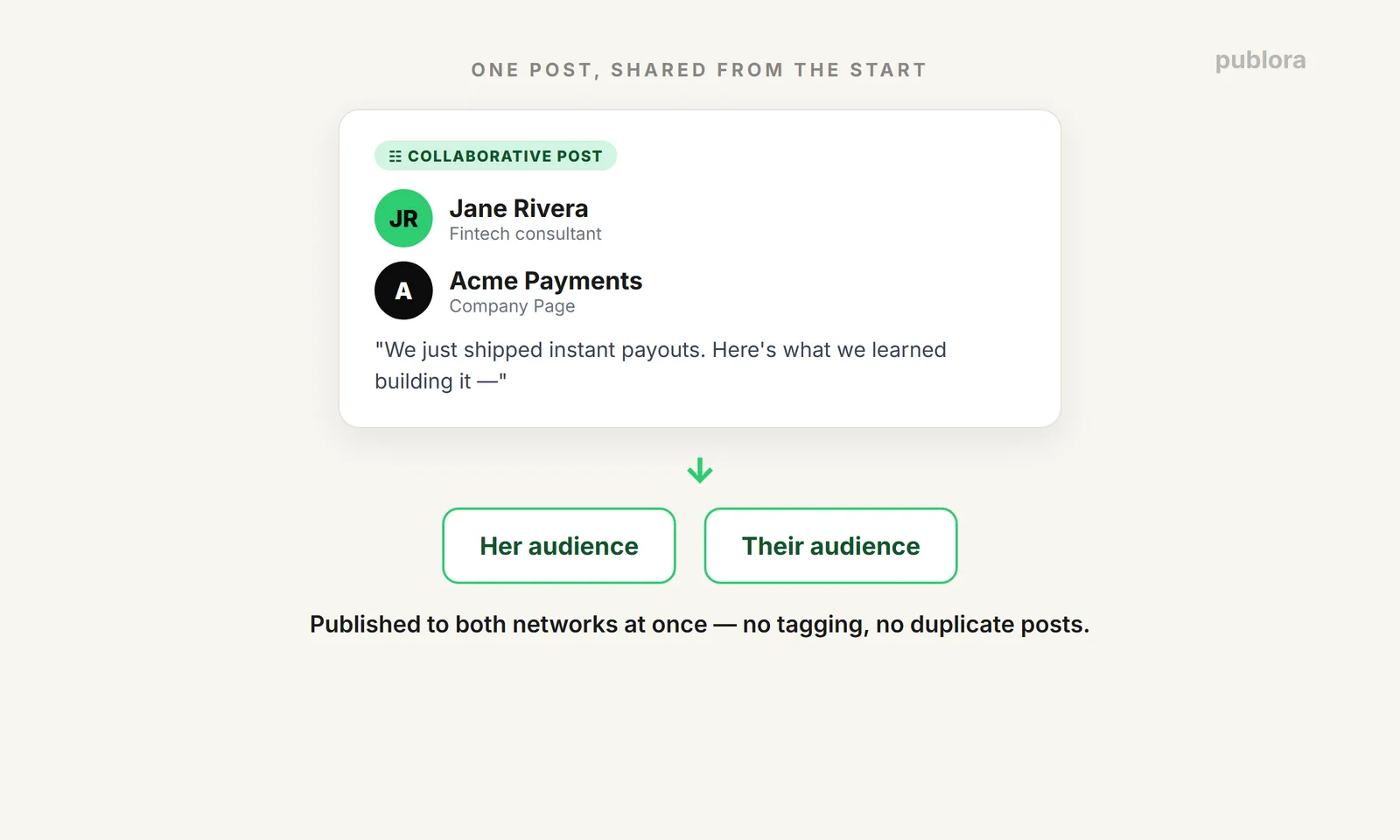
A LinkedIn Collaborative Post lets two or more accounts — individual profiles and company Pages — publish the same post together, with every collaborator's name shown at the top. The post lands in all of their networks at once, not just the original author's. You build the post, open "Add Collaborators" in the composer, invite the people or Pages you want, and once they accept, it goes live across all your profiles simultaneously.
That's it. One post, multiple bylines, combined reach.
Three ways to use it
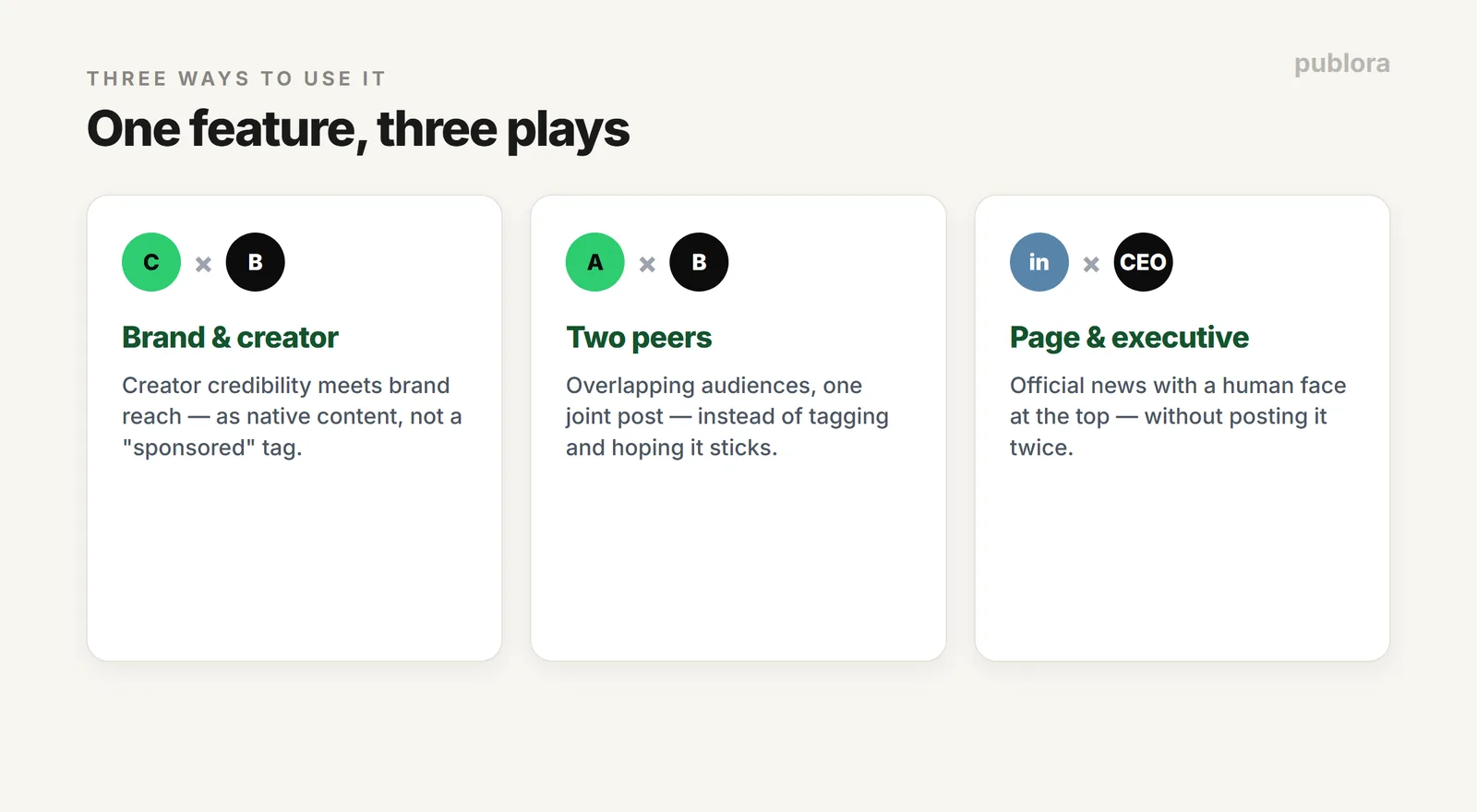
Brand collaborations. This is the obvious one. A creator and a brand Page co-author a single post, and it reaches both audiences as native content — not an external link, not a "sponsored by" tag buried in the copy. Say you're a fintech consultant partnering with a payments company on a launch. Instead of you posting and tagging them, the post carries both names at the top and shows up in front of the brand's entire follower base as a genuine collaboration. The brand borrows your human credibility; you borrow their reach. Both reputations are in it together.
Cross-promotion with peers. Two creators with overlapping but not identical audiences can replace the old "we tagged each other" routine with one joint post. You're launching a report with another operator in your space? One collaborative post puts it in front of both networks, from someone each audience already follows and trusts. No more hoping your tag survives the algorithm — the post is structurally shared from the start.
Company Page + executive. This is where a lot of B2B teams have quietly struggled. The corporate account posts the official announcement; the CEO posts a personal take; now there are two versions of the same news competing in the feed. With a collaborative post, the company Page and the executive's personal profile co-publish the same post. The announcement gets a human face at the top instead of a logo, and you stop diluting reach by publishing the news twice.
Who should use this first
Not everyone needs to rush, but a few groups should be first in line.
Creators with roughly 1,000+ followers, because you now have enough audience that lending it to a partner — and borrowing theirs — meaningfully moves numbers. Agencies pitching brands, because "we can co-author native posts with your executives" is a sharper offer than "we'll manage your page." And companies with active executive profiles, because you've already done the hard part: built up leaders who post. Collaborative posts let you finally connect that personal credibility to the official message without cannibalizing either.
If your executives don't post and your followers are in the low hundreds, the feature won't fix that. It amplifies what's already working; it doesn't manufacture it.
How to prepare before the wide rollout
The feature is in beta with a limited group of creators and brands right now, with broader access expected over the coming months. That gap is your prep window. A few things worth lining up:
Build your co-author shortlist. Make an actual list of the creators, brands, and Pages whose name you'd want next to yours. Be specific — not "people in my industry," but names. When the feature lands in your account, you don't want to be scrambling for who to ask.
Tidy your front door. A collaborative post sends new people to your profile. Check that your headline, banner, and recent posts say what you want them to. First impressions from a partner's audience are first impressions you don't get back.
Have something worth co-signing. The feature adds reach; it does not make weak content good. Save your stronger ideas — the launch, the data, the genuinely useful breakdown — for the partnerships that matter. A mediocre post with two names on it is just a mediocre post seen by more people.
Keep the surrounding rhythm going. Collaborative posts are spikes, and spikes only matter on top of a steady content calendar. Don't let "waiting for the feature" become an excuse to go quiet. Keep posting consistently so that when the collab moment arrives, you're inviting partners to something with momentum, not a dormant profile.
Pitch the collaboration, not the feature. When you approach a potential co-author, don't lead with "LinkedIn has this new thing." Lead with the shared idea: the joint report, the event recap, the launch you can both stand behind. The feature is the mechanism; the reason to say yes is the content.
Where this fits in the bigger picture
Here's the honest part: collaborative posts happen on LinkedIn. They're initiated natively, in the moment, with real-time coordination between you and your co-authors — that's not something a scheduler does for you, and you should be wary of anyone who claims otherwise.
But a collaborative post is one beat in a much longer rhythm. The creators who get the most out of this feature aren't the ones who fire off one flashy collab and disappear. They're the ones with a consistent LinkedIn presence — a real content calendar, regular posts, multiple accounts working in sync, and a clear read on what's actually landing. The collab is the spike; the everyday posting is what makes the spike matter.
That steady layer is exactly where Publora fits. Schedule your regular content, keep your posting consistent across personal and company accounts, and manage multiple profiles from one place — so when the moment for a collaborative post arrives, you're coordinating it from a position of strength instead of starting from zero. The free plan covers 3 accounts, which is enough to run a personal profile, a company Page, and an executive profile side by side.
Collaborative posts are coming. Build the foundation now, so you're ready to make them count.
FAQ
What's the difference between LinkedIn Collaborative Posts and Collaborative Articles?
They're different features. Collaborative Articles were AI-prompted, skill-based explainers that invited the community to add their own perspectives (LinkedIn has since wound down new contributions to them). Collaborative Posts are ordinary feed posts co-authored by people and Pages you choose, with every collaborator credited at the top.
Can a LinkedIn Page co-author a post with a person?
Yes. Both individual members and Pages can take part in collaborative posts and be invited as collaborators. For a Page to appear, an admin has to enable collaboration and accept the invite.
How do you create a Collaborative Post on LinkedIn?
You create the post as usual, open the "Add Collaborators" option in the composer, and invite the people or Pages you want. Once they accept, the post publishes across all collaborators' profiles at the same time.
Does the other author have to approve being added?
Yes. It's an invite-and-accept flow, similar to Instagram's Collab feature. No one is shown as a collaborator until they accept the invitation.
When will Collaborative Posts be available to everyone?
LinkedIn is currently testing the feature with a limited group of creators and brands, with early access first shown at Cannes Lions. A wider rollout is expected over the coming months.
Can you schedule a Collaborative Post in advance with a tool like Publora?
No. Collaborative Posts are initiated natively on LinkedIn and require real-time coordination between co-authors, so no third-party scheduler publishes them for you. What a tool like Publora handles is everything around the collab — your regular scheduling, posting consistency, and multi-account management.
Build the foundation collabs sit on
Keep your LinkedIn rhythm steady across personal and company accounts. Free plan covers 3 accounts — no credit card.
Try Publora FreeFurther Reading
- LinkedIn Algorithm 2026: How It Ranks Posts
- Best Social Media Scheduling Tools
- Content Planning Tools
About the author. Written by the Publora team. Feature details are based on LinkedIn's announcements and reporting as of June 2026; Collaborative Posts are in limited testing, so exact availability and UI may change as the rollout widens.
Related Articles
The Best Time to Post on X (Twitter) in 2026
Four published studies agree on Tuesday to Thursday mornings for X. The exact windows, the sample sizes behind them, and how to find your own best time.
The Best Time to Post on Threads in 2026
Buffer's analysis of 2.5 million Threads posts puts Thursday at 9am on top. The published windows, how much data sits behind them, and how to find your own.
How to Schedule Tweets in 2026 (Posts, Threads, and API)
How to schedule tweets in 2026: queue single posts and threads on X, handle the 280-character limit and image rules, or publish from a script or AI agent.
X (Twitter) Character Limit in 2026: The Complete Reference
The X (Twitter) character limit is 280 characters, but emojis count as two and URLs count in full. Every limit, how counting works, and what happens when you go over.