How to Schedule Tweets in 2026 (Posts, Threads, and API)

· Updated
TL;DR
How to schedule tweets in 2026: queue single posts and threads on X, handle the 280-character limit and image rules, or publish from a script or AI agent.
Scheduling a tweet is the easy part. What catches people out is everything around it: content that quietly exceeds 280 characters, images that only attach to the first post of a thread, and emojis that cost twice what you expect. This covers the scheduling itself and the rules that decide whether a queued post goes out at all.
The Basic Flow
- Connect your X account to Publora, once.
- Write the post and attach media if you want it.
- Pick a time and queue it.
- Leave it. It publishes without you opening X.
Queue a week or a month in one sitting, which is the point of scheduling rather than posting live.
Scheduling Threads, Not Just Single Posts
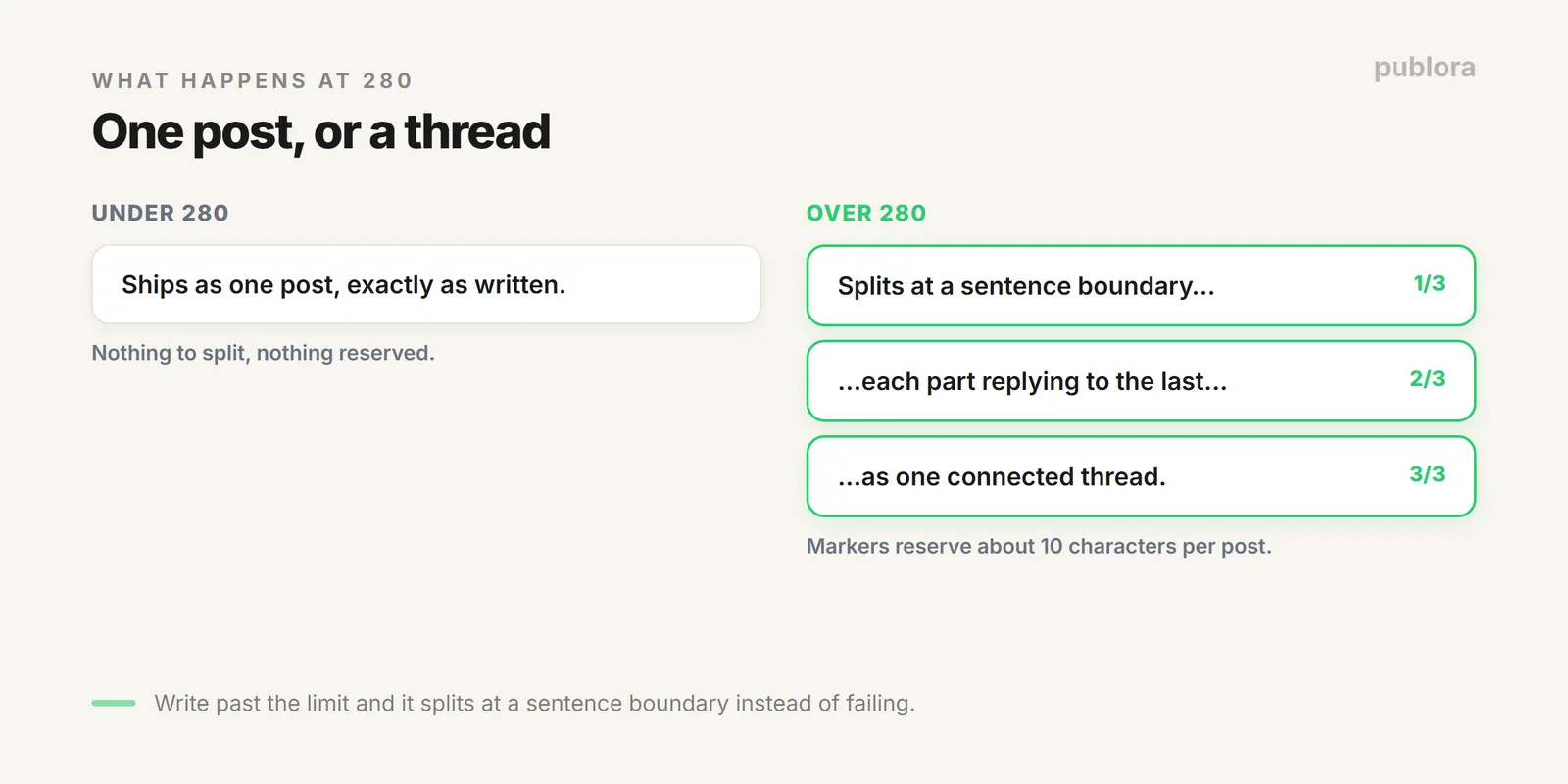
X caps a post at 280 characters. Write more than that and a scheduler has two options: reject it or split it. Publora splits, turning longer content into a connected thread where each part is posted as a reply to the previous one, broken at sentence boundaries so it reads naturally.
You can also place the breaks yourself when a specific line deserves to stand alone as its own post.
(1/3) markers are appended to each part and reserve about ten characters, so each post in a thread has roughly 270 usable rather than the full 280.Counting Rules That Break Scheduled Posts
| What | How it counts |
|---|---|
| Plain character | 1 |
| Emoji | 2 each |
| URL | Its full literal length in Publora |
| Thread marker | About 10 reserved per post |
A caption that looks like 260 characters can be over the line once a few emojis and a long tracking link are counted. Full detail in the X character limit reference.
Media on Scheduled Posts
- Up to four images per post, 5 MB each.
- Images ride the first post in a thread; the rest are text-only. Lead with the visual.
- Images and video can't share a post. One or the other.
- Everything converts to PNG at max 1000px wide, so animated GIFs lose their animation. Post those as video.
Dimensions are in X image sizes and specs.
Scheduling Tweets From Code
If your posts come from a script or an AI pipeline, a scheduled tweet is one call:
POST https://api.publora.com/api/v1/create-post
x-publora-key: your_api_key

{
  "content": "Shipped the scheduling guide today.",
  "platforms": ["twitter-123456"],
  "scheduledTime": "2026-08-10T14:00:00Z"
}
Add more platform IDs to that array and the same content goes to Instagram, LinkedIn, or Threads at the same time. Publora also runs an MCP server, so an AI agent can schedule a tweet as a tool call rather than writing HTTP itself.
FAQ
How do I schedule tweets?
Connect your X account to a scheduler, write the post, pick a time. Publora queues single posts, splits long content into threads, and can send the same content to other networks in one action.
Can you schedule a thread?
Yes. Content past 280 characters splits into a connected thread at sentence boundaries, and you can set the breaks manually.
Can I schedule from a script or agent?
Yes, one create-post API call with a timestamp. An MCP connection lets an AI agent do the same as a native tool call.
Queue X, and nine more platforms
Publora schedules posts and threads on X, handles the character counting, and reaches every other network in the same action. Free to start.
Start FreeFurther Reading
About the author. Written by the Publora team. Threading, counting, and media behaviour reflect the live Publora X integration documented at docs.publora.com.
Related Articles
The Best Time to Post on X (Twitter) in 2026
Four published studies agree on Tuesday to Thursday mornings for X. The exact windows, the sample sizes behind them, and how to find your own best time.
The Best Time to Post on Threads in 2026
Buffer's analysis of 2.5 million Threads posts puts Thursday at 9am on top. The published windows, how much data sits behind them, and how to find your own.
X (Twitter) Character Limit in 2026: The Complete Reference
The X (Twitter) character limit is 280 characters, but emojis count as two and URLs count in full. Every limit, how counting works, and what happens when you go over.
Instagram Algorithm 2026: How Reach Really Works Now
How the Instagram algorithm works in 2026 - the separate systems for Feed, Reels, Stories, and Explore, why sends beat likes, and what Instagram says not to do.