
Bluesky API: How to Post to Bluesky via API
The official AT Protocol API is open and free. Here is what posting with it involves, and when a single Publora integration for Bluesky plus nine other networks makes more sense.
Bluesky runs on the AT Protocol, and its API is open. There is no app review, no developer application and no fee. You log in with an app password or OAuth, write an app.bsky.feed.post record, and the post is live. For a bot or a script that only posts to Bluesky, the official API is the simplest way to do it, and we would recommend it.
The work shows up in the details: links and hashtags are not clickable unless you add rich-text facets with byte offsets, images are uploaded as blobs first, and sessions need refreshing. None of it is hard, but it is Bluesky-specific code you then maintain next to every other network you post to.
Publora's value for Bluesky is not access. It is one integration for ten networks, scheduling without running your own queue, engagement stats, and an MCP server so AI agents like Claude can post for you.
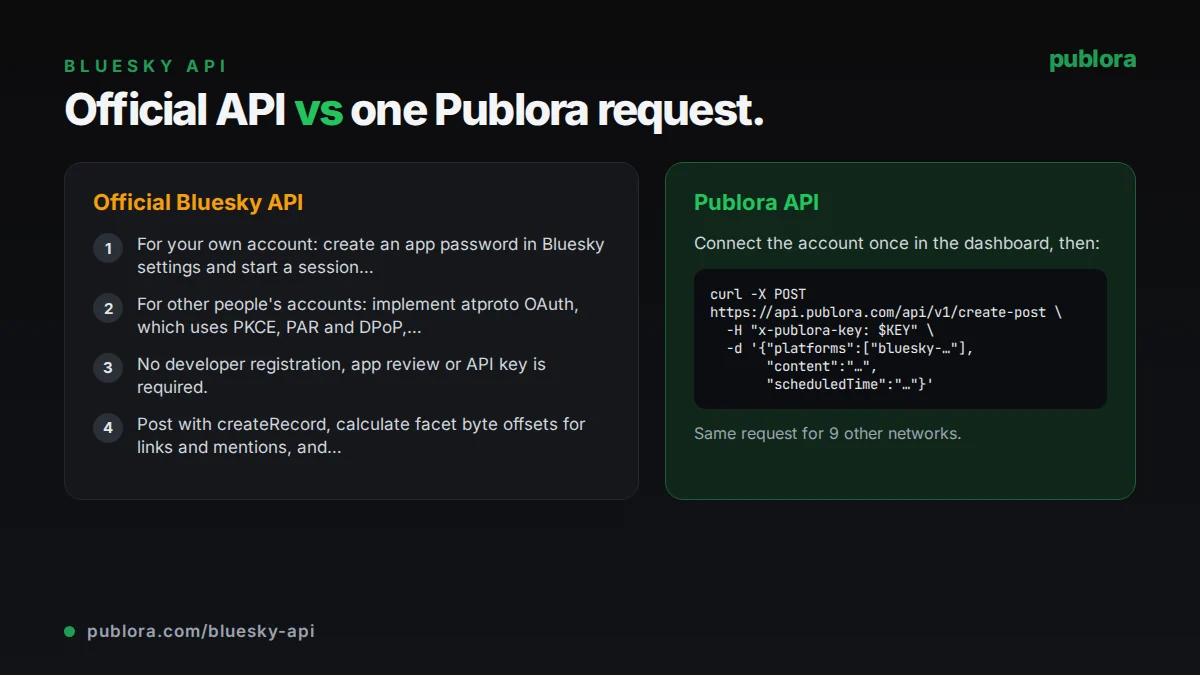
The official Bluesky API
A Bluesky post is a repository record of type app.bsky.feed.post, created with com.atproto.repo.createRecord on the account's PDS. The record needs text and a createdAt timestamp. Mentions, links and hashtags are rich-text facets that point at byte ranges in the UTF-8 text. Images are uploaded as blobs and referenced from an embed.
What posting requires
- For your own account: create an app password in Bluesky settings and start a session with com.atproto.server.createSession.
- For other people's accounts: implement atproto OAuth, which uses PKCE, PAR and DPoP, with client metadata published at a URL that serves as your client_id.
- No developer registration, app review or API key is required.
- Post with createRecord, calculate facet byte offsets for links and mentions, and upload images as blobs before referencing them.
Cost: Free. Bluesky does not charge for API access; the limits below are the only constraints.
Official limits
| Post text | 300 graphemes (3,000 bytes) |
|---|---|
| Images per post | 4, up to 2,000,000 bytes each |
| Record writes per account | 5,000 points per hour, 35,000 per day (create = 3 points) |
| Posts implied by write budget | Up to about 1,666 creates per hour |
| createSession | 30 per 5 minutes, 300 per day per account |
| API requests via PDS | 3,000 per 5 minutes per IP |
| Blob upload size (PDS) | 50 MB |
Common gotchas
- Facets use UTF-8 byte offsets, not character positions. Emoji and non-Latin text shift the offsets and break links if you count characters.
- Links and hashtags in plain text are not clickable until you add the facets yourself.
- createSession is limited to 300 per day per account, so a script that logs in on every run should reuse and refresh its session.
- The 300 limit counts graphemes, so a JavaScript string length check is not the same thing.
- Other atproto hosts can set different rate limits than Bluesky's own PDS.
Posting to Bluesky through Publora
One integration, ten networks
The same POST /create-post body that posts to Bluesky also posts to LinkedIn, X, Threads, Mastodon and the rest. Add connection IDs to the platforms array.
Facets calculated for you
Hashtags and URLs in your text become clickable facets with correct byte offsets, including for emoji and non-Latin scripts.
Scheduling without a queue
Send scheduledTime in UTC and Publora publishes at that time. No cron job, worker or retry logic on your side.
Stats for agents and scripts
On Pro, read likes, replies, reposts, quotes and saves for posts Publora published, plus follower counts, through the API or the post_stats and profile_stats MCP tools.
Connect with an app password
You enter your handle and a Bluesky app password once in the Publora dashboard. Revoke that app password in Bluesky any time to cut access.
| Official Bluesky API | Publora API | |
|---|---|---|
| Access | Open; no review or registration | Publora account and API key |
| Price | Free | Free Starter plan; Pro $5.99 per account per month |
| Auth | App password session or atproto OAuth | x-publora-key header; app password stored once |
| Links and hashtags | Build facets with byte offsets | Detected automatically |
| Scheduling | Run your own scheduler | scheduledTime in UTC |
| Threads (reply chains) | Possible by writing reply records | Not supported; posts over 300 characters are rejected |
| Image alt text | Supported in the image embed | Not settable through the REST API yet |
| Other networks | Bluesky and atproto apps only | 10 networks in one request |
Post to Bluesky via API
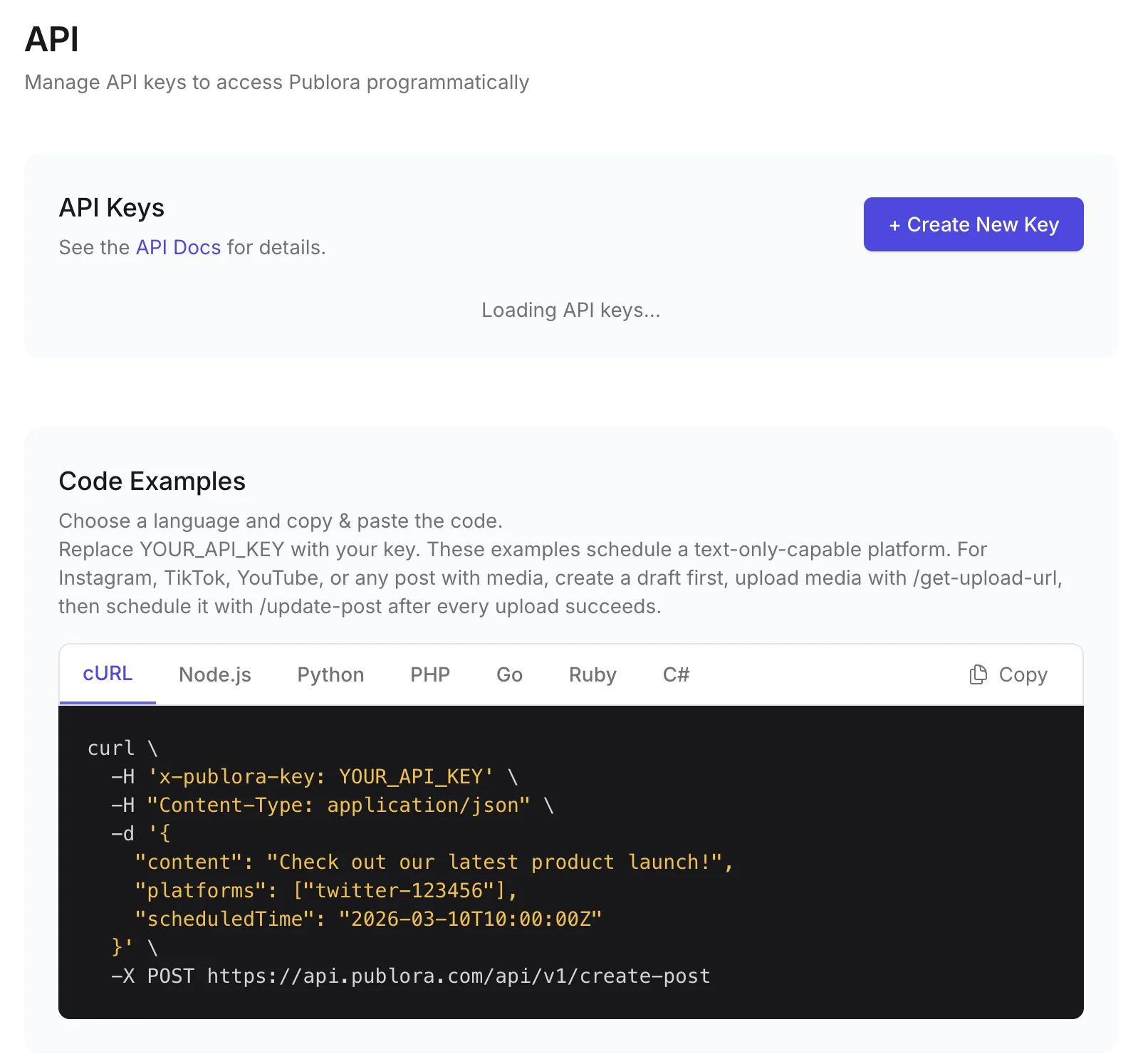
curl -X POST https://api.publora.com/api/v1/create-post \
  -H "Content-Type: application/json" \
  -H "x-publora-key: sk_YOUR_API_KEY" \
  -d '{
    "content": "Our analytics view now shows reposts and quotes side by side. Details: https://example.com/changelog #buildinpublic",
    "platforms": ["bluesky-did:plc:abc123xyz"],
    "scheduledTime": "2026-10-07T16:00:00.000Z",
    "mediaUrls": ["https://example.com/images/analytics-view.png"]
  }'
# { "success": true, "postGroupId": "...", "scheduledTime": "2026-10-07T16:00:00.000Z" }
import requests
response = requests.post(
"https://api.publora.com/api/v1/create-post",
headers={
"Content-Type": "application/json",
"x-publora-key": "sk_YOUR_API_KEY",
},
json={
# Must fit in 300 characters; longer text is rejected, not split.
"content": "Our analytics view now shows reposts and quotes side by side. #buildinpublic",
"platforms": ["bluesky-did:plc:abc123xyz", "mastodon-109876543210"],
"scheduledTime": "2026-10-07T16:00:00.000Z",
},
)
print(response.json()) # {'success': True, 'postGroupId': '...', 'scheduledTime': '...'}Or let an AI agent post
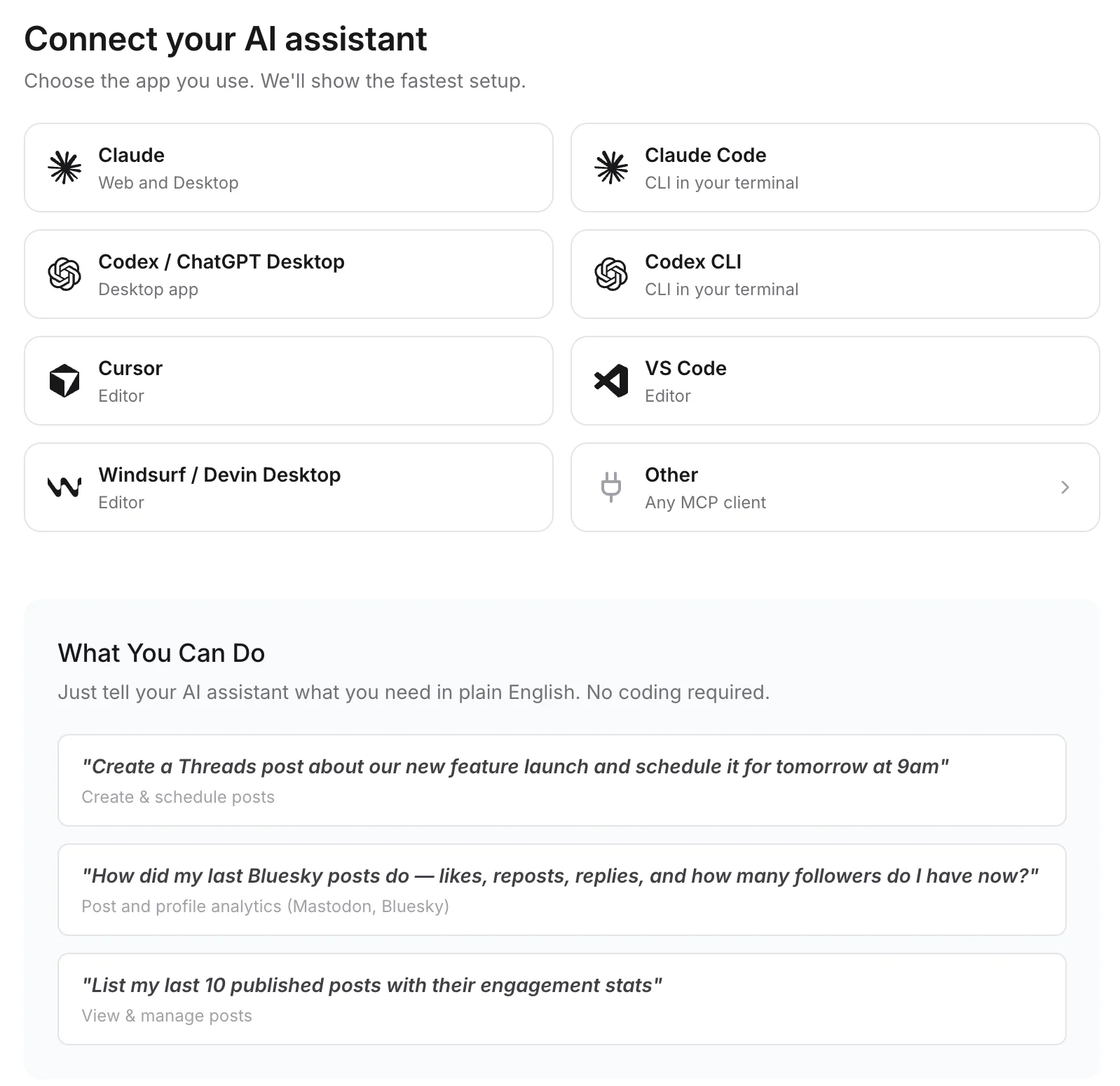
Connect any MCP client to mcp.publora.com:
- “Shorten this announcement to under 280 characters and schedule it to my Bluesky and Mastodon accounts for Thursday at 16:00 UTC.”
- “Pull post stats for my Bluesky posts from last week and tell me which ones got the most reposts.”
- “Schedule a Bluesky post with this screenshot URL tomorrow at 10:00 UTC, with the link and #opensource in the text.”
Where you get the key and connect agents
Bluesky API FAQ
Is the Bluesky API free?
Yes. The AT Protocol API has no fee and no app review. You need an account, an app password or OAuth, and to stay within the rate limits.
Should I use the official Bluesky API or Publora?
If you post only to Bluesky, the official API is straightforward and free. Publora is useful when Bluesky is one of several networks, when you want scheduling without running a queue, or when an AI agent should post through MCP.
What are the Bluesky API rate limits?
Bluesky's PDS allows 5,000 write points per hour and 35,000 per day per account, with a create costing 3 points, plus 3,000 API requests per 5 minutes per IP. createSession is limited to 30 per 5 minutes and 300 per day.
Can Publora post a Bluesky thread or add image alt text?
Not currently. Bluesky posts through Publora must fit in 300 characters, and alt text cannot be set through the REST API.
Do I need OAuth to connect Bluesky to Publora?
No. You connect with your handle and an app password in the Publora dashboard, then use your Publora API key. The free Starter plan includes the API and MCP: 3 accounts, 15 posts per month, up to 3 scheduled posts at a time, 7 days ahead.
Guides
- Posting to Bluesky via API: The Developer Guide to the Decentralized Social Network
- Cross-Platform Posting: One API Call to Publish Everywhere
- MCP vs REST API: When to Use Each for Social Media Automation
- How to Automate Social Media Posts with Python and the Publora API
Sources
- Bluesky docs: Creating a post
- Bluesky docs: Posts (createRecord, facets)
- Bluesky docs: Rate limits
- Bluesky docs: OAuth client implementation
- Lexicon app.bsky.feed.post
- Lexicon app.bsky.embed.images
Post to Bluesky and 9 more networks with one API
API and MCP access are included on every plan, including the free Starter plan (posting to X requires Pro).