How to Automate Social Media Posts with Python and the Publora API

· Updated
TL;DR
A working Python guide to automating social media: connect accounts, post to 10 platforms, schedule with one script, and attach media - using the Publora API.
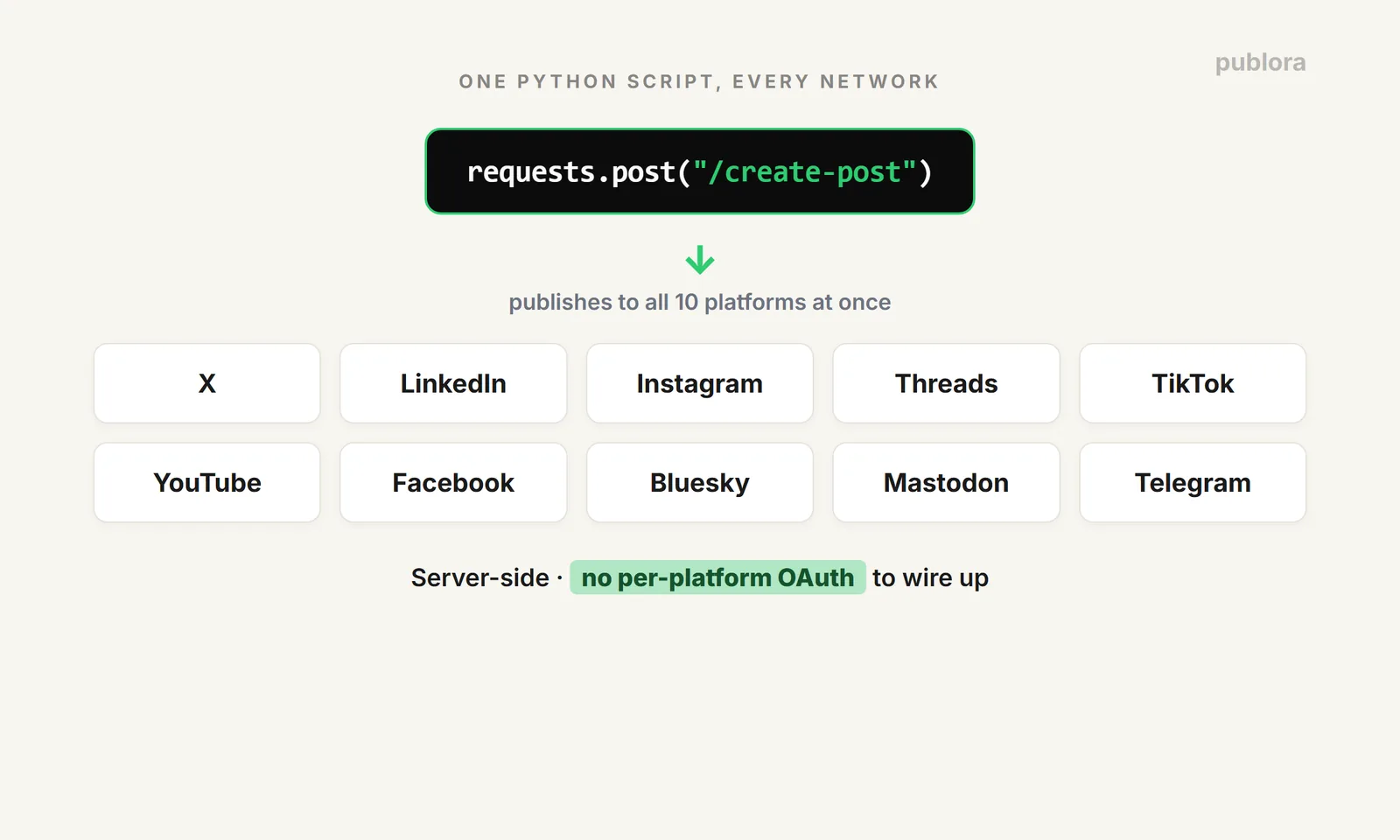
If you post to more than one social account, doing it by hand is a tax on your week. This guide shows the Python version of taking that off your plate: connect your accounts once, then publish and schedule to all 10 networks from a single script. No per-platform OAuth, no ten separate SDKs — one API. The full endpoint reference is at docs.publora.com; below is the working code.
Setup
You need Python, the requests library, and a Publora API key (grab one in the dashboard under API → Generate API Key — it's free on the Starter plan). Connecting your social accounts is a one-time OAuth step in the dashboard; after that, the API posts to them.
Step 1: List Your Connected Accounts
Every post targets accounts by their platformId. Pull the list first:
Step 2: Publish to Several Platforms in One Call
A post is a content string plus a list of platforms. Send it and you get back a postGroupId you can use later to reschedule, attach media, or delete.
One thing to know: if you omit a scheduled time, the post is created as a draft rather than published. That's exactly what you want before attaching media (more on that below). Include a time and it goes into the queue.
Step 3: Schedule for a Specific Time
Scheduling is one field: scheduledTime in ISO 8601 UTC. The scheduler checks for due posts every minute, so it publishes within about 60 seconds of the time you set.
The gotcha that bites people: that time is UTC. Convert from your own zone before you queue, or your posts land hours early. In Python:
Step 4: Schedule a Whole Week in One Loop
This is where automation earns its keep. Keep your posts in a list (or read them from a CSV or your database) and queue a week with a loop:
Sit down once, run it, and your week publishes itself.
Attaching Images and Video
Media takes a specific order, because the file has to be fully uploaded before the scheduler runs. The flow is draft → upload → schedule:
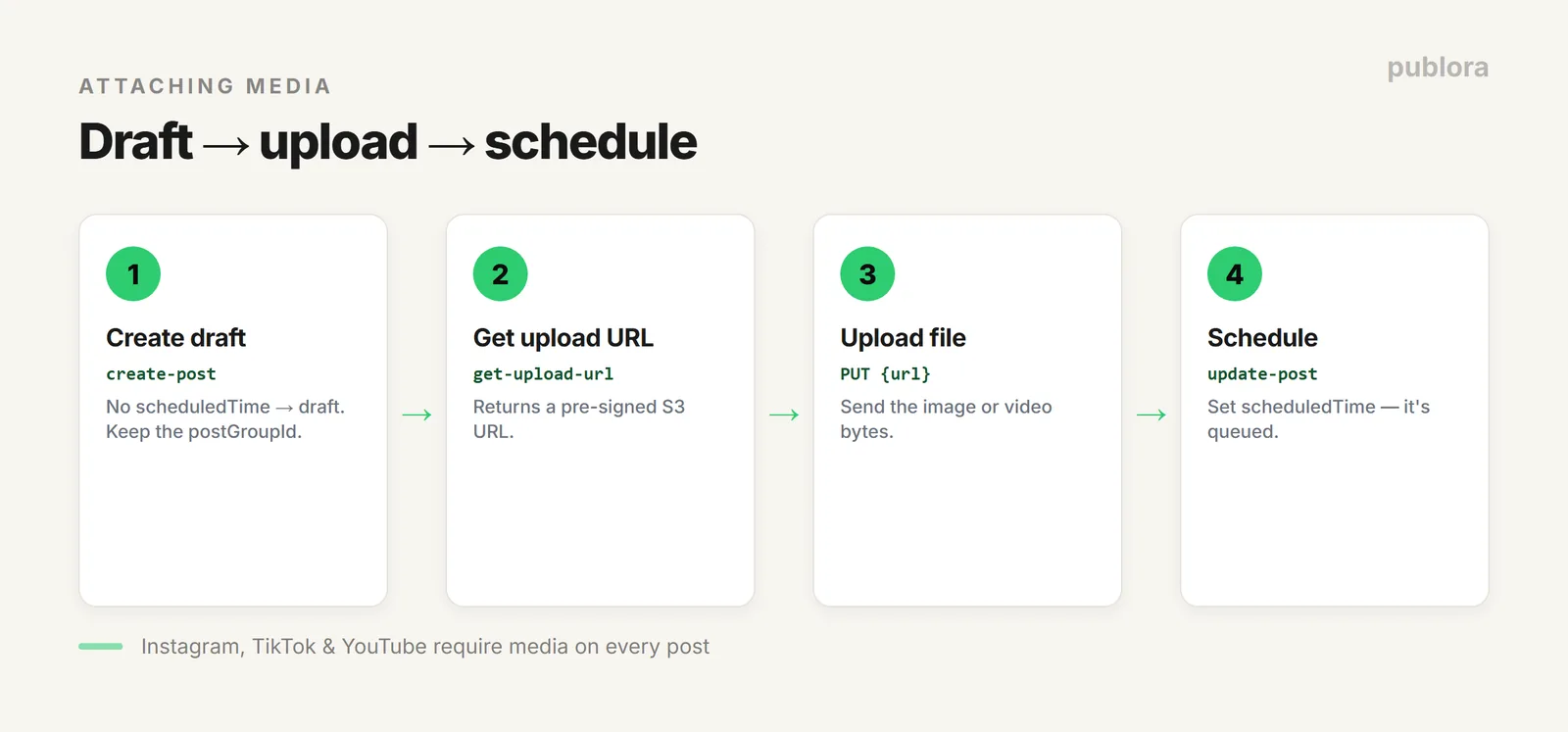
- Create a draft — call
create-postwith noscheduledTime, keep thepostGroupId. - Get an upload URL —
POST /get-upload-urlwith thatpostGroupIdreturns a pre-signed S3 URL. - Upload the file —
PUTthe bytes to that URL. - Schedule it —
PUT /update-post/{postGroupId}with ascheduledTime.
One rule worth remembering: Instagram, TikTok, and YouTube require media on every post — a text-only post to those will be accepted at creation but fail when it publishes. Attach at least one image or video for them.
Plan Limits to Know
- Starter (free): 15 posts/month total, 3 social accounts, all 10 platforms except X.
- Pro ($5.99/account/month, or $3.99 billed yearly): unlimited posts (fair use), X included, volume discounts from the 6th account.
- Agency (custom pricing): isolated client workspaces, unlimited team members with role-based access.
Full REST API and MCP access are on every tier, including the free one. And note the API is server-to-server — the key header isn't CORS-allowed, so call it from a backend or script, never from browser JavaScript, and keep your key out of client code.
Prefer to Let an Agent Do It?
If you're working inside an AI agent, you can skip the scripting entirely: Publora ships a first-party MCP server, so Claude, Cursor, or an n8n workflow can schedule posts from a plain-language instruction. See the social media scheduling API guide for the overview and connecting Publora MCP to Claude Code to set it up.
FAQ
How do I post to social media with Python?
Install requests, put your key in the x-publora-key header, and POST to api.publora.com/api/v1/create-post with a content string and a list of platform IDs. One request publishes to every account you list.
How do I schedule a post for later?
Add scheduledTime in ISO 8601 UTC (e.g. 2026-03-15T14:30:00.000Z). Omit it and the post is saved as a draft. The scheduler publishes within about a minute of the set time.
Can I attach images or video from Python?
Yes: create a draft, request an upload URL from get-upload-url, PUT the file, then set scheduledTime via update-post. Instagram, TikTok, and YouTube require media.
Is the API safe to call from the browser?
No — it's server-to-server. The key header isn't CORS-allowed and shouldn't be exposed in client code. Call it from a backend, a script, or a serverless function.
Build against the API free
Full REST and MCP access on the free Starter plan — no credit card. Grab a key and publish to 10 platforms from Python.
Get Started FreeFurther Reading
- Social Media Scheduling API: Post to 10 Platforms with One Call
- Connect Publora MCP to Claude Code
- Social Media API: The Complete Guide
- Publora API Reference
About this article. Code, endpoints, and limits were taken from the live Publora API docs in June 2026; APIs change, so check docs.publora.com for the current reference.
Related Articles
How to Publish to Social Media From Claude
Add the Publora connector from the Claude directory, then ask Claude to draft, schedule or publish to LinkedIn, X, Instagram and seven more networks.
How to Post a Figma Design to Social Media
Send a Figma frame to LinkedIn, Instagram, X and seven more networks without leaving Figma. Free plugin, works in Figma Design and Figma Slides.
How to Publish to Social Media From IFTTT
Connect Publora to IFTTT once, and anything IFTTT watches can go out to LinkedIn, X, Instagram and seven more networks. A feed, a webhook, your own code.
How to Auto-Share WordPress Posts to Social Media
Share every new WordPress post to Instagram, LinkedIn, X, Threads, Bluesky and five more networks automatically. Free plugin, about five minutes to set up.