Social Media Scheduling API: Post to 10 Platforms with One Call (2026)
TL;DR
A social media scheduling API lets developers post to 10 platforms in one call. Get started with Publora's REST API and MCP server in under an hour - free tier.
A social media scheduling API lets you write a post once and send it to every connected network with a single call — no separate integration per platform. With Publora you grab a key, connect your accounts, and ship your first post in under an hour; with the MCP server, your AI agent can do it for you. The full API reference lives at docs.publora.com — and below is how to start so nothing trips you up.
Why You'd Want an API in the First Place
An API earns its place the moment you have more than one channel to feed. If you run a few accounts, or connected brand pages, you already know the dread of pushing one post out everywhere it needs to go — by hand, tab by tab. That's exactly the chore an API takes off your plate: one command, post published. We'll get to how it works in a minute.
Three specific headaches disappear.
First, the ten OAuth flows. If that phrase didn't scare you, you're technical enough to skip ahead. If it did, here's the plain version: every network is its own gated entrance, with its own rules at the door and a guard who changes them without telling anyone. Wiring up X, LinkedIn, Instagram and seven more by hand means ten of those gates to walk through and guard forever. The API walks them for you. Once.
Second, the manual labor. A new blog post, a release, a closed ticket, today's metric — any event in your system can trigger a post on its own. "Someone remembered to publish this" becomes "this publishes itself."
Third, scale. Running 50 client accounts or embedding posting inside your own product isn't a by-hand job. One codebase serves every account, and per-account pricing keeps the bill predictable as you grow.
What Is a Social Media Scheduling API?
A social media scheduling API is a programmatic interface for publishing to social networks on a schedule or in real time. You call it from code — a backend, a script, a no-code workflow, or an AI agent — send one structured request, and it handles authentication, per-platform formatting, and delivery. It differs from a dashboard in interface, not in job: a dashboard is for people who click; an API is for software that publishes a thousand times while nobody watches.
For the wider picture of how this fits AI workflows, see our guide to the best social media API for AI agents and the difference between MCP and REST for social automation.
Getting Started: Four Steps
You can do all of this while you read — by the end you'll have a working integration. Here's the path.
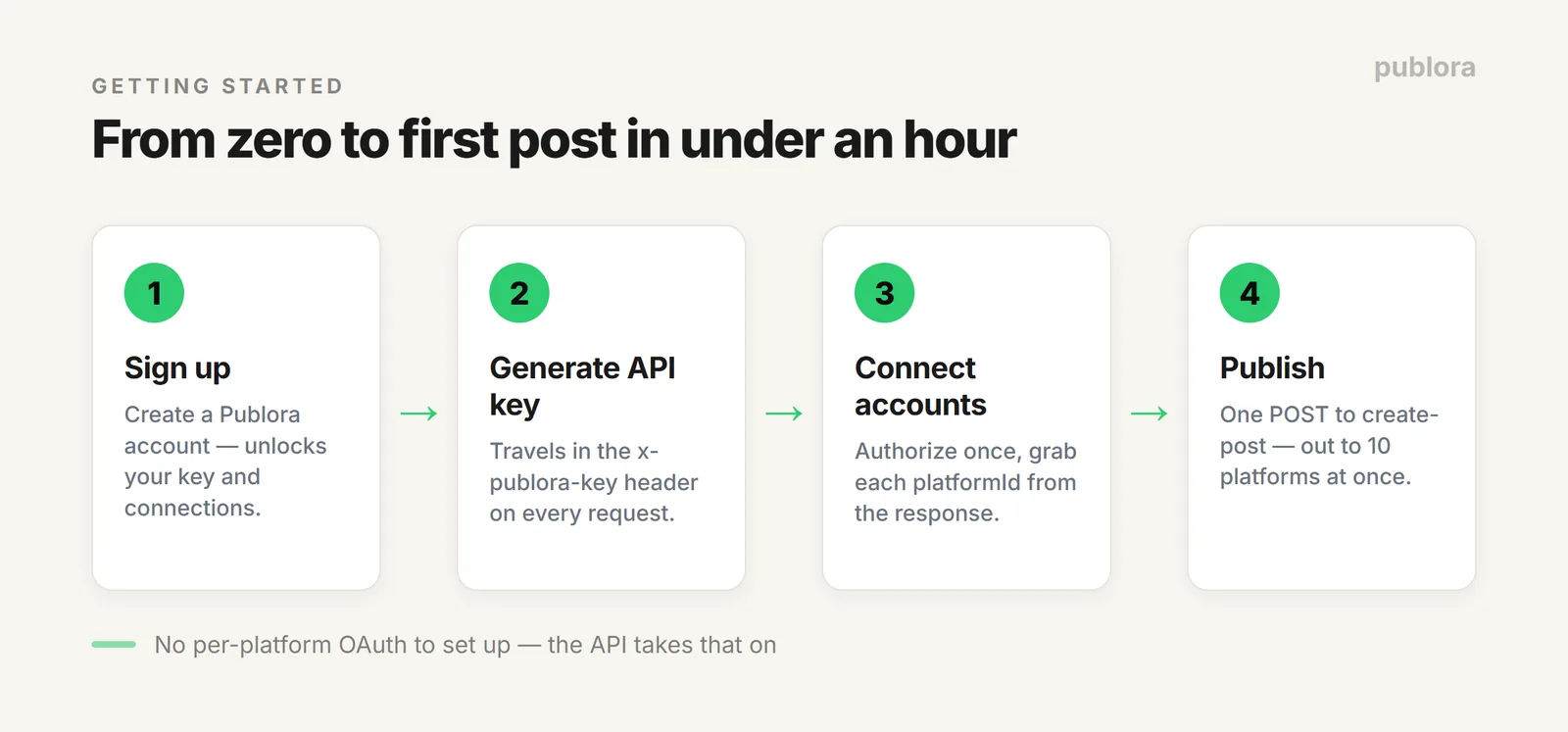
Step 1. Sign up for Publora. Start here, because the registration pays off right away: it unlocks your key and account connections, so the next steps go faster. Create an account →
Step 2. Generate your API key. In the left menu, find the <> API icon — it opens a big Create New Key button, which is what you want. Name it, create it, copy the value. This key travels in the x-publora-key header on every request.
Treat it like a password: don't commit it to a repo, don't paste it into a chat, don't dictate it to your agent in conversation. Where an agent posts for you over MCP, the key lives in a protected connection config — the agent uses it, but you never hand it over out loud.
Step 3. Connect accounts and grab their IDs. Authorize your networks once in the interface, then pull the list of connected accounts — you'll take each platformId from the response:
It'll look roughly like this:
That platformId (twitter-123456 here) is what you'll drop into the next request when you publish.
Step 4. Publish your first post. From here it's one request — text, the platformIds you want, a time, send (covered in the next section). Most people have a working integration in under an hour, because there's no per-platform OAuth to set up: the API already took that on.
Posting to 10 Platforms in One Call
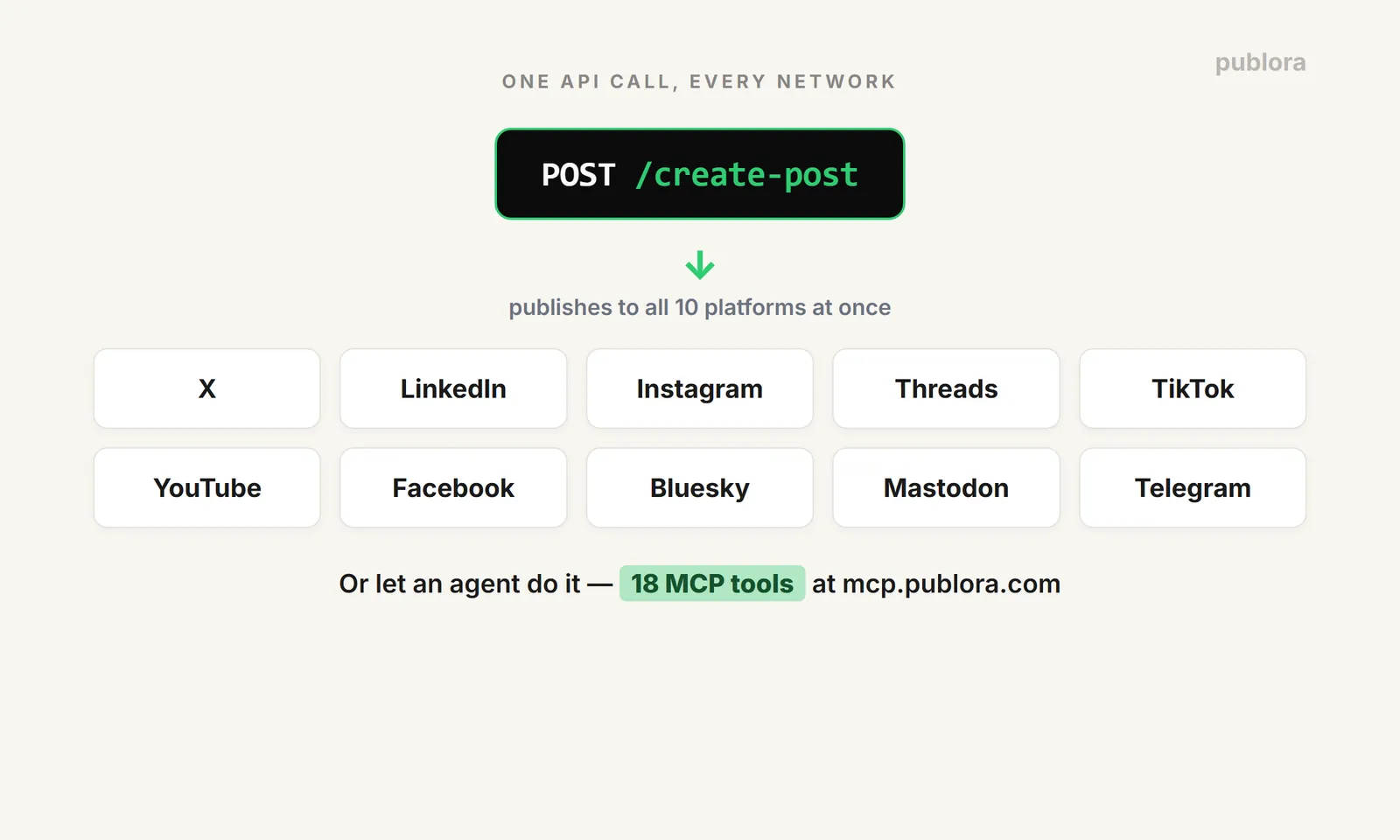
To publish across several networks at once, you send one POST to https://api.publora.com/api/v1/create-post and list the accounts you want in platforms:
Back comes a postGroupId — you use it later to attach media, reschedule, or delete:
Publora covers 10 platforms: X, LinkedIn, Instagram, Threads, TikTok, YouTube, Facebook, Bluesky, Mastodon, and Telegram. One call, and the content goes out to all of them at once — no separate request per network. That's it: one well-aimed request does the whole fan-out.
Media and Scheduling
You upload media in two steps and schedule with one field. This is my favorite part, honestly — if you run social, for yourself or a brand, there's nothing better than sitting down one day, loading and scheduling a week of posts, and then getting on with your work while they go out on their own. No "oh, I need to post" at three in the afternoon.
For images and video: first request a presigned URL via POST /api/v1/get-upload-url with that same postGroupId (up to 4 images or 1 video per post), then upload the file with a PUT to that URL. The link is good for 15 minutes.
Scheduling is the scheduledTime field in ISO 8601 (UTC) — the post goes out at the right moment by itself. One thing that bites people: that time is UTC, so convert from your own zone before you queue a week, or your posts land hours early. To move a time or push a post back to draft, use PUT /api/v1/update-post/:postGroupId — no need to recreate it.
MCP: Let Your Agent Do the Posting
Through Publora's MCP server, your agent publishes on its own — 18 executable tools at mcp.publora.com, connecting to Claude, Cursor, n8n, or your own agent. This isn't an "MCP that reads the docs": the agent actually does things — lists accounts, creates and schedules posts, uploads media, pulls LinkedIn analytics.
Here you can stop and say "the dashboard and API are fine for me" — fair call, they're not going anywhere. Or you can go a step further and take another chunk of manual work off yourself. I'll say it plainly: our team talks to agents more than we talk to each other. That's our main workspace, and jumping out of it to hop across tabs and publish something somewhere is no fun — so we run our own product through MCP, not for a nice line on the landing page, but because it's genuinely easier to live that way.
Installing the agent skills is one command:
After that the agent works from plain language. You say "schedule a post to all my channels for tomorrow at 10am about the launch," and it picks the channels, sets the time, and queues it — an actual post, not caption text you copy by hand.
How This Makes Life Easier
In practice it comes down to this: one integration instead of ten, zero upkeep on anyone else's OAuth, and publishing that fires on an event or an agent rather than a reminder in your calendar.
The money is honest and scales to your case. Posting lightly? The free Starter plan is enough — 15 posts a month, 3 accounts, every network except X. A heavier setup with lots of accounts? The pricing's friendly: Pro from $2.99 and Premium at $5.99 per account per month billed yearly, and you only pay for accounts you actually connect. The full limits are laid out on the pricing page — the choice is yours. Both REST and MCP are on every tier, including the free one. Full endpoint reference is at docs.publora.com.
FAQ
What is a social media scheduling API?
It's an HTTP service that publishes and schedules posts to social networks from code, through one endpoint, instead of integrating each platform separately. You send a request; it handles auth, formatting, and delivery.
How do I post to several platforms at once?
List the accounts you want in the platforms array of a single POST to create-post. With Publora that publishes to up to 10 networks in one call: X, LinkedIn, Instagram, Threads, TikTok, YouTube, Facebook, Bluesky, Mastodon, Telegram.
How long does integration take?
Usually under an hour: sign up, generate a key, connect your accounts, send the first request. There's no per-platform OAuth to configure — the API does that for you.
Can AI agents publish on their own?
Yes. Through an MCP server with 18 executable tools, agents like Claude, Cursor, or an n8n workflow schedule posts, pick channels, and upload media themselves, from a plain-language instruction.
Is there a free plan?
Yes. Starter is free forever: 15 posts a month, 3 accounts, every network except X, with full REST and MCP access. You can build against the live API before paying anything.
Try the Publora API free — no card
Full REST and MCP access on every tier, including the free Starter plan. Connect your accounts and publish to 10 platforms with one call.
Get Started FreeFurther Reading
- Best Social Media API for AI Agents 2026
- MCP vs REST API for Social Media Automation
- Connect Publora MCP to Claude Code
- Social Media API: The Complete Guide
- Publora API Reference
About the author. Written by the Publora team. Endpoints, headers, and pricing in this guide were verified against the live Publora API and publora.com/pricing in June 2026. APIs change — check docs.publora.com for the current reference.
Related Articles
How to Post a Figma Design to Social Media
Send a Figma frame to LinkedIn, Instagram, X and seven more networks without leaving Figma. Free plugin, works in Figma Design and Figma Slides.
How to Publish to Social Media From IFTTT
Connect Publora to IFTTT once, and anything IFTTT watches can go out to LinkedIn, X, Instagram and seven more networks. A feed, a webhook, your own code.
How to Auto-Share WordPress Posts to Social Media
Share every new WordPress post to Instagram, LinkedIn, X, Threads, Bluesky and five more networks automatically. Free plugin, about five minutes to set up.
How to Publish to Social Media From ChatGPT
Connect the Publora plugin once, then ask ChatGPT in plain language to draft, schedule or publish to LinkedIn, X, Instagram and seven more networks.