
Facebook Post Scheduler for Pages
Schedule text, photo and video posts to one or many Facebook Pages from a calendar, the REST API or an AI agent connected over MCP.
Facebook is included in the free Starter plan: 3 connected accounts, 15 posts per month, scheduling up to 7 days ahead, 50 MB uploads, with the API and MCP server. Each Page counts as a connected account. Pro is $5.99 per account per month ($3.99 billed yearly), with graduated discounts from the 6th account, unlimited posts (fair use) and 250 MB uploads.
Publora schedules and publishes posts to Facebook Pages. Connect a Page once, write your post in the calendar, and Publora publishes it at the time you choose. If you manage several Pages, each one is connected separately and you can send the same post to all of them in one go.
Publora publishes to Pages only. Facebook does not let third-party apps post to personal profiles, and Publora does not post to Facebook groups. The permissions Publora asks for when you connect are the Page ones: pages_manage_posts, pages_show_list and pages_read_engagement.
The whole product is also available to software. The REST API takes one request with your content, the Page IDs and a UTC time. The MCP server lets an AI agent such as Claude or Cursor plan and schedule Page posts in plain English using the same account.
What you can publish to Facebook
- Text posts. The Publora editor allows up to 2,200 characters. Through the API you can send longer text, up to Facebook's own 63,206-character limit.
- Photo posts and albums. Up to 10 images per post, 10 MB each. JPEG, PNG, GIF, BMP, TIFF, WebP, AVIF, HEIF and HEIC are accepted; WebP is converted to JPEG.
- Video posts. One MP4 or MOV video per post, up to 45 minutes and 2 GB through the API upload flow.
- Links. Paste a URL into the post and Facebook generates its usual link preview.
- Multiple Pages. Each Page gets its own ID, so one request or one calendar entry can publish to several Pages.
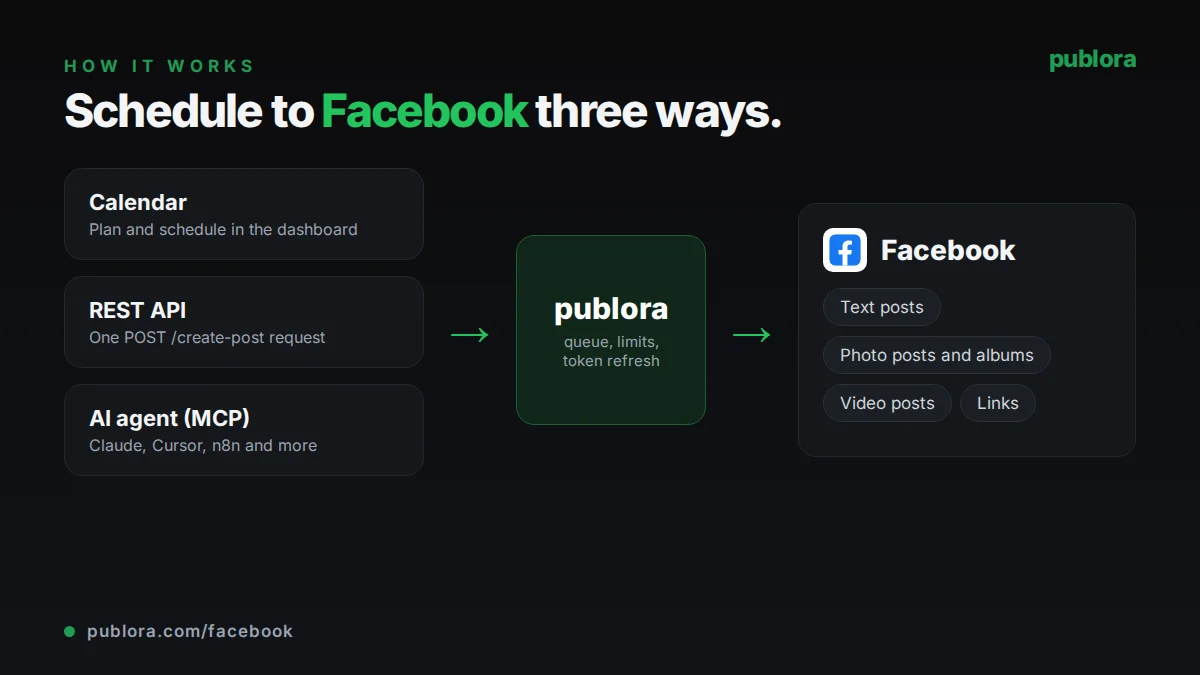
How to schedule Facebook posts with Publora
- 1
Connect your Facebook Pages
Log in with Facebook from the Channels page and choose the Pages you manage. Each Page appears as its own channel. Publora refreshes Page tokens automatically.
- 2
Write the post
Add your text, then attach photos or a single video. A post holds either images or a video, not both.
- 3
Schedule it
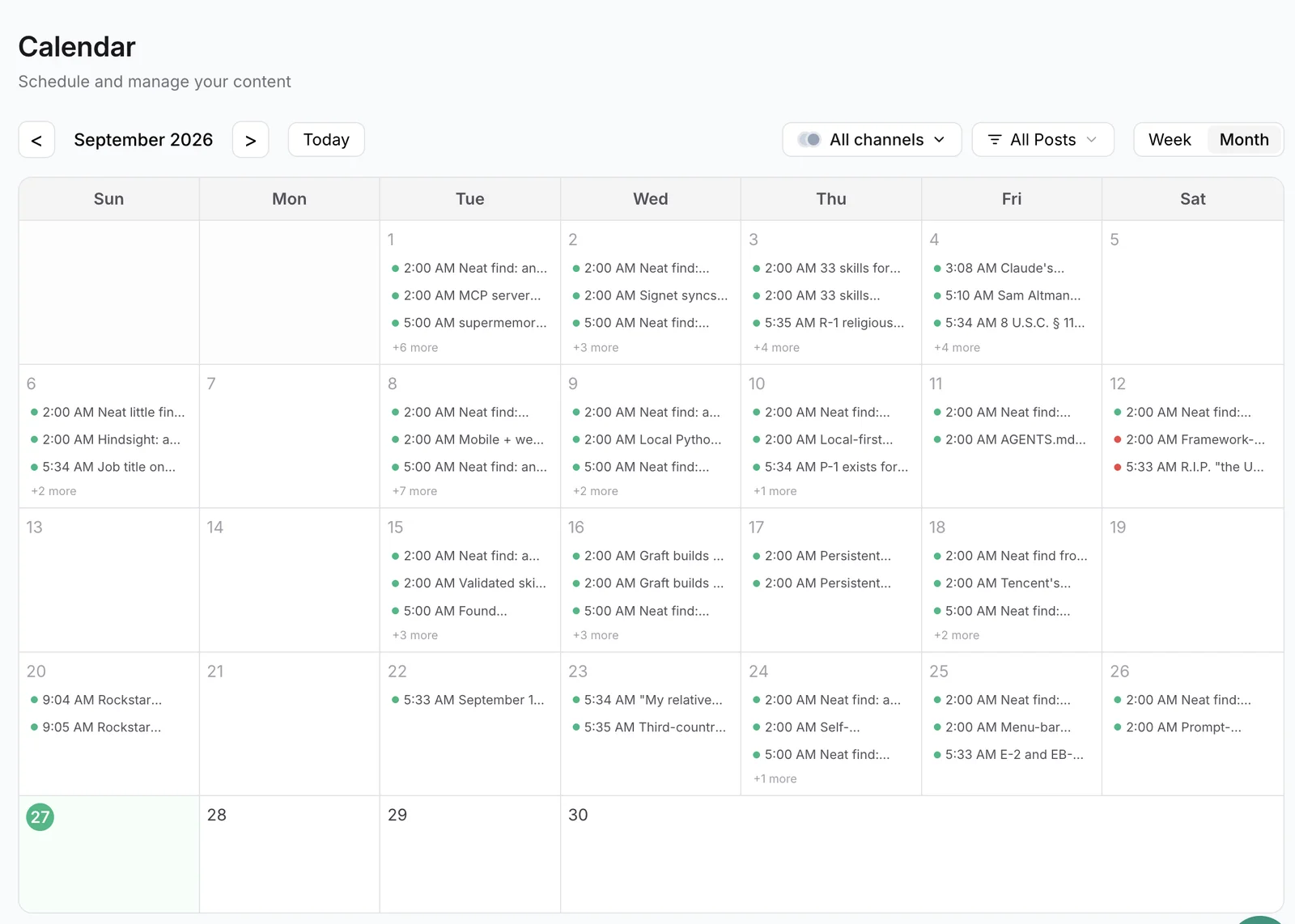
Pick a time on the calendar, or pass scheduledTime in UTC through the API or MCP. Publora publishes to every selected Page at that time.
Inside Publora
Post to Facebook with one API call
The same request schedules to any connected network. Your API key is available on every plan, including free.
curl -X POST https://api.publora.com/api/v1/create-post \
  -H "Content-Type: application/json" \
  -H "x-publora-key: YOUR_API_KEY" \
  -d '{
    "content": "Our store hours change on Monday: we open at 8 a.m. and close at 6 p.m. See you there!",
    "platforms": ["facebook-112233445566", "facebook-778899001122"],
    "scheduledTime": "2026-10-05T13:00:00.000Z",
    "mediaUrls": ["https://example.com/images/new-hours.jpg"]
  }'
# { "success": true, "postGroupId": "...", "scheduledTime": "2026-10-05T13:00:00.000Z" }
Or ask your AI agent
Connect Claude, Cursor or any MCP client to mcp.publora.com and schedule in plain English:
- “Schedule this announcement to both of my Facebook Pages for Friday at 10:00 Berlin time, with the image at this URL.”
- “Show me everything scheduled for my Facebook Pages this week and push the Wednesday post back by two hours.”
- “Write three short Facebook posts promoting our webinar, save them as drafts on my main Page, and list them so I can review.”
Facebook limits Publora checks for you
| Post text | 2,200 characters in the editor; up to 63,206 via the API |
|---|---|
| Images | Up to 10 per post, 10 MB each |
| Image formats | JPEG, PNG, GIF, BMP, TIFF, WebP, AVIF, HEIF, HEIC |
| Video | 1 per post; MP4 or MOV; up to 45 minutes and 2 GB |
| Mixed media | Images or a video in one post, not both |
| Destinations | Facebook Pages only (no personal profiles or groups) |
Facebook scheduling tips
Split photos and video into separate posts
Facebook rejects a post that mixes images and a video. If you have both, schedule the video as its own post.
Reuse one post across Pages
For announcements that apply to several locations or brands, select every Page in one post instead of copying it. Each Page gets its own published post.
Reconnect if posts fail without a clear reason
Page tokens last 59 days and Publora refreshes them for you. If Page permissions change on Facebook's side and the refresh fails, reconnect the Page in Channels.
Check your video before scheduling
Keep API uploads under 45 minutes and 2 GB. Longer or larger files are rejected by Facebook.
Facebook scheduling FAQ
How do I schedule posts on a Facebook Page?
Connect the Page in Publora, write the post, attach images or a video, and pick a date and time. You can do the same with one API request or by asking an AI agent through the MCP server.
Can Publora post to Facebook groups or personal profiles?
No. Publora publishes to Facebook Pages only. Facebook does not allow third-party apps to post to personal profiles, and groups are not supported.
Can I schedule the same post to several Facebook Pages?
Yes. Each connected Page has its own ID. Select several Pages in the editor, or list several facebook- IDs in the platforms array of one API request.
Is there a free Facebook post scheduler?
Publora's Starter plan is free and includes Facebook, with up to 3 connected accounts, 15 posts per month and scheduling up to 7 days ahead.
How many photos can I add to a scheduled Facebook post?
Up to 10 images, 10 MB each. Facebook shows them as a grid or album depending on the number of photos and the viewer's device.
Do I need to reconnect my Page every 60 days?
Usually not. Publora refreshes Facebook Page tokens automatically. You only need to reconnect if Facebook revokes or changes the Page permissions.
Facebook guides
- Facebook Post Image Size: Boost Your Reach
- How to Crosspost on Facebook The Smart Way
- How to Schedule Posts Across Multiple Social Platforms
- Social Media Scheduling API: Post to 10 Platforms with One Call (2026)
Start scheduling Facebook posts
Facebook is included in the free Starter plan: 3 connected accounts, 15 posts per month, scheduling up to 7 days ahead, 50 MB uploads, with the API and MCP server. Each Page counts as a connected account. Pro is $5.99 per account per month ($3.99 billed yearly), with graduated discounts from the 6th account, unlimited posts (fair use) and 250 MB uploads.