
X Scheduler: Schedule Tweets and Threads
Queue posts, threads, replies and quote posts on X (Twitter) from a calendar, your own code, or an AI agent.
X requires Publora Pro. Pro costs $5.99 per account per month, or $3.99 billed yearly, with graduated discounts from the 6th account and unlimited posts under fair use. The free Starter plan covers every other network (3 accounts, 15 posts a month, API and MCP included) but not X.
Publora schedules posts to X (formerly Twitter) from three places: a calendar for writing by hand, a REST API for scripts and apps, and an MCP server that lets AI agents such as Claude or Cursor queue posts for you. Everything lands in the same schedule.
Long posts turn into threads without extra work. If your text is longer than your account allows, Publora splits it at paragraph or sentence breaks, numbers each part, and publishes the parts as a connected reply chain. If you would rather choose the breaks yourself, put a line with three dashes between parts.
One thing to know before you sign up: X is not part of the free Starter plan. Scheduling to X requires Publora Pro, which starts at $3.99 per account per month billed yearly. Every other network is available on the free plan.
What you can publish to X (Twitter)
- Single posts. Text posts up to 280 characters on standard accounts, or 25,000 characters on X Premium accounts. Publora reads the account type when you connect and applies the right limit.
- Threads. Content over the limit is split automatically and numbered (1/N). Use --- on its own line to set break points, or write [1/3]-style markers yourself and Publora keeps them.
- Images. Up to 4 images per post. Publora converts every image to PNG and resizes it to a maximum width of 1000 px before upload. Animated GIFs arrive as still images.
- Video. One MP4 or MOV video per post, up to 2 minutes 20 seconds. A post can carry images or a video, not both.
- Scheduled replies and quote posts. Point a post at an existing post URL or ID to publish it as a reply, a quote, or both. X only allows this when the target mentions or quotes your account, or when you wrote the target yourself.
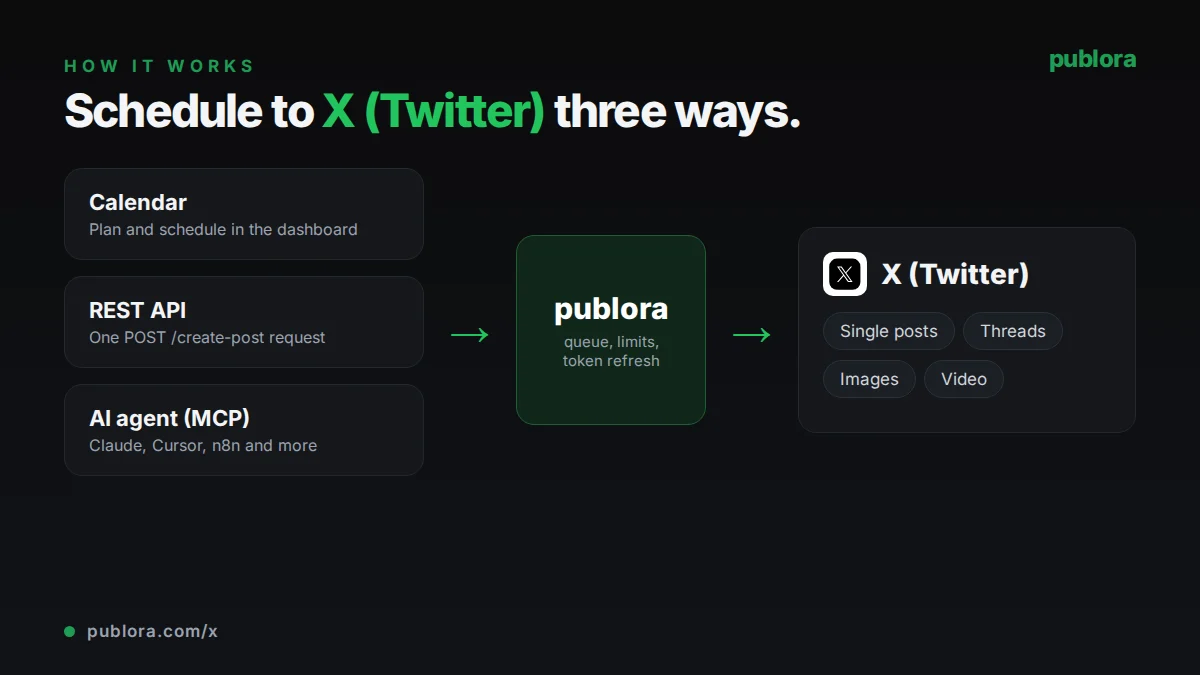
How to schedule X (Twitter) posts with Publora
- 1
Connect your X account
Sign in with X from the Publora dashboard. The connection gets a platform ID like twitter-{userId}, which you use in the API and which agents find through list_connections.
- 2
Write the post or thread
Type in the calendar editor, send the text through the API, or hand a draft to your AI agent. Add up to 4 images or one video. For a thread, just write long, or mark the breaks with ---.
- 3
Schedule it
Set a time in UTC and Publora publishes the post, or every part of the thread in order, at that moment. Drafts stay unpublished until you give them a time.
Inside Publora
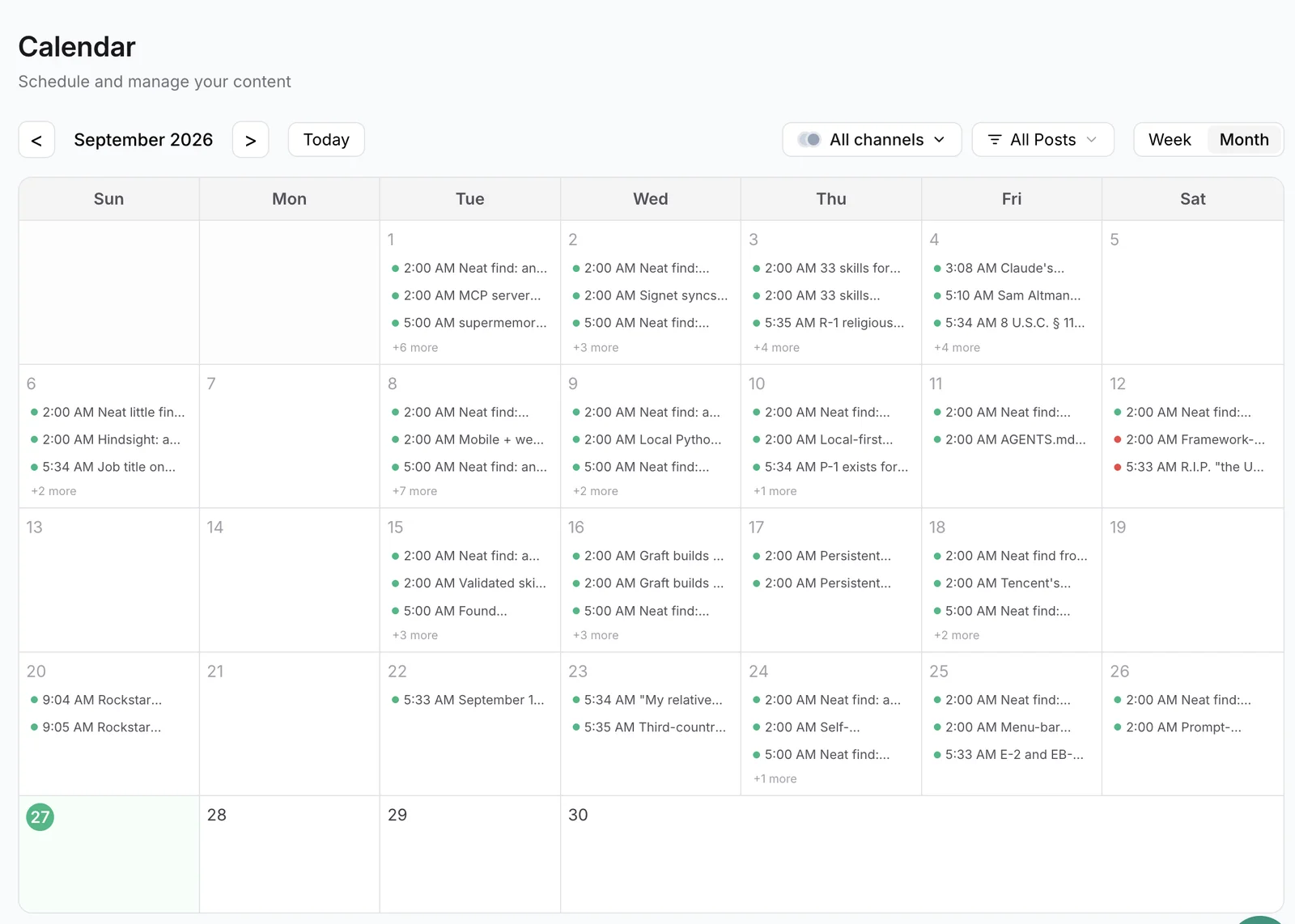
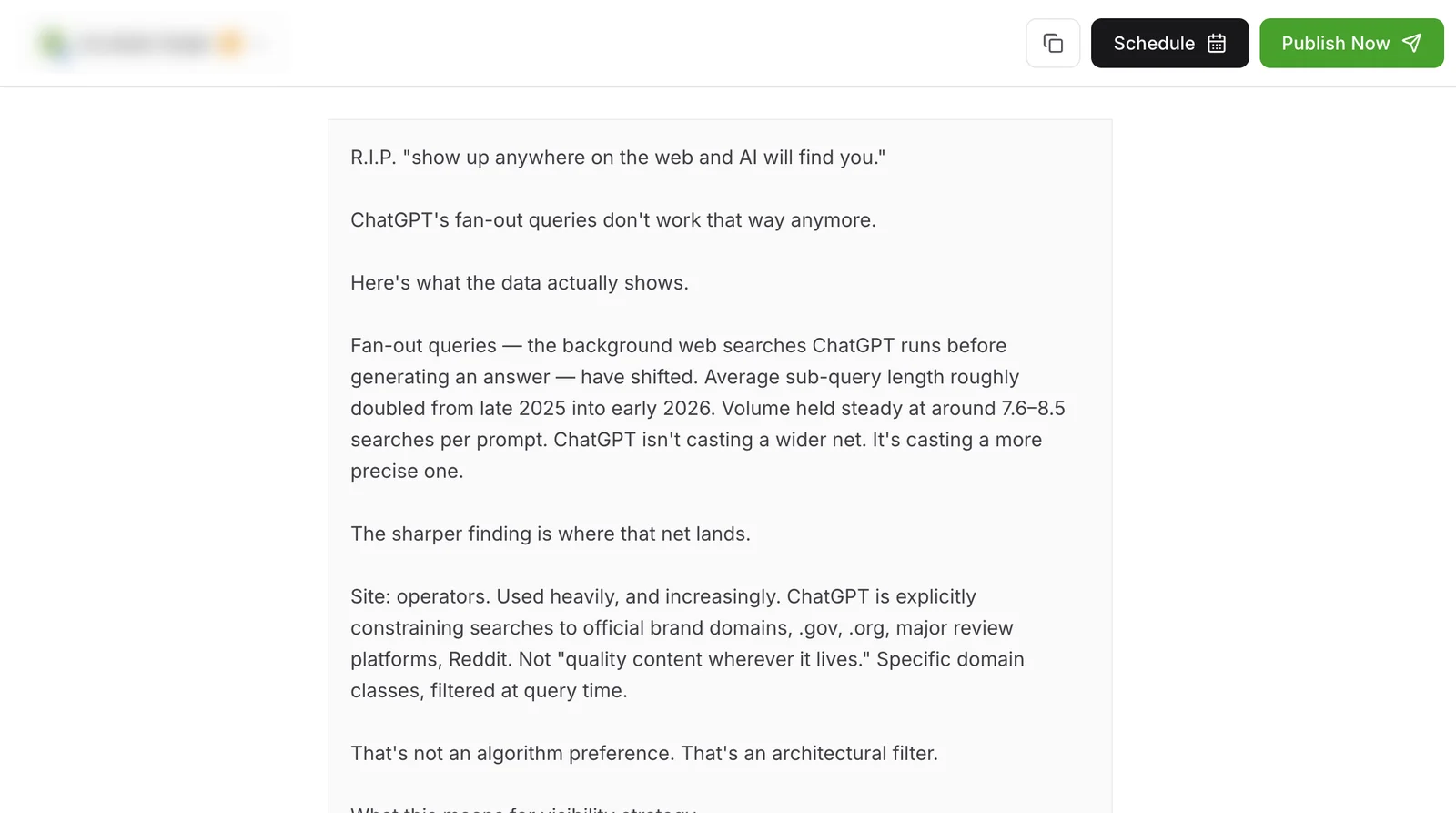
Post to X (Twitter) with one API call
The same request schedules to any connected network. Your API key is available on every plan, including free.
curl -X POST https://api.publora.com/api/v1/create-post \
  -H "Content-Type: application/json" \
  -H "x-publora-key: YOUR_API_KEY" \
  -d '{
    "content": "We moved our scheduler to a single queue. Here is what we learned.\n\n---\n\nLesson 1: retries need idempotency keys.\n\n---\n\nLesson 2: store every time in UTC.",
    "platforms": ["twitter-YOUR_USER_ID"],
    "scheduledTime": "2026-10-06T15:00:00Z"
  }'
Or ask your AI agent
Connect Claude, Cursor or any MCP client to mcp.publora.com and schedule in plain English:
- “Turn this blog post into an X thread, break it at each section with ---, and schedule it for tomorrow at 15:00 UTC.”
- “Schedule a quote post of my post https://x.com/myhandle/status/1234567890123456789 for Friday at 09:00 UTC saying "One year later, still true."”
- “Show my failed X posts from this week, tell me why each one failed, and create a corrected copy of each scheduled for two hours from now.”
X (Twitter) limits Publora checks for you
| Post text | 280 characters (standard) or 25,000 (Premium and PremiumPlus) |
|---|---|
| Character counting | Emojis count as 2; URLs count at their full length |
| Thread parts | Account limit minus 10 characters reserved for the (1/N) marker |
| Images | Up to 4 per post, 5 MB each; converted to PNG, max 1000 px wide |
| Video | 1 per post, MP4 or MOV, up to 140 seconds and 512 MB |
| Thread media | Attached to the first post only; later parts are text |
| Rate limits | Set by X; Publora reports X rate-limit errors on the post |
X (Twitter) scheduling tips
Choose your own thread breaks
Automatic splitting falls back to sentence or word boundaries when paragraphs are long. If a thread depends on each part landing a point, write it in sections and separate them with --- so each post ends where you want.
Put images in the first post
Media attaches to the first post of a thread only. Lead with the image or video and keep the follow-up posts text-only.
Count emojis and links
Publora counts each emoji as 2 characters and each URL at its real length, not X's shortened length. Short links and fewer emojis leave more room before a post turns into a thread.
Use replies for your own posts and mentions
Scheduled replies and quotes work for your own posts and for posts that mention or quote you. They are a good fit for follow-ups to your earlier posts, not for replying to strangers.
X (Twitter) scheduling FAQ
Can I schedule posts to X for free?
Not with Publora. The free Starter plan includes nine networks but not X. Scheduling to X needs Pro, which starts at $3.99 per account per month on yearly billing. X itself lets you schedule single posts natively from the web composer.
Can I schedule a Twitter thread?
Yes. Paste the full text and Publora splits it into a numbered thread when it is over your character limit, or splits it wherever you put a --- line. Each part is published as a reply to the one before it.
Does Publora support X Premium long posts?
Yes. If the connected account has Premium or PremiumPlus, Publora allows up to 25,000 characters in a single post and only splits beyond that.
Can I schedule tweets with images or video?
Yes. Attach up to 4 images or one video of up to 2 minutes 20 seconds. Images are converted to PNG before upload, so animated GIFs will not keep their animation.
Can an AI agent post to X for me?
Yes. Connect any MCP client, such as Claude or Cursor, to https://mcp.publora.com. The agent can list your connections, create and schedule posts and threads, and edit or delete them before they publish.
X (Twitter) guides
- How to Schedule Tweets in 2026 (Posts, Threads, and API)
- X (Twitter) Character Limit in 2026: The Complete Reference
- The Best Time to Post on X (Twitter) in 2026
- X Algorithm Is Open Source: What The Weights Actually Reveal (2026)
- Best Social Media API for AI Agents 2026 (LinkedIn, X, Threads)
Start scheduling X (Twitter) posts
X requires Publora Pro. Pro costs $5.99 per account per month, or $3.99 billed yearly, with graduated discounts from the 6th account and unlimited posts under fair use. The free Starter plan covers every other network (3 accounts, 15 posts a month, API and MCP included) but not X.