
YouTube Scheduler
Upload and schedule YouTube videos with title, tags, privacy, playlist and thumbnail from a calendar, your code, or an AI agent.
YouTube is included on the free Starter plan: 3 connected accounts, 15 posts a month, up to 3 queued posts, scheduling up to 7 days ahead, and API and MCP access, with video uploads up to 50 MB. Pro costs $5.99 per account per month ($3.99 billed yearly), with graduated discounts from the 6th account, unlimited posts under fair use, no scheduling horizon, and video uploads up to 250 MB.
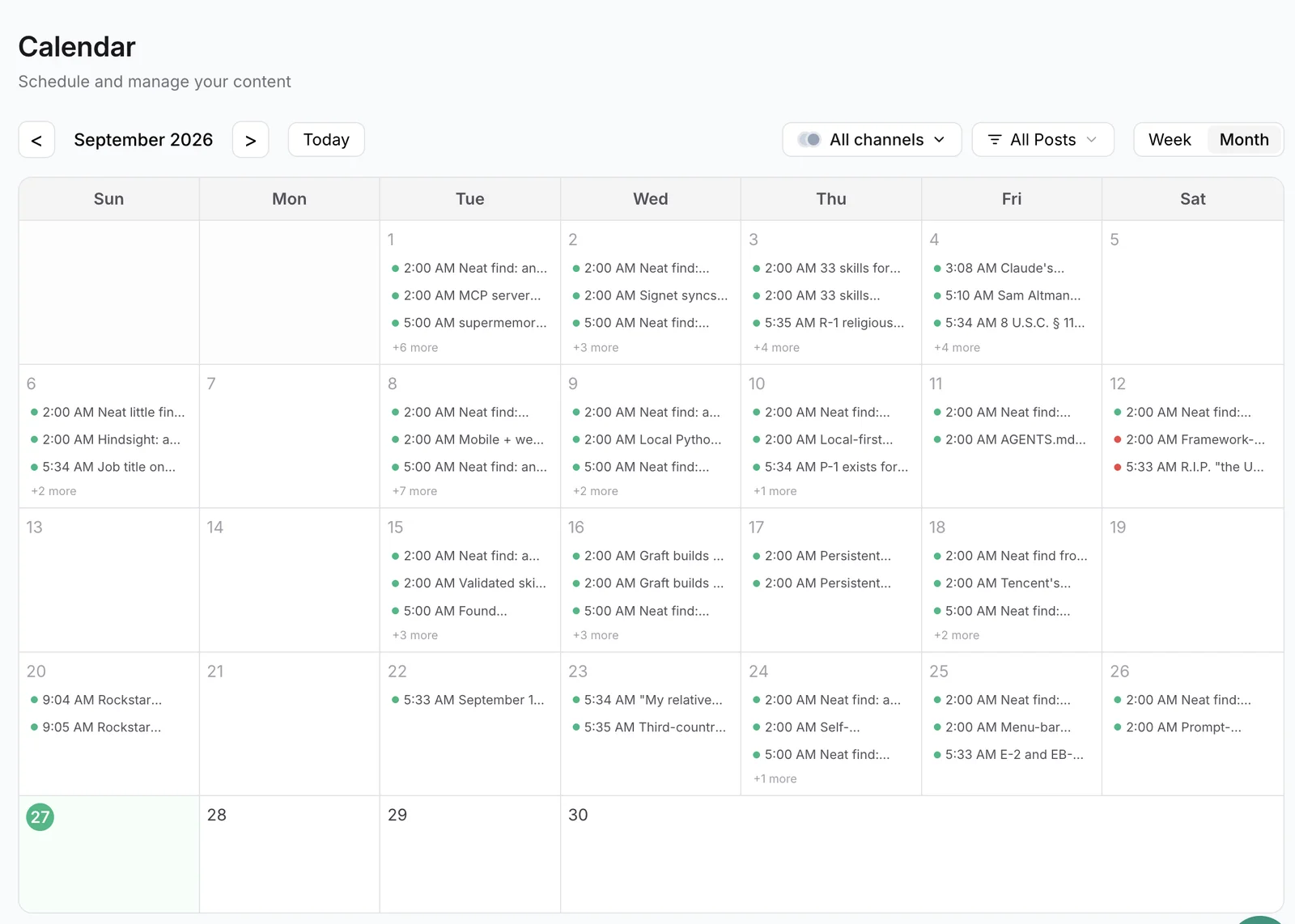
Publora uploads videos to your YouTube channel at the time you choose. Plan uploads in the calendar, send them from your own pipeline through the REST API, or let an AI agent such as Claude or Cursor schedule them through the Publora MCP server.
Each upload carries the metadata YouTube asks for: title, description, tags, category, visibility and the "made for kids" audience declaration. You can also add the video to a playlist and set a custom thumbnail, both applied after YouTube finishes processing the upload.
Because the same queue serves every network, one clip can go to YouTube, TikTok and Instagram Reels in a single post, each with its own settings.
What you can publish to YouTube
- Videos. One video per post in MP4, MOV, AVI or WebM. The post text becomes the video description.
- Shorts. There is no separate Shorts switch. Publora uploads the video to YouTube like any other upload, and YouTube decides whether a short vertical video appears as a Short.
- Visibility. Publish as public, unlisted or private. Uploading as unlisted or private lets you review the video before making it public in YouTube Studio.
- Metadata. Title up to 100 characters, tags, category ID, and the required "made for kids" declaration, which defaults to not made for kids.
- Playlists. Add the published video to one of your channel's playlists. If adding it fails, the video stays published.
- Custom thumbnails. JPEG or PNG up to 2 MB, at least 640x360 (1280x720 recommended). YouTube only accepts custom thumbnails from verified channels.
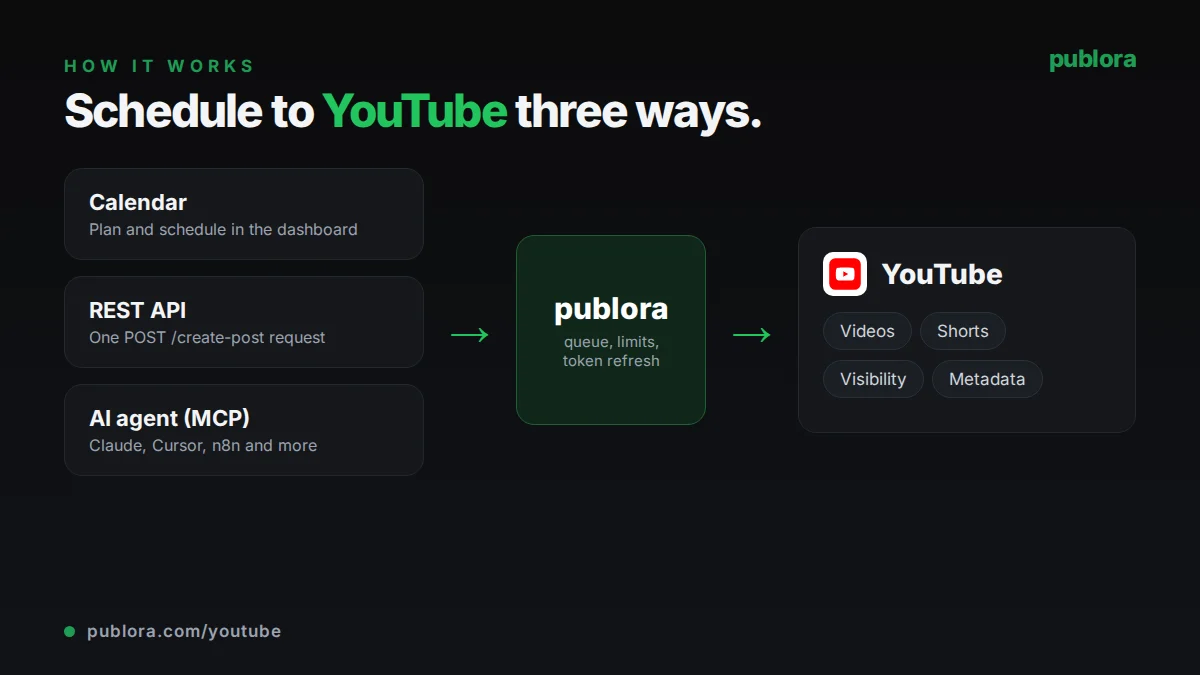
How to schedule YouTube posts with Publora
- 1
Connect your YouTube channel
Sign in with Google from the Publora dashboard and choose the channel. It gets a platform ID like youtube-{channelId}.
- 2
Add the video and details
Upload the file, write the description, and set title, tags, visibility and category. In the API, these go in platformSettings.youtube; an AI agent can fill them in from a plain-language request.
- 3
Schedule the upload
Pick a time and Publora uploads the video to YouTube then. Processing on YouTube's side can take from seconds to several minutes, depending on length and resolution.
Inside Publora
Post to YouTube with one API call
The same request schedules to any connected network. Your API key is available on every plan, including free.
curl -X POST https://api.publora.com/api/v1/create-post \
  -H "Content-Type: application/json" \
  -H "x-publora-key: YOUR_API_KEY" \
  -d '{
    "content": "How we schedule posts to 10 networks from one API call. Links and code in the docs.",
    "platforms": ["youtube-YOUR_CHANNEL_ID"],
    "scheduledTime": "2026-10-12T16:00:00Z",
    "mediaUrls": ["https://example.com/api-walkthrough.mp4"],
    "platformSettings": {
      "youtube": {
        "title": "Scheduling to 10 social networks with one API call",
        "privacy": "unlisted",
        "tags": ["api", "social media", "tutorial"],
        "categoryId": "28",
        "madeForKids": false
      }
    }
  }'
Or ask your AI agent
Connect Claude, Cursor or any MCP client to mcp.publora.com and schedule in plain English:
- “Upload this video URL to my YouTube channel as unlisted on Monday at 16:00 UTC, titled "Weekly product update", with the tags product and changelog.”
- “Schedule this vertical clip to YouTube, TikTok and Instagram for Friday at 17:00 UTC with the same caption.”
- “List my scheduled YouTube uploads for this month and change the next one from unlisted to public.”
YouTube limits Publora checks for you
| Videos per post | 1 |
|---|---|
| Formats | MP4, MOV, AVI, WebM |
| Length and size | Up to 12 hours and 256 GB on YouTube's side |
| Title | 100 characters; if empty, taken from the first 70 characters of the post |
| Description | 5,000 characters via API (the dashboard editor stops at 1,000) |
| Tags | 500 characters combined; longer lists are trimmed, not rejected |
| Thumbnail | JPEG or PNG, up to 2 MB, at least 640x360, verified channel |
| Images or text-only posts | Not supported; YouTube needs a video |
YouTube scheduling tips
Always set a title
If you leave the title empty, Publora uses the first 70 characters of the description. Write a proper title of up to 100 characters instead.
Front-load the description
YouTube shows about the first 150 characters of the description before "Show more". Put the summary and the most important link there.
Only set a category ID you are sure of
An invalid or region-restricted category ID makes YouTube reject the whole upload. If you are not sure, leave it out and YouTube uses your channel default.
Declare kids content correctly
Every upload sends a "made for kids" declaration, set to false by default. If your video is aimed at children, set it to true, as YouTube requires.
YouTube scheduling FAQ
Can I schedule YouTube Shorts?
You can schedule short vertical videos the same way as any upload. Publora has no separate Shorts setting; YouTube decides on its side whether the video is shown as a Short.
Is there a free YouTube scheduler?
Publora's Starter plan is free and includes YouTube: 3 connected accounts and 15 posts a month, with up to 3 queued at a time, 7 days ahead, and video uploads up to 50 MB. Pro raises the upload limit to 250 MB.
Can I set a custom thumbnail on a scheduled video?
Yes, on verified channels. Create the post as a draft, upload the thumbnail with the YouTube thumbnail endpoint, attach it to the post, then schedule. If YouTube rejects the thumbnail, the video still publishes.
Can I add scheduled videos to a playlist?
Yes. Set the playlist when you create the post. The video is added after YouTube finishes processing it. This works when exactly one YouTube channel is selected on the post.
Can I upload to YouTube with an API or an AI agent?
Yes. Send a create-post request to https://api.publora.com/api/v1 with your x-publora-key header and the video, or connect an MCP client such as Claude or Cursor to https://mcp.publora.com and ask it to schedule the upload.
YouTube guides
- Best Time to Post on Social Media in 2026: Data-Backed Guide for Every Platform
- Social Media API: How to Post Programmatically
- MCP vs REST API: When to Use Each for Social Media Automation
- How to Connect Publora MCP to Claude Code in 60 Seconds
- Cross-Post to Social Media with Manus AI Agent (2026)
Start scheduling YouTube posts
YouTube is included on the free Starter plan: 3 connected accounts, 15 posts a month, up to 3 queued posts, scheduling up to 7 days ahead, and API and MCP access, with video uploads up to 50 MB. Pro costs $5.99 per account per month ($3.99 billed yearly), with graduated discounts from the 6th account, unlimited posts under fair use, no scheduling horizon, and video uploads up to 250 MB.