
TikTok Scheduler
Schedule TikTok videos and photo carousels, with privacy and interaction settings, from a calendar, your code, or an AI agent.
TikTok is included on the free Starter plan: 3 connected accounts, 15 posts a month, up to 3 queued posts, scheduling up to 7 days ahead, and API and MCP access, with video uploads up to 50 MB. Pro costs $5.99 per account per month ($3.99 billed yearly), with graduated discounts from the 6th account, unlimited posts under fair use, no scheduling horizon, and video uploads up to 250 MB.
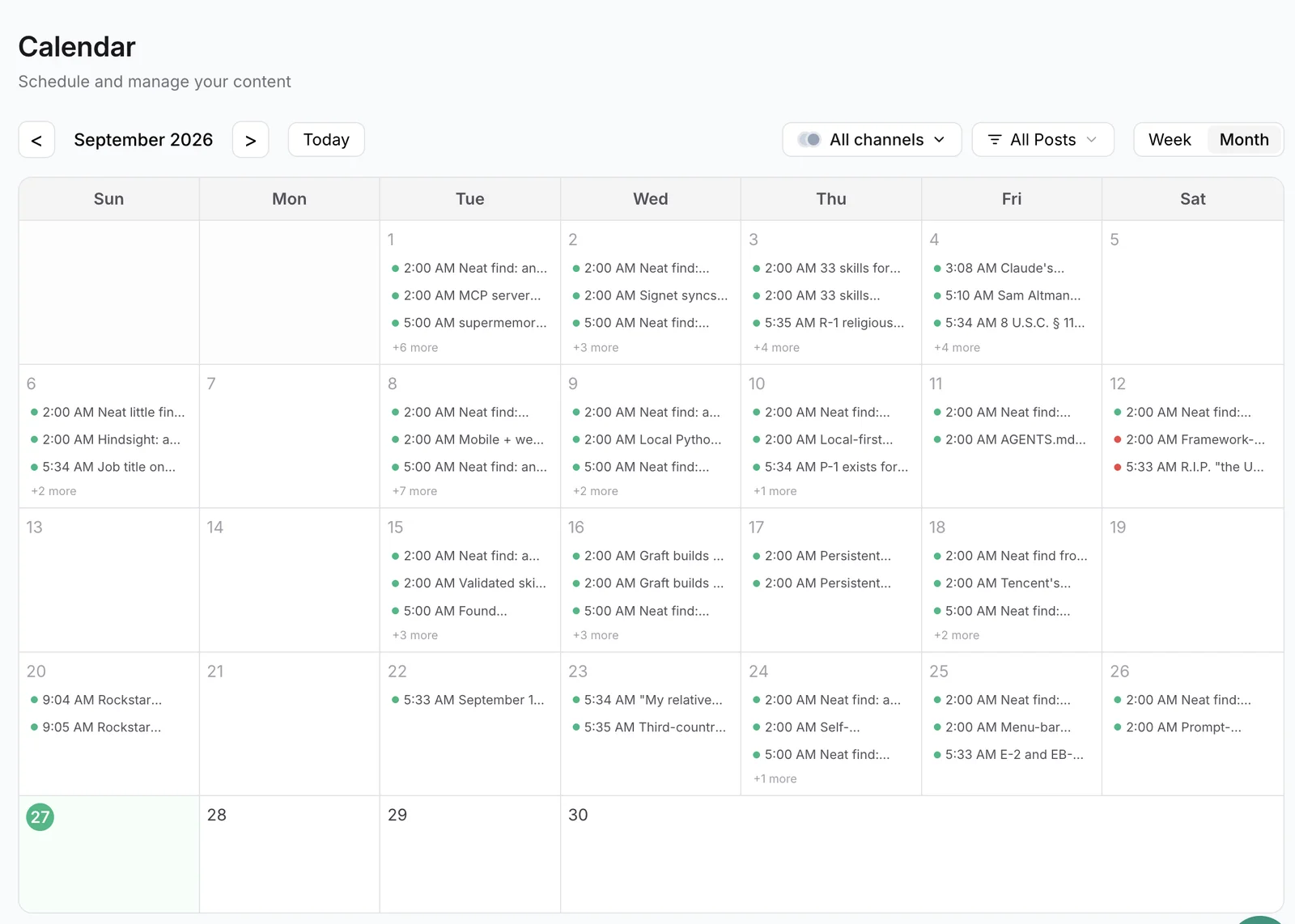
Publora schedules TikTok posts through TikTok's official Content Posting API. Use the calendar to plan by hand, the REST API to publish from your own tools, or the MCP server to let an AI agent like Claude or Cursor queue videos for you.
You control the same settings you would see in the TikTok app before posting: who can view the post, whether comments, Duets and Stitches are allowed, and whether the post promotes your own brand or a paid partner. TikTok also applies your account's own settings, so a creator-level restriction always wins over the request.
TikTok has no text-only posts. Every post is either one video or a photo carousel, and the caption goes with it.
What you can publish to TikTok
- Videos. One MP4, MOV or WebM video per post, from 3 seconds up to your account's maximum length (10 minutes by default), recorded at 23 frames per second or more.
- Photo carousels. Up to 35 JPEG, PNG or WebP images in a single photo post.
- Privacy settings. Publish to everyone, mutual friends, followers only, or only yourself. Private TikTok accounts can only post with the "only me" setting.
- Interaction settings. Turn comments, Duet and Stitch on or off for each post. Duet and Stitch apply to videos only.
- Commercial content disclosure. Mark a post as promoting your own brand, as branded content for a paid partnership, or both.
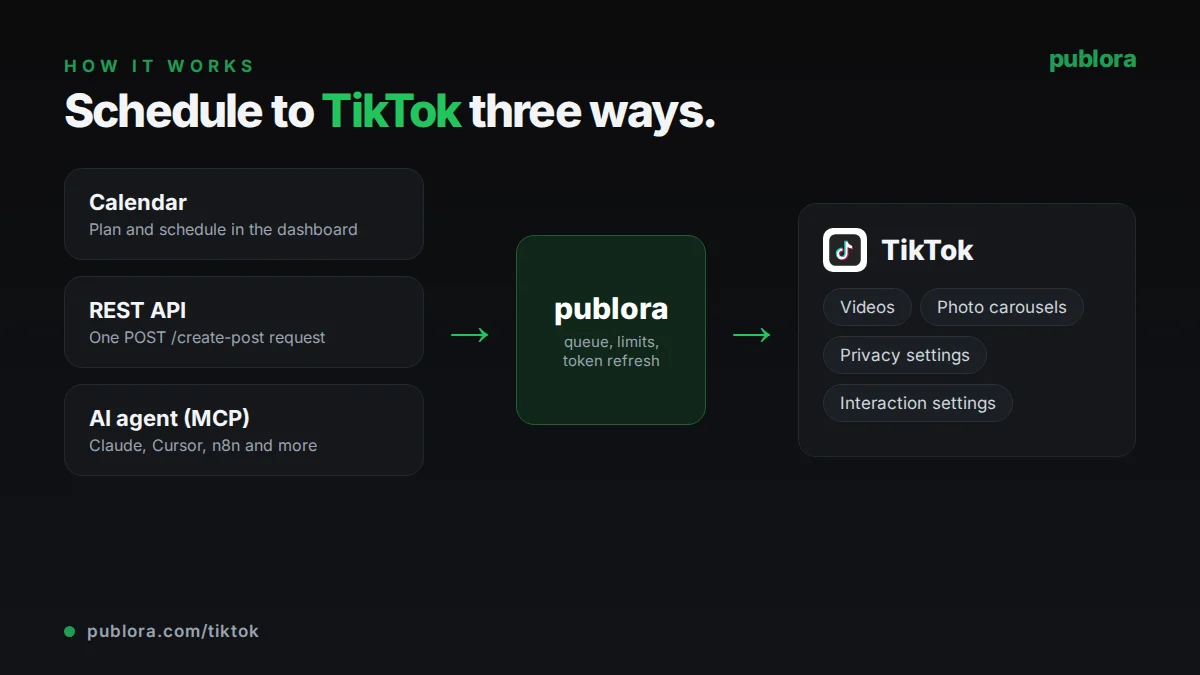
How to schedule TikTok posts with Publora
- 1
Connect your TikTok account
Sign in with TikTok from the Publora dashboard. The account gets a platform ID like tiktok-{openId}.
- 2
Add the video or photos
Upload a video or up to 35 images in the calendar, send public https URLs through the API, or give files to your AI agent. Write a caption of up to 2,200 characters and pick privacy and interaction settings.
- 3
Schedule it
Set the time and Publora publishes to TikTok at that moment. TikTok may take a little while to process the video before it shows on your profile.
Inside Publora
Post to TikTok with one API call
The same request schedules to any connected network. Your API key is available on every plan, including free.
curl -X POST https://api.publora.com/api/v1/create-post \
  -H "Content-Type: application/json" \
  -H "x-publora-key: YOUR_API_KEY" \
  -d '{
    "content": "3 ways we cut our editing time in half #creatortips",
    "platforms": ["tiktok-YOUR_OPEN_ID"],
    "scheduledTime": "2026-10-10T18:00:00Z",
    "mediaUrls": ["https://example.com/editing-tips.mp4"],
    "platformSettings": {
      "tiktok": {
        "viewerSetting": "PUBLIC_TO_EVERYONE",
        "allowComments": true,
        "allowDuet": false,
        "allowStitch": true,
        "commercialContent": false
      }
    }
  }'
Or ask your AI agent
Connect Claude, Cursor or any MCP client to mcp.publora.com and schedule in plain English:
- “Schedule this video URL to TikTok for Saturday at 18:00 UTC, visible to followers only, with comments on and Duet off.”
- “Make a TikTok photo post from these five image URLs for tomorrow at 12:00 UTC and mark it as promoting my own brand.”
- “Show my scheduled TikTok posts for next week and change the Tuesday post to followers only with Stitch turned off.”
TikTok limits Publora checks for you
| Caption | 2,200 characters, hashtags included |
|---|---|
| Video length | 3 seconds to 10 minutes by default; TikTok sets the maximum per account |
| Video file | MP4, MOV or WebM, up to 4 GB on TikTok's side, at least 23 FPS |
| Photo posts | Up to 35 images; JPEG, PNG or WebP |
| Media per post | One video or one photo carousel |
| Text-only posts | Not supported |
| Posting volume | Set by TikTok per account; hitting it returns spam_risk_too_many_posts |
TikTok scheduling tips
Check the frame rate on exports
TikTok rejects videos below 23 FPS. Screen recordings and slideshow exports are the usual offenders, so export at 24, 25 or 30 FPS.
Make your account public before scheduling public posts
If the TikTok account is private, only the "only me" setting works and other privacy options are rejected. Switch the account to public in the TikTok app first.
Disclose brand content every time
If a post promotes your business or a partner, turn on commercial content and choose your own brand, branded content, or both. Publora will not accept commercial content without one of them.
Leave time for processing
TikTok processes each video after upload, so a post can appear on your profile a little after the scheduled minute. Allow for that when timing a post around a launch or event.
TikTok scheduling FAQ
Can you schedule TikTok posts?
Yes. Publora publishes scheduled videos and photo posts through TikTok's Content Posting API at the time you choose, with your privacy, comment, Duet and Stitch settings applied.
Is there a free TikTok scheduler?
Publora's Starter plan is free and includes TikTok: 3 connected accounts and 15 posts a month, with up to 3 queued at a time, 7 days ahead. The REST API and MCP server are included.
Can I schedule TikTok photo carousels?
Yes. Attach up to 35 JPEG, PNG or WebP images to a TikTok post and it publishes as a photo post.
How long can a scheduled TikTok video be?
Up to 10 minutes by default. TikTok sets the exact maximum for each account, and the minimum is 3 seconds.
Can I post to TikTok with an API or an AI agent?
Yes. Send a create-post request to https://api.publora.com/api/v1 with your x-publora-key, or connect Claude, Cursor or another MCP client to https://mcp.publora.com and ask it to schedule the video.
TikTok guides
- How to Schedule TikTok Posts via API: Complete Developer Guide
- Discover the Best Time to Post on TikTok: Tips
- How to Collaborate on TikTok A Growth Guide
- How to Connect OpenClaw AI Agent to LinkedIn, Instagram, X, TikTok & 6 More Platforms Using Publora
Start scheduling TikTok posts
TikTok is included on the free Starter plan: 3 connected accounts, 15 posts a month, up to 3 queued posts, scheduling up to 7 days ahead, and API and MCP access, with video uploads up to 50 MB. Pro costs $5.99 per account per month ($3.99 billed yearly), with graduated discounts from the 6th account, unlimited posts under fair use, no scheduling horizon, and video uploads up to 250 MB.