
TikTok API for Posting Videos and Photos
Schedule public TikTok videos and photo carousels from your code or an AI agent, without registering a TikTok app or waiting for an audit.
TikTok's Content Posting API lets apps publish videos and photo posts for creators who authorize them. Until the app passes TikTok's audit, though, everything it posts is private: unaudited clients can only post with SELF_ONLY visibility, only to private accounts, and only for up to 5 users a day.
Publora publishes through the same Content Posting API with an integration that can post publicly. The creator connects TikTok once through OAuth in the Publora dashboard, and your code sends a create-post request with a video or photo URLs, a caption, and the privacy and interaction settings for that post.
If TikTok is at the center of your product and you want your own app name on the TikTok authorization screen, or you need TikTok APIs beyond posting, go through the audit yourself. If you want to publish to TikTok alongside other networks without that work, Publora is the shorter route.
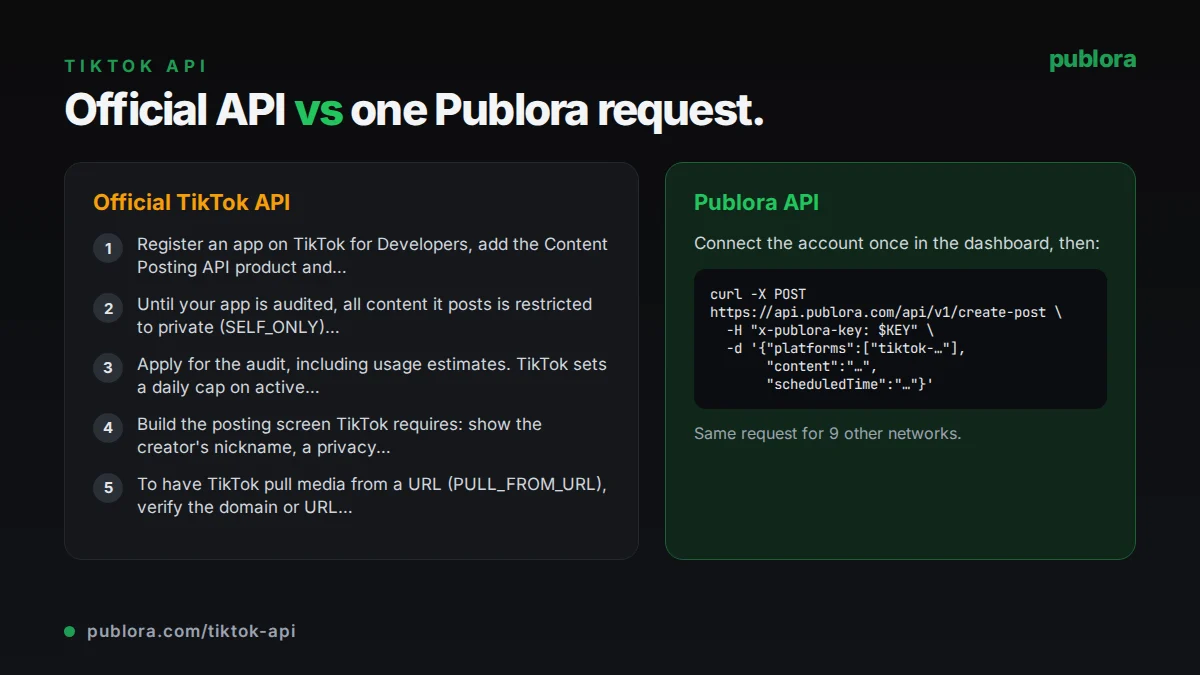
The official TikTok API
The Content Posting API has two modes: Direct Post, which publishes straight to the creator's profile and needs the video.publish scope, and upload to drafts, where the creator finishes the post in the TikTok app, which needs video.upload. Before posting, apps call the creator_info endpoint to get the privacy options and maximum video length allowed for that creator.
What posting requires
- Register an app on TikTok for Developers, add the Content Posting API product and request the video.publish scope.
- Until your app is audited, all content it posts is restricted to private (SELF_ONLY) viewing, only up to 5 users can post through it in 24 hours, and those accounts must be set to private.
- Apply for the audit, including usage estimates. TikTok sets a daily cap on active creators for your app based on that application.
- Build the posting screen TikTok requires: show the creator's nickname, a privacy dropdown with no default value, a commercial content disclosure toggle, and TikTok's music usage confirmation text.
- To have TikTok pull media from a URL (PULL_FROM_URL), verify the domain or URL prefix first. Otherwise upload files in chunks.
Cost: TikTok's developer documentation does not list fees for the Content Posting API. The cost is the audit, the required UX work, and maintaining the integration.
Official limits
| Posts per creator | Typically around 15 per day, shared across every app using Direct Post |
|---|---|
| creator_info | 20 requests per minute per user token |
| Video post init | 6 requests per minute per user token |
| Video files | MP4, WebM or MOV, 360 to 4096 px, 23 to 60 FPS, up to 4 GB |
| Photo posts | Up to 35 photos; JPEG or WebP, up to 20 MB each |
| Video caption | Up to 2,200 UTF-16 characters |
| Video length | Set per creator; read max_video_post_duration_sec from creator_info |
Common gotchas
- Access tokens expire after 24 hours; refresh tokens last 365 days, so your integration has to refresh tokens every day.
- Posting limits are per creator and shared across apps, so a post can fail with spam_risk_too_many_posts even if your app has posted little.
- Unaudited apps get the error unaudited_client_can_only_post_to_private_accounts when the target account is public.
- Chunked uploads have their own rules: chunks of 5 to 64 MB (the final chunk up to 128 MB) and at most 1,000 chunks.
Posting to TikTok through Publora
Public posting without your own audit
Publora's TikTok integration publishes with the viewer setting you choose, including PUBLIC_TO_EVERYONE, so you skip registering an app and the audit before your first public post.
Media from a URL, no domain verification
Pass a public https video URL or up to 35 image URLs in mediaUrls, or upload a file through a pre-signed URL. Publora handles the transfer to TikTok.
Per-post settings in one object
platformSettings.tiktok takes viewerSetting (everyone, mutual friends, followers or only me), allowComments, allowDuet, allowStitch, and the commercial content flags brandOrganic and brandedContent.
Tokens kept fresh
Publora stores the TikTok connection and tracks its refresh token. The platform-connections endpoint reports expiring_soon when fewer than 30 days remain, so you know when a creator needs to reconnect.
Scheduling and validation
Set scheduledTime and Publora publishes then. A scheduled TikTok post without media is rejected up front with MEDIA_REQUIRED, since TikTok has no text-only posts.
| Official TikTok API | Publora API | |
|---|---|---|
| Getting access | TikTok for Developers app, video.publish scope and an audit for public posts | Publora API key; creators connect TikTok with OAuth in the dashboard |
| Before the audit | Private-only posts, up to 5 users per day, private accounts only | Not applicable |
| Posting UX | Your app must implement TikTok's required posting screen | You send settings in platformSettings.tiktok |
| Media transfer | Chunked upload, or pull from a verified domain | Public URLs in mediaUrls, or a pre-signed upload |
| Tokens | 24-hour access tokens you refresh yourself | Stored by Publora; tokenStatus shows when to reconnect |
| Daily post cap | About 15 per creator, shared across apps | Same TikTok cap; errors are reported on the post |
| Video upload size | Up to 4 GB | 50 MB on Starter, 250 MB on Pro |
| Other networks | TikTok only | YouTube, Instagram and 7 more in the same request |
Post to TikTok via API
curl -X POST https://api.publora.com/api/v1/create-post \
  -H "Content-Type: application/json" \
  -H "x-publora-key: sk_YOUR_API_KEY" \
  -d '{
    "content": "3 ways we cut our editing time in half #creatortips",
    "platforms": ["tiktok-YOUR_OPEN_ID"],
    "scheduledTime": "2026-10-10T18:00:00Z",
    "mediaUrls": ["https://example.com/editing-tips.mp4"],
    "platformSettings": {
      "tiktok": {
        "viewerSetting": "PUBLIC_TO_EVERYONE",
        "allowComments": true,
        "allowDuet": false,
        "allowStitch": true,
        "commercialContent": false
      }
    }
  }'
import os
import requests
resp = requests.post(
"https://api.publora.com/api/v1/create-post",
headers={"x-publora-key": os.environ["PUBLORA_API_KEY"]},
json={
"content": "3 ways we cut our editing time in half #creatortips",
"platforms": ["tiktok-YOUR_OPEN_ID"],
"scheduledTime": "2026-10-10T18:00:00Z",
"mediaUrls": ["https://example.com/editing-tips.mp4"],
"platformSettings": {
"tiktok": {
"viewerSetting": "PUBLIC_TO_EVERYONE",
"allowComments": True,
"allowDuet": False,
"allowStitch": True,
"commercialContent": False,
}
},
},
)
resp.raise_for_status()
print(resp.json()["postGroupId"])Or let an AI agent post
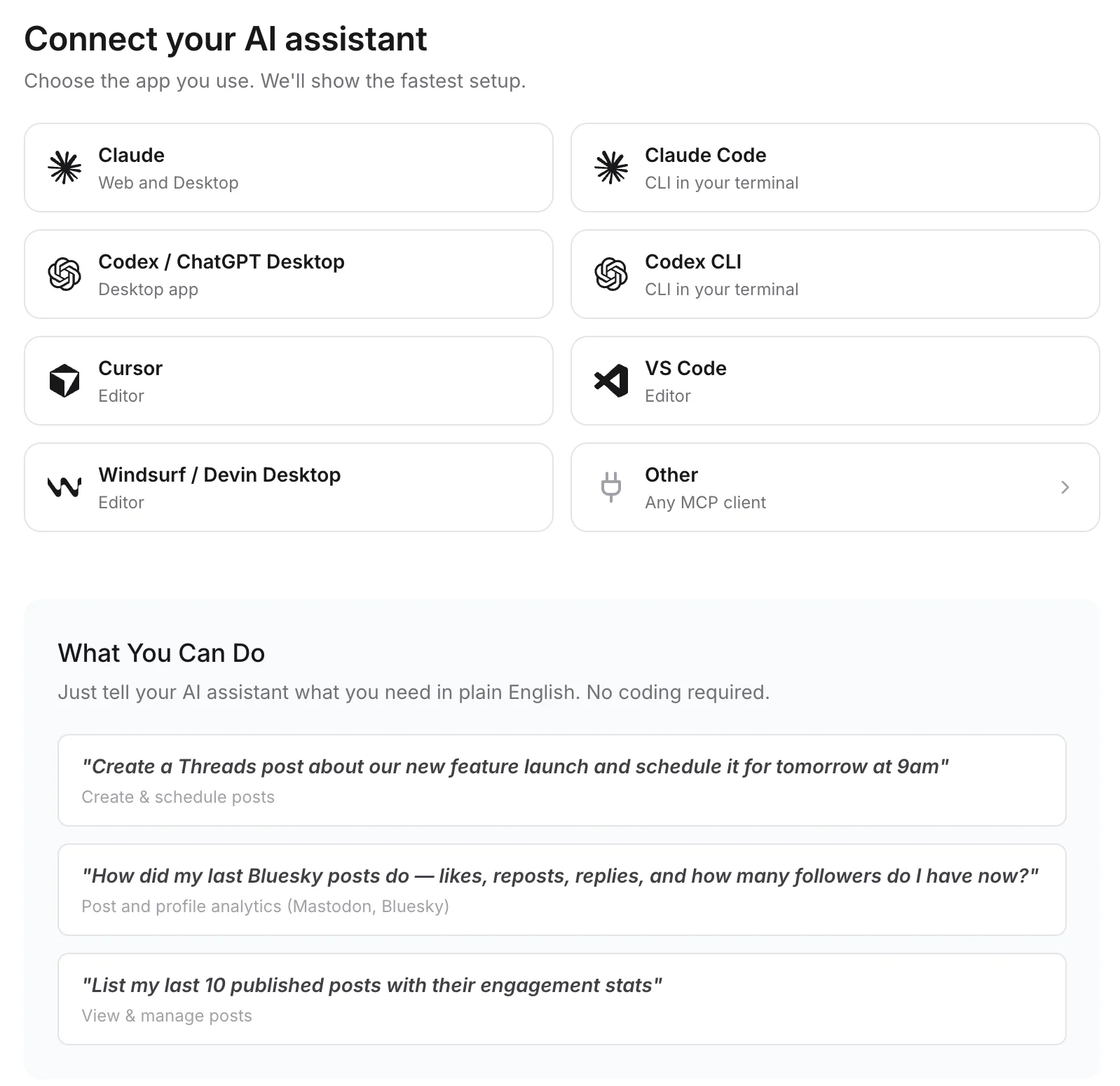
Connect any MCP client to mcp.publora.com:
- “Schedule this video to TikTok for Thursday at 19:00 UTC, public, with comments on and Duet off.”
- “Post these 8 photos to TikTok as a photo carousel tomorrow at 18:00 UTC with the caption below.”
- “Publish this clip to TikTok and YouTube at 16:00 UTC; set the YouTube title to "Editing in half the time".”
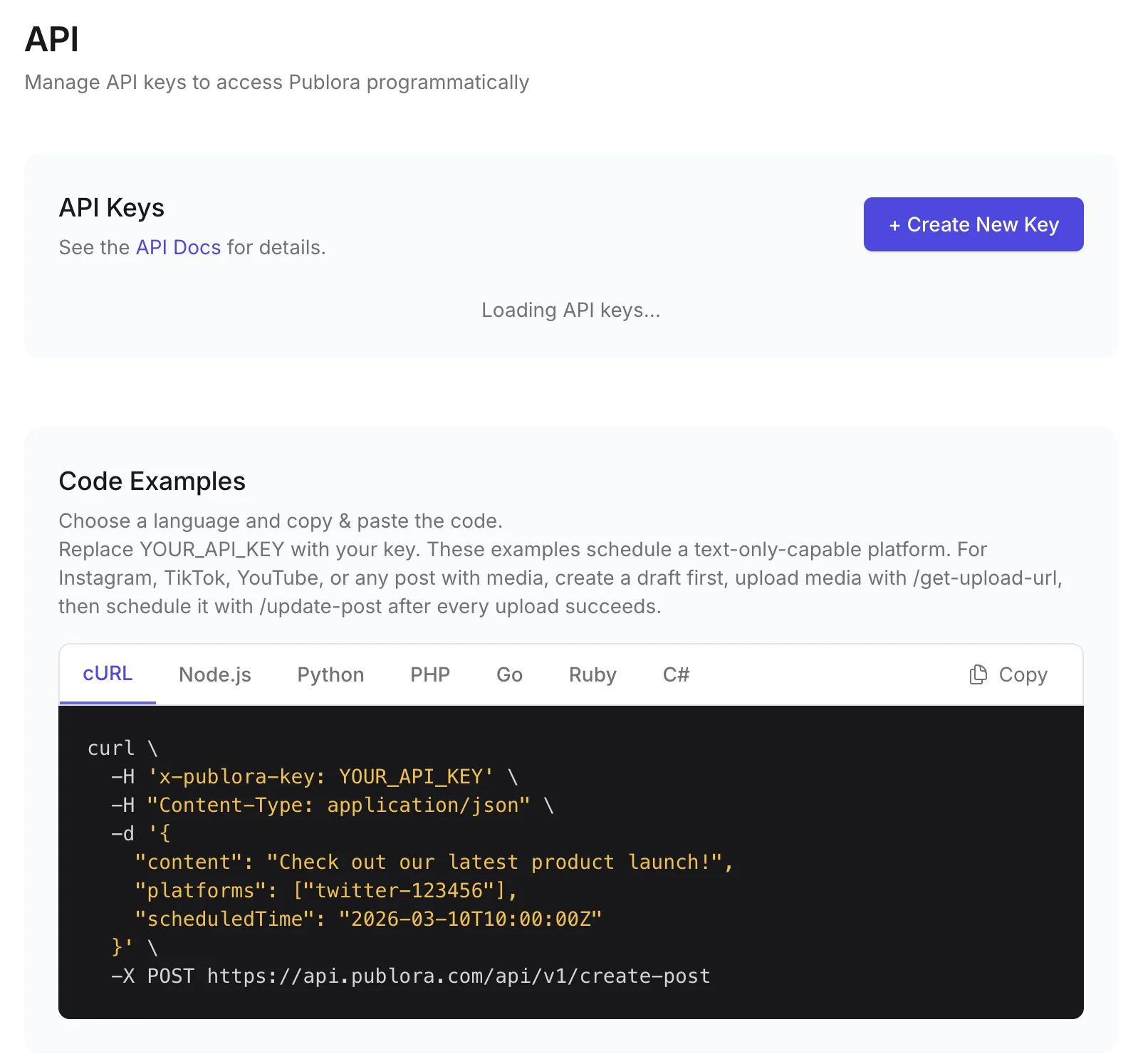
Where you get the key and connect agents
TikTok API FAQ
Why are my TikTok API posts private?
TikTok restricts every post from an unaudited API client to SELF_ONLY (private) viewing. You need to pass TikTok's audit to post publicly. With Publora you post through its existing integration and choose the viewer setting per post.
Is the TikTok Content Posting API free?
TikTok's developer documentation does not list fees for it. The cost is the audit, the posting UX TikTok requires, and building and maintaining the integration. Publora's free Starter plan includes TikTok with 15 posts a month.
How many TikTok posts can I publish per day via API?
TikTok sets the cap per creator, typically around 15 posts a day, and it is shared by every app posting for that creator. Publora cannot raise it; if TikTok rejects a post with spam_risk_too_many_posts, the error shows on the post.
Can I post TikTok photo carousels via API?
Yes. TikTok's API accepts up to 35 photos per post. With Publora, attach up to 35 JPEG, PNG or WebP images and the post publishes as a photo post.
Can I post to a private TikTok account?
Yes, but TikTok limits private accounts to the "only me" viewer setting, and rejects other settings for them.
Guides
- How to Schedule TikTok Posts via API: Complete Developer Guide
- How to Connect OpenClaw AI Agent to LinkedIn, Instagram, X, TikTok & 6 More Platforms Using Publora
- Cross-Platform Posting: One API Call to Publish Everywhere
- Discover the Best Time to Post on TikTok: Tips
Sources
- Content Posting API: Get Started
- Content Posting API: Direct Post reference
- Content Posting API: Photo Post reference
- Content Posting API: Query Creator Info
- Content Posting API: Media Transfer Guide
- Content Sharing Guidelines
- OAuth User Access Token Management
Post to TikTok and 9 more networks with one API
API and MCP access are included on every plan, including the free Starter plan (posting to X requires Pro).