
Bluesky Scheduler with API and MCP Access
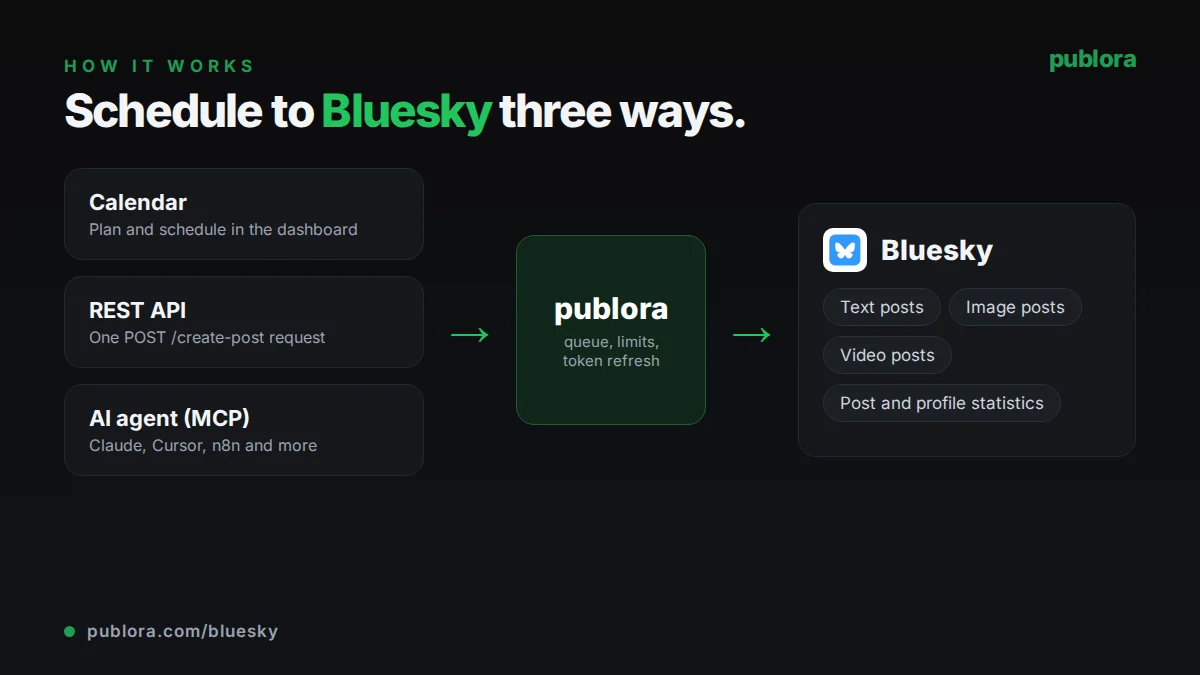
Plan and publish Bluesky posts from a calendar, a single API request or an AI agent, then check how they performed.
Bluesky scheduling is included in the free Starter plan: 3 connected accounts, 15 posts per month, scheduling up to 7 days ahead, with the REST API and MCP server. Post and profile statistics require Pro, which costs $5.99 per account per month ($3.99 billed yearly) and adds unlimited posts (fair use) and 250 MB uploads.
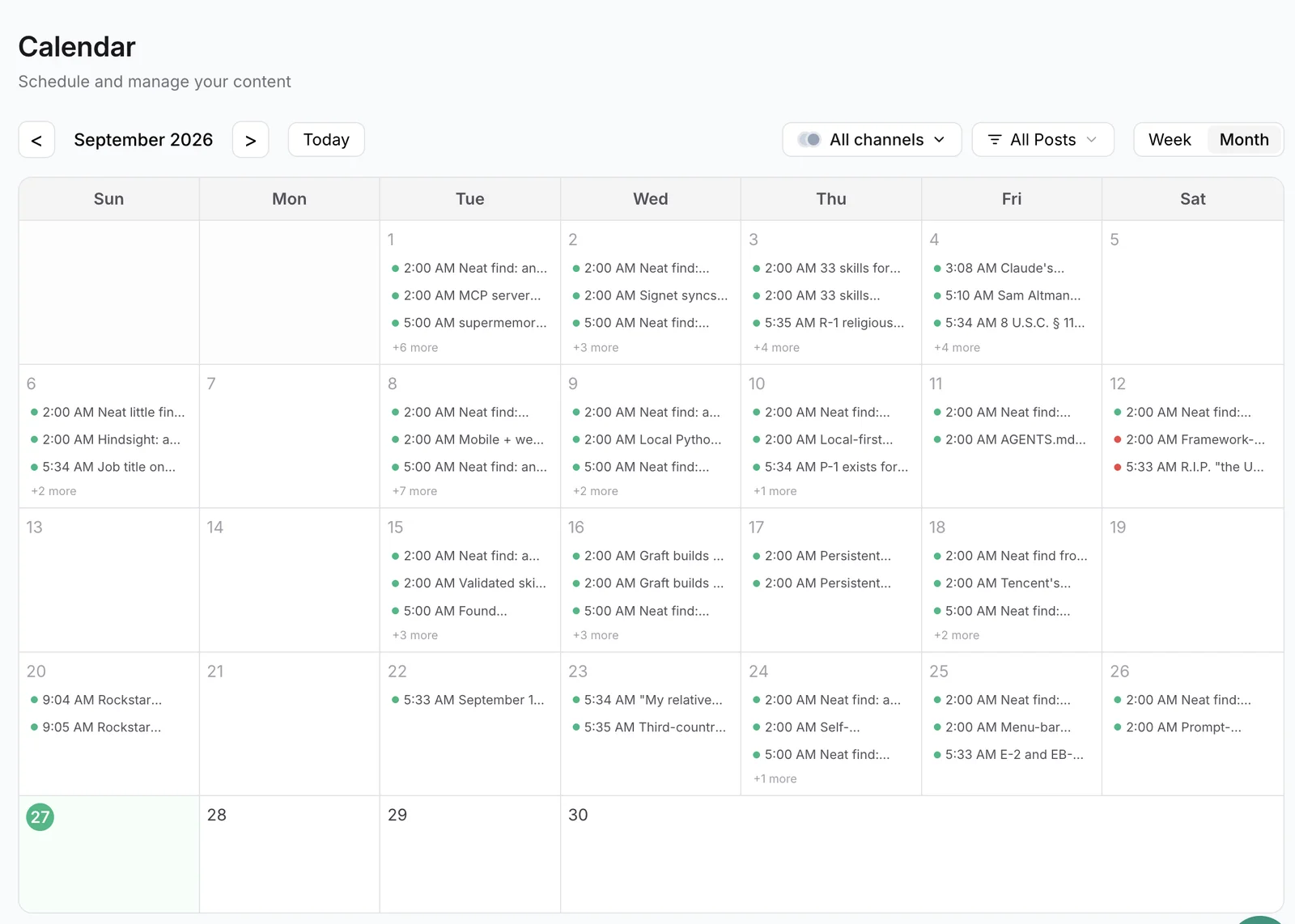
Publora schedules posts to Bluesky alongside nine other networks. You connect your account with a Bluesky app password, write the post, and Publora publishes it at the time you set. Hashtags and links in your text become clickable automatically, with the byte-offset facets Bluesky requires calculated for you, including for emoji and non-Latin text.
Bluesky is one of two networks where Publora also reads engagement back. For posts Publora published, you can pull likes, replies, reposts, quotes and saves, plus follower, following and post counts for the account. The same numbers are available to AI agents through the post_stats and profile_stats MCP tools, so an agent can check what worked before planning the next week.
Everything in the calendar is also available through the REST API and the MCP server, with one API key. That makes Publora a practical way to let Claude, Cursor or your own scripts post to Bluesky without handling AT Protocol sessions yourself.
What you can publish to Bluesky
- Text posts. Up to 300 characters. Links count toward the limit. Hashtags and URLs are turned into clickable facets.
- Image posts. Up to 4 images per post, each under 2,000,000 bytes. JPEG, PNG and WebP are accepted and converted to JPEG before upload.
- Video posts. One MP4 video up to 3 minutes and 100 MB. Bluesky requires a verified email for video uploads.
- Post and profile statistics. Likes, replies, reposts, quotes and saves for published posts; followers, following and post count for the account (Pro plan).
How to schedule Bluesky posts with Publora
- 1
Connect with an app password
In Bluesky, open Settings and create an app password. In Publora Channels, enter your handle (for example yourname.bsky.social) and that app password. Never use your main password.
- 2
Write the post
Keep the text within 300 characters, add up to four images or one video, and include hashtags or links as plain text.
- 3
Schedule and measure
Choose a time on the calendar or send scheduledTime in UTC through the API or MCP. After publishing, check engagement from the API or ask your agent.
Inside Publora
Post to Bluesky with one API call
The same request schedules to any connected network. Your API key is available on every plan, including free.
curl -X POST https://api.publora.com/api/v1/create-post \
  -H "Content-Type: application/json" \
  -H "x-publora-key: YOUR_API_KEY" \
  -d '{
    "content": "Our new analytics view is live. Details: https://example.com/changelog #buildinpublic",
    "platforms": ["bluesky-did:plc:abc123xyz"],
    "scheduledTime": "2026-10-07T16:00:00.000Z",
    "mediaUrls": ["https://example.com/images/analytics-view.png"]
  }'
# { "success": true, "postGroupId": "...", "scheduledTime": "2026-10-07T16:00:00.000Z" }
Or ask your AI agent
Connect Claude, Cursor or any MCP client to mcp.publora.com and schedule in plain English:
- “Rewrite this LinkedIn post as a Bluesky post under 300 characters, keep the link, and schedule it for tomorrow at 15:00 UTC.”
- “Get the stats for my Bluesky posts published this month and tell me which three got the most reposts and replies.”
- “How many followers does my Bluesky account have right now? Then draft two posts on the topic of my best-performing post.”
Bluesky limits Publora checks for you
| Characters | 300 per post, links included |
|---|---|
| Images | Up to 4 per post, under 2,000,000 bytes each |
| Image formats | JPEG, PNG, WebP (converted to JPEG) |
| Video | 1 MP4 per post, up to 3 minutes and 100 MB |
| Daily video limit | 25 videos per day |
| Threads (multi-post chains) | Not supported; longer text is rejected |
| Statistics cache | Values refresh about every 2 hours |
Bluesky scheduling tips
Count links toward the 300 characters
Publora counts the full text, including URLs, against the 300-character limit. Shorten the copy or the link before scheduling.
Compress images before you upload
Bluesky's image cap is exactly 2,000,000 bytes. A large PNG screenshot often needs to be resized or saved as JPEG.
Use one app password per tool
Create a dedicated app password for Publora. You can revoke it in Bluesky at any time without changing your main password.
Let the numbers pick your next post
Pull reposts and replies for last week's posts with post_stats and schedule more of what people actually shared.
Bluesky scheduling FAQ
Can you schedule posts on Bluesky?
Yes, with a scheduler such as Publora. Connect your account with an app password, write the post and choose a time; Publora publishes it for you.
Is there a free Bluesky scheduler?
Yes. Publora's Starter plan is free and includes Bluesky, with 3 connected accounts and 15 posts per month, scheduled up to 7 days ahead. API and MCP access are included.
Why does Publora ask for an app password?
Bluesky uses app passwords for third-party tools. They give posting access without exposing your main password and can be revoked individually in Bluesky's settings.
Can I schedule a Bluesky thread?
Not at the moment. Publora supports multi-post chains on X and Threads only. Bluesky posts must fit in 300 characters.
Can I add alt text to Bluesky images through the API?
Not yet. The REST upload flows do not store image descriptions for Bluesky, so an altTexts value sent to the API is not applied.
Can I see analytics for scheduled Bluesky posts?
On Pro, yes. For posts Publora published, you get likes, replies, reposts, quotes and saves, plus follower counts. Bluesky does not expose impressions or clicks, so those are not available.
Bluesky guides
- Posting to Bluesky via API: The Developer Guide to the Decentralized Social Network
- How to Connect Publora MCP Tools: Complete Guide
- Cross-Platform Posting: One API Call to Publish Everywhere
- MCP vs REST API: When to Use Each for Social Media Automation
Start scheduling Bluesky posts
Bluesky scheduling is included in the free Starter plan: 3 connected accounts, 15 posts per month, scheduling up to 7 days ahead, with the REST API and MCP server. Post and profile statistics require Pro, which costs $5.99 per account per month ($3.99 billed yearly) and adds unlimited posts (fair use) and 250 MB uploads.