How to Publish to Social Media From Claude
TL;DR
Add the Publora connector from the Claude directory, then ask Claude to draft, schedule or publish to LinkedIn, X, Instagram and seven more networks.
Publora is in the Claude connectors directory. Add the MCP connector once, then ask Claude in plain language to draft, schedule or publish a post to LinkedIn, X, Instagram and seven more networks. No API key, no config file, no copy-paste between tabs.
Anthropic told us review takes a few weeks and approval is not guaranteed. Ours came back the same day. Then I connected it from a signed-out browser, the way a stranger would, and walked straight into a dead end of our own making: sign in to Publora, land on the dashboard, no way back to Claude. That is fixed now, and this guide is what the flow looks like on the other side of it.
Before You Start
You need a Claude account, a Publora account, and at least one social account connected inside Publora. The connector publishes through connections you already made, it does not create them. The Publora free plan covers 15 posts a month, three accounts, scheduling a week ahead and every network except X, and does not ask for a card.
Any Claude plan works, including the free one.
Find It in the Directory
Open Publora in the Claude connectors directory, or search for Publora under Connectors in Claude's settings.
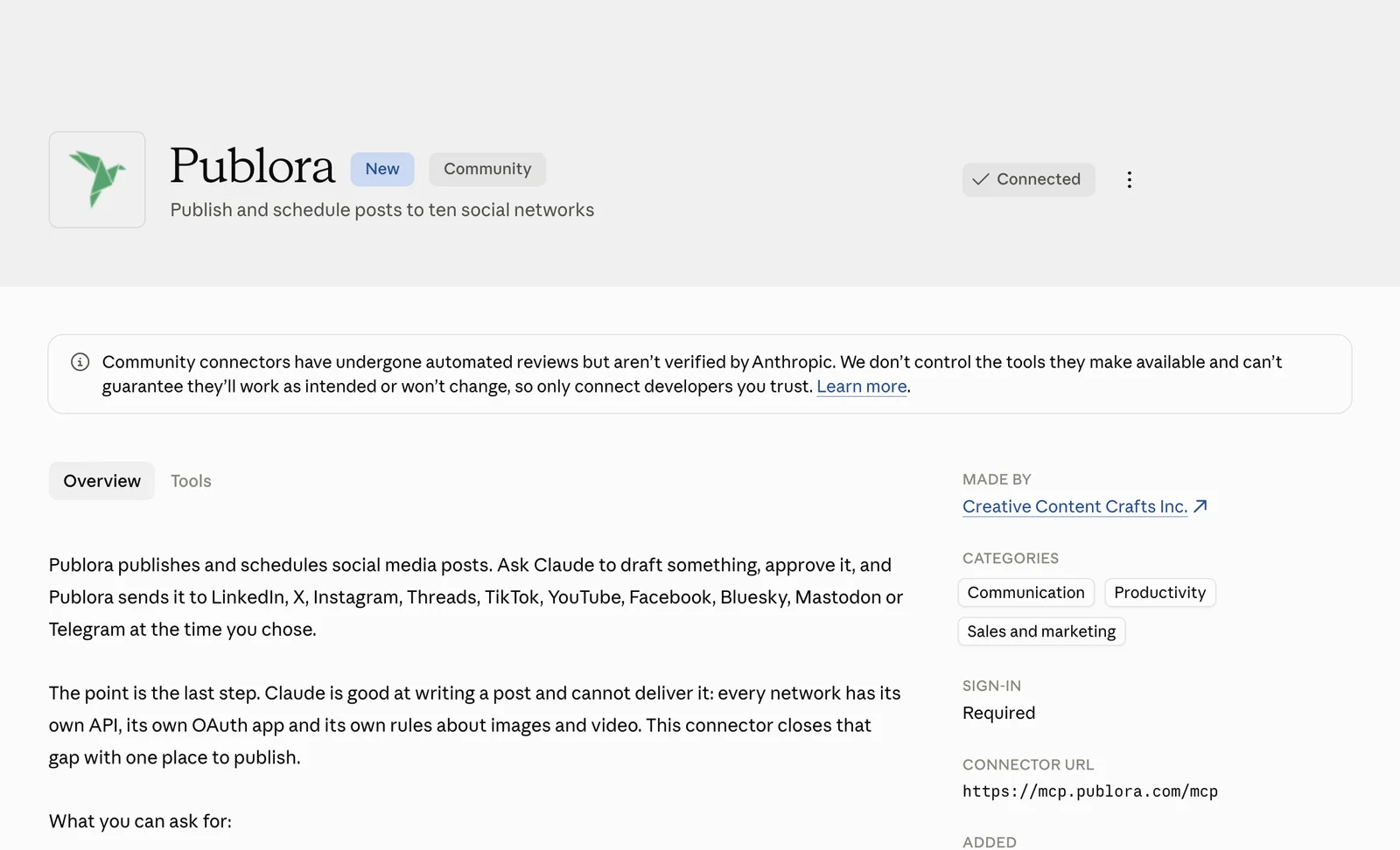
Connect
Press Connect to Claude. Publora asks you to approve access, you press Approve, and you land back in Claude with the connector in place.
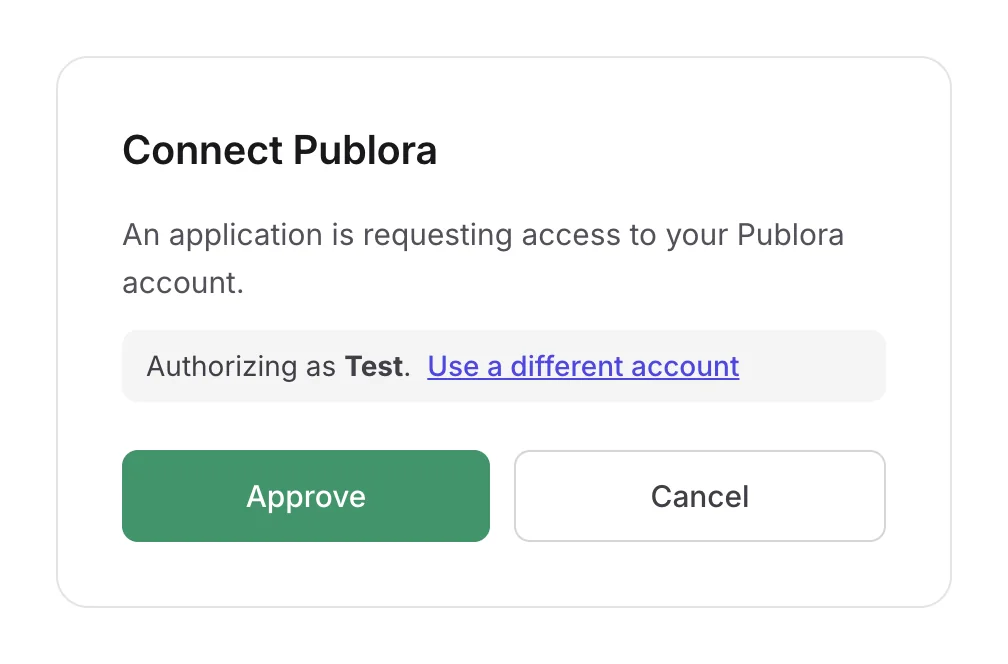
The same connection covers Claude on the web, desktop and mobile. Claude never sees your social passwords: it gets a token scoped to your Publora account and the channels inside it. Remove the connector and that token dies with it; your posts and connected accounts stay exactly as they were.
In Claude Code, one command instead:
claude mcp add --transport http publora https://mcp.publora.com/mcpThen run /mcp and sign in in the browser window that opens.
Ask for What You Want
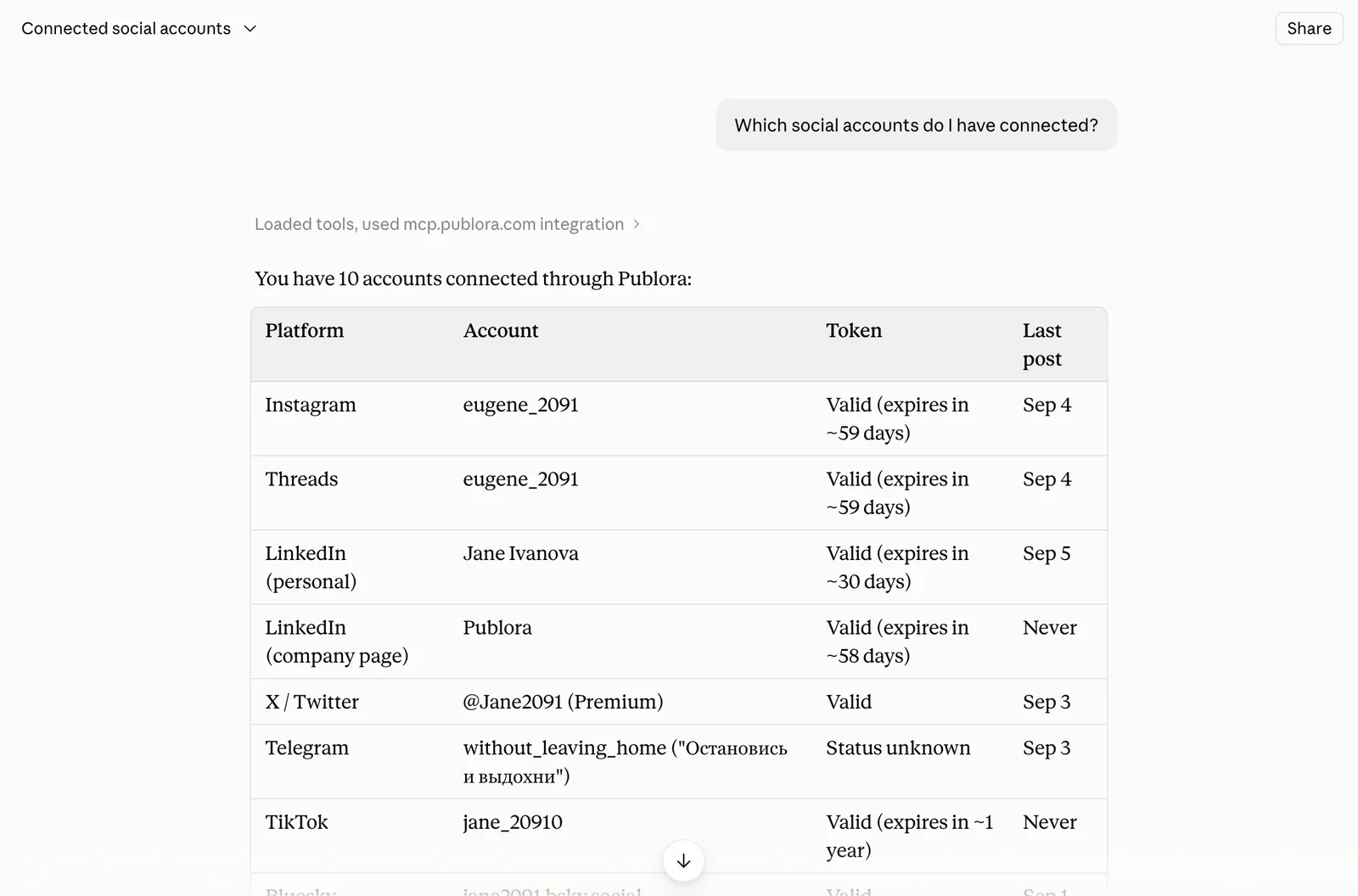
See What Is Connected
Which social accounts do I have connected?
Write a Draft and Keep It a Draft
Draft a LinkedIn post about our new changelog page. Don't publish it yet.
A post becomes scheduled only when you give it a time. That is the whole rule, and it is why you can be loose with your phrasing and still not publish anything by accident.
Schedule It
Schedule that for tomorrow at 9:00 UTC.
Attach Media in the Same Breath
Post this image to Instagram and Threads with a caption, Friday 6pm UTC.
Give it a public image URL and Publora fetches the file itself.
Check the Queue
What do I have scheduled this week?
See How a Post Did
Mastodon and Bluesky only:
How did my last Bluesky post do?
Handle LinkedIn Without Leaving the Chat
Leave a comment on my last LinkedIn post, and react to it.
Comments, reactions and reshares work on LinkedIn from the same conversation.
Claude Asks Before It Writes
The first time Claude wants to use a tool it has not used before, it asks. The prompt names the tool in plain words rather than by its internal name.
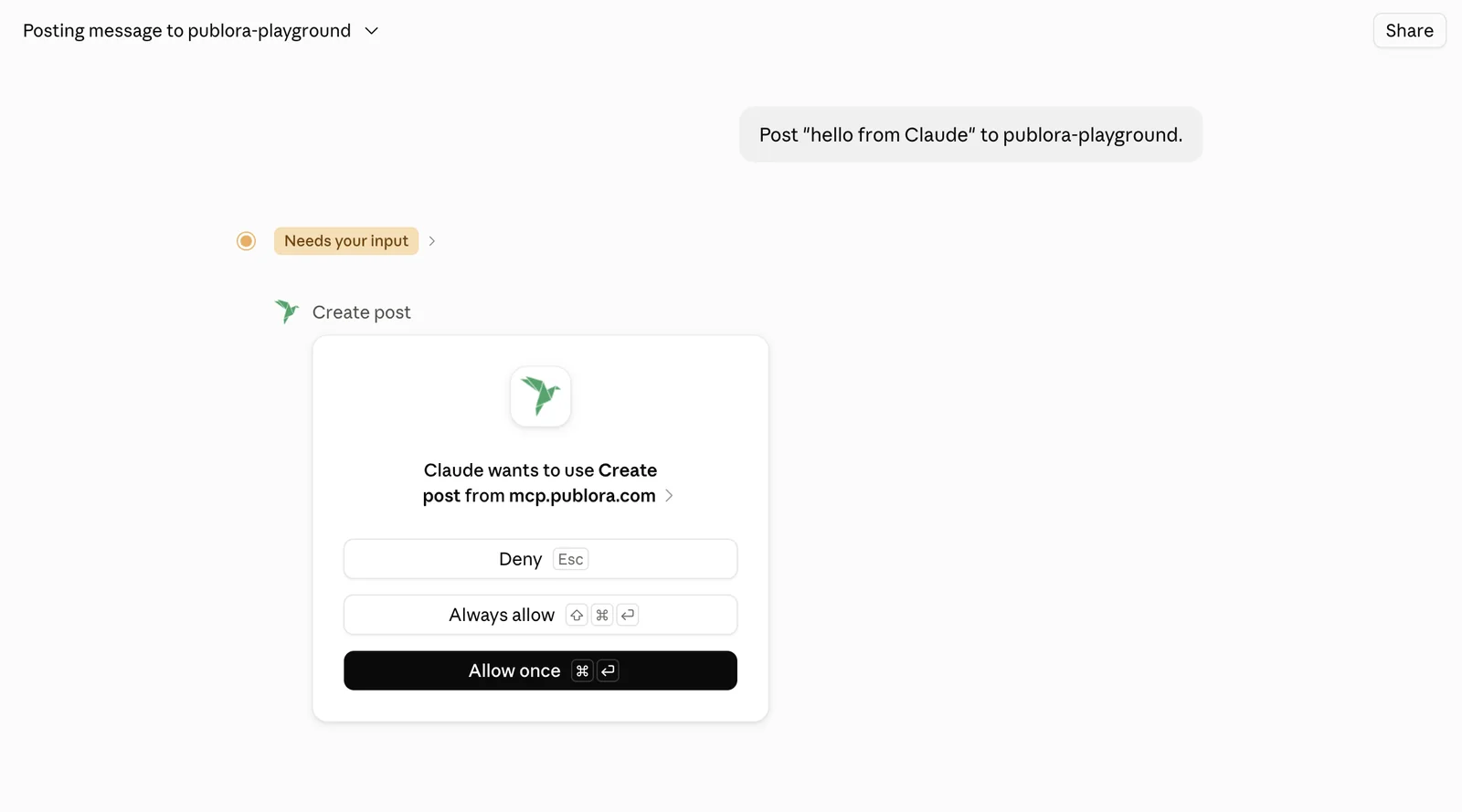
Choose Always allow and it stops asking for that tool. Reading your accounts, your queue or your engagement counts changes nothing; creating, editing and deleting posts does.
Read the text before you approve it. A published post can be deleted, but not unseen.
What It Will Not Do
- It won't guess which account you meant. Channel identifiers are opaque strings the connector has to copy from your real connection list. Ask for a network you haven't connected and it says so instead of improvising.
- Instagram, TikTok and YouTube need an image or video. A text-only post to those is refused before anything is published, with a message naming the network and what's missing.
- Engagement counts are Mastodon and Bluesky only. The other eight networks report nothing back through the connector.
- Deleting is one post at a time. "Delete all my scheduled posts" gets you a list and a question, not a bonfire.
- Pinterest is connect-only. It appears in your accounts but can't be published to.
Try It Without Publishing Anything
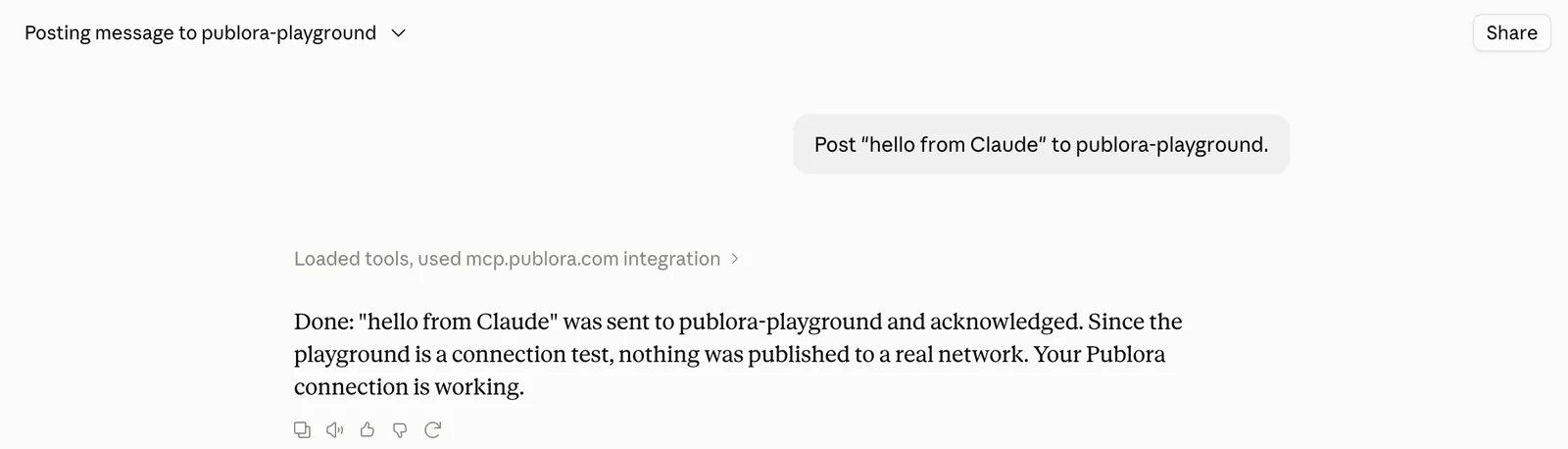
There is a reserved target called publora-playground. A post sent there is validated and acknowledged exactly like a real one, then thrown away:
Post "hello from Claude" to publora-playground.
Let Claude run your posting
Three accounts and 15 posts a month on the free plan. No card.
Start FreeWhere Else This Works
The same MCP connector covers Claude on the web, desktop, mobile and Claude Code. Publora behaves identically in ChatGPT, Cursor and a dozen other places, because there is one server behind all of them. Eighteen tools, one connection.
Ten networks: LinkedIn, X, Instagram, Threads, TikTok, YouTube, Facebook, Bluesky, Mastodon and Telegram.
Further Reading
About the author. Written by the Publora team from the live listing in the Claude connectors directory and a connection made from a signed-out browser, September 2026.
Related Articles
How to Post a Figma Design to Social Media
Send a Figma frame to LinkedIn, Instagram, X and seven more networks without leaving Figma. Free plugin, works in Figma Design and Figma Slides.
How to Publish to Social Media From IFTTT
Connect Publora to IFTTT once, and anything IFTTT watches can go out to LinkedIn, X, Instagram and seven more networks. A feed, a webhook, your own code.
How to Auto-Share WordPress Posts to Social Media
Share every new WordPress post to Instagram, LinkedIn, X, Threads, Bluesky and five more networks automatically. Free plugin, about five minutes to set up.
How to Publish to Social Media From ChatGPT
Connect the Publora plugin once, then ask ChatGPT in plain language to draft, schedule or publish to LinkedIn, X, Instagram and seven more networks.