How to Publish to Social Media From ChatGPT

· Updated
TL;DR
Connect the Publora plugin once, then ask ChatGPT in plain language to draft, schedule or publish to LinkedIn, X, Instagram and seven more networks.
Connect the Publora plugin once, then ask ChatGPT in plain language to draft, schedule or publish a post to LinkedIn, X, Instagram and seven more networks. No tab switch, no copy-paste, no reformatting the same text four times.
The plugin went through OpenAI's review twice. The rejection we got the first time said our sign-in flow could not be completed, so we spent a day testing a flow that turned out to be fine. The real problem was that our own accounts sign in with Google, and a reviewer can't. So I know this listing better than I planned to. Here is what you get.
Before You Start
You need a ChatGPT account, a Publora account, and at least one social account connected inside Publora. The plugin publishes through connections you already made, it does not create them. The Publora free plan covers 15 posts a month and three accounts and does not ask for a card.
Find the Plugin
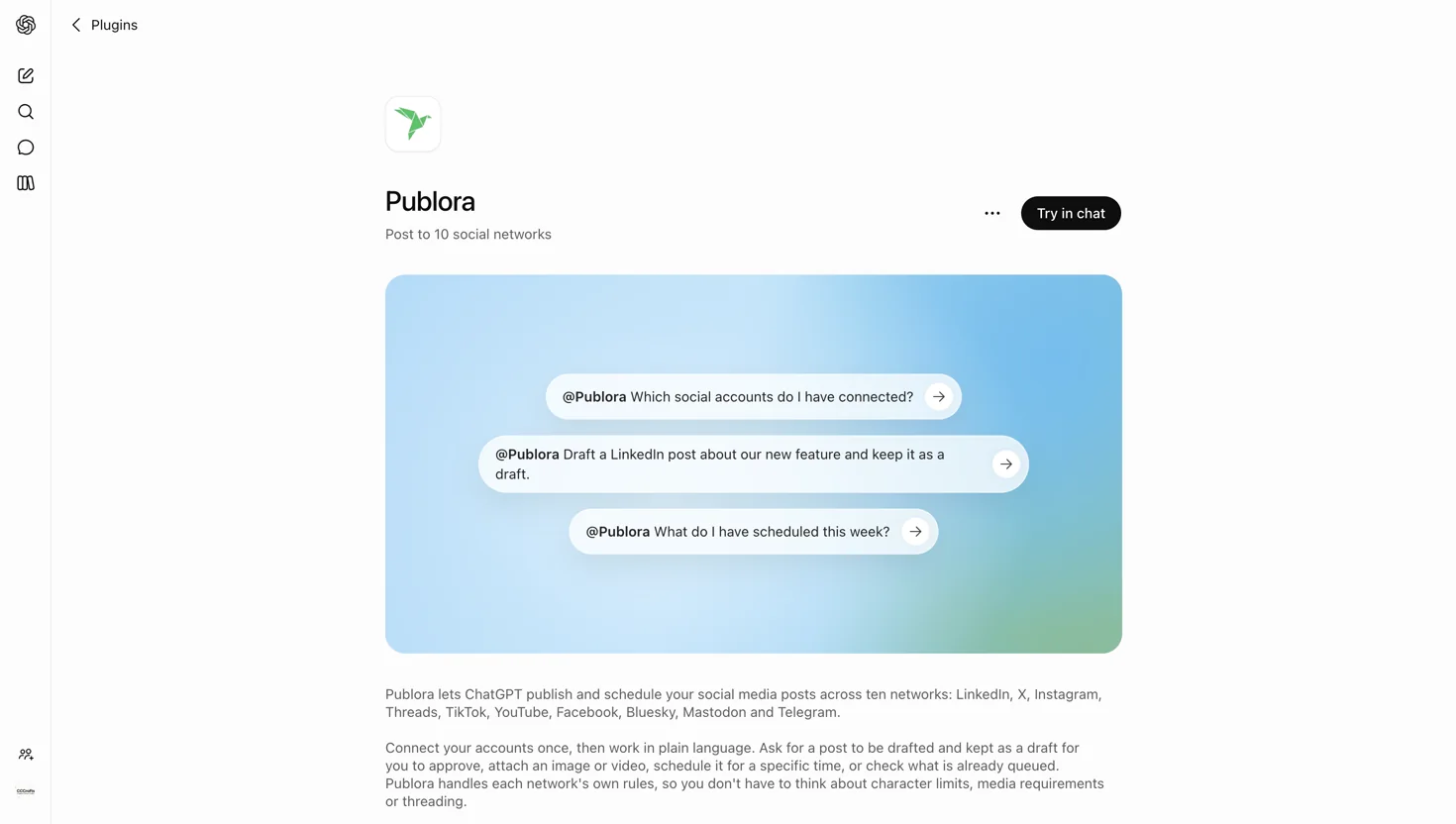
Open Publora in the ChatGPT plugin directory, or search for Publora under Plugins in the left rail.
Connect Your Account
Press Try in chat and send the first prompt. ChatGPT sends you to Publora's own sign-in page, you approve access, and you land back in the conversation.
Publora never sees your ChatGPT conversation, and ChatGPT never sees your social passwords. It receives a token scoped to your Publora account and the channels connected inside it. Revoke that token in Publora and the plugin stops working immediately.
Ask for What You Want
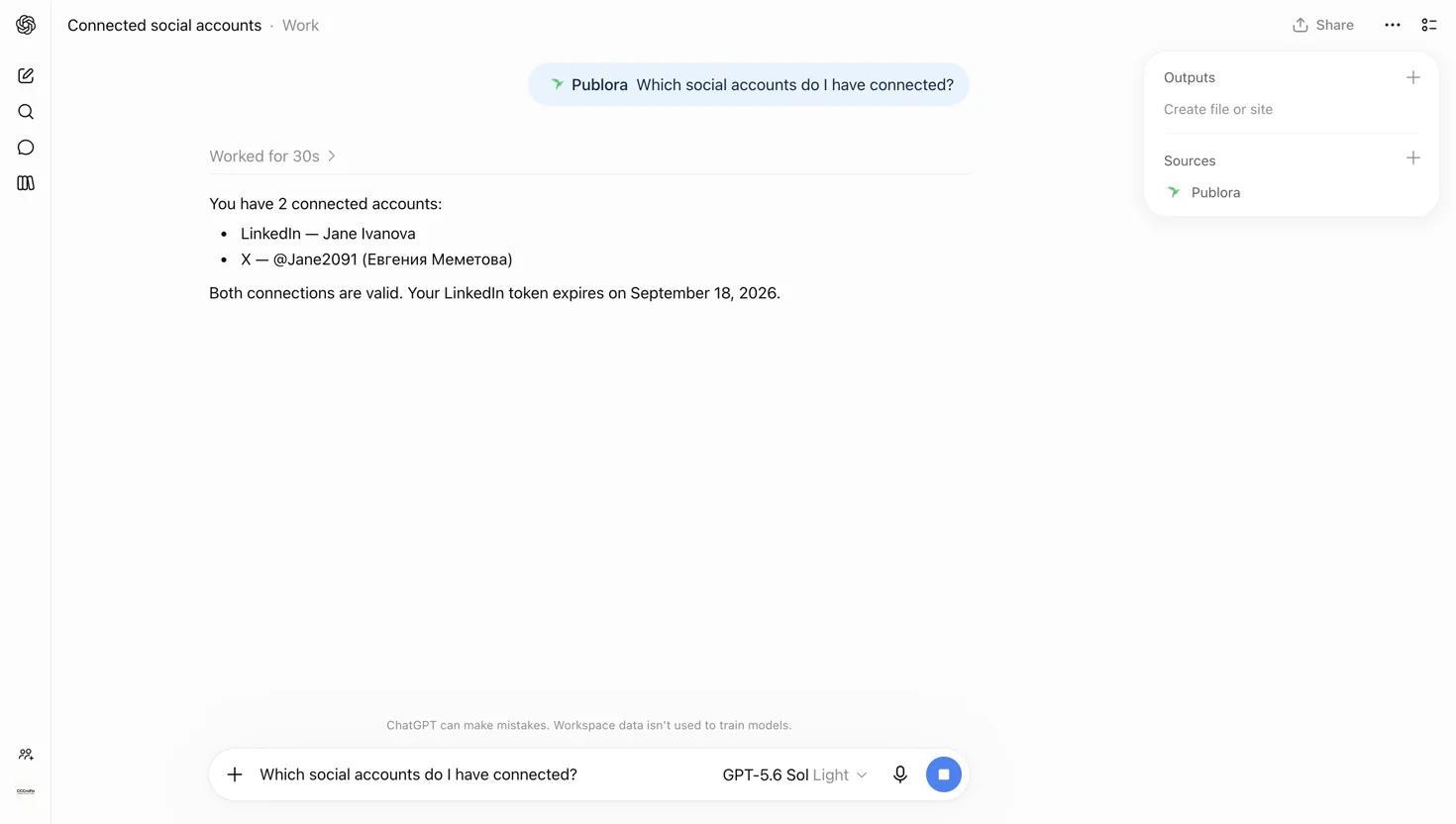
See What Is Connected
Which social accounts do I have connected?
Write a Draft and Keep It a Draft
Draft a LinkedIn post about our new changelog page. Don't publish it yet.
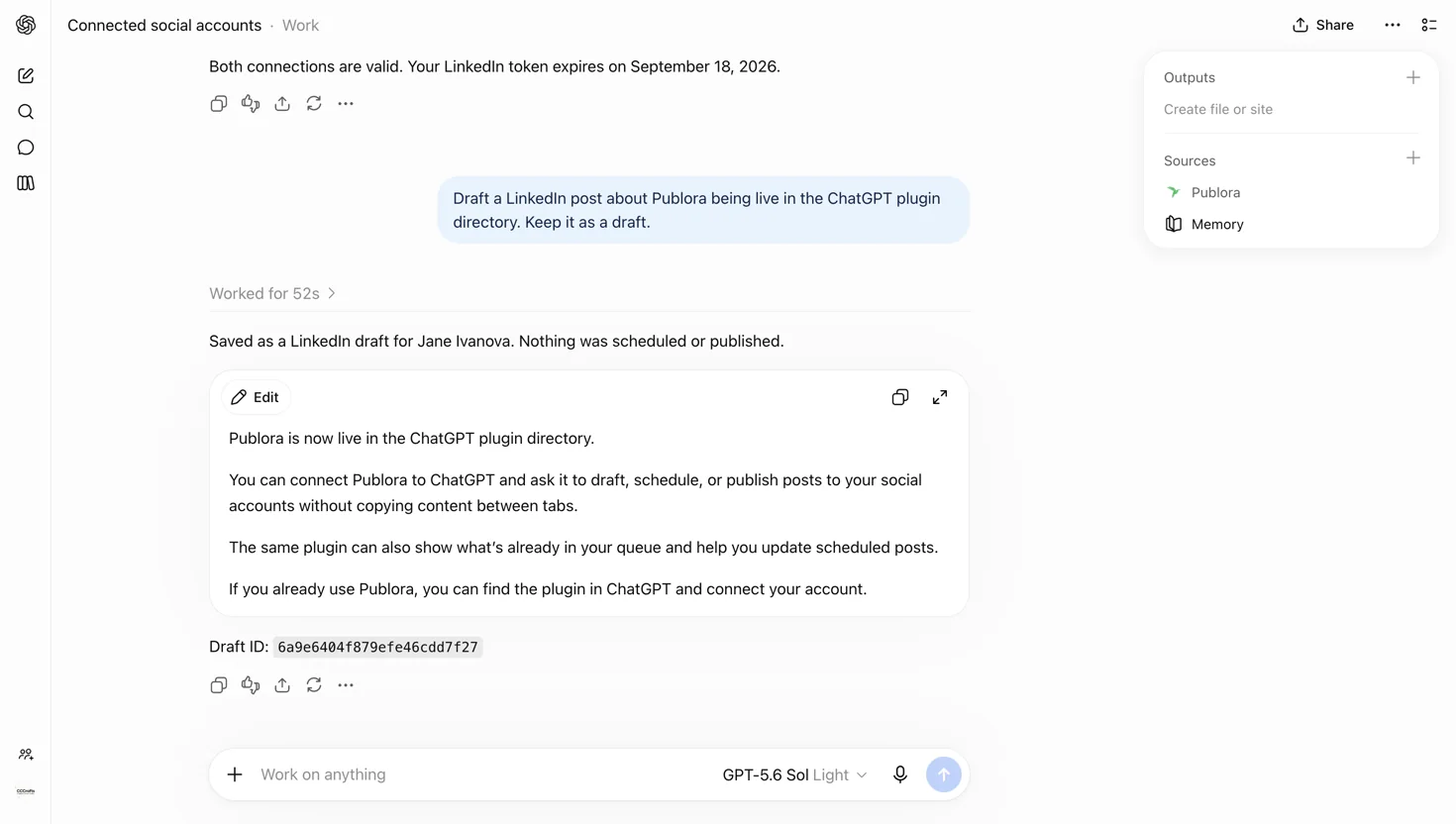
A post becomes scheduled only when you give it a time. That is the whole rule, and it is why you can be loose with your phrasing and still not publish anything by accident.
Schedule It
Schedule that for tomorrow at 9:00 UTC.
Attach Media in the Same Breath
Post this image to Instagram and Threads with a caption, Friday 6pm UTC.
Give it a public image URL and Publora fetches the file itself.
Check the Queue
What do I have scheduled this week?
Handle LinkedIn Without Leaving the Chat
Leave a comment on my last LinkedIn post.
Comments, reactions and reshares work on LinkedIn from the same conversation.
What It Will Not Do
- It won't guess which account you meant. Channel identifiers are opaque strings the plugin has to copy from your real connection list. Ask for a network you haven't connected and it says so instead of improvising.
- Instagram, TikTok and YouTube need an image or video. A text-only post to those is refused before anything is published, with a message naming the network and what's missing.
- Deleting is one post at a time. "Delete all my scheduled posts" gets you a list and a question, not a bonfire.
- Pinterest is connect-only. It appears in your accounts but can't be published to.
Try It Without Publishing Anything
There is a reserved target called publora-playground. A post sent there is validated and acknowledged exactly like a real one, then thrown away:
Post "hello from ChatGPT" to publora-playground.
You get back a plain confirmation that nothing reached a real network. Use it to check the whole path works before you point it at an audience.
publora-playground has to be the only channel in the request. Ask for the playground and LinkedIn in the same breath and the call is rejected rather than half-sent.Let ChatGPT run your posting
Connect three accounts and post 15 times a month on the free plan. No card.
Start FreeWhere Else This Works
The same integration covers ChatGPT and Codex. Publora behaves identically in Claude, Cursor and a dozen other places, because there is one server behind all of them.
Ten networks: LinkedIn, X, Instagram, Threads, TikTok, YouTube, Facebook, Bluesky, Mastodon and Telegram.
Further Reading
About this article. Based on the plugin's own listing and a live walkthrough in ChatGPT, September 2026. The channel rules described here were read from the live Publora server at the time of writing.
Related Articles
How to Publish to Social Media From Claude
Add the Publora connector from the Claude directory, then ask Claude to draft, schedule or publish to LinkedIn, X, Instagram and seven more networks.
How to Post a Figma Design to Social Media
Send a Figma frame to LinkedIn, Instagram, X and seven more networks without leaving Figma. Free plugin, works in Figma Design and Figma Slides.
How to Publish to Social Media From IFTTT
Connect Publora to IFTTT once, and anything IFTTT watches can go out to LinkedIn, X, Instagram and seven more networks. A feed, a webhook, your own code.
How to Auto-Share WordPress Posts to Social Media
Share every new WordPress post to Instagram, LinkedIn, X, Threads, Bluesky and five more networks automatically. Free plugin, about five minutes to set up.