How to Publish to Social Media From Adobe Express

TL;DR
Install the Publora add-on, sign in once, and send the Adobe Express design you are looking at to LinkedIn, Instagram, TikTok and seven more networks.
Install the Publora add-on, sign in once, and send the design you are looking at to LinkedIn, Instagram, TikTok and seven more networks. The add-on renders the current page for you, as an image or as an MP4.
I spent most of August getting this add-on through Adobe's review. Five submissions, four rejections, and the last one was my own fault: I read the summary in their rejection email instead of their guide, fixed the one thing it mentioned, and got turned down again. So I know this panel better than I wanted to. Here is how it works.
Before You Start
You need an Adobe Express account, a Publora account, and at least one social account connected inside Publora. The add-on publishes through connections you already made, it does not create them. The Publora free plan covers 15 posts a month and three accounts and does not ask for a card.
Install the Add-On
- Open any project in Adobe Express.
- Click Add-ons in the left rail.
- Search for
Publoraand open the listing. - Click Add. The panel opens on the right.
Connect Publora
Press Connect Publora. A Publora window opens, shows which account you are authorising, and closes itself once you approve. There is no API key to copy and nothing to paste.
If you would rather not sign in through a window, Connect with an API key instead takes a key from publora.com → Settings → API keys. The key stays on this machine.
new.express.adobe.com. If the window opens but never reports back, use the API key.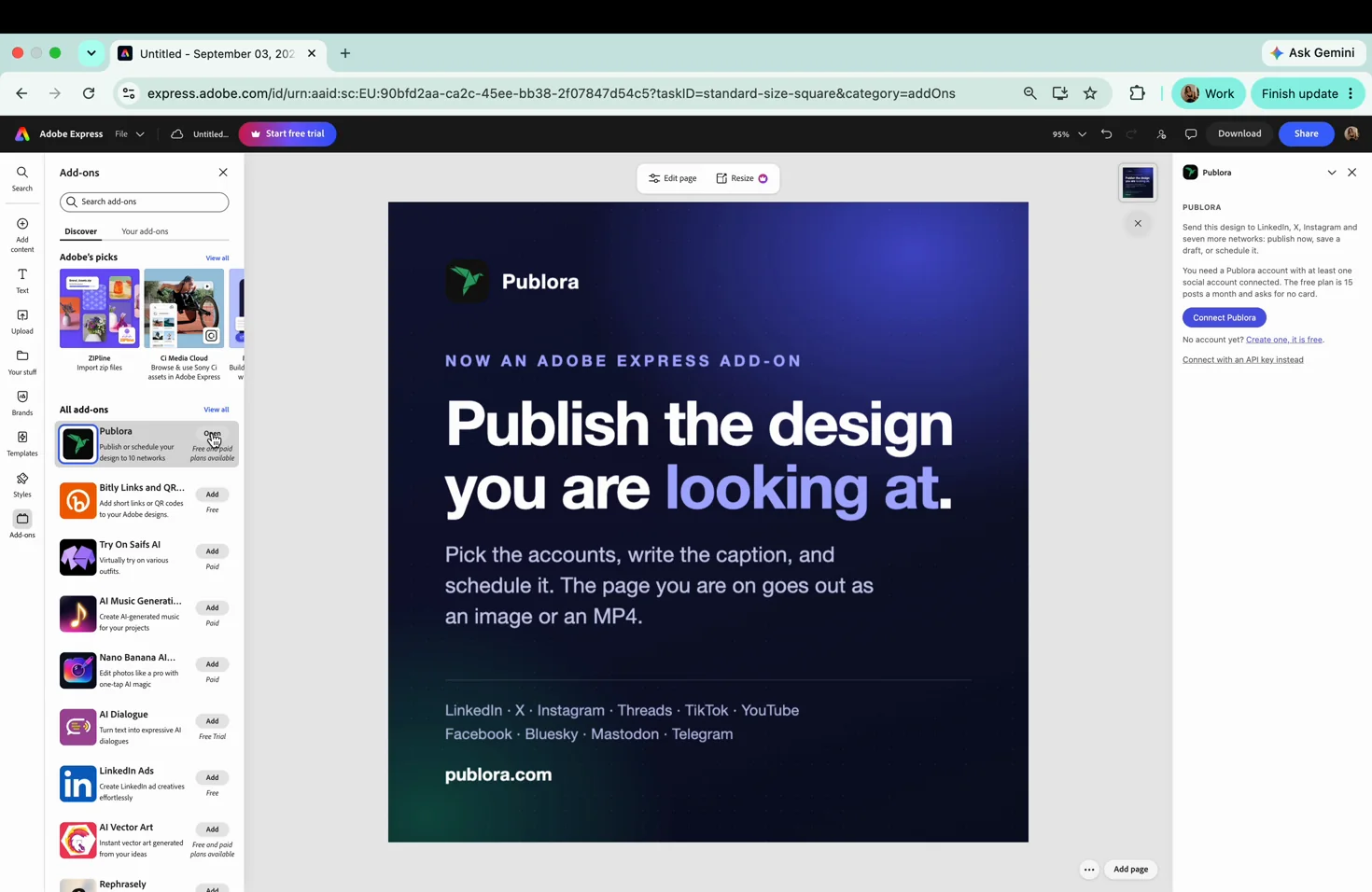
Send a Design
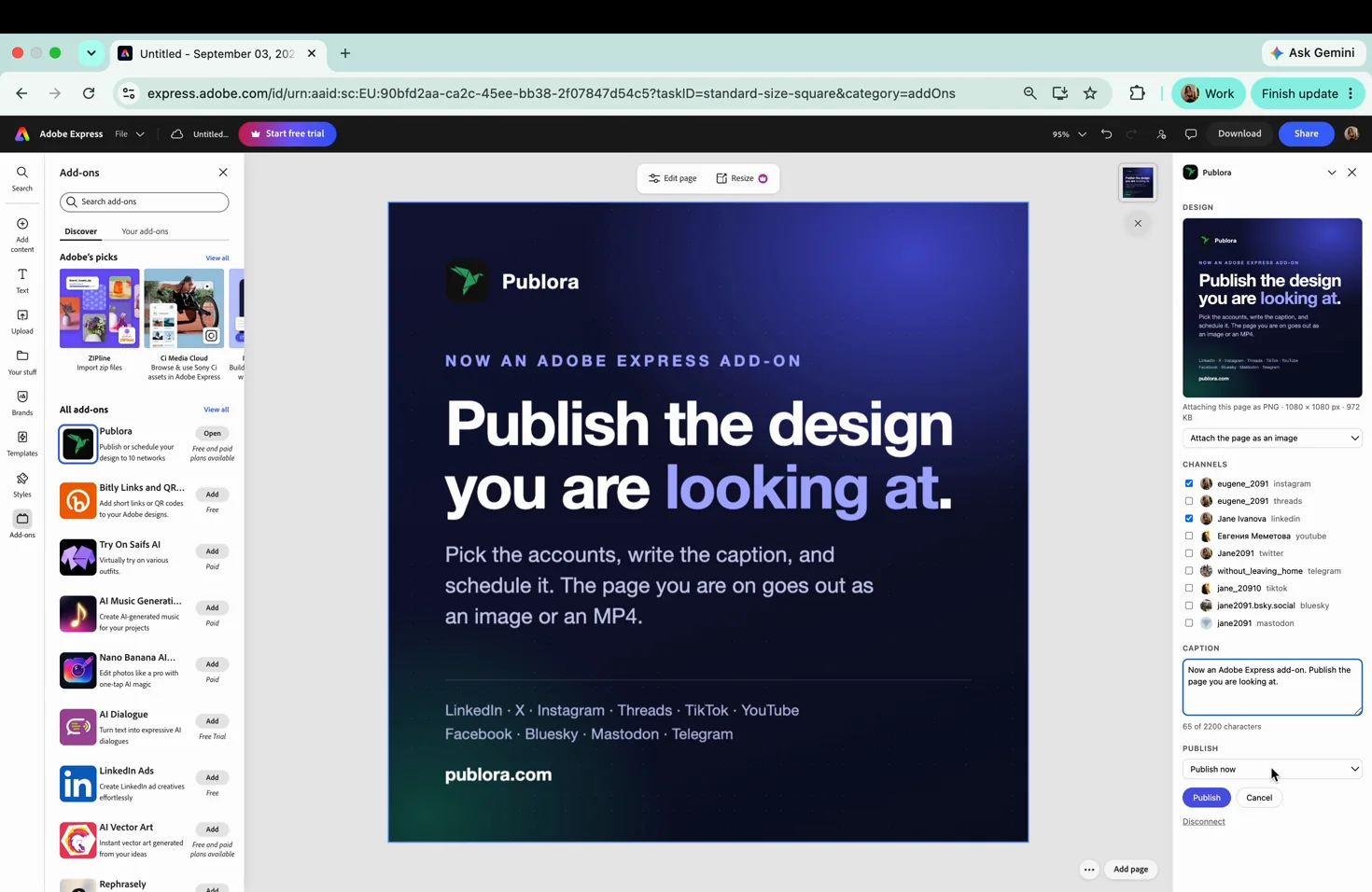
Design. The add-on renders the page you are on and shows it with its format, size and weight, like PNG · 1080 × 1080 px · 972 KB. Three choices: Attach the page as an image, Attach the page as a video, or No attachment for a text-only post. Video works when the page has motion: an animation, a video layer, an animated element. On a static page the panel says so instead of failing quietly.
Channels. Your connected accounts with their avatars. If the list is empty, Connect a social account opens Publora and Check again re-reads the list without reopening the add-on.
Caption. One text box and a live count that reads 120 of 280 characters. The limit shown is the strictest one among the networks you ticked, so X pulls it down to 280 as soon as you tick it.
Publish. Publish now, Save as draft, or Pick a date and time... for a scheduled post.
What the Panel Checks Before It Sends Anything
Networks reject posts for reasons they explain badly, usually as Validation failed after you already pressed the button. That message cost me a full review round, so the panel now checks the rules first and says which one you hit:
- Instagram takes pages between 4:5 and 1.91:1, up to 8 MB, and always needs an image or a video.
- YouTube takes video only.
- TikTok takes videos between 3 seconds and 10 minutes.
If you change the design after the panel rendered it, the panel notices and offers to render the page again, so an outdated picture does not go out with the post. That one was not a reviewer's request. I found it myself while fixing something else, and it was the worse bug of the two.
When Something Does Not Work
The add-on cannot render the page. If the page uses premium Adobe Express content and your Express plan is free, the export is blocked on Adobe's side. Replace those assets, or upgrade Express.
"This page has no motion." You picked video on a static page. Switch to image.
Cancel. Pressing Cancel while a post is being created stops the request and deletes the post that was already created. Nothing reaches a social network.
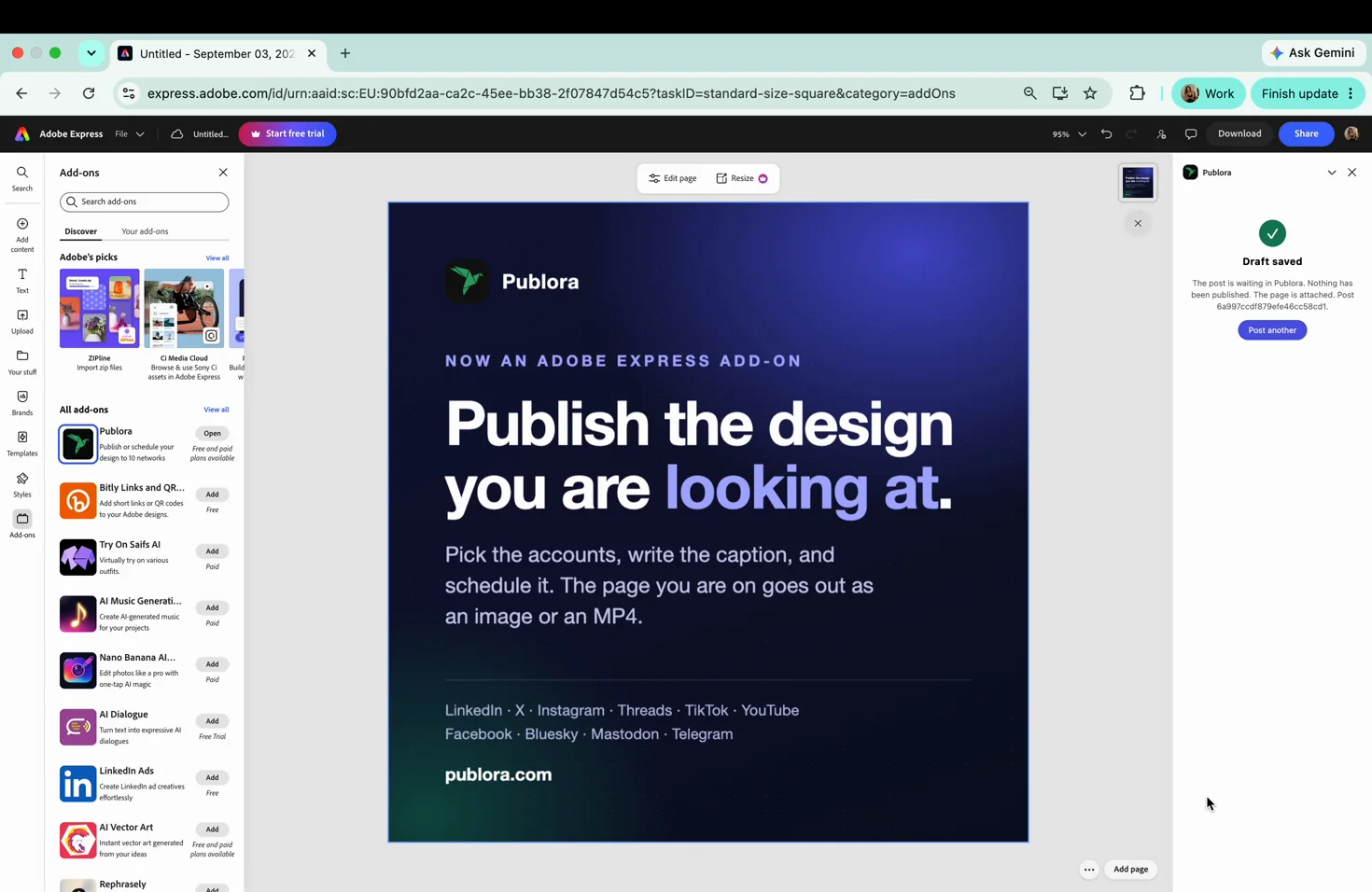
Nothing published but the post exists. That is what a draft is. Open the Publora dashboard and publish it there, or schedule it.
Send your next design straight from Express
Connect three accounts and post 15 times a month on the free plan. No card.
Start FreeQuestions People Ask
Which networks does it cover? Ten: LinkedIn, X, Instagram, Threads, TikTok, YouTube, Facebook, Bluesky, Mastodon and Telegram. Pinterest can be connected to Publora but cannot be published to from anywhere.
Does it publish the whole document or one page? The current page, as one image or one MP4.
Does it cost anything? The add-on is free. Publora's free plan covers 15 posts a month and three connected accounts; Pro is $5.99 a month per account, or $3.99 billed yearly.
Where does my design go? Only the rendered page and the caption reach Publora. The document stays in Express.
Does it need Adobe Express Premium? No, unless the page itself uses premium assets. Adobe blocks exporting those on a free Express plan.
Further Reading
If you try it and something behaves differently than described here, write to support@publora.com. I read those, and the last three fixes in this panel came from exactly that kind of message.
About the author. Written by the member of the Publora team who built the Adobe Express add-on and took it through Adobe's review, September 2026. The per-network limits above are the ones the panel enforces at the time of writing.
Related Articles
How to Publish to Social Media From Claude
Add the Publora connector from the Claude directory, then ask Claude to draft, schedule or publish to LinkedIn, X, Instagram and seven more networks.
How to Post a Figma Design to Social Media
Send a Figma frame to LinkedIn, Instagram, X and seven more networks without leaving Figma. Free plugin, works in Figma Design and Figma Slides.
How to Publish to Social Media From IFTTT
Connect Publora to IFTTT once, and anything IFTTT watches can go out to LinkedIn, X, Instagram and seven more networks. A feed, a webhook, your own code.
How to Auto-Share WordPress Posts to Social Media
Share every new WordPress post to Instagram, LinkedIn, X, Threads, Bluesky and five more networks automatically. Free plugin, about five minutes to set up.