How to Schedule Threads Posts in 2026 (UI, API, and AI Agent)
TL;DR
How to schedule Threads posts in 2026, queue them in a few clicks, post Threads and Instagram together, or publish from an AI agent through the API.
Threads has become one of the most active feeds going into 2026, but scheduling for it is still an afterthought. The app's own options are thin, one account, no queue worth the name, and nothing an app or agent can call. If you want to plan Threads properly, post it alongside Instagram, or let a script publish it, you need a real scheduler. Here are the three ways to do it, from a few clicks to a single API call.
Does Threads Have Native Scheduling?
Barely. Whatever basic scheduling Threads surfaces is single-account and manual, you still open the app, and there's no way to queue across platforms, no API, and no way for an AI agent to post for you. For an occasional post that's fine. For anything consistent, or anything automated, it runs out fast. That's the gap a scheduler fills.
Way 1: Queue It in a Few Clicks
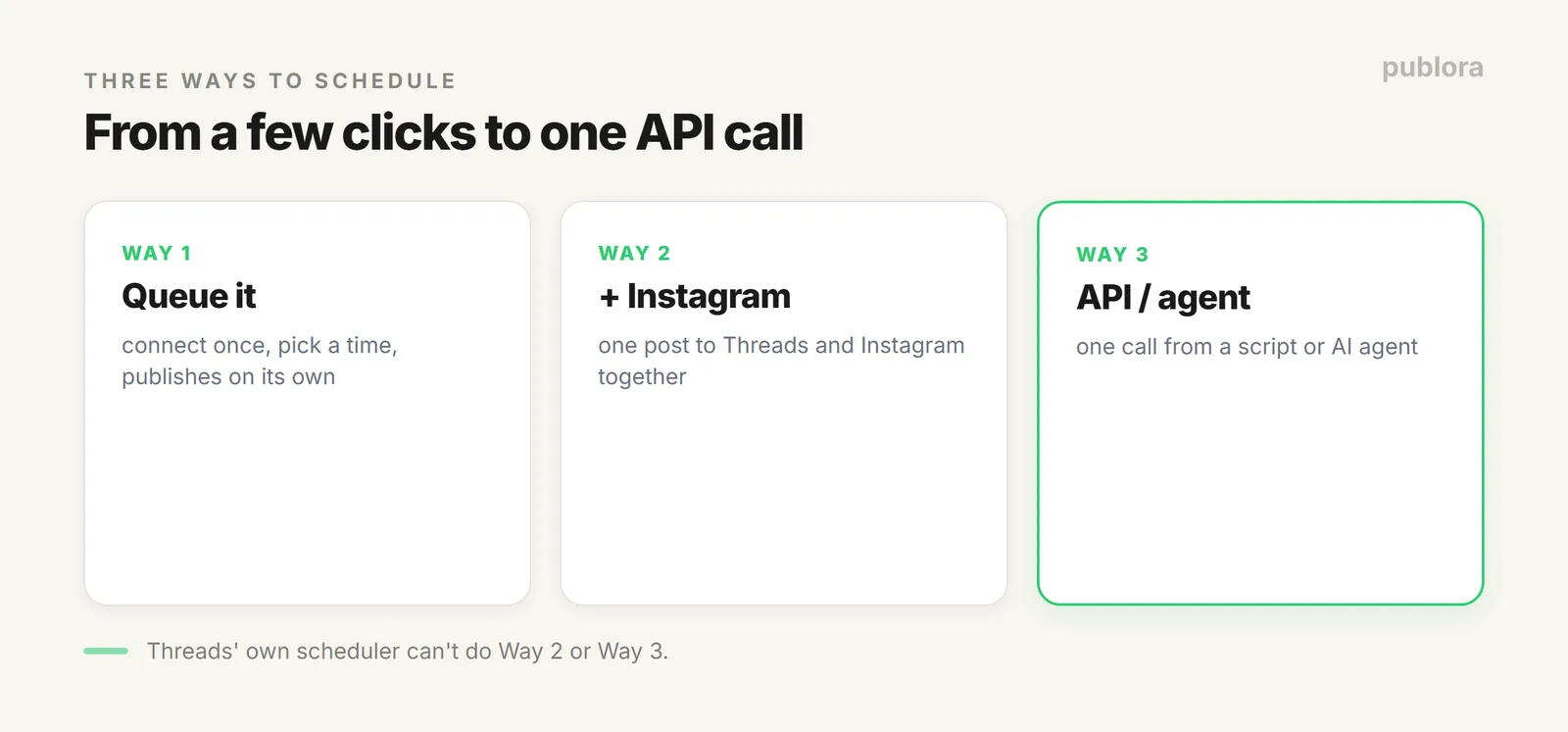
The simplest path: connect your Threads account to Publora once, write the post, pick a time, done. It publishes on its own, no phone alarm, no opening the app at 9am. You can queue a week or a month ahead in one sitting, which is the whole point of scheduling.
Threads has a 500-character limit per post. When your content runs longer, Publora can split it into a connected thread automatically, posting each part as a reply to the one before it. Carousels of 2 to 10 images and single videos work too, so a scheduled Threads post isn't limited to plain text.
Way 2: Post Threads and Instagram Together
Threads and Instagram share an audience and an owner, and most people posting to one also post to the other. Instead of doing it twice, write once and schedule both in a single action. Publora formats the post natively for each, so the same message lands right on both feeds instead of reading like a blind copy-paste.
This extends to the rest of your networks too: the same post can go to LinkedIn, Bluesky, and more at the same time. If cross-posting is your main use case, we cover it in depth in posting to every network from one API.
Way 3: Schedule Threads From an API or AI Agent
This is the one Threads itself can't do. With Publora's REST API, a scheduled Threads post is a single call, perfect when the content is generated by a script or an AI pipeline and you don't want a human in the loop.
POST https://api.publora.com/api/v1/create-post
x-publora-key: your_api_key

{
  "content": "The Threads algorithm rewards replies. This is what we changed.",
  "platforms": ["threads-123456"],
  "scheduledTime": "2026-07-28T13:00:00Z",
  "platformSettings": {
    "threads": { "replyControl": "accounts_you_follow" }
  }
}
That replyControl setting is Threads-specific: everyone, accounts_you_follow, or mentioned_only decide who can reply. And because Publora also runs an MCP server, an AI agent can make this same call as a tool, you say "schedule this to Threads for 1pm," and it does. The full setup is in the social media scheduling API guide.
Which Way Should You Use?
| You want to... | Use |
|---|---|
| Plan your own Threads ahead | The dashboard queue (Way 1) |
| Stop double-posting to Instagram | Threads + Instagram together (Way 2) |
| Post from a script, app, or AI agent | The API or MCP (Way 3) |
FAQ
Can you schedule posts on Threads?
Threads' own scheduling is minimal, single account, no API, no cross-posting. A scheduler like Publora lets you connect once and queue posts, plus schedule via the API or an AI agent, which Threads doesn't offer.
Can I post to Threads and Instagram at once?
Yes. Both connect to Publora, so you write one post and schedule it to both in a single action, formatted natively for each.
What's the Threads character limit?
500 characters per post. Longer content can be split into a connected thread automatically, and carousels of 2 to 10 images and single videos are supported.
Schedule Threads in 3 clicks, or one API call
Connect Threads to Publora, queue posts ahead, cross-post to Instagram, or publish from an agent. Free to start.
Start FreeFurther Reading
- How to Post Carousels to Threads via API
- Post to Every Network From One API
- What Is a Social Media Scheduling API?
About the author. Written by the Publora team. Threads limits, reply controls, and auto-threading reflect the live Publora Threads integration documented at docs.publora.com.
Related Articles
The Best Time to Post on Threads in 2026
Buffer's analysis of 2.5 million Threads posts puts Thursday at 9am on top. The published windows, how much data sits behind them, and how to find your own.
How to Schedule Tweets in 2026 (Posts, Threads, and API)
How to schedule tweets in 2026: queue single posts and threads on X, handle the 280-character limit and image rules, or publish from a script or AI agent.
X (Twitter) Character Limit in 2026: The Complete Reference
The X (Twitter) character limit is 280 characters, but emojis count as two and URLs count in full. Every limit, how counting works, and what happens when you go over.
Instagram Algorithm 2026: How Reach Really Works Now
How the Instagram algorithm works in 2026 - the separate systems for Feed, Reels, Stories, and Explore, why sends beat likes, and what Instagram says not to do.