Publora + Make Integromat: Automate Cross-Platform Social Campaigns

· Updated
TL;DR
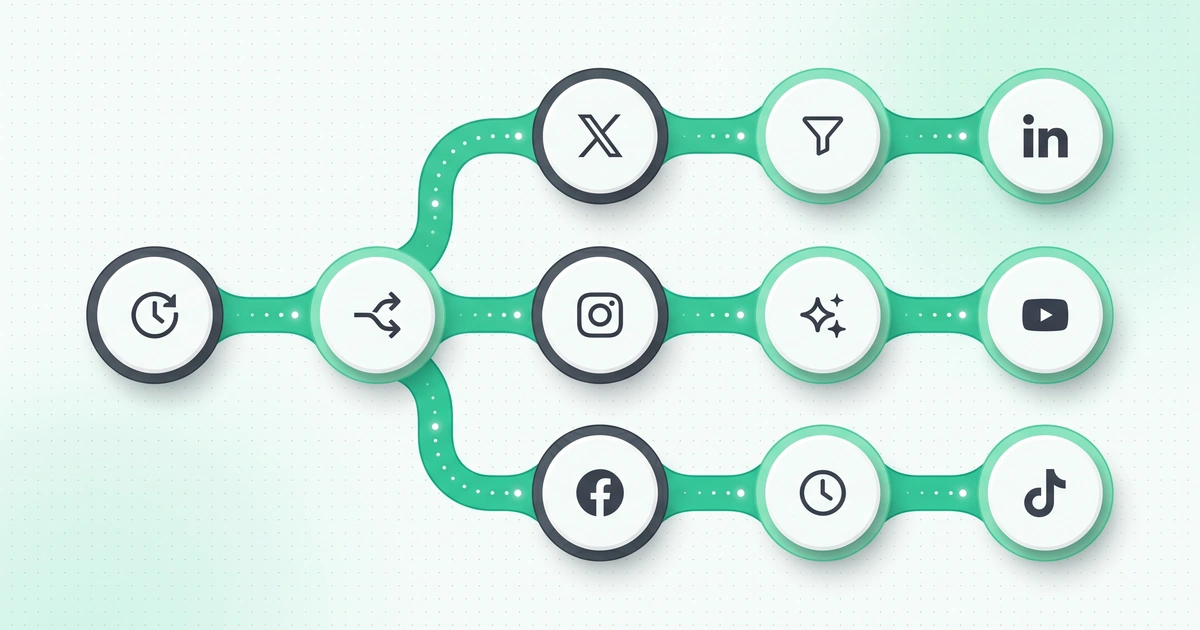
Set up Publora as an HTTP module in Make for automated social campaigns. Three scenarios: multi-platform with Router, content approval with Slack, and analytics-triggered reposting.
Why Pair Make with Publora for Social Media Automation?
Running social media automation platforms manually — logging into each app, writing posts, adjusting formats per platform, hitting publish — eats hours every week. When you're managing campaigns across Instagram, LinkedIn, X, Telegram, and more, the overhead compounds fast. You need a system that automates the repetitive parts while keeping you in control of creative decisions.
Make (formerly Integromat) is one of the most popular visual automation platforms, with over 1,500 native integrations and a drag-and-drop scenario builder that makes complex workflows accessible to non-developers. When you connect it to Publora's REST API, you get a complete automated social posting pipeline: trigger-based workflows that create, schedule, and publish content across 10 social platforms without manual intervention.
What you'll learn in this guide:
- How to set up Publora's HTTP module in Make
- 3 scenario examples: multi-platform campaigns, content approval workflows, analytics-triggered reposting
- Make scenario structure and best practices
- Comparison with n8n approach — when to use which
- When to use Make vs the direct Publora API
What Is Make? A Visual Automation Powerhouse
Make is a cloud-based automation platform that lets you build workflows — called scenarios — by connecting modules on a visual canvas. Each module represents an action: fetch data from Google Sheets, transform it with a text parser, send it via HTTP to an API. Modules connect with lines that show how data flows between them.
Unlike simpler tools that only support linear "if this then that" chains, Make supports routers (branching logic), iterators (loop through arrays), aggregators (combine multiple items), and error handlers — all visually. This makes it powerful enough for complex social media campaigns.
1,500+
Native app integrations
1,000
Free operations/month
Visual
No-code scenario builder
Key Make Concepts for Social Automation
| Concept | What It Does | Social Media Use Case |
|---|---|---|
| Scenario | A complete workflow (like a recipe) | RSS → Format → Post to 3 platforms |
| Module | A single action (API call, transform, etc.) | HTTP Request to Publora API |
| Router | Branches the flow into multiple paths | Different content per platform |
| Iterator | Loops through array items one by one | Process batch of posts from spreadsheet |
| Aggregator | Combines multiple items into one | Collect results from all platform posts |
| Filter | Passes/blocks data based on conditions | Only post items with status = "approved" |
| Error Handler | Catches and handles failures | Retry failed API calls, notify on Slack |
Setting Up Publora HTTP Module in Make
Make doesn't have a native Publora integration (yet), but its HTTP module works perfectly with any REST API. Here's the setup process.
Step 1: Create a Publora Connection
In Make, you can store API credentials as reusable connections. Create one for Publora:
- In any scenario, add an HTTP → Make a request module
- Click "Add" next to the connection dropdown
- Set the connection name to
Publora API - Under Headers, add:
- Key:
x-publora-key| Value:sk_your_api_key_here - Key:
Content-Type| Value:application/json
- Key:
- Click Save
Finding your platform IDs
Before building scenarios, you need your platform IDs. Call GET https://api.publora.com/api/v1/platform-connections with your API key, or check the Publora dashboard under Connections. Each connected account has a unique ID like linkedin-abc123 or instagram-17841400123456789. See the connections endpoint docs.
Step 2: Configure the HTTP Module
Set up the core "Create Post" module that you'll reuse across scenarios:
{
  "url": "https://api.publora.com/api/v1/create-post",
  "method": "POST",
  "headers": [
    { "name": "x-publora-key", "value": "sk_YOUR_API_KEY" },
    { "name": "Content-Type", "value": "application/json" }
  ],
  "body": {
    "content": "{{1.postText}}",
    "platforms": ["{{1.platformId1}}", "{{1.platformId2}}"],
    "scheduledTime": "{{1.scheduledTime}}"
  }
}
The {{1.postText}} syntax references output from module 1 (the trigger). Make's visual mapper lets you click-to-insert these references instead of typing them manually.
Step 3: Test with a Draft Post
Run the scenario once with "status": "draft" in the body to verify the connection works without actually publishing anything. Check the Publora dashboard to see your draft.
Scenario 1: Multi-Platform Campaign Launcher
This scenario takes a single piece of content and adapts it for multiple platforms — adjusting length, hashtags, and tone — then publishes everywhere simultaneously. It's the core use case for social media automation platforms.
Scenario Flow
Trigger
Google Sheets row added
Router
Split into platform paths
Transform
Adapt per platform
Publora
HTTP create-post call
Log
Update sheet with post IDs
Platform-Specific Content Adaptation
The Router module splits the flow into branches. Each branch has a text transformation module that adapts content for its platform:
LinkedIn Branch
Professional tone, 1,300 chars max, industry hashtags, full paragraphs. Add a call-to-action at the end. Include the link naturally in the text.
X (Twitter) Branch
Punchy, 280 chars max, 2-3 trending hashtags. Lead with the hook. Use thread format for longer content by creating multiple posts.
Instagram Branch
Visual-first, 2,200 chars max, up to 30 hashtags (in first comment or at the end). Requires image attachment — skip if no media available.
Telegram Branch
Markdown formatting, no character limit in practice, bold headlines, inline links. Great for detailed announcements and long-form content.
The HTTP Module Configuration (per branch)
// LinkedIn branch — Make's text formula in the JSON body:
{
  "content": "{{3.linkedinText}}",
  "platforms": ["linkedin-YOUR_LINKEDIN_ID"],
  "scheduledTime": "{{1.scheduledDateTime}}"
}

// X branch:
{
  "content": "{{4.twitterText}}",
  "platforms": ["x-YOUR_X_ID"],
  "scheduledTime": "{{1.scheduledDateTime}}"
}

// Telegram branch:
{
  "content": "{{5.telegramText}}",
  "platforms": ["telegram-YOUR_TELEGRAM_ID"],
  "scheduledTime": "{{1.scheduledDateTime}}"
}
Simpler alternative: single API call
If you want the same text on all platforms, skip the Router and send all platform IDs in one HTTP call: "platforms": ["linkedin-ID", "x-ID", "telegram-ID"]. Publora handles cross-platform publishing in a single request. Only use the Router pattern when you need different content per platform.
Scenario 2: Content Approval Workflow
This scenario adds a human-in-the-loop step before publishing. Content is drafted automatically (from RSS, AI, or a spreadsheet), then a team member reviews and approves it before it goes live. This is essential for brands that need editorial control over automated social posting.
How the Approval Flow Works
- Trigger: New blog post detected via RSS, or new row in content calendar
- Draft creation: Make calls Publora's API with
"status": "draft"— the post is created but not published - Notification: Make sends a Slack message (or email) with post preview and approve/reject buttons
- Wait for approval: A second scenario listens for the Slack button webhook
- Publish or discard: If approved, Make calls Publora's update-post endpoint to change status to
"scheduled". If rejected, it deletes the draft.
// Step 1: Create draft via Publora API
// HTTP Module — POST https://api.publora.com/api/v1/create-post
{
  "content": "{{1.formattedPost}}",
  "platforms": ["linkedin-ID", "x-ID"],
  "status": "draft"  // Key: creates as draft, not published
}

// Step 2: Send Slack notification
// Slack Module — Post message to #content-review channel
{
  "text": "New social post ready for review:\n\n{{1.formattedPost}}\n\nPlatforms: LinkedIn, X\nDraft ID: {{2.postGroupId}}",
  "attachments": [{
    "actions": [
      { "type": "button", "text": "Approve", "value": "approve_{{2.postGroupId}}" },
      { "type": "button", "text": "Reject", "value": "reject_{{2.postGroupId}}" }
    ]
  }]
}

// Step 3 (separate scenario): Webhook listener for Slack button clicks
// On "approve": PATCH https://api.publora.com/api/v1/posts/{{postGroupId}}
{
  "status": "scheduled",
  "scheduledTime": "{{now.addHours(1)}}"  // Publish 1 hour from approval
}
Why drafts matter
Publora's draft status means the post exists in your dashboard but won't be published until you explicitly change it to scheduled or published. This is what makes approval workflows possible — you can preview the exact post in the Publora dashboard before it goes live, including media attachments and platform-specific formatting.
Scenario 3: Analytics-Triggered Reposting
This advanced scenario monitors your content performance via Google Analytics (or any analytics source) and automatically reposts high-performing content to platforms where it hasn't been shared yet. It's a data-driven approach to maximizing content reach.
The Logic
Trigger Conditions
- Blog post gets 500+ pageviews in 48 hours
- Social post gets 2x average engagement
- Post is trending on Google Search Console (clicks spike)
Repost Actions
- Rephrase the content (use OpenAI module in Make)
- Post to platforms that haven't seen it yet
- Schedule for optimal time on the new platform
Scenario Structure
// Module 1: Schedule Trigger — runs daily at 10 AM
// Module 2: Google Analytics — Get top pages (last 48h, min 500 views)
// Module 3: Filter — only pages not already reposted (check data store)
// Module 4: OpenAI — Rephrase content for target platform
// Module 5: Publora HTTP — Create post with rephrased content
// Module 6: Data Store — Record the repost to prevent duplicates

// Module 4 config (OpenAI):
{
  "model": "gpt-4o",
  "messages": [
    {
      "role": "system",
      "content": "Rephrase this blog summary for a LinkedIn audience. Professional tone, 800 chars max, include a question to drive engagement."
    },
    {
      "role": "user",
      "content": "Blog title: {{3.title}}\nSummary: {{3.excerpt}}\nURL: {{3.url}}"
    }
  ]
}

// Module 5 config (Publora HTTP):
{
  "content": "{{4.choices[0].message.content}}\n\nFull article: {{3.url}}",
  "platforms": ["linkedin-YOUR_ID"],
  "scheduledTime": "{{formatDate(now; 'YYYY-MM-DD')}}T14:00:00Z"
}
The Data Store module is critical — it prevents the same article from being reposted multiple times. Make's built-in data stores act like a simple key-value database that persists between scenario runs.
Make Scenario Best Practices
Do
- Use data stores to track processed items and prevent duplicates
- Add error handlers to every HTTP module (Retry + Notify)
- Set scenario scheduling to match your content cadence
- Use filters aggressively — process only what needs processing
- Test scenarios with "Run once" before activating
- Monitor operation counts — each module execution costs one operation
Don't
- Hardcode API keys in module configs — use connections
- Forget to handle empty results (e.g., no new RSS items)
- Chain too many modules without checkpoints
- Ignore rate limits — add Sleep modules between batch API calls
- Build one massive scenario — split into smaller, focused scenarios
- Skip the draft/test step before going live
Make vs n8n for Publora Automation
Both Make and n8n are excellent automation platforms that work well with Publora's API. The right choice depends on your team and priorities.
Choose Make When...
- Your team is non-technical — Make's UI is more intuitive
- You need pre-built integrations (Google Sheets, Slack, HubSpot, etc.)
- You want cloud-hosted with zero server management
- You need approval workflows with Slack/email integration
- Your automation volume fits within operation limits
Choose n8n When...
- Cost matters — self-hosted n8n is free, no per-operation fees
- You want full data control — everything stays on your server
- You need custom code nodes (JavaScript + Python)
- You're posting at high volume (100+ posts/day)
- You're comfortable managing a server (Docker, VPS)
| Feature | Make | n8n |
|---|---|---|
| Pricing model | Per-operation ($9/mo for 10K ops) | Free self-hosted / $20/mo cloud |
| Hosting | Cloud only | Self-hosted or cloud |
| UI polish | Very polished, non-dev friendly | Good, slightly more technical |
| Native integrations | 1,500+ | 400+ |
| Custom code | JavaScript only (limited) | JavaScript + Python (full) |
| Error handling | Visual error handlers | Error workflows |
| Publora integration | HTTP module | HTTP Request node |
| Best for | Marketing teams, agencies | Developers, cost-conscious teams |
When to Use Make vs Direct Publora API
Make adds a layer between your trigger and Publora. Sometimes that layer is valuable; sometimes it's overhead. Here's a clear decision framework.
Use Make + Publora if at least two of these are true:
- You need to connect 3+ services in the workflow (e.g., Sheets + AI + Publora + Slack)
- Your team includes non-developers who need to modify workflows
- You need approval/review steps before publishing
- You want visual monitoring of workflow execution history
- Your trigger comes from a service that Make natively supports (Google Analytics, Airtable, Shopify)
Use Direct Publora API if:
- You're a developer building features within your own app
- The workflow is simple: one trigger → one API call
- You need sub-second latency (Make adds ~1-2 seconds per module)
- You want fewer external dependencies in your stack
- You're already using Publora's MCP with an AI agent
Operation Cost Optimization
Make charges per operation, so optimizing your scenarios to use fewer operations directly saves money. Here are practical tips for social media automation.
Batch Instead of Individual
Instead of running the scenario per-item (10 posts = 50+ ops), read all items at once and use an Iterator. Reduces trigger operations from 10 to 1.
Use Multi-Platform API Calls
Post to 5 platforms in one Publora API call (1 operation) instead of 5 separate calls (5 operations). Only split when content differs per platform.
Filter Early
Place Filter modules right after the trigger to stop processing irrelevant items before they consume operations downstream.
Ready to automate social campaigns with Make?
Create a Publora account, grab your API key, and build your first Make scenario in minutes.
Get Started Free →Frequently Asked Questions
What is Make (formerly Integromat) and how does it work?
Make is a visual automation platform that connects apps and services into workflows called "scenarios." You drag and drop modules onto a canvas, connect them with data flows, and Make executes them on triggers or schedules. It supports 1,500+ integrations and handles complex logic like routers, iterators, and error handlers — all without writing code.
Does Publora have a native Make integration, or do I need HTTP modules?
Publora does not have a native Make app yet, but Make's HTTP module works perfectly with Publora's REST API. You configure the URL, headers (x-publora-key), and JSON body in Make's visual editor. This gives you full access to all Publora endpoints including create-post, upload-media, list-posts, and delete-post.
How much does Make cost for social media automation?
Make's free plan includes 1,000 operations per month, which is enough for light automation (about 30-50 social posts per month, depending on scenario complexity). The Core plan starts at $9/month for 10,000 operations. Each Publora API call counts as one Make operation. Publora's API is available on every plan, including the free Starter plan.
Can Make handle content approval workflows before posting?
Yes. Make supports scenarios with approval steps using email, Slack, or webhook-based pauses. Create a draft in Publora (status: "draft"), send a Slack notification with approve/reject buttons, and only publish when approved. Make's Sleep and Webhook response modules enable this pause-and-wait pattern. See Scenario 2 above for the full implementation.
What is the difference between Make scenarios and n8n workflows for Publora?
Both achieve the same result — automating Publora API calls. Make has a more polished visual editor, better for non-technical users, and 1,500+ native integrations. n8n offers self-hosting (free), custom code nodes, and no per-operation pricing. If cost is your priority and you can self-host, choose n8n. If ease of use and pre-built integrations matter more, choose Make.
Can I automate cross-platform social campaigns with Make + Publora?
Yes. Publora's create-post endpoint accepts multiple platform IDs, so a single Make HTTP module call can publish to Instagram, LinkedIn, X, Telegram, Threads, and more simultaneously. For platform-specific content, use Make's Router module to branch the scenario and customize text, hashtags, and media for each platform.
How do I handle errors and retries in Make scenarios?
Make has built-in error handlers that you attach to any module. Options include Retry (with configurable attempts and intervals), Ignore (skip the error), Break (stop the scenario), and Rollback. For Publora API calls, use the Retry handler with 3 attempts and a 10-second interval to handle transient errors like rate limits (HTTP 429).
When should I use Make vs the direct Publora API?
Use Make when you need to connect multiple services (e.g., Google Analytics triggers a repost, or Airtable feeds content to Publora), want visual workflow design, or have non-technical team members managing automations. Use the direct Publora API when you're building integrations in your own code, need maximum performance, or want fewer external dependencies.
Further Reading
- Publora API Reference — Complete endpoint documentation
- Authentication Guide — API key creation and management
- Create Post Endpoint — Detailed request/response documentation
- Rate Limits — Platform and API rate limit details
- n8n + Publora Guide — Alternative no-code automation with self-hosting
- Make HTTP Module Documentation — Official Make docs for HTTP requests
Related Articles
How to Publish to Social Media From Claude
Add the Publora connector from the Claude directory, then ask Claude to draft, schedule or publish to LinkedIn, X, Instagram and seven more networks.
How to Post a Figma Design to Social Media
Send a Figma frame to LinkedIn, Instagram, X and seven more networks without leaving Figma. Free plugin, works in Figma Design and Figma Slides.
How to Publish to Social Media From IFTTT
Connect Publora to IFTTT once, and anything IFTTT watches can go out to LinkedIn, X, Instagram and seven more networks. A feed, a webhook, your own code.
How to Auto-Share WordPress Posts to Social Media
Share every new WordPress post to Instagram, LinkedIn, X, Threads, Bluesky and five more networks automatically. Free plugin, about five minutes to set up.