Automate Social Media with n8n + Publora: No-Code Workflow Guide

· Updated
TL;DR
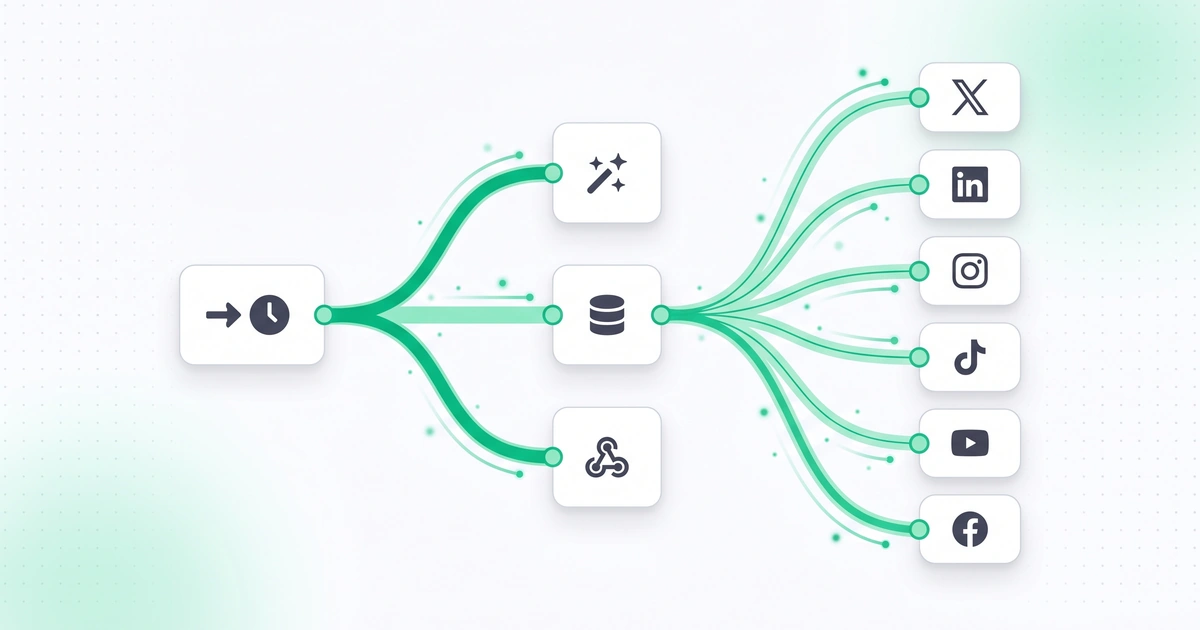
Connect n8n to Publora for no-code social media automation. Three importable workflows: RSS auto-post, batch scheduling from Google Sheets, and webhook-triggered posts.
Why Automate Social Media with n8n?
Posting to social media manually is manageable when you have one account and post twice a week. But when you're running campaigns across Instagram, LinkedIn, X, Telegram, and Threads simultaneously — with different formats, hashtags, and schedules for each — the manual approach collapses. You need automation, and you need it without vendor lock-in or per-execution pricing that scales into the hundreds of dollars.
That's where n8n comes in. It's an open-source, self-hostable workflow automation platform — often called the n8n alternative to Zapier and Make — that lets you build complex automations visually, without writing code. When you pair it with Publora's REST API, you get a powerful no code automation pipeline that can post to 10 social platforms, handle media uploads, and react to external triggers like RSS feeds, webhooks, and schedules.
What you'll learn in this guide:
- What n8n is and why it's a top no-code automation choice
- How to set up Publora as an HTTP Request node in n8n
- 3 complete workflow examples: RSS auto-posting, scheduled batches, webhook-triggered posts
- n8n workflow JSON you can import directly
- When to use n8n vs direct Publora API calls
What Is n8n? The Self-Hosted Automation Platform
n8n (pronounced "n-eight-n") is a fair-code, source-available workflow automation tool with over 50,000 GitHub stars. Think of it as a visual programming environment where you connect nodes — each representing an action like "fetch RSS feed," "send HTTP request," or "transform data" — into workflows that execute automatically.
400+
Built-in integrations (nodes)
$0
Self-hosted Community Edition
50K+
GitHub stars
n8n vs Zapier vs Make — Quick Comparison
| Feature | n8n | Zapier | Make (Integromat) |
|---|---|---|---|
| Self-hosted option | Yes (free) | No | No |
| Open source | Fair-code (source available) | No | No |
| Free tier executions | Unlimited (self-hosted) | 100/month | 1,000/month |
| Custom code nodes | JavaScript & Python | JavaScript only | JavaScript only |
| Visual workflow builder | Yes | Yes | Yes |
| HTTP Request node | Yes (full control) | Yes (Webhooks by Zapier) | Yes (HTTP module) |
| Error handling | Built-in retry + error workflows | Basic retry | Error handlers + retry |
| Best for | Developers, self-hosters, privacy-conscious teams | Non-technical users, simple automations | Complex scenarios, marketing teams |
The key advantage of n8n for social media automation is cost. If you're posting 50 times a day across multiple platforms, Zapier would charge you hundreds per month for those executions. With self-hosted n8n, your only cost is the server (a $5/month VPS is plenty) plus your Publora subscription.
Setting Up Publora as an HTTP Request Node in n8n
Since Publora exposes a standard REST API, you don't need a custom n8n integration. The built-in HTTP Request node handles everything. Here's how to configure it step by step.
Step 1: Create Publora API Credentials in n8n
First, store your Publora API key securely in n8n's credential manager so you don't hardcode it in every node.
- Open your n8n instance and go to Settings → Credentials
- Click Add Credential and select "Header Auth"
- Set the credential name to
Publora API - Set Header Name to
x-publora-key - Set Header Value to your Publora API key (e.g.,
sk_your_api_key_here) - Click Save
Where to find your API key
Log in to app.publora.com, go to Settings → API Keys, and create a new key. Copy it immediately — it's only shown once. See the authentication docs for details.
Step 2: Configure the HTTP Request Node
Now create an HTTP Request node that calls the Publora create-post endpoint.
{
  "method": "POST",
  "url": "https://api.publora.com/api/v1/create-post",
  "authentication": "genericCredentialType",
  "genericAuthType": "httpHeaderAuth",
  "sendHeaders": true,
  "headerParameters": {
    "parameters": [
      { "name": "Content-Type", "value": "application/json" }
    ]
  },
  "sendBody": true,
  "bodyParameters": {
    "parameters": [
      { "name": "content", "value": "={{ $json.postText }}" },
      { "name": "platforms", "value": "={{ $json.platformIds }}" },
      { "name": "scheduledTime", "value": "={{ $json.scheduledTime }}" }
    ]
  }
}
The ={{ $json.postText }} syntax is n8n's expression language — it pulls values from the previous node's output. This makes the node reusable across different workflows.
Important: Use JSON Body Mode
In the HTTP Request node, switch the body content type to "JSON" and use the raw JSON editor. The key-value parameter mode doesn't handle nested objects (like platformSettings) well. Raw JSON gives you full control over the request body.
Step 3: Test the Connection
Before building a full workflow, test the node with a simple post. Click "Execute Node" in n8n with this body:
{
  "content": "Testing n8n + Publora integration! This post was created automatically.",
  "platforms": ["YOUR_PLATFORM_ID"],
  "status": "draft"
}
If successful, you'll see a response with a postGroupId. Set the status to "draft" during testing so nothing actually publishes. Check your Publora dashboard to confirm the draft appeared.
Workflow 1: Auto-Post from RSS Feed
This is the most popular n8n + Publora workflow. Every time a new article appears in your blog's RSS feed, n8n automatically creates a social media post with the title, link, and a brief summary — then publishes it across your connected platforms.
How It Works
RSS Trigger
Polls your feed every 15 minutes
Format Text
Build platform-optimized post text
Publora API
Create post via HTTP Request
Published
Goes live on all platforms
Importable Workflow JSON
Copy this JSON and import it into n8n via Workflow → Import from JSON:
{
  "name": "RSS to Social Media (Publora)",
  "nodes": [
    {
      "parameters": {
        "feedUrl": "https://yourblog.com/rss.xml",
        "pollTimes": {
          "item": [{ "mode": "everyX", "value": 15, "unit": "minutes" }]
        }
      },
      "name": "RSS Feed Trigger",
      "type": "n8n-nodes-base.rssFeedReadTrigger",
      "position": [250, 300]
    },
    {
      "parameters": {
        "functionCode": "const title = $input.item.json.title;\nconst link = $input.item.json.link;\nconst description = $input.item.json.contentSnippet || '';\nconst summary = description.substring(0, 200);\n\nreturn {\n  postText: `${title}\\n\\n${summary}...\\n\\nRead more: ${link}\\n\\n#blog #news`,\n  platformIds: ['YOUR_LINKEDIN_ID', 'YOUR_X_ID', 'YOUR_TELEGRAM_ID']\n};"
      },
      "name": "Format Post Text",
      "type": "n8n-nodes-base.code",
      "position": [470, 300]
    },
    {
      "parameters": {
        "method": "POST",
        "url": "https://api.publora.com/api/v1/create-post",
        "authentication": "genericCredentialType",
        "genericAuthType": "httpHeaderAuth",
        "sendBody": true,
        "specifyBody": "json",
        "jsonBody": "={{ JSON.stringify({ content: $json.postText, platforms: $json.platformIds }) }}"
      },
      "name": "Publora Create Post",
      "type": "n8n-nodes-base.httpRequest",
      "position": [690, 300],
      "credentials": { "httpHeaderAuth": { "name": "Publora API" } }
    }
  ],
  "connections": {
    "RSS Feed Trigger": { "main": [[{ "node": "Format Post Text", "type": "main", "index": 0 }]] },
    "Format Post Text": { "main": [[{ "node": "Publora Create Post", "type": "main", "index": 0 }]] }
  }
}
Customization tips
- Replace
YOUR_LINKEDIN_ID,YOUR_X_ID,YOUR_TELEGRAM_IDwith your actual platform IDs from Publora's connections endpoint - Adjust the poll interval (15 minutes) based on how frequently your blog publishes
- Add a Filter node after the RSS trigger to skip items older than 1 hour (prevents re-posting on first run)
Workflow 2: Scheduled Batch Posting
This workflow reads posts from a Google Sheet (or Airtable, Notion, CSV file) and schedules them at specific times throughout the week. It's ideal for content calendars where you plan a week's worth of posts in advance and let automation handle the publishing.
The Workflow Structure
Trigger: Cron Schedule
Runs every Monday at 8:00 AM. Reads the upcoming week's content from your spreadsheet and schedules all posts in one batch.
Data Source: Google Sheets
Each row has: post text, platform, scheduled date/time, hashtags, and media URL. Columns map directly to Publora API fields.
Processing: Split in Batches
n8n's SplitInBatches node processes one row at a time with a 1-second delay to avoid rate limiting.
Output: Publora Scheduled Posts
Each post gets created with a scheduledTime matching your spreadsheet. Publora publishes them automatically at the right time.
Workflow JSON
{
  "name": "Weekly Batch Post Scheduler (Publora)",
  "nodes": [
    {
      "parameters": {
        "rule": {
          "interval": [{ "field": "cronExpression", "expression": "0 8 * * 1" }]
        }
      },
      "name": "Every Monday 8AM",
      "type": "n8n-nodes-base.scheduleTrigger",
      "position": [250, 300]
    },
    {
      "parameters": {
        "operation": "read",
        "sheetId": "YOUR_GOOGLE_SHEET_ID",
        "range": "ContentCalendar!A2:F100",
        "options": {}
      },
      "name": "Read Content Calendar",
      "type": "n8n-nodes-base.googleSheets",
      "position": [470, 300]
    },
    {
      "parameters": {
        "batchSize": 1,
        "options": { "reset": false }
      },
      "name": "Process One at a Time",
      "type": "n8n-nodes-base.splitInBatches",
      "position": [690, 300]
    },
    {
      "parameters": {
        "method": "POST",
        "url": "https://api.publora.com/api/v1/create-post",
        "authentication": "genericCredentialType",
        "genericAuthType": "httpHeaderAuth",
        "sendBody": true,
        "specifyBody": "json",
        "jsonBody": "={{ JSON.stringify({ content: $json.postText + '\\n\\n' + $json.hashtags, platforms: $json.platforms.split(','), scheduledTime: $json.scheduledDateTime }) }}"
      },
      "name": "Schedule via Publora",
      "type": "n8n-nodes-base.httpRequest",
      "position": [910, 300],
      "credentials": { "httpHeaderAuth": { "name": "Publora API" } }
    },
    {
      "parameters": {
        "amount": 1,
        "unit": "seconds"
      },
      "name": "Rate Limit Delay",
      "type": "n8n-nodes-base.wait",
      "position": [1130, 300]
    }
  ],
  "connections": {
    "Every Monday 8AM": { "main": [[{ "node": "Read Content Calendar", "type": "main", "index": 0 }]] },
    "Read Content Calendar": { "main": [[{ "node": "Process One at a Time", "type": "main", "index": 0 }]] },
    "Process One at a Time": { "main": [[{ "node": "Schedule via Publora", "type": "main", "index": 0 }]] },
    "Schedule via Publora": { "main": [[{ "node": "Rate Limit Delay", "type": "main", "index": 0 }]] },
    "Rate Limit Delay": { "main": [[{ "node": "Process One at a Time", "type": "main", "index": 0 }]] }
  }
}
Google Sheet Format
Structure your content calendar spreadsheet with these columns:
| Column | Example Value | Maps to |
|---|---|---|
| A: postText | Excited to share our Q1 results... | content |
| B: platforms | linkedin-123,x-456,telegram-789 | platforms[] |
| C: scheduledDateTime | 2026-04-08T09:00:00Z | scheduledTime |
| D: hashtags | #startup #growth #Q1results | Appended to content |
| E: mediaUrl | https://example.com/chart.jpg | Uploaded separately |
| F: status | ready | Filter: only process "ready" rows |
Workflow 3: Webhook-Triggered Posts
This is the most flexible pattern. An external event — a new sale in Stripe, a deployment in GitHub, a form submission in Typeform — sends a webhook to n8n, which transforms the data into a social media post and publishes it through Publora.
Use Case: Auto-Announce New Customers
When a new customer signs up (Stripe customer.created webhook), automatically post a "welcome" announcement on your LinkedIn and X accounts.
{
  "name": "New Customer Announcement (Webhook + Publora)",
  "nodes": [
    {
      "parameters": {
        "httpMethod": "POST",
        "path": "new-customer-webhook",
        "responseMode": "onReceived",
        "responseCode": 200
      },
      "name": "Webhook Receiver",
      "type": "n8n-nodes-base.webhook",
      "position": [250, 300]
    },
    {
      "parameters": {
        "conditions": {
          "string": [{
            "value1": "={{ $json.body.type }}",
            "operation": "equals",
            "value2": "customer.created"
          }]
        }
      },
      "name": "Filter: customer.created",
      "type": "n8n-nodes-base.filter",
      "position": [470, 300]
    },
    {
      "parameters": {
        "functionCode": "const customer = $input.item.json.body.data.object;\nconst name = customer.name || 'A new customer';\n\nreturn {\n  postText: `We're thrilled to welcome ${name} to our platform!\\n\\nThank you for choosing us. Here's to building something great together.\\n\\n#newcustomer #growth #welcome`,\n  platformIds: ['YOUR_LINKEDIN_ID', 'YOUR_X_ID']\n};"
      },
      "name": "Format Announcement",
      "type": "n8n-nodes-base.code",
      "position": [690, 300]
    },
    {
      "parameters": {
        "method": "POST",
        "url": "https://api.publora.com/api/v1/create-post",
        "authentication": "genericCredentialType",
        "genericAuthType": "httpHeaderAuth",
        "sendBody": true,
        "specifyBody": "json",
        "jsonBody": "={{ JSON.stringify({ content: $json.postText, platforms: $json.platformIds }) }}"
      },
      "name": "Publish via Publora",
      "type": "n8n-nodes-base.httpRequest",
      "position": [910, 300],
      "credentials": { "httpHeaderAuth": { "name": "Publora API" } }
    }
  ],
  "connections": {
    "Webhook Receiver": { "main": [[{ "node": "Filter: customer.created", "type": "main", "index": 0 }]] },
    "Filter: customer.created": { "main": [[{ "node": "Format Announcement", "type": "main", "index": 0 }]] },
    "Format Announcement": { "main": [[{ "node": "Publish via Publora", "type": "main", "index": 0 }]] }
  }
}
Security note
Always validate incoming webhooks. For Stripe, verify the Stripe-Signature header using a Code node. For other services, use webhook secrets or IP whitelisting. Never trust unvalidated webhook data in your social media posts — an attacker could send fake events to post unwanted content on your accounts.
Other Webhook Trigger Ideas
E-commerce
- Shopify: New product → announce on Instagram + Pinterest
- Stripe: Milestone revenue → celebrate on LinkedIn
- WooCommerce: Sale event start → promote across all platforms
Developer Tools
- GitHub: New release → announce on X + LinkedIn
- Sentry: Issue resolved → "We fixed it!" post
- Vercel: Deploy success → share changelog
n8n + Publora vs Direct API: When to Use What
You might wonder: if Publora already has a REST API, why add n8n in the middle? Here's the honest comparison.
Use n8n When...
- You need to connect multiple services (RSS + Publora, Stripe + Publora + Slack)
- You want visual workflow design without writing code
- You need scheduling, retries, and error handling built in
- Your team includes non-developers who need to modify workflows
- You want a centralized automation hub for all your tools
Use Direct API When...
- You have a single, simple use case (cron job + curl)
- You're already writing code and want full control
- You need the lowest possible latency
- You want to integrate Publora into an existing application
- You prefer fewer moving parts in your infrastructure
In practice, many teams use both. They use n8n for complex, multi-step workflows (like the RSS-to-social pipeline) and the direct API for simple integrations within their existing codebase.
Advanced Tips: Getting More from n8n + Publora
1. Error Handling with Notifications
Add an Error Trigger node to your workflow that sends a Slack/email notification when a Publora API call fails. This way you know immediately if authentication expired or a platform was disconnected.
// In the Error Trigger's Code node:
const error = $input.item.json;
const errorMessage = error.message || 'Unknown error';
const workflowName = error.workflow?.name || 'Unknown workflow';

return {
  slackText: `n8n workflow "${workflowName}" failed: ${errorMessage}\nCheck Publora dashboard for details.`
};
2. Platform-Specific Content with IF Nodes
Use n8n's IF node to branch your workflow and create different content for each platform. LinkedIn posts should be professional and longer; X posts should be punchy and under 280 characters; Instagram needs image-first content.
// Code node: Generate platform-specific text
const baseTitle = $input.item.json.title;
const link = $input.item.json.link;

return [
  {
    platform: 'linkedin',
    content: `${baseTitle}\n\nWe just published a deep dive on this topic. Key takeaways:\n\n- Point 1\n- Point 2\n- Point 3\n\nFull article: ${link}\n\n#linkedin #professional`,
    platformId: 'YOUR_LINKEDIN_ID'
  },
  {
    platform: 'x',
    content: `${baseTitle.substring(0, 200)}\n\n${link}`,
    platformId: 'YOUR_X_ID'
  },
  {
    platform: 'telegram',
    content: `**${baseTitle}**\n\n${link}`,
    platformId: 'YOUR_TELEGRAM_ID'
  }
];
3. Rate Limit Protection
When processing batch posts, add a Wait node (1-2 seconds) between API calls. Publora's API has rate limits and hitting them will cause 429 errors. Also enable "Retry on Fail" in the HTTP Request node settings with exponential backoff.
Recommended HTTP Request Node Settings
| Retry on Fail | Enabled |
| Max Retries | 3 |
| Wait Between Retries | 5000 ms |
| Timeout | 30000 ms |
Installing n8n: Quick Start
If you haven't set up n8n yet, here's the fastest path for each deployment option.
Docker (Recommended for Self-Hosting)
# Run n8n with Docker (data persists in ~/.n8n)
docker run -d \
  --name n8n \
  -p 5678:5678 \
  -v ~/.n8n:/home/node/.n8n \
  n8nio/n8n

# n8n is now running at http://localhost:5678
npm (Quick Local Testing)
# Install globally
npm install -g n8n

# Start n8n
n8n start

# Or start with tunnel for webhook testing
n8n start --tunnel
n8n Cloud (No Setup Required)
If you prefer a hosted solution, n8n Cloud starts at $20/month and requires zero server management. It's the fastest way to get started if you don't want to maintain infrastructure.
Do
- Use Docker volumes to persist data between restarts
- Set up HTTPS (nginx reverse proxy + Let's Encrypt) for webhook security
- Enable basic auth or SSO for the n8n UI
- Keep n8n updated — security patches matter
Don't
- Expose n8n directly to the internet without authentication
- Store API keys in workflow JSON — use the credential manager
- Run n8n on a server with less than 1 GB RAM
- Forget to set up automated backups of your ~/.n8n directory
Putting It All Together: A Complete Social Media Automation Stack
Here's what a fully automated social media pipeline looks like with n8n + Publora:
- Content sources feed into n8n: blog RSS, Google Sheets content calendar, webhook events from your product
- n8n processes and transforms: formats text for each platform, applies hashtag strategies, schedules optimal posting times
- Publora receives API calls: creates posts, handles media uploads, manages the publishing queue
- Publora publishes via official platform APIs: Instagram (Meta Graph API), LinkedIn, X, Telegram, and 7 more platforms
- Monitoring: n8n error triggers alert you on Slack/email if anything fails; Publora dashboard shows post status and analytics
The total cost? A $5/month VPS for n8n (or free on your existing server) plus your Publora subscription. Compare that to Zapier's per-task pricing at scale, and the savings are significant.
Ready to automate your social media with n8n?
Create a Publora account, grab your API key, and import the workflows above into n8n.
Get Started Free →Frequently Asked Questions
What is n8n and how does it differ from Zapier?
n8n is a self-hosted, open-source workflow automation platform. Unlike Zapier, n8n can run on your own server, giving you full control over your data and no per-task pricing. It supports 400+ integrations and allows custom JavaScript/Python code nodes alongside visual workflow building. The Community Edition is completely free for self-hosting.
Can I use the Publora API inside n8n without writing code?
Yes. n8n's HTTP Request node lets you call any REST API visually — no code required. You configure the URL, headers, and JSON body in a form UI. For Publora, set the URL to https://api.publora.com/api/v1/create-post, add your x-publora-key header via credentials, and define the JSON body with your content and platform IDs. See the API reference for all available endpoints.
Is n8n free to use with Publora?
n8n Community Edition is free and open-source — you can self-host it on any server. n8n Cloud offers a hosted version starting at $20/month. Publora's API is included on every plan, including the free Starter plan. There are no additional costs or per-execution fees for connecting the two services.
How do I handle media uploads in n8n workflows?
Use a two-step process: first call Publora's create-post endpoint to get a postGroupId, then call the upload-media endpoint to get a presigned URL, and finally PUT the file to that URL. In n8n, chain three HTTP Request nodes together, passing the postGroupId and uploadUrl between them using expressions like ={{ $json.postGroupId }}.
Can n8n trigger social media posts from an RSS feed automatically?
Yes. n8n has a built-in RSS Feed Trigger node that polls any RSS feed at intervals you set (e.g., every 15 minutes). When a new item appears, the workflow fires and can format the title, link, and description into a social media post via Publora's API. This is one of the most popular n8n + Publora use cases — see Workflow 1 above for a complete importable JSON.
What happens if the Publora API returns an error in my n8n workflow?
n8n has built-in error handling. You can add an Error Trigger node that catches failures and routes them to a notification (email, Slack, etc.). For transient errors like rate limits (HTTP 429), use the Retry on Fail option in the HTTP Request node settings — n8n will automatically retry with exponential backoff. See Publora's rate limit documentation for details.
Can I schedule posts to multiple platforms in a single n8n workflow?
Yes. Publora's create-post endpoint accepts an array of platform IDs, so you can post to Instagram, LinkedIn, X, Telegram, and more in a single API call. Alternatively, use n8n's Split In Batches node to send platform-specific content (different text, hashtags, media) to each platform separately for maximum customization.
Is n8n a good alternative to Make (Integromat) for social media automation?
n8n is an excellent Make alternative, especially if you want self-hosting, unlimited executions, and more control. n8n's advantage is cost (free self-hosted) and flexibility (custom code nodes in JavaScript and Python). Make's advantage is a more polished UI and more pre-built integrations. Both work equally well with Publora's REST API — your workflows will look similar in either tool.
Further Reading
- Publora API Reference — Full endpoint documentation for all API calls
- Authentication Guide — How to create and manage API keys
- Rate Limits — Platform and API rate limit details
- Create Post Endpoint — Detailed create-post API reference
- Media Upload Workflow — Step-by-step upload guide for images and video
- n8n HTTP Request Node Docs — Official n8n documentation for the HTTP Request node
Related Articles
How to Publish to Social Media From Claude
Add the Publora connector from the Claude directory, then ask Claude to draft, schedule or publish to LinkedIn, X, Instagram and seven more networks.
How to Post a Figma Design to Social Media
Send a Figma frame to LinkedIn, Instagram, X and seven more networks without leaving Figma. Free plugin, works in Figma Design and Figma Slides.
How to Publish to Social Media From IFTTT
Connect Publora to IFTTT once, and anything IFTTT watches can go out to LinkedIn, X, Instagram and seven more networks. A feed, a webhook, your own code.
How to Auto-Share WordPress Posts to Social Media
Share every new WordPress post to Instagram, LinkedIn, X, Threads, Bluesky and five more networks automatically. Free plugin, about five minutes to set up.