Reference Strategies for Effortless Social Posting
TL;DR
Build a content library to post effortlessly. Learn why saving content saves time and keeps your voice consistent.
Kickstart with Content Libraries
Content libraries lie at the heart of a seamless social posting strategy. By assembling a go-to collection of ready-to-use posts, visuals, and ideas, you set yourself up to engage followers without the daily scramble for fresh material. Let’s explore why content libraries matter, the best tools for managing them, and how to build a robust library from scratch.
Why Save Content?
Building a content library offers multiple benefits for anyone aiming to post on social media effortlessly. First, it saves time by eliminating the need to create every post from scratch. Instead, you draw from a curated collection of proven content pieces, making your workflow faster and less stressful. Secondly, a solid repository lets you maintain a consistent voice and style across all your channels, which strengthens your brand recognition.
Additionally, saving content makes it easier to jump on spontaneous trends or plug in last-minute posts, keeping your profiles active even during busy periods. Perhaps most importantly, a well-organized library lets you repurpose quality posts over time, ensuring no good idea goes wasted—supporting both creativity and efficiency in your social strategy.
Key Benefits of Saving Content:
- Saves time and reduces daily effort
- Supports a consistent brand experience
- Enables quick response to trends
- Helps repurpose content for efficiency
Tool Up for Efficiency
Leveraging the right tools can greatly enhance how you curate and organize your content library. Platforms like Trello and Airtable make it easy to categorize posts, tag content types, and track posting schedules. Social media management tools like Buffer and Hootsuite let you store, schedule, and recycle content directly from an intuitive dashboard. For visuals, Canva folders help you keep images, graphics, and even templates just a click away.
Cloud storage services like Google Drive or Dropbox offer a straightforward way to organize assets into folders by topic or platform. Many of these tools also support collaboration, making it simple for team members to contribute and access the content. Investing time in setting up these systems boosts your productivity and keeps your social channels fresh with minimal effort. For more inspiration, explore these content curation tools that can streamline your efforts.
Building Your Library
Creating a content library starts with stockpiling the basics: engaging captions, versatile images, and evergreen posts that don’t lose relevance over time. Begin by reviewing past social posts to identify high-performing ones worth reusing or adapting. Next, brainstorm themes or series that fit your brand, such as weekly tips or customer spotlights, and create batches of content around them.
To build a functional content library:
- Gather top-performing posts and proven visuals
- Organize assets into clear categories (e.g., tips, testimonials, holidays)
- Label each file or template for quick retrieval
- Continuously update by adding new, relevant material and retiring old content
By proactively building and maintaining your content library, you ensure you’re always ready to post without last-minute stress, driving a more sustainable and strategic social media presence.
Templates: Not Just for Designers
Social media moves fast, but your brand doesn’t need to play catch-up every day. Templates aren’t just for graphic designers or fancy presentations—they’re powerful tools that make content creation smoother, faster, and more reliable. With the right templates, you never start from scratch, which means less time stressing over what to post and more time connecting with your audience.
Let’s explore how these templated strategies can unlock your team’s creativity and elevate your social presence.
Draft Once, Post Often
Templates provide a repeatable structure for your social posts, streamlining the content creation process. Instead of racking your brain for fresh ideas each time you sit down to post, you rely on a set formula that’s already tried and tested. This approach allows you to draft a batch of posts at once and roll them out over time, making your workflow more efficient.
Benefits of Using Templates:
- Ensures consistent messaging and branding
- Increases efficiency and speeds up posting
- Reduces risk of off-brand content slipping through
In short, with templated structures, you save time, reduce stress, and keep your social media feeds engaging and professional day in, day out.
Plug-and-Play Ideas
Templates come in all shapes and sizes, and the best ones are those you can easily personalize. For Instagram, try the ‘Before-and-After’ or ‘Quote of the Day’ formats—perfect for visuals and quick engagement. Twitter thrives on the ‘Question Thread’ or ‘Quick Poll’ templates, inviting followers to jump into the conversation. LinkedIn works well with ‘Expert Tip’ and ‘Success Story’ posts that establish credibility while connecting on a professional level.
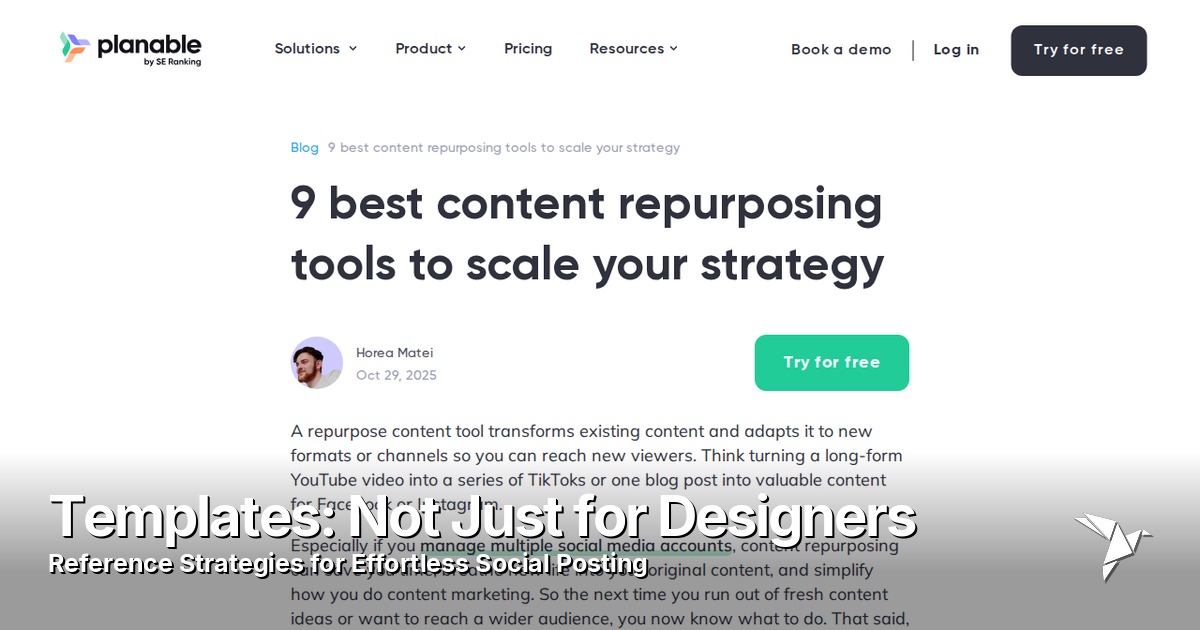
No matter the platform, you can adapt these basic structures to match your brand’s voice and goals. Mix up the visuals, tweak the text, or add your unique spin to keep things fresh. For additional inspiration, see this guide to top tools for repurposing content on social media. Beyond saving time, having these templates on hand ensures you’re never stuck for ideas. Instead, your team can focus energy on what really matters—crafting creative and on-brand content.
Mistakes to Dodge
While templates can be a lifesaver, it’s easy to fall into common traps. One major pitfall is letting your posts become too repetitive or robotic, which can make your feed feel stale and uninspired. Remember, followers value authenticity—so simply swapping out a few words or images isn’t enough to keep them engaged.
Another mistake is ignoring your brand’s identity just to fit a template. Not every idea suits every audience or platform. Every post should still sound and look like you. It’s also easy to overlook performance metrics; if a template isn’t working, don’t be afraid to tweak or retire it. By staying mindful of these pitfalls, you’ll ensure your templates remain effective tools for vibrant, on-brand social content.
Steal Like a Creator: Monitoring Inspiration
Unlocking creativity often starts with examining what already works. In social media, keeping a keen eye on winning posts and smart strategies can drastically improve your own content. In this section, you’ll learn how to harness inspiration without falling into the trap of imitation.
Track What Works
Successful social media creators spend as much time observing as they do producing. Start by identifying accounts that consistently earn high engagement within your niche. Analyze their top-performing posts—look at the content format, caption style, posting time, and even the conversation in the comments. Tools like Instagram Insights, Twitter Analytics, or third-party platforms make it easy to compare metrics and spot trends.
- Identify high-engagement accounts
- Analyze post formats, captions, and timing
- Utilize analytics tools to compare data and spot trends
Adapt these findings for your audience. For example, if you notice short videos perform best, consider how your brand can deliver value in under 60 seconds. If a competitor’s humorous approach gets traction, ask yourself: how can you bring your own voice and message to a similar style? Remember, the goal is to improve, not mimic. Regularly tracking and tweaking your strategies based on what resonates with your followers ensures steady growth and consistent engagement.
Swipe Files for Social
Building a swipe file is like creating your own secret vault of inspiration. Start by saving standout posts—including those from other industries—whether it’s a clever graphic, an engaging story, or a viral meme. Use tools like Pinterest boards, Google Drive folders, or Instagram’s saved collections. Tag them by type, platform, or mood so they’re easy to reference later.
Swipe files allow you to quickly spark ideas when you’re planning content or facing creative blocks. Instead of staring at a blank page, you’ll have a library of proven concepts at hand. Regularly update your files to keep your inspiration fresh and relevant to current trends. For more ways to organize and enhance your swipe files, explore these content curation tools every marketer needs. Ultimately, swipe files help you create smarter, more effective posts by learning from what consistently catches your eye.
Ethics of Inspiration
Finding inspiration is essential, but respecting others’ work sets true creators apart. Use borrowed ideas as a launchpad, not a shortcut. When you adapt a trend, add your unique spin—a new visual style, original perspective, or tailored message for your community. If an idea is closely linked to a specific creator, credit them with a tag or a mention.
- Use borrowed ideas as a launchpad
- Add your unique spin to trends
- Credit creators where appropriate
- Avoid copying or reposting without permission
Avoid copying content word-for-word or reposting without permission. Not only is this unethical, but it also damages your brand’s authenticity and may violate copyright rules. Remember: your audience values originality. Use inspiration to fuel your creativity and build trust by giving credit and bringing your signature style to everything you share.
Automate, Don’t Abdicate
Embracing automation in your social posting doesn’t mean you sacrifice your brand voice or lose that human touch. The right balance between strategy and spontaneity makes social media more manageable while still engaging and authentic.
Automation Myths Busted
Many believe that using automation for social media turns an account into a lifeless robot. However, this myth ignores what good automation actually offers. Automation isn’t about removing the personal side of your content—it’s about handling repetitive tasks so you have more time to connect authentically. Automated tools can help you maintain a consistent posting routine, deliver timely content, and ensure your key messages reach audiences even when you’re busy. Plus, most modern tools let you customize and preview every post, so your unique style shines through. The key is using automation as a helper, not a replacement, which frees up room for real-time responses and organic creativity.
Best Scheduling Tools
Choosing the right scheduling platform can transform how you manage social posting—saving time while improving content quality.
| Tool | Ideal For | Key Feature |
|---|---|---|
| Buffer | Beginners | Simple insights |
| Hootsuite | Teams | Collaboration |
| Sprout Social | Analytics-focused creators | Smart automation |
These tools not only automate publishing but also organize your content library, set reminders for live posts, and streamline workflow. For an in-depth look at how automation platforms simplify content scheduling and management, see how Predis.ai offers features like auto-posting. Try out a few platforms, take advantage of free trials, and pick the one that matches your needs. A reliable scheduling tool turns reference-driven posting into an easy, ongoing habit.
Smarter Scheduling, Livelier Feeds
Automated posting shouldn’t mean losing the spark that draws people in. Create a healthy mix by planning your reference-driven posts in advance and leaving room for spontaneous updates. Use automation for evergreen content—tips, industry references, or timely reminders—then supplement with live reactions to trends (e.g., breaking news or audience comments). Check in daily to engage, reply, and stay current. This approach keeps your feed active and timely but never robotic. Over time, these habits build a feed that’s both consistent and human—helping you grow trust and drive more meaningful conversations.
Repurpose, Reimagine, Repeat
Unlocking the power of your existing content doesn’t only save time—it multiplies your impact. Repurposing lets you extract new value from every article, video, or graphic you’ve already created. By reimagining what you already have, you keep your social feeds fresh, relevant, and engaging while honoring the hard work you’ve done in the past.

Turn Long-Form into Social Gold
Every blog post, podcast, or video you produce holds a treasure trove of social content waiting to be discovered. Start with a detailed blog, for instance. Highlight key insights, bold statements, and statistics—each can become a standalone tweet, LinkedIn post, or Instagram caption. Break down podcast episodes into bite-sized audio clips, pairing them with eye-catching graphics for Instagram stories or Twitter. From videos, pull short, punchy clips to share as reels or TikTok snippets. Always pair with an intriguing hook or question to spark conversation. If you have evergreen topics, revisit those regularly to extract new quotes or tips.
Here’s a simple process to mine your long-form content for repeatable social gems:
- Review your existing blogs, podcasts, and videos for memorable insights or stats.
- Pull quotes or sections that can stand alone as posts.
- Convert audio or video highlights into short clips.
- Match each post or clip with a relevant visual or caption.
- Schedule your reimagined pieces across different platforms.
This approach doesn’t just amplify your reach—it keeps your brand voice vibrant and consistent, encouraging ongoing conversation across platforms.
Visual Remix: Formats That Pop
Don’t let your visuals go stale! Reimagine your graphics with simple edits to make them stand out all over again. Change up color palettes to suit seasons or trends. Reframe images for different social formats—crop a wide banner into engaging squares for Instagram, or vertical slices for Pinterest and stories. Overlays with fresh quotes or statistics also give your older graphics a second life.
- Turn a chart from a blog post into an animated explainer GIF or quick video.
- Create collages and carousels using images from past campaigns.
Collages and carousels made from past campaign images draw new eyes and encourage users to swipe and engage. By remixing visuals, you keep your brand’s look dynamic and your content pipeline strong, all while maximizing the value of your creative library.
Create a Remix Calendar
Stay organized and intentional with a remix calendar. Start by listing your highest-performing blogs, videos, and graphics. Map out when and how you’ll refresh and repost these gems—maybe a favorite case study gets an infographic spin once a quarter, or a popular quote inspires a new meme every month.
To make this process clear, consider the following table:
| Content Piece | Format Refresh | Schedule |
|---|---|---|
| Blog (Case Study) | Infographic | Quarterly |
| Podcast Highlight | Short Audio Clip | Monthly |
| Quote Post | Meme/Graphic | Monthly |
Rotate formats so your audience sees a variety of content types: a video snippet one week, a carousel the next. Schedule reminders to review analytics and update posts with new angles or information. With a remix calendar, you ensure nothing gets left behind and your social presence stays lively, all without burning out your creative team.
Tracking Wins and Flops
Measuring the impact of your reference social posts is essential for refining your approach and amplifying your results. By examining performance data and digging into outlier posts, you will better understand what drives engagement and what needs adjusting. This section guides you through decoding critical metrics and learning from your top and bottom performers.
Decoding Metrics That Matter
Not all numbers tell the whole story when it comes to social media posting. Focus on actionable metrics to get a clear picture of how your reference strategies perform. Engagement rates—such as likes, shares, saves, and clicks—reveal how well your content resonates with your audience. Reach and impressions indicate how many unique users see your posts, which helps assess the effectiveness of your distribution strategies.
Conversion rates—people taking desired actions like visiting your site or signing up for updates—are crucial for understanding the real-world impact of your reference posts. Keep an eye on follower growth to see if your effort attracts new, relevant audience members.
A simple dashboard monitoring these core stats can help you spot trends:
- Engagement rates (likes, shares, saves, clicks)
- Reach & impressions
- Conversion rates
- Follower growth
By tracking these core numbers, you can fine-tune your reference strategies, focusing on what consistently delivers results and adjusting what doesn’t. For more insight, explore how a curated dashboard and the right monitoring tools can clarify your social media success metrics in this overview of content curation strategies and tools for 2024.
Learning from Outliers
Sometimes a post performs far better—or worse—than you expect. These outliers are gold mines for insights if you know how to analyze them. Start by spotting posts that dramatically overachieve or underperform compared to your typical engagement. Look closely at what sets them apart: Is it the topic, timing, tone, visuals, or call to action?
Dive into the comments and feedback to understand audience reactions. Use platform analytics to break down the demographics and behavior of people interacting with these posts. Don’t shy away from digging into why a flop happened; perhaps the content missed the mark for relevance or clarity, or the timing was off.
Document what you learn and test small tweaks inspired by these findings in future posts. This approach turns surprising data into actionable steps for consistent improvement and helps you build a library of proven reference strategies.
Related Articles
How to Write Social Media Posts That Don't Sound Like AI
AI-sounding posts get scrolled past and downranked. Here's how to spot the tells and write social media posts that read like a real person wrote them.
AI Content Creation for Social Media: From Idea to Published Post in One Command
Use Claude or GPT to generate platform-specific social media content and publish via Publora MCP in one command. Prompt engineering tips, quality control, and workflow examples.

Solve Creative Block With AI Tools
Understand why creative blocks happen and learn how AI tools can help you break through mental roadblocks.

Unlock New Content Ideas With AI
Break through idea bottlenecks with AI-powered brainstorming to consistently create fresh, engaging content.