How to Post to Instagram via API (2026 Guide)

TL;DR
How to post to Instagram via API in 2026 without wrestling the Graph API or a Meta app review. Publish images, Reels, Stories, and carousels through the Publora API.
Instagram is the most-posted-to network there is, and also one of the most painful to post to programmatically. The official route, the Instagram Graph API, means a Facebook Developer app, an app review, OAuth flows, and a Business account, before you publish a single photo. Most developers just want to send a post. This guide shows the shorter path: post to Instagram via API without owning all that plumbing.
The Problem With the Graph API
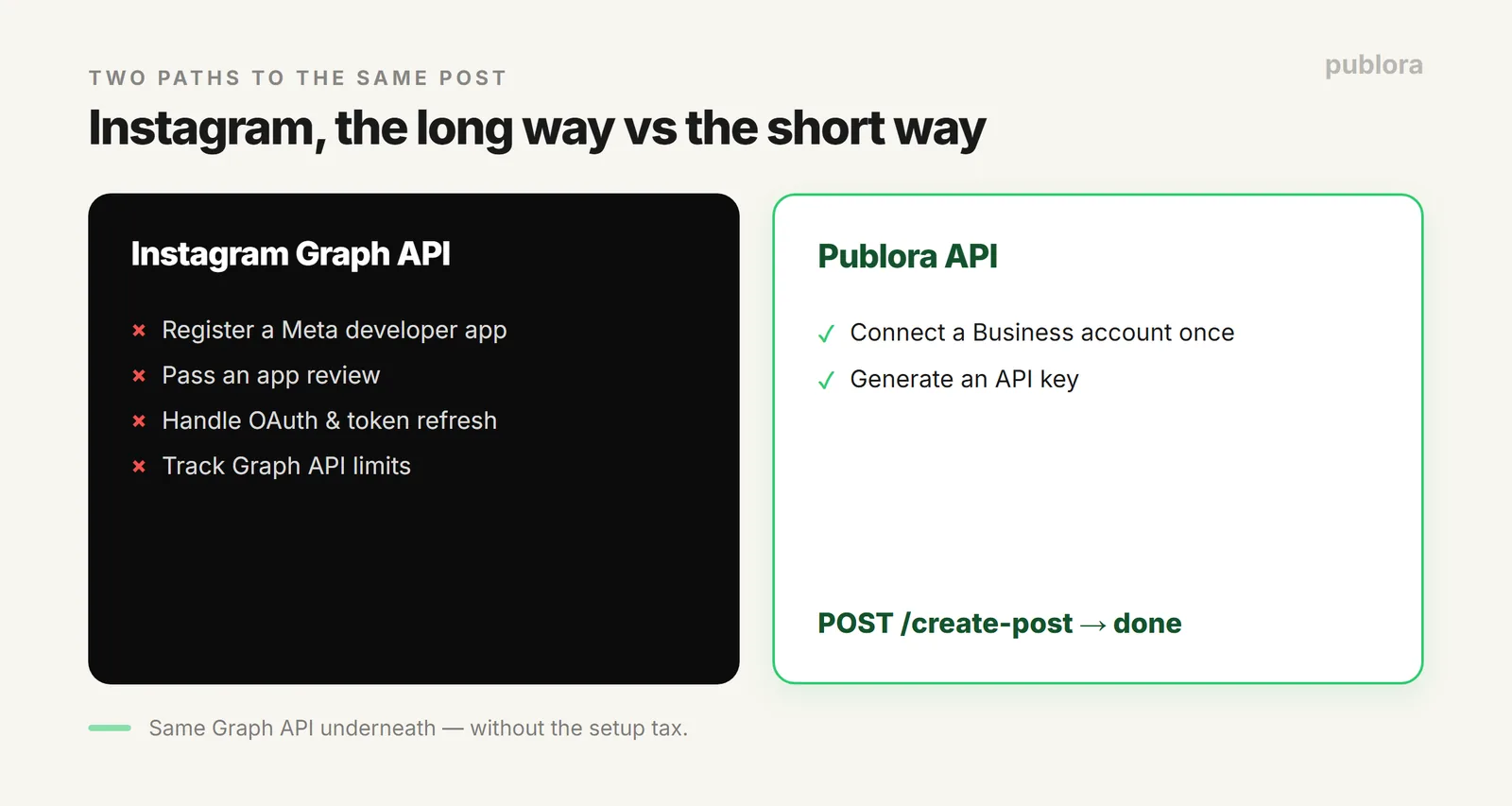
Instagram's own Content Publishing API works, but the setup tax is real: register a Meta app, pass a review to get the right permissions, handle OAuth and token refresh, and keep up with the Graph API's specific limits. For a solo build or a small team, that's days of work before the first successful post. A publishing API removes that by sitting on top of the Graph API for you.
What You Need First
- A Business or Creator account. Instagram's publishing API doesn't work with personal accounts, this is a hard requirement, not a Publora one.
- Media on every post. Instagram has no text-only posts; every post needs at least one image or video.
- A Publora account and API key. Connect your Instagram Business account once through Publora, then you're posting.
Posting an Image
The core call is simple. Upload your image through Publora's media flow, then create the post with your Instagram account in the platforms list:
POST https://api.publora.com/api/v1/create-post
x-publora-key: your_api_key

{
  "content": "New drop is live.",
  "platforms": ["instagram-123456"],
  "scheduledTime": "2026-07-30T15:00:00Z"
}
# attach the uploaded image; Instagram rejects text-only posts
That's it, no app review, no token juggling. The full media-upload flow (request an upload URL, push the file) is the same one covered in automating social media with Python.
Reels, Stories, and Carousels
Instagram is more than static images, and the API handles the rest through one setting and a few rules.
| Format | How | Limits (API) |
|---|---|---|
| Reel | Post a video (default) | Up to 3 min; only 5-90s eligible for the Reels tab |
| Story | Set videoType: "STORIES" | MP4/MOV video |
| Carousel | Attach 2-10 items | Can't mix images and videos in one carousel |
| Image | Attach one image | JPEG/PNG/WebP, max 8 MB (WebP auto-converts) |
Publishing a Story instead of a Reel is just the videoType flag:
{
  "content": "Behind the scenes today",
  "platforms": ["instagram-123456"],
  "platformSettings": { "instagram": { "videoType": "STORIES" } }
}
Mind the Real Limits
The Graph API has its own caps that differ from the native app, and they trip people up: carousels max out at 10 items via the API (the app allows 20), you can't mix images and videos in a carousel, and Reels are capped at 3 minutes. Knowing these upfront saves a confusing failed post. For rate limits and token behavior across platforms, see rate limits, tokens, and webhooks.
The Bonus: It's Not Just Instagram
The same create-post call posts to ten platforms. So the Instagram integration you just built also posts to Threads, Facebook, TikTok, and the rest by adding them to the platforms list, one API to learn, not one per network. More in what a social media API is.
FAQ
Can you post to Instagram via API?
Yes. Instagram's Graph API needs a Meta app, review, and OAuth; a publishing API like Publora sits on top and gives you one create-post endpoint. Connect a Business account once, then POST images, Reels, Stories, and carousels.
Do you need a business account?
Yes, Instagram's publishing API only works with Business or Creator accounts, not personal. Every post also needs at least one image or video.
Can I post Reels and Stories via API?
Yes. A video defaults to a Reel; set videoType: "STORIES" for a Story. Reels can be up to 3 minutes (5-90s eligible for the Reels tab); carousels are 2-10 items, no mixing images and video.
Post to Instagram without the Graph API headache
Connect your Business account once and publish images, Reels, Stories, and carousels with one POST. Same call posts to 9 more platforms. Free to start.
Get an API KeyFurther Reading
- What Is a Social Media API?
- Automate Social Media Posts with Python + Publora
- Rate Limits, Tokens, and Webhooks
About the author. Written by the Publora team. Instagram formats, account requirements, and API limits reflect the live Publora Instagram integration documented at docs.publora.com.
Related Articles
How to Publish to Social Media From Claude
Add the Publora connector from the Claude directory, then ask Claude to draft, schedule or publish to LinkedIn, X, Instagram and seven more networks.
How to Post a Figma Design to Social Media
Send a Figma frame to LinkedIn, Instagram, X and seven more networks without leaving Figma. Free plugin, works in Figma Design and Figma Slides.
How to Publish to Social Media From IFTTT
Connect Publora to IFTTT once, and anything IFTTT watches can go out to LinkedIn, X, Instagram and seven more networks. A feed, a webhook, your own code.
How to Auto-Share WordPress Posts to Social Media
Share every new WordPress post to Instagram, LinkedIn, X, Threads, Bluesky and five more networks automatically. Free plugin, about five minutes to set up.