How to Post and Schedule on Instagram From a Computer

Reviewed by Jane Ivanova, CEO, Publora
TL;DR
You can post on Instagram from any computer in a web browser: go to instagram.com, click Create, then Post. Windows 10 and 11 can also use Instagram's app from Microsoft Store. To schedule from a computer, use Meta Business Suite (free, for professional accounts) or a scheduler that runs in a browser, such as Publora. Instagram's help describes its built-in scheduling as a feature of the Instagram app and gives phone-style steps only.
What Works on Each Computer
Every computer can post through a browser, so the differences are small. They come down to whether an app exists for your system.
| Computer | Post right away | Schedule ahead | Instagram app? |
|---|---|---|---|
| Windows 11 | instagram.com or the Instagram app | Meta Business Suite or Publora, in a browser. Publora also has a Windows app. | Yes, in Microsoft Store |
| Windows 10 | instagram.com or the Instagram app | Same as Windows 11 | Yes, in Microsoft Store |
| Mac with Apple silicon | instagram.com | Meta Business Suite or Publora, in a browser | No Mac version listed |
| Mac with Intel | instagram.com | Meta Business Suite or Publora, in a browser | No |
| Chromebook | instagram.com | Meta Business Suite or Publora, in a browser | Only possibly through Android, see below |
| Linux | instagram.com | Meta Business Suite or Publora, in a browser | No |
Windows 10 and 11. You get the most options here: the website, Instagram's Microsoft Store app, and Publora's Windows app.
Mac (Intel and Apple silicon). Use the browser on both. Instagram's App Store listing covers iPhone, iPad and Apple TV, with no Mac version. Apple silicon Macs can run iPhone and iPad apps only when the developer makes them available on Mac, and the listing shows no sign of that for Instagram. On macOS Sonoma or later, you can save instagram.com to your Dock from Safari with File > Add to Dock, so it opens in its own window.
Chromebook. Use Chrome. Google says the Google Play Store is available on only some Chromebooks, and work or school devices may block it. Instagram's help pages cover Android, iPhone, iPad, computer and mobile browser, and don't mention Chromebooks, so the website is the safer route. In Chrome you can also choose More > Cast, save, and share > Install page as app to give a site its own window.
Linux. Use a browser. Google offers Chrome for 64-bit Ubuntu, Debian, openSUSE and Fedora. Instagram's computer instructions don't name an operating system, and no Linux app turned up in its help pages.
Way 1: Post in a Browser at instagram.com
Instagram's website lets you share photos, videos, Reels and carousels from any computer, right away, for free. Its help pages show no scheduling step.
Good for: anyone posting now, including personal accounts.
Works on: Windows, Mac, Chromebook, Linux.
To share a photo:
- Log in at instagram.com and click Create on the left.
- Click Post, then Select from Computer, or drag a file in. Instagram accepts JPG, PNG and HEIC/HEIF photos.
- Choose the size and click Next. Add filters or adjustments, then click Next again.
- Write a caption. You can also add a location and alt text.
- Click Share.
For a carousel, select several files in step 2. Instagram allows up to 20 photos and videos in one post. The orientation you pick applies to all of them.
For a Reel, follow the same Create and Post path and select your video. You can trim it and pick a cover before sharing. Instagram allows Reels up to 20 minutes, but says Reels over 3 minutes won't be recommended to new audiences.
Limits to know:
- The steps in Instagram's help end at Share. There is no option to pick a later date.
- Stories are unclear. Instagram's Help Center says sharing to your story isn't available on computers, while an Instagram blog guide for 2026 says you can start a story in a browser with basic edits. If you don't see the option, Meta Business Suite has a documented Stories flow on desktop.
Way 2: Schedule With Meta Business Suite
Meta Business Suite is Meta's free tool for scheduling posts, Reels and Stories to Instagram from a computer. You need an Instagram professional account and a business portfolio.
Good for: businesses and creators who only post on Meta's apps.
Works on: any computer with a browser, at business.facebook.com.
Before you begin, you need:
- an Instagram professional account (Business or Creator);
- a business portfolio with that account added to it. You create the portfolio with a Facebook profile or a managed Meta account.
To schedule a post:
- Open Meta Business Suite and click Create post on the home page or Content tab.
- Under Post to, choose your Instagram profile.
- Add your photos. The limit for Instagram is 10.
- Write your text.
- Under Scheduling options, pick the date and time.
- Click Schedule.
Reels and Stories have their own Create reel and Create story buttons with similar scheduling steps. A Story can include up to 10 photos or videos. Planner, in the left menu, shows your content by week or month, and you can hover over a day to schedule from there.
Limits to know:
- It covers Meta's apps: Facebook, Instagram and Threads. Cross-posting needs your Facebook Page and Instagram profile connected in the same portfolio.
- A post carries up to 10 photos here, compared with 20 on instagram.com.
- Personal Instagram accounts have to switch to a professional account first.
Way 3: The Instagram App for Windows
Yes, there is an Instagram app for Windows. It's free in Microsoft Store and published by Instagram, and its listing says you can post photos and videos to your feed and profile.
Good for: Windows users who want Instagram on the taskbar instead of in a browser tab.
Works on: Windows 10 and 11.
Microsoft Store's listing data marks it as a web app, which means Instagram's web experience in its own window. The listing doesn't mention scheduling, Reels, carousels or Stories, so don't count on any of those in the app. If you need one of them, use the website or Meta Business Suite.
Way 4: Schedule With Publora
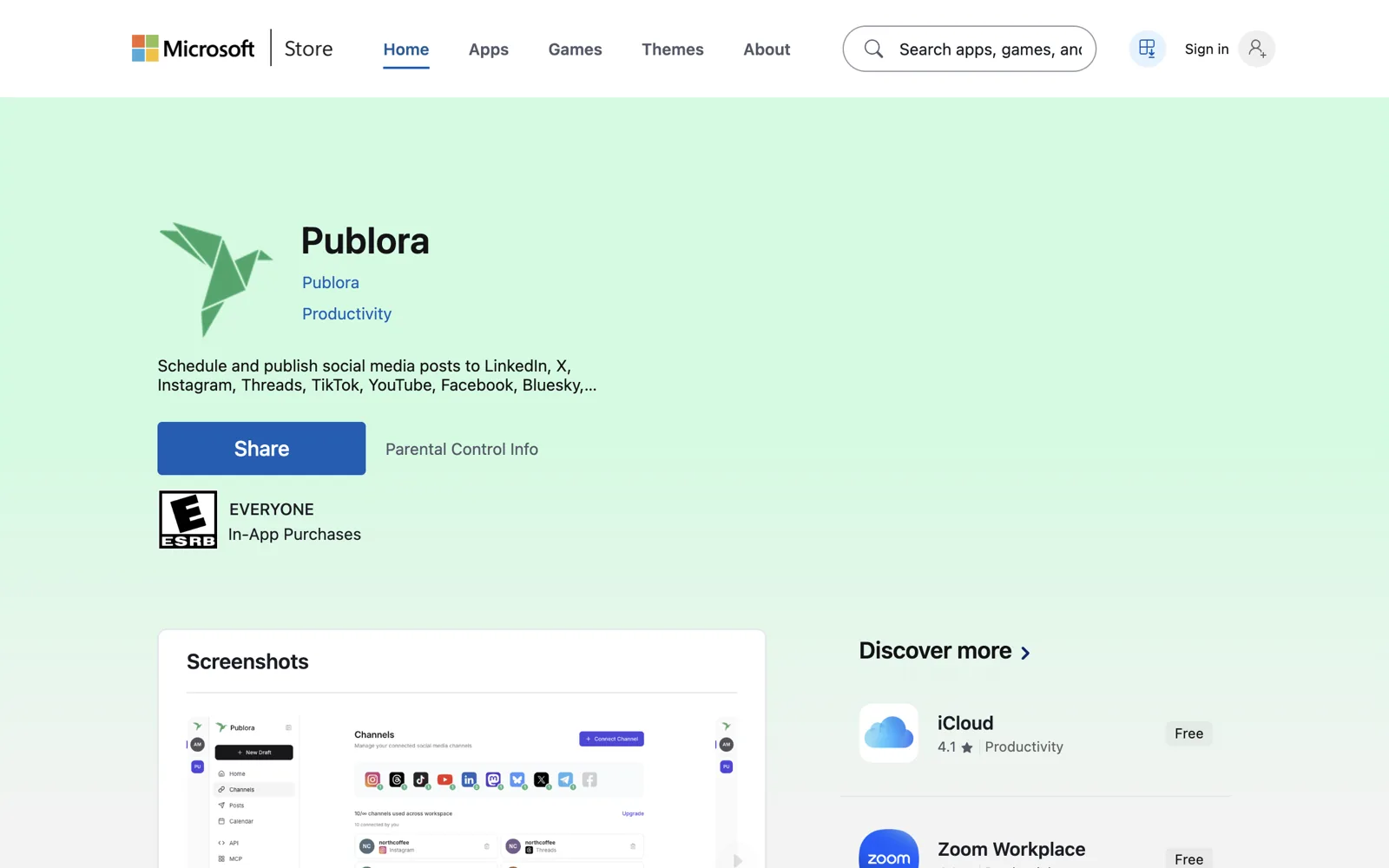
Publora is a web app for scheduling and publishing to Instagram and nine other networks. It runs in a browser on any computer, and Windows users can also install it from Microsoft Store.
Good for: people who schedule from a computer or post the same content to several networks.
Works on: Windows, Mac, Chromebook and Linux in a browser at app.publora.com. There is no Mac or Linux app.
The Windows app is the same web interface in its own window. It needs an internet connection and has no extra features, so the browser is enough if you prefer it.
What Instagram needs in Publora:
- A professional account. Personal accounts aren't supported, and Meta decides whether a given Creator account is accepted. You connect directly through Instagram, with no Facebook Page.
- A photo or video on every post. Text-only posts aren't possible on Instagram.
What you can post:
- Single photos: JPEG, PNG or WebP, up to 8 MB, with a shape between 4:5 and 1.91:1. Publora doesn't crop photos that fall outside that range.
- Carousels: 2 to 10 items, all images or all videos.
- Reels: MP4 or MOV, 3 seconds to 15 minutes. A video goes out as a Reel by default.
- Stories: one file per Story, without a caption.
To schedule:
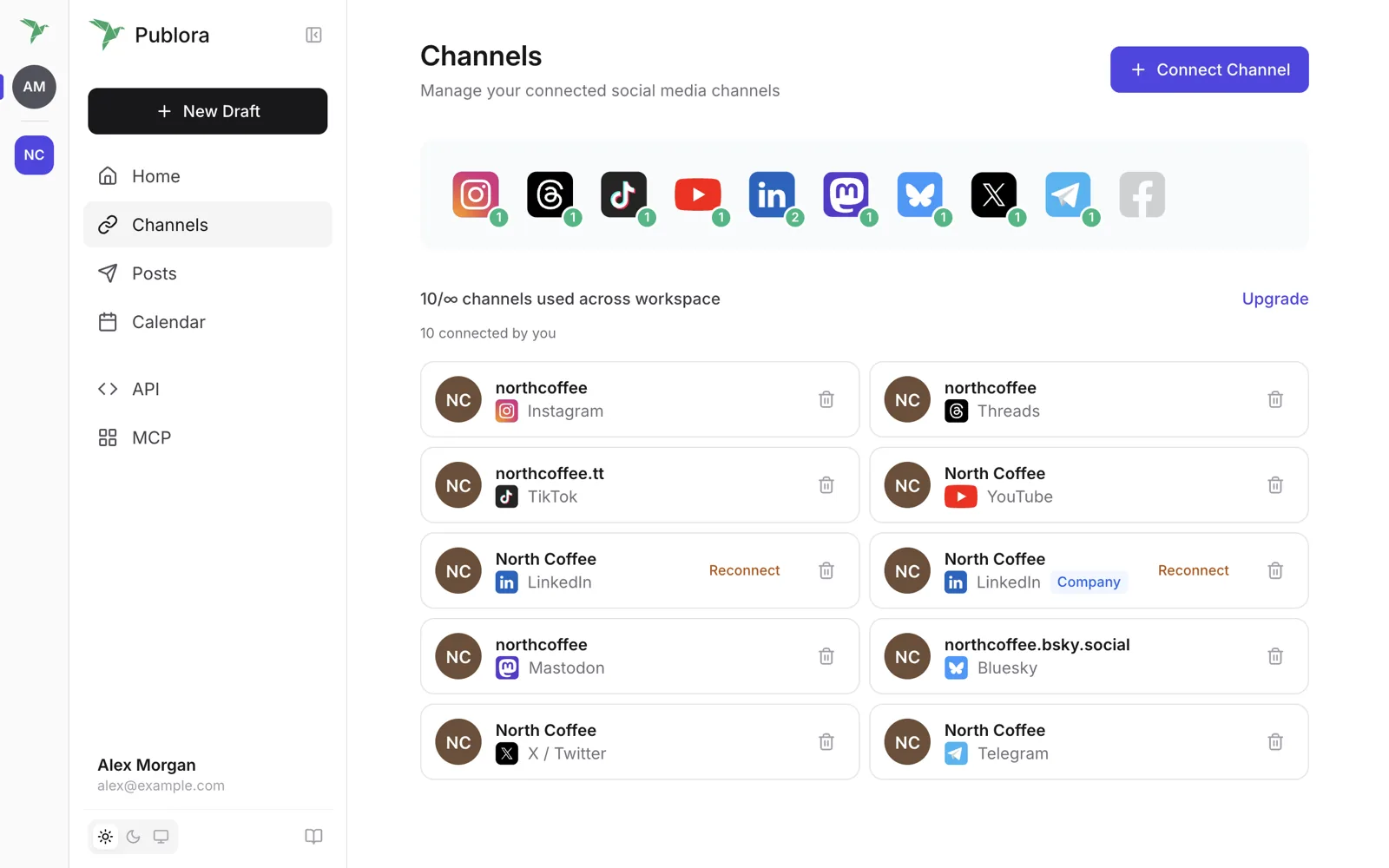
- Open Channels, click Connect Channel and add your Instagram account.
- Click New Draft, choose your channels and write your caption.
- Upload your media, then choose Feed or Story for Instagram.
- Click Schedule and pick a time, or click Publish Now.
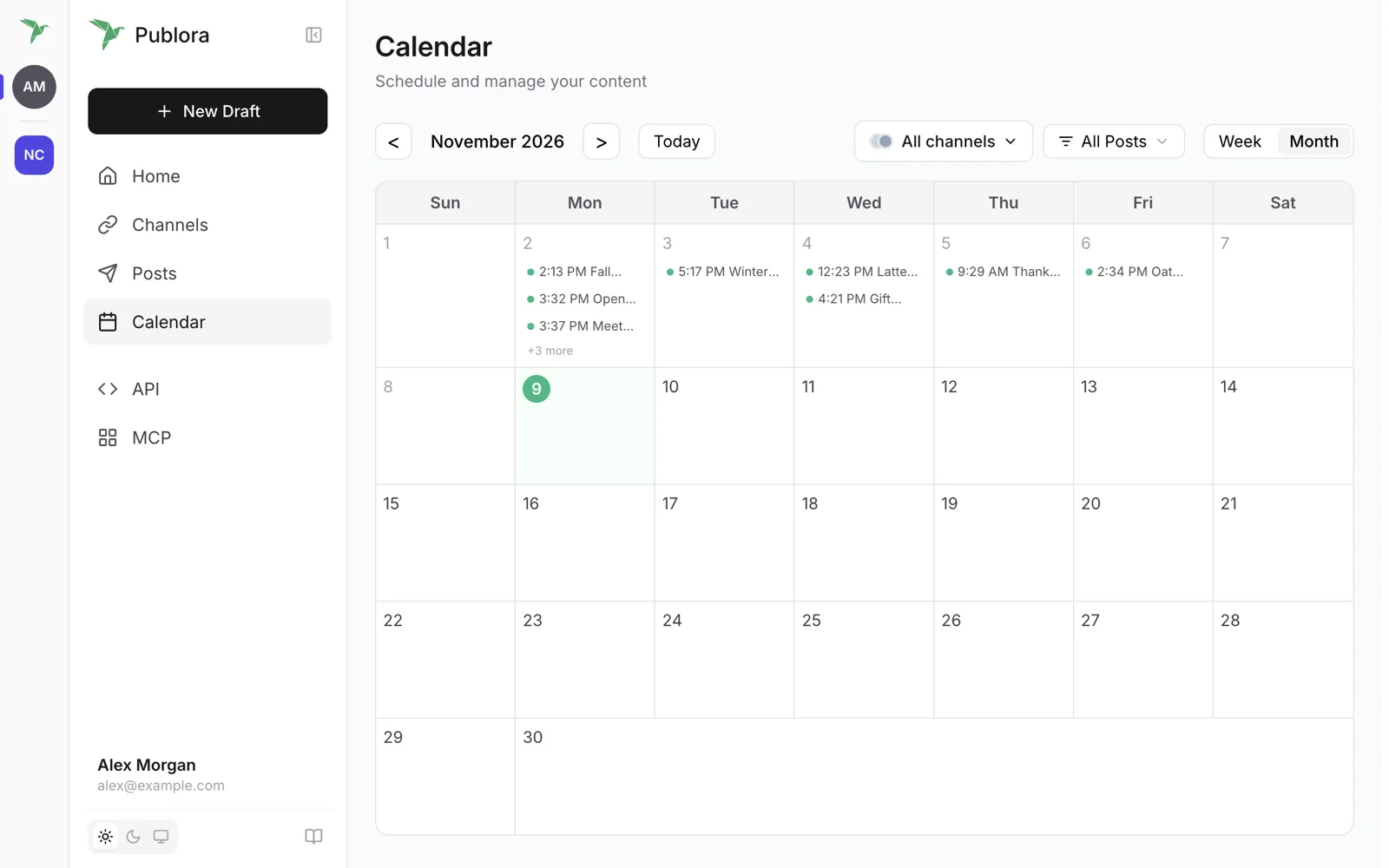
Limits to know: the free Starter plan includes 3 social accounts, 15 posts a month, 3 scheduled posts at a time, scheduling up to 7 days ahead, videos up to 50 MB and every network except X. Pro starts at $5.99 per account a month on monthly billing, with unlimited posts under a fair use policy and X included. See pricing.
Side-by-Side Comparison
| instagram.com | Instagram Windows app | Meta Business Suite | Publora | |
|---|---|---|---|---|
| Windows 10 / 11 | Browser | App | Browser | Browser or app |
| Mac (Intel, Apple silicon) | Browser | No | Browser | Browser |
| Chromebook | Browser | No | Browser | Browser |
| Linux | Browser | No | Browser | Browser |
| Post now | Yes | Yes | Yes | Yes |
| Schedule | Not in its help steps | Not mentioned | Yes | Yes |
| Reels | Yes | Not mentioned | Yes, can be scheduled | Yes, can be scheduled |
| Carousels | Up to 20 items | Not mentioned | Up to 10 photos | 2 to 10 items, no mixing |
| Stories | Meta's pages disagree | Not mentioned | Yes, can be scheduled | Yes, can be scheduled |
| Other networks | No | No | Facebook, Threads | 9 more, including LinkedIn, TikTok and YouTube |
| Account needed | Any | Any | Professional, plus business portfolio | Professional |
| Cost | Free | Free | Free | Free plan; Pro from $5.99 per account a month |
Want to schedule Instagram from your computer?
The free Starter plan covers 15 posts a month and 3 connected accounts, with no card.
Start FreeQuestions People Ask
Can I schedule Instagram posts on PC? Yes, through Meta Business Suite in a browser if you have a professional account, or through a scheduler such as Publora. Instagram's help describes its built-in scheduling as a feature of the Instagram app.
Why can't I schedule on PC? Instagram's steps for posting on a computer end with Share and include no date picker. Its help article on scheduling covers the Instagram app, with a limit of 25 posts a day and 30 days ahead, and it requires a public account. On a computer, use Meta Business Suite or a scheduler instead.
Can I post on Instagram from a Mac? Yes. Open instagram.com in Safari or Chrome, click Create, then Post. This is the same on Intel and Apple silicon Macs. Instagram's App Store listing doesn't include a Mac version.
Is there an Instagram app for Windows? Yes. It's free in Microsoft Store and works on Windows 10 and 11. Its listing says you can post photos and videos to your feed and profile.
Can I post on Instagram from a Chromebook? Yes, at instagram.com in Chrome. Some Chromebooks can also install Android apps, but the Google Play Store isn't on every model.
Can I use Instagram on Linux? Yes, in a browser such as Chrome. Instagram's help pages don't mention a Linux app, and Publora has none either.
Can I post Stories from a computer? Meta Business Suite supports creating and scheduling Stories on desktop. On instagram.com, Meta's own pages disagree, so check whether your account shows the option.
Do I need a business account to schedule? Instagram's app asks only for a public account. Meta Business Suite and Publora both need a professional account, either Business or Creator.
Does Publora have a Mac app? No. On a Mac, Chromebook or Linux computer, use Publora in the browser. The Windows app is the same interface in its own window.
Further Reading
- Can You Schedule Posts on Instagram?: what scheduling covers, by content type.
- Schedule Instagram Posts: Proven Tactics: when to post and how to plan a calendar.
Instagram and Meta change their tools often. This guide was checked against their help pages in November 2026. If something looks different on your screen, write to support@publora.com.