Can You Schedule Posts on Instagram? (2026 Guide)

TL;DR
Yes, you can schedule Instagram posts, with limits. What Instagram allows natively, what it doesn't, and how to schedule feed posts, Reels, and Stories properly.
Short answer: yes. The longer answer is where people get stuck, because Instagram's own scheduling has real gaps, and the things it can't do are exactly the things most people want. This covers what you can schedule, what the requirements are, and how to queue feed posts, Reels, and Stories without opening the app.
What Instagram Lets You Do on Its Own
Instagram has native scheduling for professional accounts, and it works fine for the basics. The limits show up quickly:
- One account at a time. If you run several brands, you're switching logins.
- No cross-posting. Scheduling to Instagram doesn't help with the other networks the same content belongs on.
- No API or automation. You can't schedule from a script, a spreadsheet, or an AI agent.
- Phone-first. Much of the flow assumes you're on mobile.
For an occasional post that's enough. For a real calendar, or anything automated, it runs out.
Two Requirements Before Anything Works
These catch almost everyone the first time.
| Requirement | Why |
|---|---|
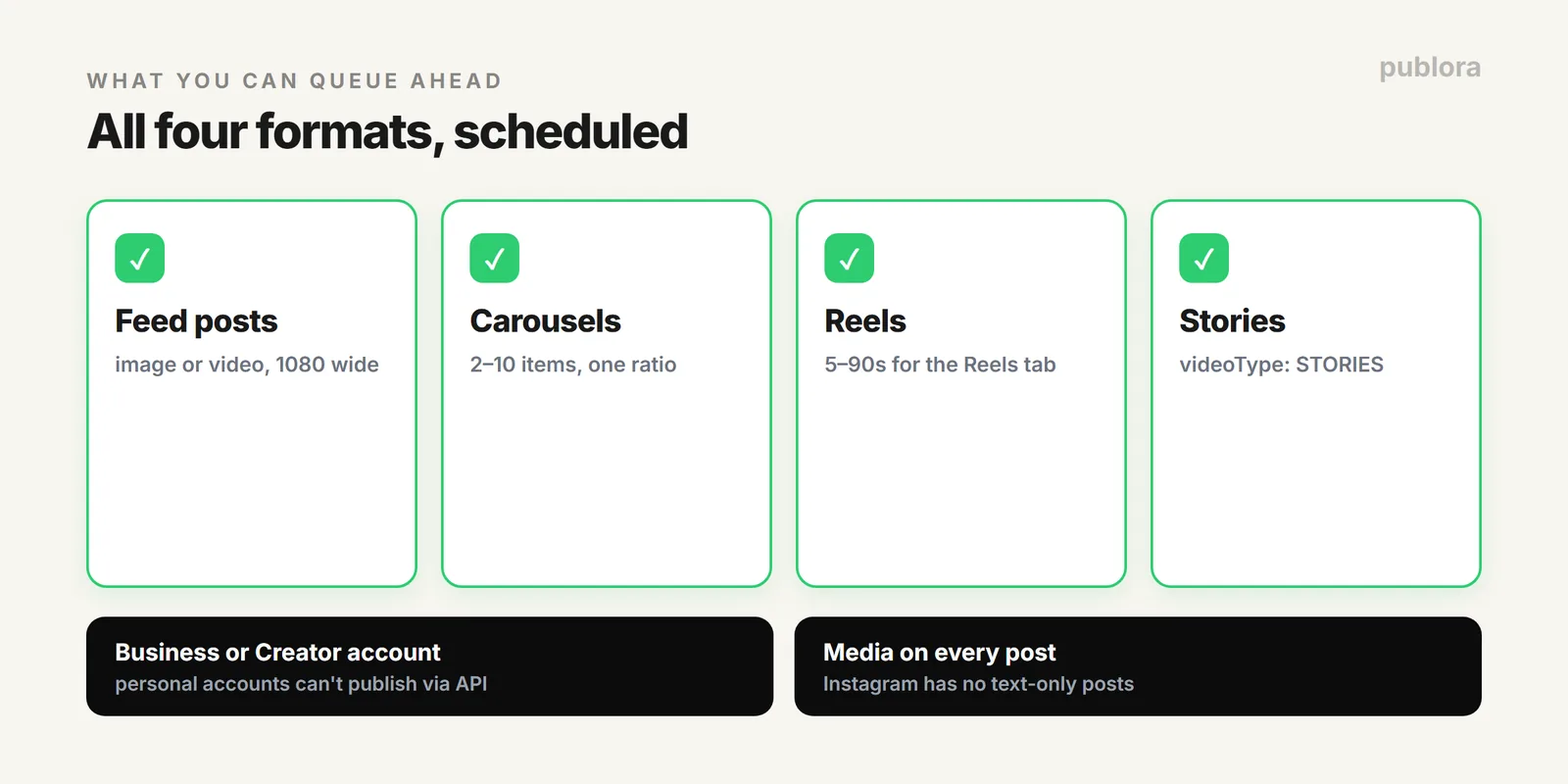
| Business or Creator account | Instagram's Content Publishing API doesn't work with personal accounts. Switching is free and takes a minute in settings. |
| Media on every post | Instagram has no text-only posts. Every scheduled post needs at least one image or video, or it fails at publish time. |
Scheduling Feed Posts and Carousels
The standard case. Connect your Instagram account to Publora once, write the caption, attach the image, pick a time, and it publishes on its own.
A few specifics worth knowing while you plan:
- Carousels hold 2 to 10 items, and you can't mix images and video in the same one.
- Every slide should share one aspect ratio, because Instagram applies the first slide's ratio to the whole set.
- Captions allow 2,200 characters, but only about 125 show before "more", so the hook goes first.
Sizes for each format are in Instagram post size and dimensions, and the caption rules in the Instagram caption limit.
Scheduling Reels
A scheduled video defaults to a Reel. Two limits shape what you upload: through the API a Reel can run up to 3 minutes, but only clips between 5 and 90 seconds are eligible for the Reels tab, which is where the reach is. Vertical 1080 x 1920 is the format.
Scheduling Stories
Stories are the format people assume can't be scheduled, and they can. In Publora it's one setting: publish the video with videoType set to STORIES instead of the default REELS.
Scheduling From Code or an AI Agent
This is the part Instagram itself can't do at all. With an API, a scheduled Instagram post is one call, which matters when the content comes from a script, a product feed, or an AI pipeline rather than a person typing.
| You want to | Use |
|---|---|
| Queue your own posts ahead | A scheduler dashboard |
| Post Instagram and other networks together | One multi-platform post |
| Publish from an app, script, or agent | The Instagram API or MCP |
The Bigger Win: Don't Schedule Instagram Alone
Most content that goes on Instagram belongs on Threads, Facebook, or TikTok too. Scheduling them one at a time is the actual time sink, not Instagram itself. Writing once and publishing to every network in a single action is covered in posting to every network at once.
FAQ
Can you schedule posts on Instagram?
Yes. Business and Creator accounts can schedule, and a tool like Publora queues feed posts, carousels, Reels, and Stories in advance. Personal accounts can't schedule through the API, and every post needs media.
Can you schedule Instagram Stories?
Yes, through a scheduler. In Publora you set videoType to STORIES; Stories are 1080 x 1920 and still require media.
Do you need a business account?
Yes for any third-party scheduling. Instagram's publishing API supports Business and Creator accounts only. Switching is free.
Queue Instagram, and everywhere else
Publora schedules Instagram feed posts, carousels, Reels, and Stories, plus nine other platforms, from one place or one API call. Free to start.
Start FreeFurther Reading
- Instagram Post Size and Dimensions
- How to Post to Instagram via API
- Post to Every Network in One Action
About the author. Written by the Publora team. Account requirements, media rules, and format limits reflect the live Publora Instagram integration documented at docs.publora.com; Instagram's own features can change.
Related Articles
The Best Time to Post on X (Twitter) in 2026
Four published studies agree on Tuesday to Thursday mornings for X. The exact windows, the sample sizes behind them, and how to find your own best time.
The Best Time to Post on Threads in 2026
Buffer's analysis of 2.5 million Threads posts puts Thursday at 9am on top. The published windows, how much data sits behind them, and how to find your own.
How to Schedule Tweets in 2026 (Posts, Threads, and API)
How to schedule tweets in 2026: queue single posts and threads on X, handle the 280-character limit and image rules, or publish from a script or AI agent.
X (Twitter) Character Limit in 2026: The Complete Reference
The X (Twitter) character limit is 280 characters, but emojis count as two and URLs count in full. Every limit, how counting works, and what happens when you go over.