Social Media Tools for Nonprofits: What to Look for in 2026

TL;DR
Nonprofits need social tools that cost little and survive volunteer turnover. What matters when picking one, and how to keep a full calendar on a tiny budget.
A nonprofit's social media problem is rarely a strategy problem. It's that the person running the accounts is also running the events, the donors, and the newsletter, and next quarter it might be a different person entirely. So the tool has to be cheap, cover everything, and keep working when the volunteer who set it up moves on. Here is what that means in practice.
The Four Things That Matter
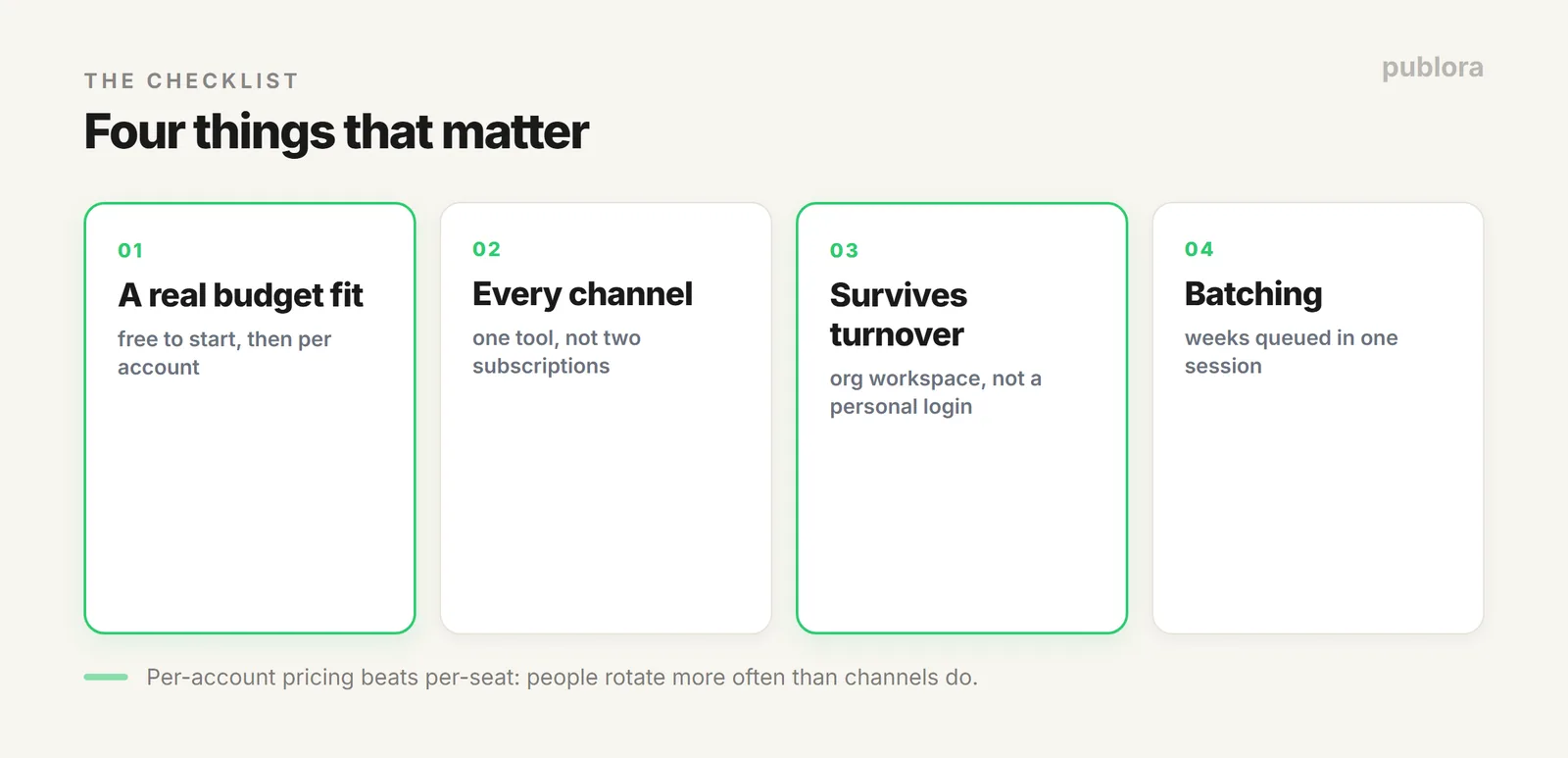
1. A price that fits a real budget
Enterprise social suites are priced for marketing departments. A nonprofit spending $99 a month on scheduling is spending it instead of on the mission, and that's a hard line item to defend to a board.
Look for a genuinely free entry tier, then per-account pricing when you outgrow it. Publora's free Starter plan covers 3 accounts and 15 posts a month; past that it's about $2.99 per connected account, so a full presence across five or six channels lands in the tens of dollars a month.
2. Every channel in one place
Nonprofits are usually spread wider than their budget suggests: Facebook for the local community, Instagram for the visuals, LinkedIn for corporate partners and grants, sometimes YouTube for event recordings. A tool covering three of those means paying for a second one to reach the rest. Coverage first, features second.
3. Access that survives turnover
This is the nonprofit-specific one. Volunteers and part-timers rotate, and social accounts have a habit of ending up locked behind someone's personal login. A shared workspace where accounts are connected to the organization rather than to a person is what keeps the presence alive through handovers.
It also argues against per-seat pricing: if every helper needs a paid seat, you'll end up sharing one login, which is exactly the fragile setup you were trying to avoid. Per-account pricing charges for the channels, not the people.
4. Batching, because time comes in bursts
Nonprofit calendars are lumpy. There are quiet weeks and there are weeks where everyone is running an event, and the feed goes silent in exactly the second kind. Batching fixes that: one session, several weeks of posts written and queued, publishing on its own while the team is busy elsewhere. The method is in content batching.
A Realistic Setup
| Step | What it looks like |
|---|---|
| Connect once | Link every channel to one shared workspace, not a personal account |
| Batch monthly | One session: campaign posts, event reminders, thank-yous, impact stories |
| Broadcast | One post to every relevant channel in a single action, not four separate posts |
| Keep a fallback bank | Evergreen posts for weeks when nothing is scheduled |
For that last row, a stocked idea bank is what stops a quiet week becoming a gap: 30 evergreen post ideas.
What to Skip
Nonprofits get sold a lot of features they will never open. Skip deep analytics suites until you have the volume to read them, skip paid-social management if you aren't running ads, and skip anything priced per user. The job is a consistent presence across your channels, run by whoever is available this month, without a line item anyone has to justify.
FAQ
What should a nonprofit look for?
Low or free entry price, coverage of every channel, shared access that survives volunteer turnover, and batch scheduling. Per-account pricing beats per-seat, since people change more often than accounts do.
Is there a free tool?
Publora's free Starter plan covers 3 accounts and 15 posts a month with full API access. Paid is per account from about $2.99, so a full presence stays in the tens of dollars.
How do we post with no staff time?
Batch several weeks in one session and let it publish. Daily posting is the first thing to fail when the team gets busy.
Built for budgets like yours
Publora is free to start, charges per account rather than per person, and reaches 10 platforms from one shared workspace.
Start FreeFurther Reading
About the author. Written by the Publora team. Plan details reflect the live Publora pricing.
Related Articles
Social Media Manager Salary in 2026 (US Data by Experience)
US social media manager salaries in 2026 range from about $45k entry-level to $95k senior. Figures by experience, why sources disagree, and what moves the number.
From 1 Account to 50: How Publora Scales Without Scaling Your Bill
Most tools make growth expensive with tier jumps and per-seat fees. Here's how graduated per-account pricing lets you go from 1 account to 50 without a plan jump, with the rate per account dropping as you grow.
Social Media Management for Small Teams: 5 Accounts Under $20/Month
How a small team can run up to five social accounts for under $20 a month on Publora Pro (billed yearly, one login), when per-account pricing beats per-seat, and the habits that keep everyone in sync.
Social Media Automation for Startups: What to Automate First
A startup can't automate everything at once. Here's the order that matters: distribution first, then scheduling, then feed-driven posting, then AI drafting.