Instagram Edits Desktop + Claude: Cut a Reel Over MCP, Then Schedule It

Reviewed by Jane Ivanova, CEO, Publora
TL;DR
The Instagram Edits desktop app for Mac, Instagram's free video editor, runs a local MCP server. Turn it on in Settings → Automation, connect Claude Code with the command Edits gives you, and Claude can build a Reel for you: import footage, trim, reframe 16:9 to 9:16, add text, export an MP4. It can't post. The MCP has no publishing tool, so the last step is yours: share from Edits by hand, or hand the file to Publora, which schedules it to Instagram and to TikTok, YouTube, LinkedIn and the rest. We ran the whole thing on a real project. It took three editing passes and one file fix before the Reel was ready to post.
Tested on 13 November 2026: Edits 455.0.0 on macOS 27.2.1 (MacBook Air M2), Claude Code 2.1.322.
| Task | Edits MCP | Publora MCP |
|---|---|---|
| Import footage, trim, reframe to 9:16 | Yes | No |
| Text, captions, music, filters, colour | Yes | No |
| Export an MP4 | Yes | No |
| Post to Instagram | No | Yes, now or on a schedule |
| Post the same video to TikTok, YouTube, LinkedIn | No | Yes |
| Runs from | Your Mac only (127.0.0.1) | Anywhere: Claude Code, Claude apps, ChatGPT and others |
What Can an AI Agent Do in Edits for Mac?
Edits launched on Mac in November 2026. Instagram's product lead for Edits, Matthew Simari, said the desktop app ships with an MCP for all of its tools and that creators can "use any agent you want", Meta's Muse included. Instagram's download page doesn't mention the MCP yet. Here is what we found by running it.
- It's a server on your Mac, not a connector in the cloud. Edits listens on
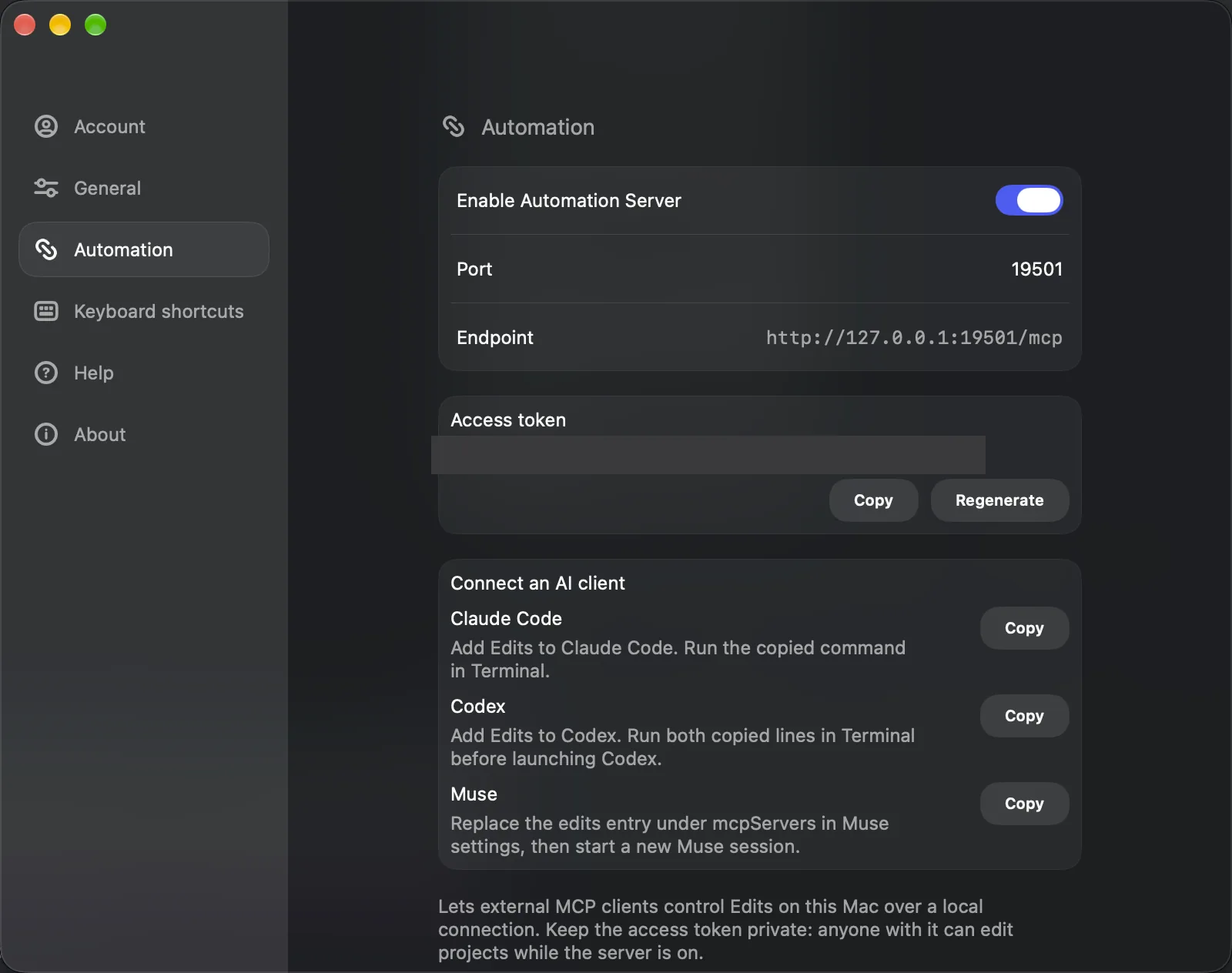
127.0.0.1(port 19501 in our case) and speaks MCP over Streamable HTTP. Your agent has to run on the same Mac. Claude in a browser can't reach it; Claude Code can. - Access is a token. Edits generates an access token. Its own warning: "anyone with it can edit projects while the server is on."
- The tools change with the screen. On the home screen we saw 32 tools: create, open, rename and delete projects, import media. With a project open, there were 274: trimming, splitting, transforms and keyframes, text and caption styles, auto captions, music, filters, colour grading, frame captures for checking the result, and export to a video file.
- There is no publish tool. The app has a "Share to Instagram" button, but it isn't in the MCP tool list. The agent can export an MP4. Posting happens somewhere else.
What Do You Need?
- A Mac with Apple silicon. Instagram lists M1 or later. The app itself requires macOS 15.1 or newer (it's in the app's Info.plist). Our Mac was on macOS 14.6 and Edits wouldn't run until we updated.
- Edits for Mac, free from edits.instagram.com/desktop, signed in with Instagram.
- An agent that can run locally. Edits gives ready-made setup for Claude Code, Codex and Muse. We used Claude Code.
- For scheduling: a Publora account and a professional Instagram account. The free Starter plan includes MCP access, 15 posts a month, up to 3 scheduled at a time and up to 7 days ahead, on every network except X (pricing). Personal Instagram accounts can't be connected; Meta's Instagram Login for Business decides which Creator accounts it accepts.
Searching for Instagram Edits for PC? There isn't one. Instagram says the desktop app is macOS only.
Step 1: Turn On the Automation Server
Open Edits, go to Settings → Automation and switch on Enable Automation Server. The tab then shows the port, the endpoint (http://127.0.0.1:19501/mcp for us), your access token with Copy and Regenerate, and a Connect an AI client block with copy buttons for Claude Code, Codex and Muse.
Step 2: Connect Claude Code
Click Copy next to Claude Code and run the command in Terminal. This is exactly what Edits copies, with your token in place of YOUR_EDITS_TOKEN:
claude mcp add --transport http --scope user metapilot-native http://127.0.0.1:19501/mcp --header "Authorization: Bearer YOUR_EDITS_TOKEN"The server shows up in Claude Code as metapilot-native. Start a new Claude Code session afterwards so it picks up the tools.
Using Codex instead? Its Copy button gives two lines, an export METAPILOT_TOKEN=… and a codex mcp add metapilot-native --url http://127.0.0.1:19501/mcp --bearer-token-env-var METAPILOT_TOKEN. For Muse it copies an edits entry to paste under mcpServers in Muse settings.
Treat the token like a password. If it ends up in a screenshot or a chat, press Regenerate in the same tab and update the command.
Step 3: Put Your Footage in the Movies Folder
This is the step that cost us a whole run. Edits is a sandboxed Mac app. It can open files from your Movies folder and files you pick yourself in an Open dialog, and nothing else. When Claude passed it a video from another folder, every import failed with errors like "Sandbox bookmark unavailable … file not reachable after import". Claude even suggested Full Disk Access, which doesn't help a sandboxed app.
Copy the source clips into ~/Movies (a subfolder is fine) and point the agent there. Export to a folder inside ~/Movies too.
Step 4: Ask Claude to Cut the Reel
This is what Claude video editing looks like in practice: you describe the cut, and Claude drives the Edits timeline tool by tool.
Our source was an 80-second 16:9 product demo. The prompt:
Using the Edits MCP tools only: open the Edits project named 'Publora agency reel' (create a new 9:16 project with that name if it is missing). Import /Users/you/Movies/edits-source/demo.mp4 onto the main track. Keep the strongest 25-35 seconds (inspect frames to choose), make the 16:9 footage fill the vertical frame sensibly so the product UI stays readable, add a short title text at the start: 'Run 12 client accounts from one calendar', save the project, then export it to /Users/you/Movies/edits-out/reel.mp4 and wait until the export finishes.
Claude made about 50 tool calls in three minutes. It looked at frames across the whole video, detected shot changes, picked the part from 16.6s to 46.4s so the cut starts and ends on scene changes, scaled the footage 1.5×, added the title and exported a 29.7-second 1440×2560 file. You can watch it happen in the Edits window.
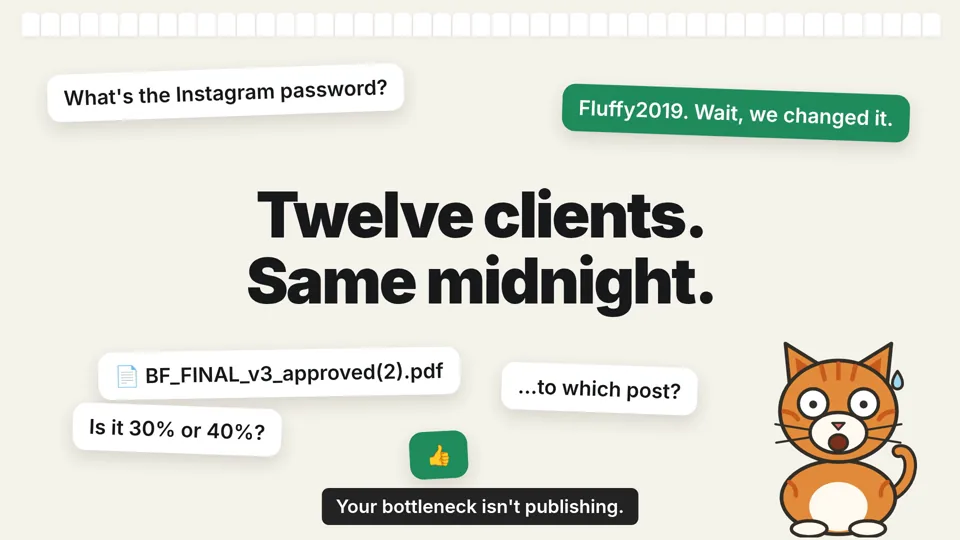
The first version worked, but it wasn't a Reel you'd post: wide black bars above and below, and on the last scene the burned-in caption was cut off at the right edge.
Step 5: Check It Against Reels Safe Zones
Instagram covers part of every Reel with its own interface: the top bar, the caption and username at the bottom, the like and comment buttons on the right. Meta's guidance is to keep about 14% of the top, 35% of the bottom and 6% on each side free of text, logos and other key elements (Meta Ads Guide, Instagram Reels). The guide is written for ads, but the same interface sits on top of every Reel.
We marked those zones in red on frames from each pass:
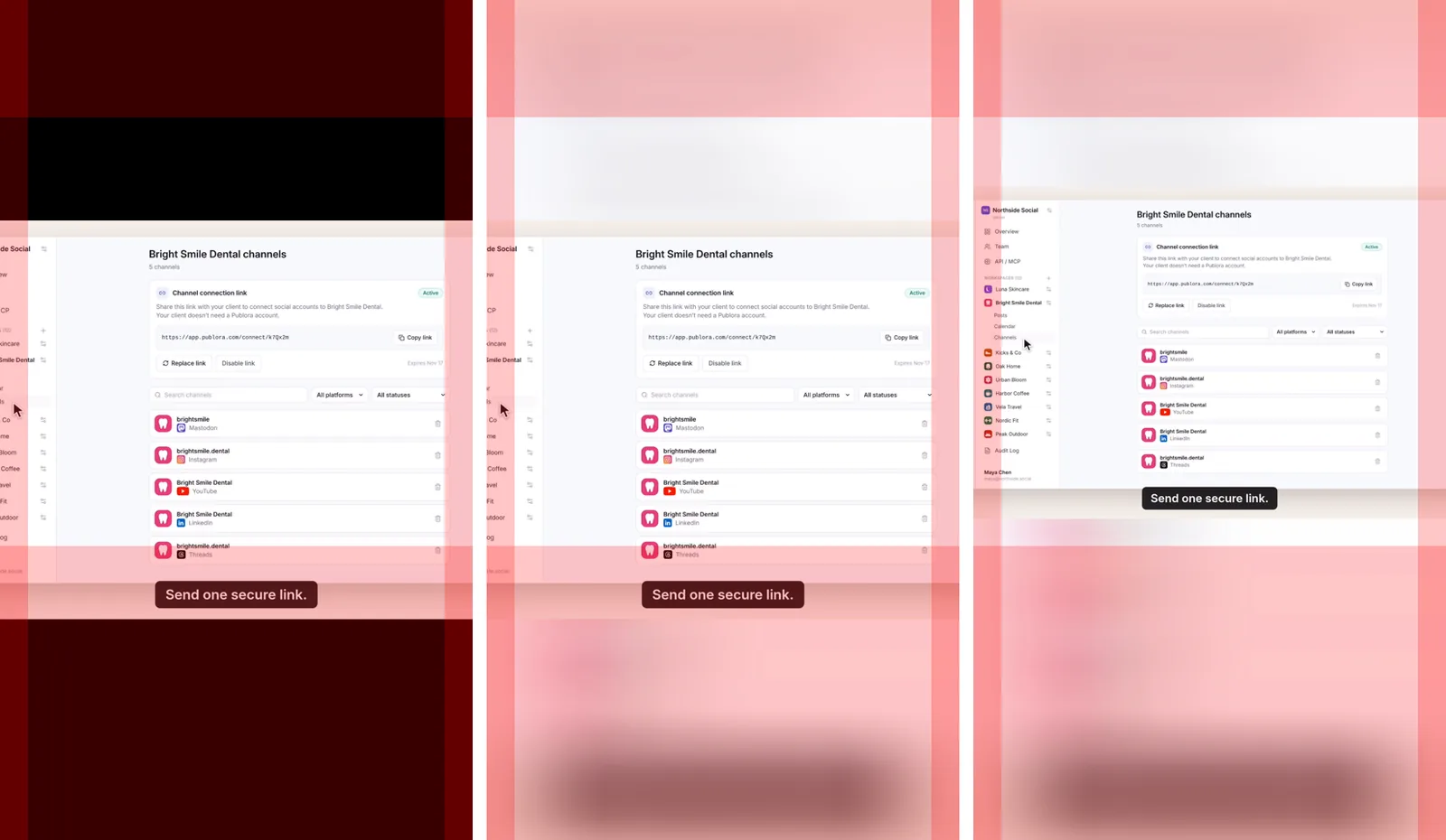
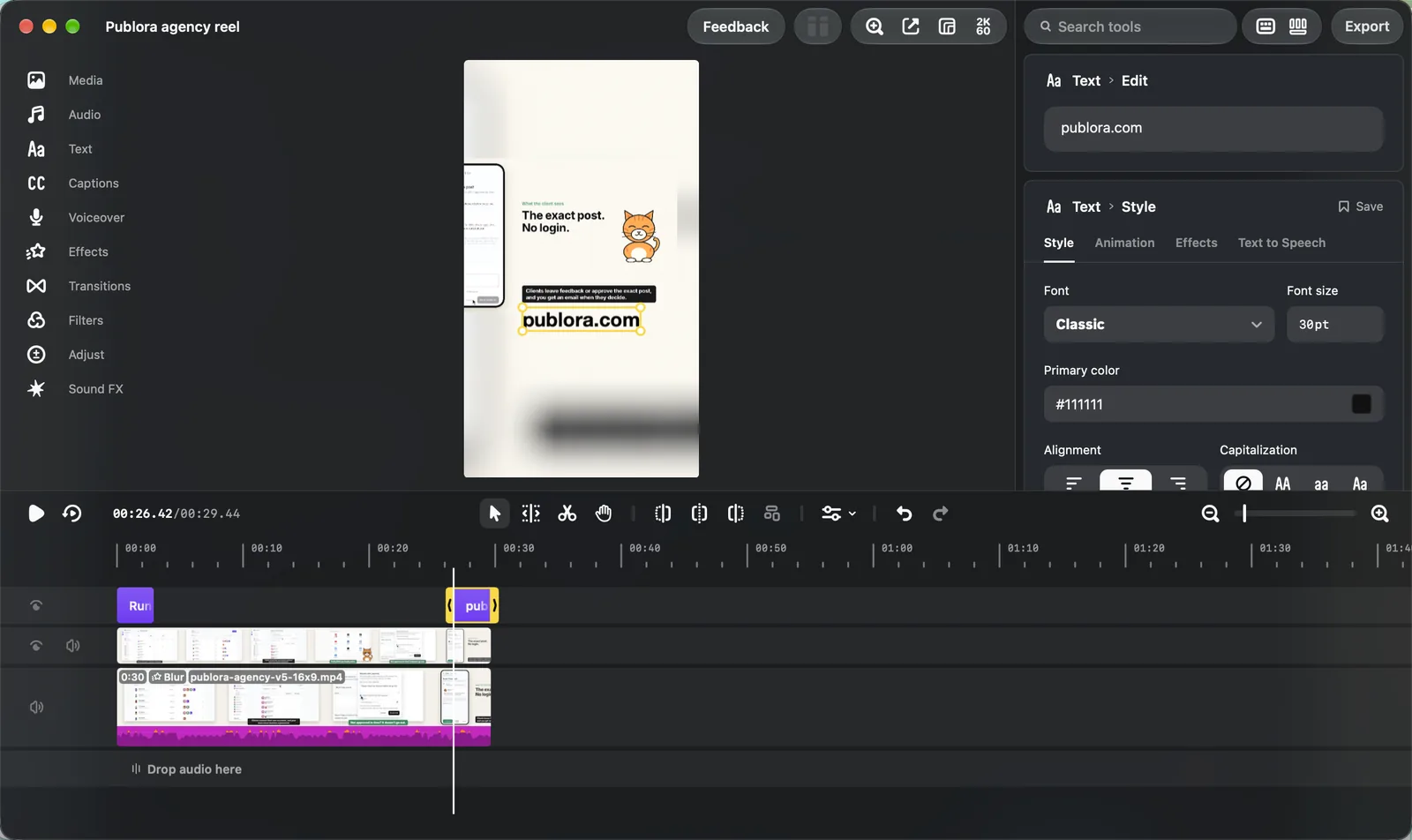
Pass 2 asked Claude to replace the black bars with a blurred copy of the footage and fix the cut-off caption. It duplicated the clip onto a second track, scaled the lower one to fill the frame, applied the Blur effect, muted the copy so the audio didn't play twice, and added keyframes so the last scene shifts left. Better, but every burned-in subtitle now sat in the bottom red zone, where Instagram's caption would cover it.
Pass 3 gave exact numbers, in Edits' own coordinates (0 is the top of the canvas, 1 the bottom):
Move/rescale the sharp clip so the subtitles end above y=0.62 and the clip's top edge stays below y=0.22. Move the title so both lines sit between y=0.15 and y=0.21. Add an end text 'publora.com' from 26.7s to the end, inside the safe area. Check with captureFrame after the changes.
Claude worked out that those limits allow a scale of about 1.27, set 1.25, re-measured every subtitle in captured frames and reported the numbers back. It also added the brand at the end, which the first two versions didn't have. We nudged the end text up by hand with one more tool call.
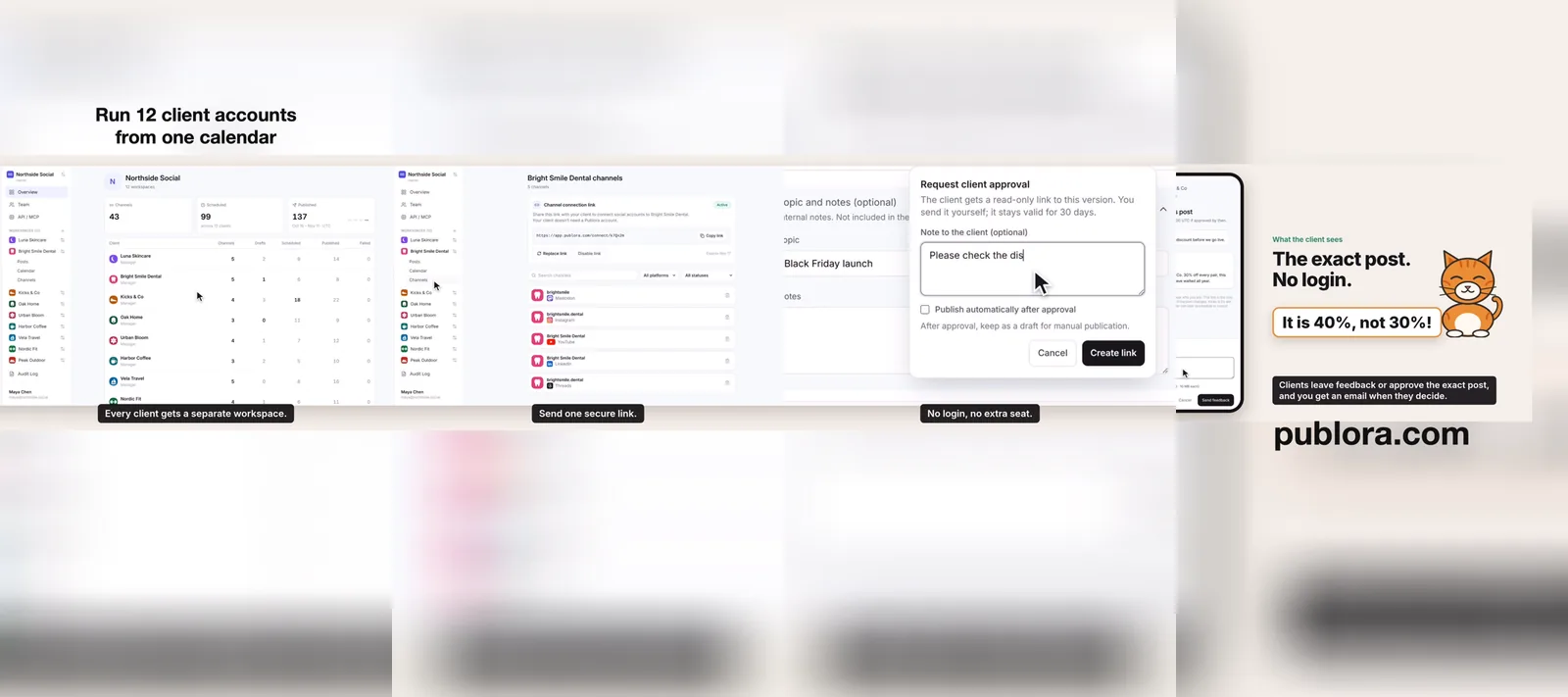
Being specific is what made it work. "Make it fit Reels" gives you a guess. Target zones in canvas coordinates, plus "verify with captureFrame", give you a result you can check.
Step 6: Fix the File Before Uploading
Meta's spec for Reels uploaded through the API asks for an MP4 with the moov atom at the front of the file and no edit lists (Instagram Platform reference). The Edits export (HEVC, 60 fps, 1440×2560, about 5 Mbit/s) met everything else in that spec. But it put the moov atom at the end and included an edit list. We repackaged it without re-encoding:
ffmpeg -i reel.mp4 -map 0:v:0 -map 0:a:0 -c copy -tag:v hvc1 \
  -movflags +faststart -use_editlist 0 reel-final.mp4
Picture and sound stay the same, only the container changes. If you'd rather not touch a terminal, ask Claude Code to run it.
Step 7: Schedule the Reel on Instagram With Publora
Here is how to schedule Reels on Instagram from the same Claude Code session. Add Publora with OAuth, no API key needed (setup docs, or our Claude Code guide):
claude mcp add --transport http --scope user publora https://mcp.publora.com/mcpRun /mcp inside Claude Code, pick publora, choose Authenticate and sign in. Then:
Schedule /Users/you/Movies/edits-out/reel-final.mp4 as an Instagram Reel on my account for 12:00 Tbilisi time today, shared to feed, with this caption: …
Behind that request, Publora's MCP creates a draft, gives Claude an upload link for the local file, checks the video once it's uploaded (ours came back as ready: HEVC, 1440×2560, 29.8 s) and moves the post to the schedule. From the same draft you can add TikTok, YouTube Shorts or LinkedIn, which Edits doesn't post to at all. Not sure when to post? See the best time to post on Instagram.
What Didn't Work
- Publishing over MCP. Not available. Plan for a manual share or a scheduler.
- Files outside Movies. Blocked by the sandbox, see step 3.
- Reopening a project. Our first, empty project wouldn't reopen over MCP ("the project left the editor on reopen and did not come back") and then vanished from the project list. Claude made a new one. Keep the Edits window on the editor or home screen and don't click around in it while the agent works.
- Small tool quirks.
trimClipwith a negative value reported success and changed nothing;trimworked.setTextStylewithbold: truehad no visible effect; switching the font to HelveticaNeue-Bold did. Claude found both by checking frames, which is a good reason to always ask for verification.
FAQ
Does Instagram Edits work with Claude? Yes, with Claude Code (or another agent) running on the same Mac. The Edits MCP is local, so Claude in the browser or the mobile app can't reach it.
Can the Edits MCP post to Instagram? No. It can export a video file. Share it from Edits yourself, or schedule it with a tool like Publora.
Is there Instagram Edits for PC? No, the desktop app is macOS only, on Apple silicon.
Do I have to code? No. You paste two commands into Terminal, one for Edits and one for Publora, and then talk to Claude.
Is it free? Edits is free. Publora's Starter plan is free with the limits above. Claude Code needs a Claude plan or API access.
Can I schedule Instagram Reels from a Mac without Edits? Yes. Publora schedules a finished video from any computer, in the browser or through an AI agent. See how to post on Instagram from a computer and can you schedule posts on Instagram.
Further Reading
- Connect Publora MCP to Claude Code
- Publish to social media from Claude
- How to post on Instagram from a computer
Sources
- Edits for Mac: edits.instagram.com/desktop
- Launch coverage with Simari's quotes: Unite.AI, Mezha, citing The Verge
- Reels safe zones: Meta Ads Guide, Instagram Reels
- Reels file spec: Instagram Platform, IG User Media
- Publora MCP setup: docs.publora.com/mcp/client-setup, Instagram requirements: docs.publora.com/platforms/instagram