
LinkedIn API for Posting
Post to LinkedIn profiles and company pages from your own code or an AI agent, without applying for LinkedIn API access yourself.
If you want to post to LinkedIn via API, you have two options. You can build on LinkedIn's own API, which means registering a developer app, requesting the right products and permissions, and handling OAuth for every member who connects. Or you can use a posting API like Publora, where the LinkedIn integration already exists and you send one HTTP request.
With Publora, the owner of a LinkedIn profile or company page connects it once through OAuth in the Publora dashboard. Your code then posts to it with an API key and a connection ID such as linkedin-Tz9W5i6ZYG. The same request can also go to X, Threads, Bluesky and six other networks.
Below is what the official LinkedIn API requires, where Publora saves you work, and where it does not. If you need ads, lead gen forms or full page management, or want your own app name on the LinkedIn consent screen, building on LinkedIn directly is the better choice.
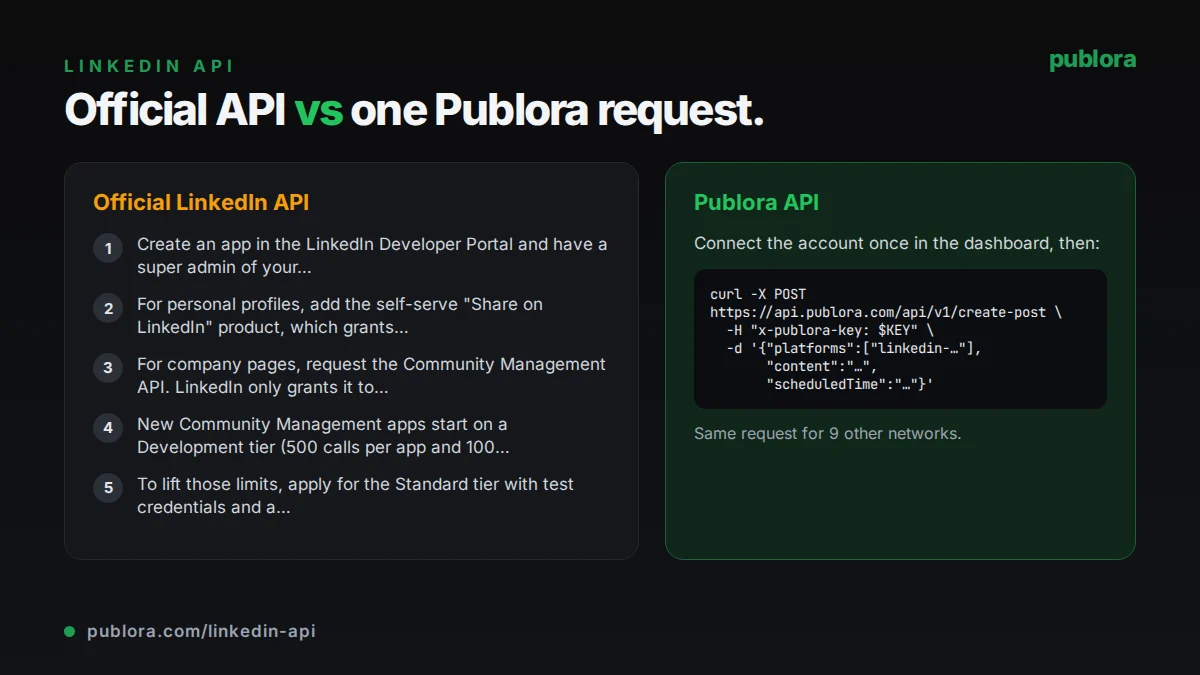
The official LinkedIn API
LinkedIn publishes posts through its Posts API (POST https://api.linkedin.com/rest/posts), which replaced the older ugcPosts API. Every call needs a Linkedin-Version header, and versions are retired on a schedule. Posting as a member requires the w_member_social permission; posting as a company page requires w_organization_social, and the member must be an administrator or content admin of that page.
What posting requires
- Create an app in the LinkedIn Developer Portal and have a super admin of your LinkedIn Page verify it.
- For personal profiles, add the self-serve "Share on LinkedIn" product, which grants w_member_social.
- For company pages, request the Community Management API. LinkedIn only grants it to registered legal organizations with a commercial use case, and asks for a business email, legal name, registered address, website and privacy policy.
- New Community Management apps start on a Development tier (500 calls per app and 100 calls per member per 24 hours) and must finish the integration within 12 months.
- To lift those limits, apply for the Standard tier with test credentials and a screencast of each use case, including the OAuth flow and posting. If the application is rejected, you have to create a new app to apply again.
Cost: LinkedIn's developer documentation does not list usage fees for the Share on LinkedIn or Community Management products. The cost is the approval process and the engineering time to build and maintain the integration.
Official limits
| Share on LinkedIn | 150 requests per member and 100,000 per app per day |
|---|---|
| Community Management, Development tier | 500 calls per app and 100 per member per 24 hours |
| Standard tier limits | Not published; shown per endpoint in the Developer Portal analytics |
| Reset | Daily limits reset at midnight UTC |
| Access tokens | 60 days |
| Organic carousels | Not supported by the Posts API |
Common gotchas
- Programmatic refresh tokens are only issued to approved Marketing Developer Platform partners. Without them, members have to sign in again when the 60-day access token expires.
- Even with refresh tokens, the refresh token keeps its original 365-day lifetime, so members must re-authorize once a year.
- API versions are sunset regularly (for example, version 202510 is retired on October 15, 2026), so the integration needs periodic upgrades.
- The Posts API does not scrape URLs for article posts. You have to supply the title, description and thumbnail yourself.
- Reading members' posts and comments needs r_member_social, which is restricted to approved applications.
Posting to LinkedIn through Publora
No developer app or product approval
Publora holds the LinkedIn app and its permissions. You do not create an app on the LinkedIn Developer Portal or wait for a product request to be approved before you can post for other people.
Profiles and company pages from one connection flow
Users sign in with LinkedIn in the Publora dashboard and pick their personal profile or a company page they administer. Each gets its own platform ID you can target from the API.
Media handled for you
Pass public image or video URLs in mediaUrls, or upload images, a video or a PDF through a pre-signed URL. Publora uploads the files to LinkedIn and attaches them to the post: up to 10 images, one video, or one PDF document per post.
Scheduling built in
Publora adds a scheduling queue in front of LinkedIn: set scheduledTime and the post goes out at that moment. Edit, reschedule or delete it until it is published.
Engagement and analytics endpoints
Comment on and react to posts, reshare them with commentary, @mention people and companies, and read impressions, members reached, reactions, comments and reshares for your posts.
Nine more networks in the same call
Add X, Threads, Bluesky or any other connected account to the platforms array and the same content goes out there too.
| Official LinkedIn API | Publora API | |
|---|---|---|
| Getting access | Developer app, product requests, and Community Management review for company pages | Create an API key; users connect LinkedIn with OAuth in the dashboard |
| Company pages | Needs w_organization_social through the Community Management API | Included; pick a page you administer when connecting |
| Scheduling | You build and run your own queue | Set scheduledTime; edit or reschedule until it publishes |
| Media | Upload each file through LinkedIn's media APIs, then reference it in the post | Public URLs in mediaUrls, or pre-signed uploads for images, video and PDFs |
| Tokens | 60-day access tokens; refresh tokens for approved partners only | Stored by Publora; tokenStatus tells you when a reconnect is needed |
| Other networks | LinkedIn only | 10 networks from the same request |
| API coverage | Full LinkedIn surface, including ads, lead gen and page management for approved apps | Posting, reposts, comments, reactions, mentions and post statistics |
| Branding on consent screen | Your own app name | Users authorize Publora |
| Price | No usage fee listed | Free Starter plan (15 posts a month); Pro from $5.99 per account per month |
Post to LinkedIn via API
curl -X POST https://api.publora.com/api/v1/create-post \
  -H "Content-Type: application/json" \
  -H "x-publora-key: sk_YOUR_API_KEY" \
  -d '{
    "content": "We cut our deploy time from 40 minutes to 6. Here is what changed.",
    "platforms": ["linkedin-YOUR_PROFILE_ID"],
    "scheduledTime": "2026-10-06T14:00:00Z",
    "mediaUrls": ["https://example.com/deploy-chart.png"]
  }'
import os
import requests
resp = requests.post(
"https://api.publora.com/api/v1/create-post",
headers={"x-publora-key": os.environ["PUBLORA_API_KEY"]},
json={
"content": "We cut our deploy time from 40 minutes to 6. Here is what changed.",
"platforms": ["linkedin-YOUR_PROFILE_ID"],
"scheduledTime": "2026-10-06T14:00:00Z",
"mediaUrls": ["https://example.com/deploy-chart.png"],
},
)
resp.raise_for_status()
print(resp.json()["postGroupId"])Or let an AI agent post
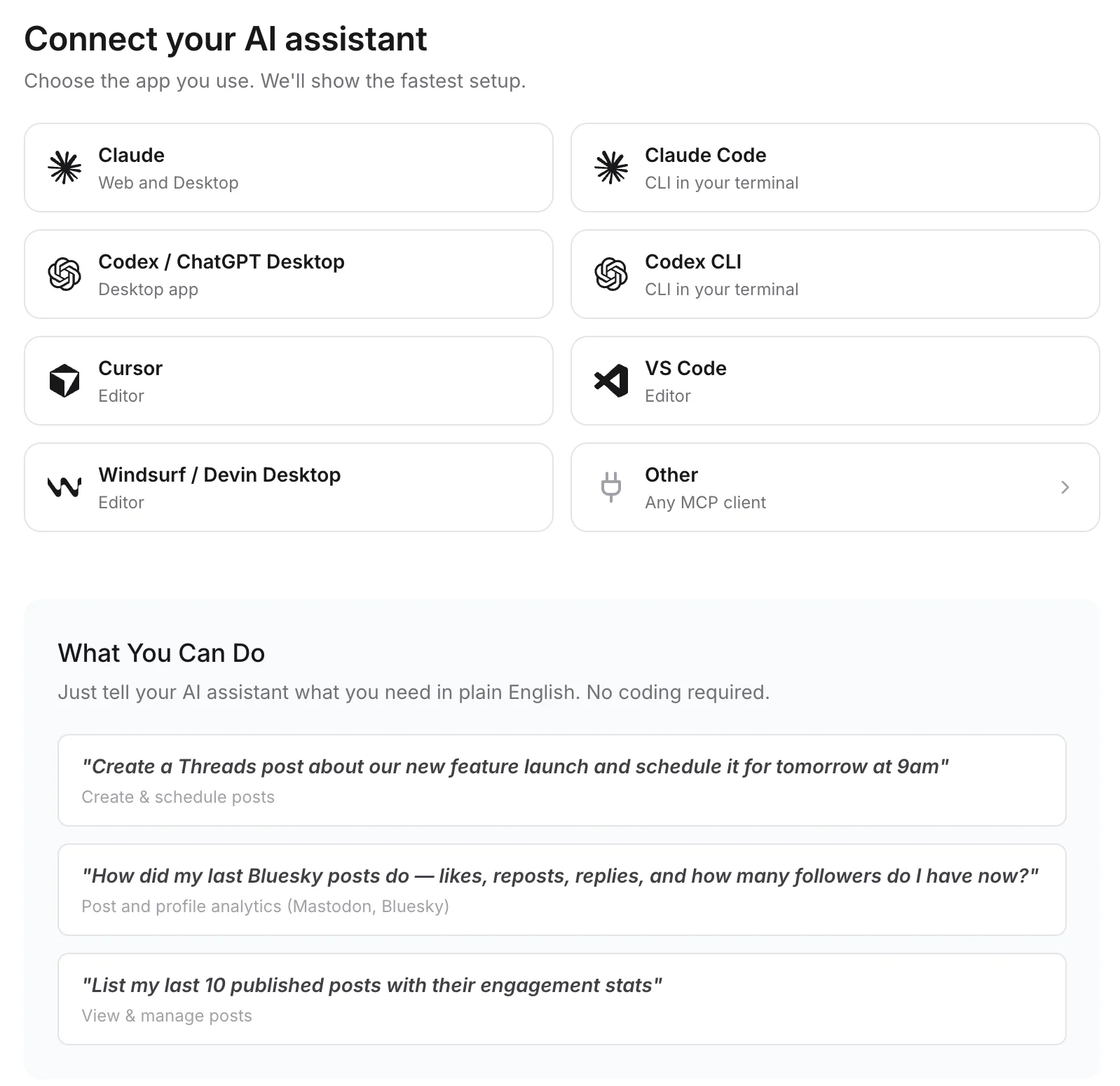
Connect any MCP client to mcp.publora.com:
- “List my LinkedIn connections, then schedule this announcement to our company page for Tuesday at 14:00 UTC.”
- “Repost urn:li:share:7434685316856377344 from my personal profile tomorrow at 09:00 UTC with a one-line comment.”
- “Comment "Congrats on the launch" on LinkedIn post urn:li:share:7434685316856377344 and react with Celebrate.”
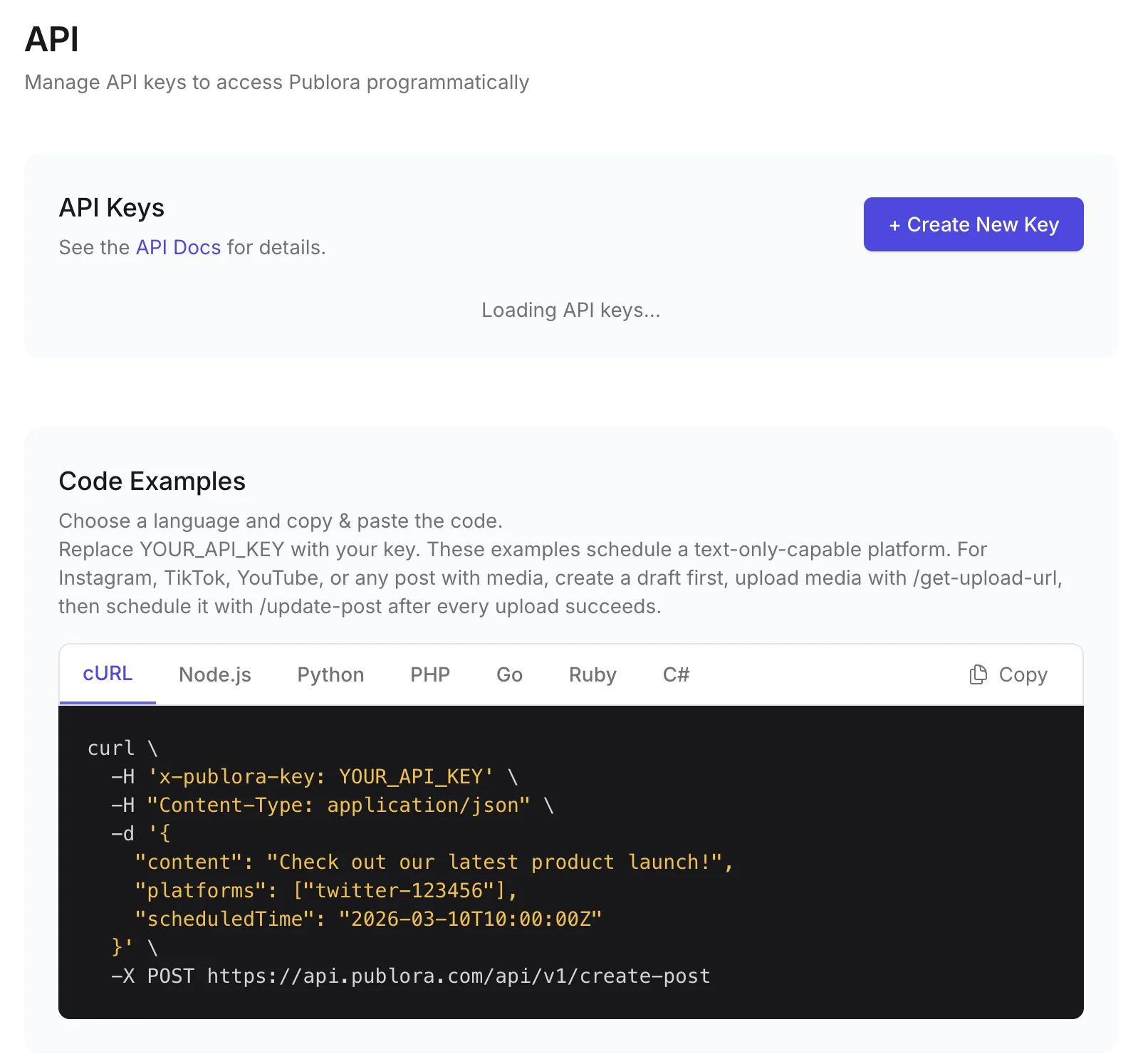
Where you get the key and connect agents
LinkedIn API FAQ
Is the LinkedIn API free to use?
LinkedIn does not list usage fees for its posting products, but access is gated. Personal posting is self-serve through Share on LinkedIn, while posting to company pages needs Community Management API approval, which is limited to registered organizations. Publora's free Starter plan includes LinkedIn posting through its API.
Can I post to a LinkedIn company page via API?
Yes. With the official API you need w_organization_social from the Community Management API and a member with an admin or content admin role on the page. With Publora, the page admin connects the page in the dashboard and you post to its linkedin- connection ID.
Do I need LinkedIn partner approval to use Publora?
No. Publora holds the LinkedIn app and permissions. You need a Publora API key, and whoever owns the profile or page connects it once through OAuth.
Can I schedule LinkedIn posts through an API?
Yes. Send create-post with a scheduledTime in ISO 8601 UTC. Publora publishes at that time, and you can reschedule or edit the post with update-post until then.
Can I post a LinkedIn carousel through the API?
LinkedIn's Posts API does not support organic carousels. You can post up to 10 images as a multi-image post, or a PDF, which LinkedIn shows as a document people can page through.
Can I read LinkedIn comments or my feed through Publora?
Not yet. Reading posts and comments needs LinkedIn's restricted r_member_social permission, and Publora's feed-retrieval endpoints stay disabled until LinkedIn approves it. You can create and delete comments and reactions, and read post statistics.
Guides
- How to Like and Comment on LinkedIn Posts via API: A Developer's Guide
- How to Schedule LinkedIn Posts in 2026 (Step-by-Step Guide)
- How to Post to LinkedIn From Cursor
- How to Post to LinkedIn with Manus AI Agent (2026)
Sources
- LinkedIn Posts API
- Share on LinkedIn
- Community Management App Review
- Increasing Access (Development and Standard tiers)
- LinkedIn API Rate Limits
- Programmatic Refresh Tokens
Post to LinkedIn and 9 more networks with one API
API and MCP access are included on every plan, including the free Starter plan (posting to X requires Pro).