
Telegram API: Post to Telegram Channels via API
The Telegram Bot API is free and simple for channel posting. Here is how it works, its limits, and when one Publora integration with scheduling is worth adding on top.
Posting to a Telegram channel from code is about as easy as social APIs get. Create a bot with @BotFather, make it an admin of your channel, and call https://api.telegram.org/bot<token>/sendMessage with the channel's @username as chat_id. There is no review and no fee. If Telegram is the only place you post, a short script against the Bot API is all you need.
What the Bot API does not give you is a place to keep posts until later, or anything for the other networks you publish to. Scheduling, retries, media handling and the next network are all code you write and host yourself.
Publora posts to Telegram through your own bot too. What it adds is one API for Telegram and nine other networks, a scheduler, Telegram post options in the same request, and an MCP server so AI agents like Claude can queue channel posts. Publora supports channels and supergroups; regular groups are rejected.
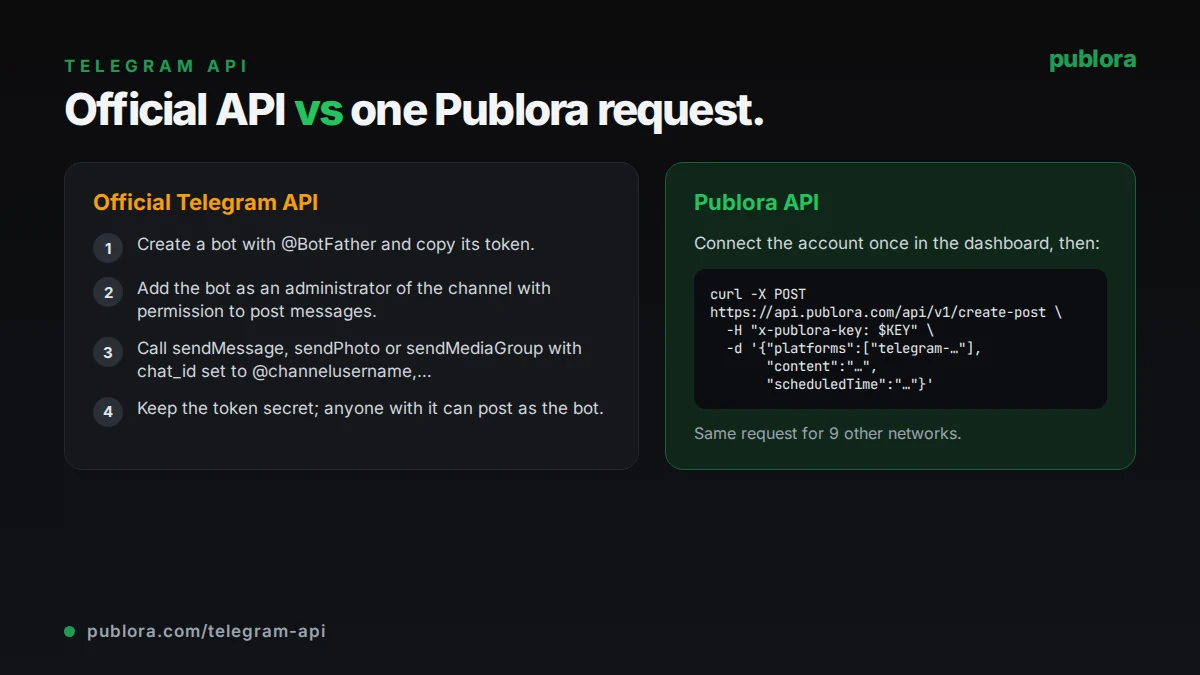
The official Telegram API
Every Bot API call is an HTTPS request to https://api.telegram.org/bot<token>/METHOD_NAME, with parameters as a query string, form data or JSON. Text posts use sendMessage, photos use sendPhoto, and albums use sendMediaGroup with 2 to 10 items. Formatting is set with parse_mode as Markdown or HTML. To post in a channel, the bot must be an administrator of it.
What posting requires
- Create a bot with @BotFather and copy its token.
- Add the bot as an administrator of the channel with permission to post messages.
- Call sendMessage, sendPhoto or sendMediaGroup with chat_id set to @channelusername, or the numeric chat ID for a private channel.
- Keep the token secret; anyone with it can post as the bot.
Cost: Free. Bots can message users at no cost. Only paid broadcasts, which let a bot exceed the free rate of about 30 messages per second, cost 0.1 Telegram Stars per message over the free amount.
Official limits
| Text message | 1 to 4,096 characters |
|---|---|
| Media caption | 0 to 1,024 characters |
| Media group (album) | 2 to 10 items |
| Upload size | Photos 10 MB, other files 50 MB |
| Per chat | Avoid more than 1 message per second |
| Per group | 20 messages per minute |
| Broadcast | About 30 messages per second free; up to 1,000 with paid broadcasts |
Common gotchas
- Captions on photos and videos stop at 1,024 characters, a quarter of the text-message limit, so long announcements with an image need two messages.
- Bots can upload files up to 50 MB only; larger videos have to be compressed or linked.
- Only one message per second is advised per chat, and 20 per minute in a group, so bursts of posts need throttling on your side.
- Being an admin is not enough in a channel; the bot also needs the right to post messages.
- Posting at a set time means running your own job runner that stays online and retries failures.
Posting to Telegram through Publora
Your bot, Publora's scheduler
Connect the channel in Publora Channels with your bot token and the channel name or numeric chat ID. Publora checks the bot's admin rights, then sends each post at its scheduledTime.
Long captions handled
When text with media is longer than 1,024 characters, Publora posts the media and sends the full text as a reply to it, so nothing is cut off.
Post options in the same request
Set disableNotification, disableWebPagePreview and protectContent under platformSettings.telegram for silent posts, no link previews or forward protection.
Markdown-style formatting
Write *bold*, _italic_, `code`, [links](https://example.com) and > quotes in content, and Publora sends them formatted.
One call for ten networks
Add LinkedIn, X, Bluesky or other connection IDs to platforms and the same request publishes everywhere, each checked against its own limits.
| Official Telegram API | Publora API | |
|---|---|---|
| Access | Free; bot token from @BotFather | Your bot token stored once, plus a Publora API key |
| Price | Free (paid broadcasts optional) | Free Starter plan; Pro $5.99 per account per month |
| Destinations | Any chat the bot can post in | Channels and supergroups; regular groups rejected |
| Scheduling | Run your own scheduler | scheduledTime in UTC |
| Captions over 1,024 | Error; split it yourself | Text sent as a reply to the media |
| Media | Upload per method (sendPhoto, sendMediaGroup) | mediaUrls or presigned upload; up to 10 images or 1 video |
| Other networks | Telegram only | 10 networks in one request |
| Coverage | Full Bot API (replies, buttons, inline mode) | Publishing and scheduling posts |
Post to Telegram via API
curl -X POST https://api.publora.com/api/v1/create-post \
  -H "Content-Type: application/json" \
  -H "x-publora-key: sk_YOUR_API_KEY" \
  -d '{
    "content": "*Weekly digest #42*\n\n- _New:_ export to CSV\n- Faster search\n\nRead more: [changelog](https://example.com/changelog)",
    "platforms": ["telegram-1001234567890"],
    "scheduledTime": "2026-10-09T08:00:00.000Z",
    "platformSettings": {
      "telegram": {
        "disableNotification": true,
        "disableWebPagePreview": true
      }
    }
  }'
# { "success": true, "postGroupId": "...", "scheduledTime": "2026-10-09T08:00:00.000Z" }
import requests
response = requests.post(
"https://api.publora.com/api/v1/create-post",
headers={
"Content-Type": "application/json",
"x-publora-key": "sk_YOUR_API_KEY",
},
json={
"content": "*New in the shop this week*\n\nFour new prints, available until Sunday.",
"platforms": ["telegram-1001234567890"],
"scheduledTime": "2026-10-09T18:00:00.000Z",
"mediaUrls": [
"https://example.com/prints/1.jpg",
"https://example.com/prints/2.jpg",
"https://example.com/prints/3.jpg",
"https://example.com/prints/4.jpg",
],
"platformSettings": {"telegram": {"protectContent": True}},
},
)
print(response.json()) # {'success': True, 'postGroupId': '...', 'scheduledTime': '...'}Or let an AI agent post
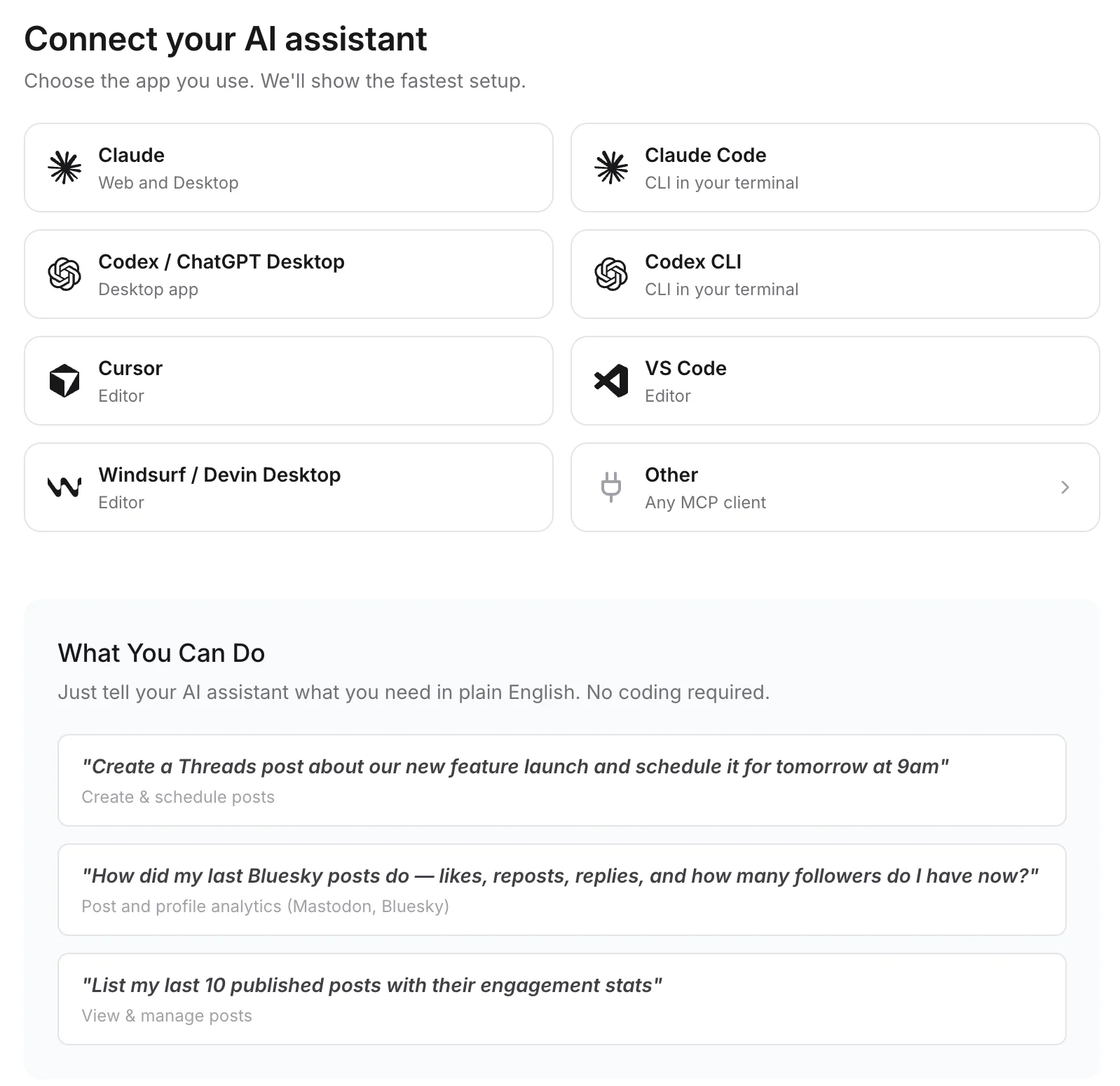
Connect any MCP client to mcp.publora.com:
- “Format this week's updates as a Telegram post with a bold title and bullet points, and schedule it to my channel for Monday at 08:00 UTC as a silent message.”
- “Schedule these four image URLs as one album in my Telegram channel tomorrow at 18:00 UTC with a short caption.”
- “Post this launch note to my Telegram channel, LinkedIn page and Bluesky account on Thursday at 12:00 UTC.”
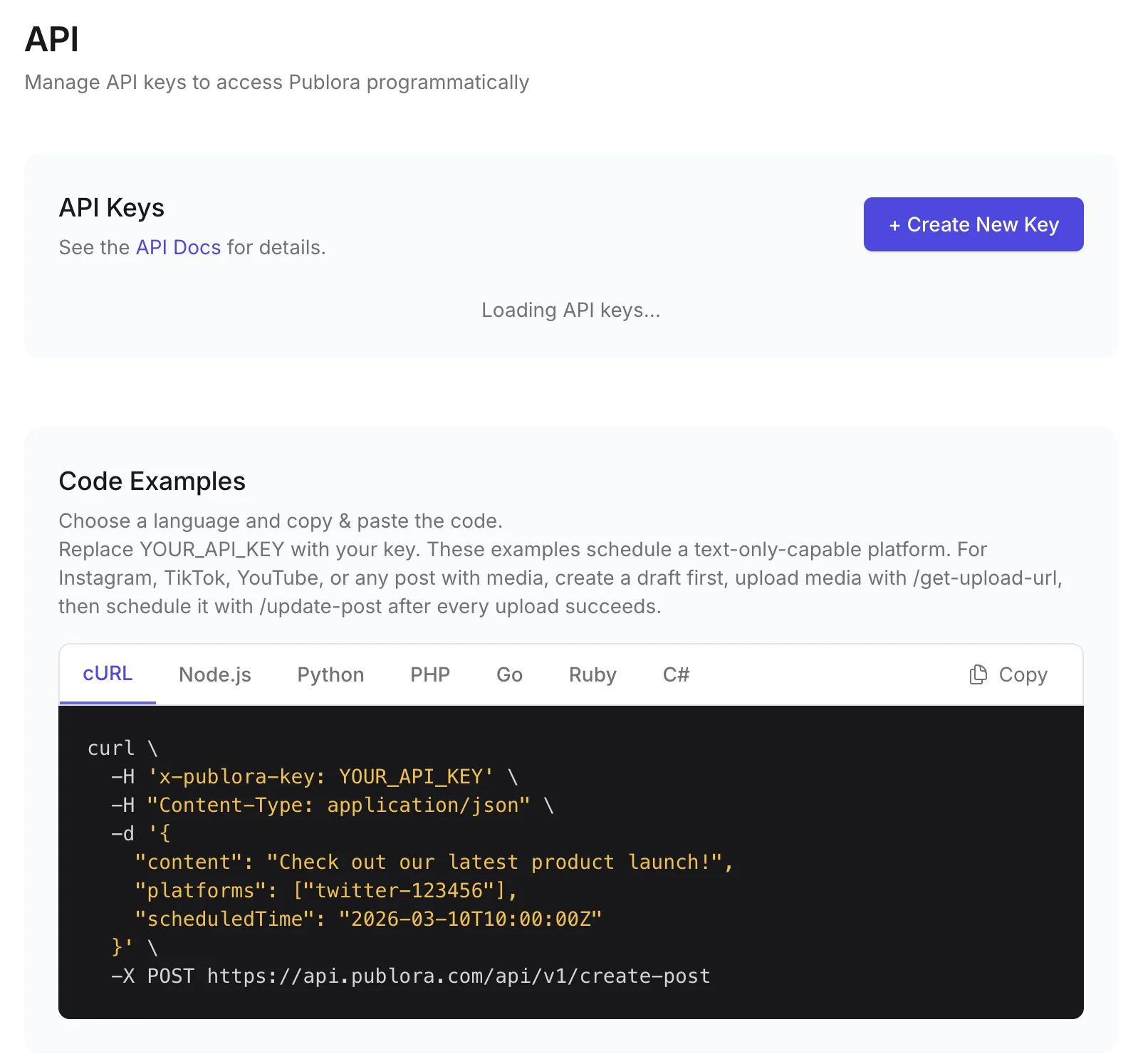
Where you get the key and connect agents
Telegram API FAQ
Is the Telegram Bot API free?
Yes. Bots can post at no cost. Telegram charges only for paid broadcasts, which let a bot send more than about 30 messages per second, at 0.1 Stars per message above the free amount.
How do I post to a Telegram channel via API?
Create a bot with @BotFather, add it as a channel admin with permission to post messages, and call sendMessage with chat_id set to @yourchannel. With Publora, you connect the same bot once and send POST /create-post with your Telegram connection ID.
Should I use the Bot API directly or Publora?
If you only post to Telegram and are happy to run your own scheduler, the Bot API is enough. Publora helps when Telegram is one of several networks, when you want scheduling without hosting a job runner, or when an AI agent should post through MCP.
Can Publora post to Telegram groups?
It posts to channels and supergroups where your bot is an admin. Regular groups are rejected; convert the group to a supergroup or use a channel.
What does Publora cost for Telegram?
The free Starter plan includes the API and MCP server: 3 connected accounts, 15 posts per month, up to 3 scheduled posts at a time and scheduling up to 7 days ahead. Pro is $5.99 per account per month, $3.99 billed yearly, with graduated discounts from the 6th account.
Guides
- Social Media Scheduling API: Post to 10 Platforms with One Call (2026)
- Claude Code for Social Media: Schedule Posts from Your Terminal
- Connect Publora to 8,000+ apps with Zapier
- Social Media API: Rate Limits, Tokens, and Webhooks Explained
Sources
Post to Telegram and 9 more networks with one API
API and MCP access are included on every plan, including the free Starter plan (posting to X requires Pro).