
Threads API for Posting: Publish to Threads via API
What it takes to post to Threads through Meta's official API, and how to send the same posts, carousels and chains with one Publora API call.
Meta's Threads API lets apps publish text, images, video and carousels to Threads profiles. It is a real, documented API, but posting on behalf of other people means building a Meta app, passing App Review, handling OAuth tokens that expire, and working through a two-step container-then-publish flow for every post.
Publora already holds an approved Meta app. You connect your Threads account once in the Publora dashboard with Meta sign-in, then post with a single REST request using an API key. Long text becomes a connected chain automatically, and the same request can also target any of the other nine networks Publora supports.
If you only ever need Threads for your own account and enjoy owning the integration, the official API is a fine choice. If you want Threads alongside LinkedIn, X, Bluesky and the rest, with scheduling and an MCP server for AI agents, Publora saves you the Meta setup.
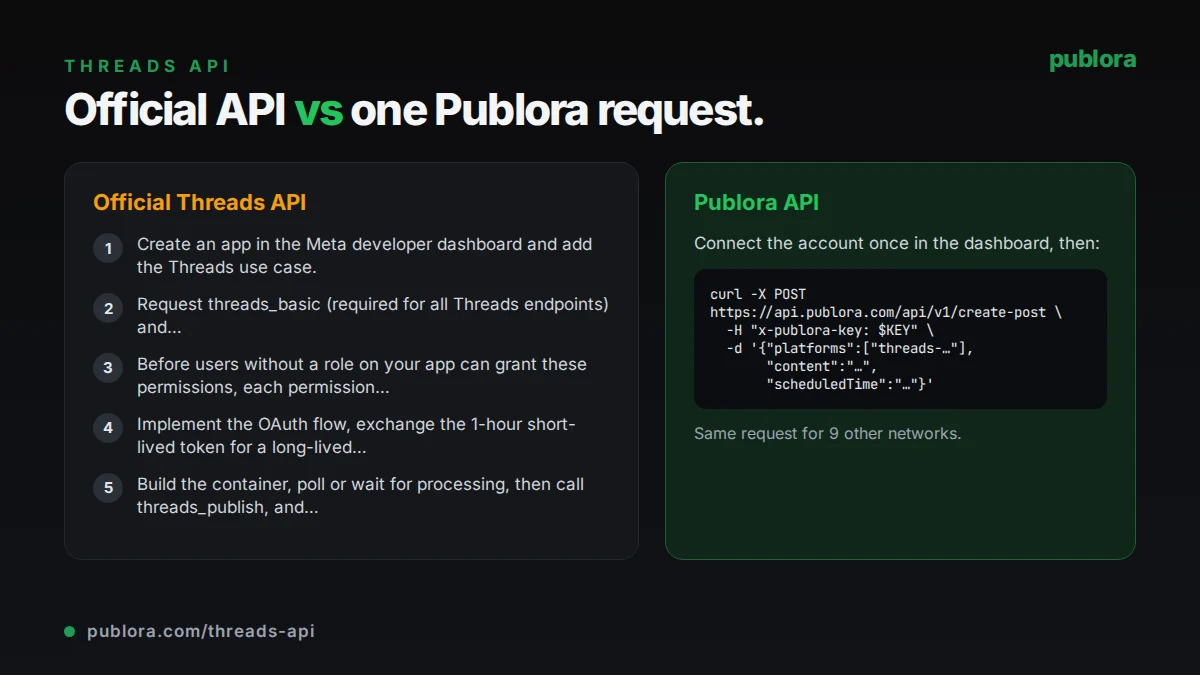
The official Threads API
The Threads API is part of Meta's developer platform. Publishing is a two-step process: create a media container with POST /{threads-user-id}/threads, then publish it with POST /{threads-user-id}/threads_publish. Carousels add a third step, because each item is created as its own container before the carousel container. Meta recommends waiting on average 30 seconds before publishing a container so the upload can finish processing.
What posting requires
- Create an app in the Meta developer dashboard and add the Threads use case.
- Request threads_basic (required for all Threads endpoints) and threads_content_publish (required for publishing). Replies and chains also need threads_manage_replies.
- Before users without a role on your app can grant these permissions, each permission must be approved through App Review and the app must be published.
- Implement the OAuth flow, exchange the 1-hour short-lived token for a long-lived token valid for 60 days, and refresh it before it expires.
- Build the container, poll or wait for processing, then call threads_publish, and repeat with reply_to_id for each part of a chain.
Cost: Meta's Threads API documentation lists no per-call fee. The cost is engineering time: app setup, App Review, token refresh and ongoing maintenance.
Official limits
| Published posts | 250 per profile per 24 hours |
|---|---|
| Replies | 1,000 per profile per 24 hours |
| Deletions | 100 per profile per 24 hours |
| Text | 500 characters per post |
| Carousel items | 2 to 20; a carousel counts as one post toward the limit |
| Short-lived token | 1 hour |
| Long-lived token | 60 days, refreshable |
Common gotchas
- Publishing a container before Meta finishes processing the media fails, so video and carousel flows need a wait or a status check.
- App Review takes time, and the app has to be published before real users can connect.
- A chain is not one call: each part is published as a reply to the previous one with reply_to_id, and a failure halfway leaves a partial thread.
- Long-lived tokens expire after 60 days if they are not refreshed, which silently breaks scheduled jobs.
- Emoji count toward the 500-character limit differently than plain letters, so length checks need care.
Posting to Threads through Publora
No Meta app or App Review on your side
Publora holds the Meta app approval. You connect your Threads account with Meta sign-in in the Publora dashboard and get a connection ID such as threads-55667788.
One request instead of container, wait, publish
POST /create-post with content, platforms and an optional scheduledTime. Publora creates the containers, waits for processing and publishes at the time you set.
Chains from one content field
Text over 500 characters is split into a numbered chain of replies. Put --- on its own line to choose the breaks yourself; those parts are posted as written. Media goes on the first part.
Tokens and permissions checked for you
Publora refreshes tokens and checks the threads_manage_replies grant before publishing a chain. If it is missing, the request is rejected with THREADS_PERMISSION_REQUIRED before anything is posted.
Same call for nine more networks
Add linkedin-, x-, bluesky- or any other connection ID to the platforms array and the same text goes out everywhere, each network validated against its own limits.
| Official Threads API | Publora API | |
|---|---|---|
| Setup | Meta app, App Review, published app | Connect account in dashboard, create API key |
| Auth | OAuth; 60-day tokens to refresh | x-publora-key header; Publora refreshes tokens |
| Publishing flow | Create container, wait, publish | One POST /create-post |
| Chains | One reply_to_id call per part | Automatic from one content field or --- breaks |
| Scheduling | Build your own queue | scheduledTime in UTC |
| Other networks | Threads only | 10 networks in one request |
| AI agents | Write your own tool wrapper | MCP server at mcp.publora.com |
| Control | Full access to every endpoint | Publishing, scheduling and reply control only |
Post to Threads via API
curl -X POST https://api.publora.com/api/v1/create-post \
  -H "Content-Type: application/json" \
  -H "x-publora-key: sk_YOUR_API_KEY" \
  -d '{
    "content": "We moved our API to a new region last week. Here is what we learned.\n\n---\n\nFirst, map every dependency before you touch anything.\n\n---\n\nSecond, run both systems in parallel and compare outputs.",
    "platforms": ["threads-55667788"],
    "scheduledTime": "2026-10-06T14:00:00.000Z",
    "platformSettings": {
      "threads": { "replyControl": "accounts_you_follow" }
    }
  }'
# { "success": true, "postGroupId": "...", "scheduledTime": "2026-10-06T14:00:00.000Z" }
import requests
response = requests.post(
"https://api.publora.com/api/v1/create-post",
headers={
"Content-Type": "application/json",
"x-publora-key": "sk_YOUR_API_KEY",
},
json={
"content": "Our new dashboard is live. Three screenshots of what changed.",
"platforms": ["threads-55667788"],
"scheduledTime": "2026-10-06T14:00:00.000Z",
"mediaUrls": [
"https://example.com/img/overview.png",
"https://example.com/img/filters.png",
"https://example.com/img/export.png",
],
},
)
print(response.json()) # {'success': True, 'postGroupId': '...', 'scheduledTime': '...'}Or let an AI agent post
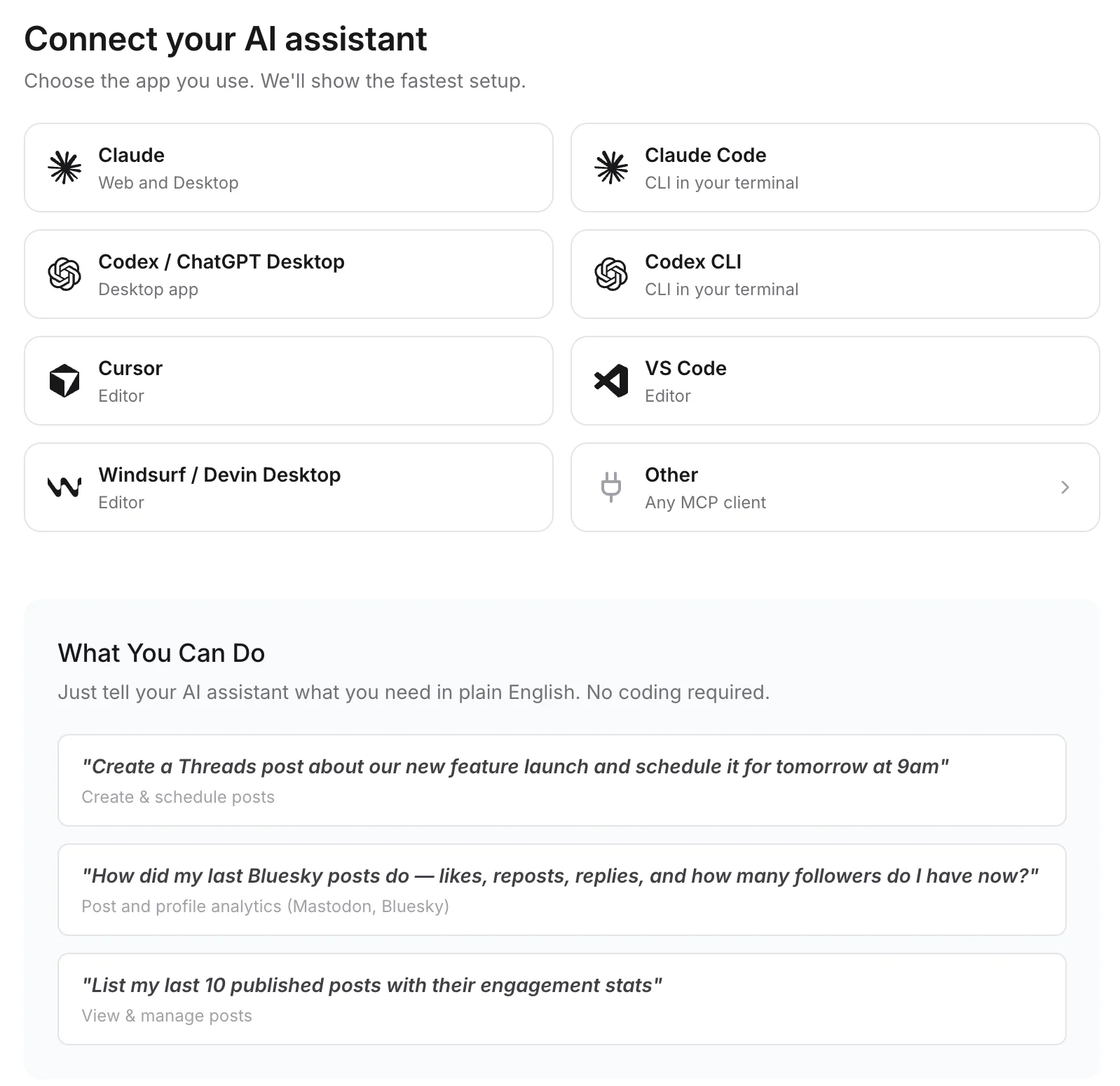
Connect any MCP client to mcp.publora.com:
- “Turn this changelog into a Threads chain of four parts, each under 480 characters, and schedule it for Tuesday 14:00 UTC.”
- “Schedule a Threads carousel from these three image URLs tomorrow at 09:00 UTC and only let accounts I follow reply.”
- “Post this announcement to my Threads and LinkedIn accounts at the same time on Friday at 16:00 UTC.”
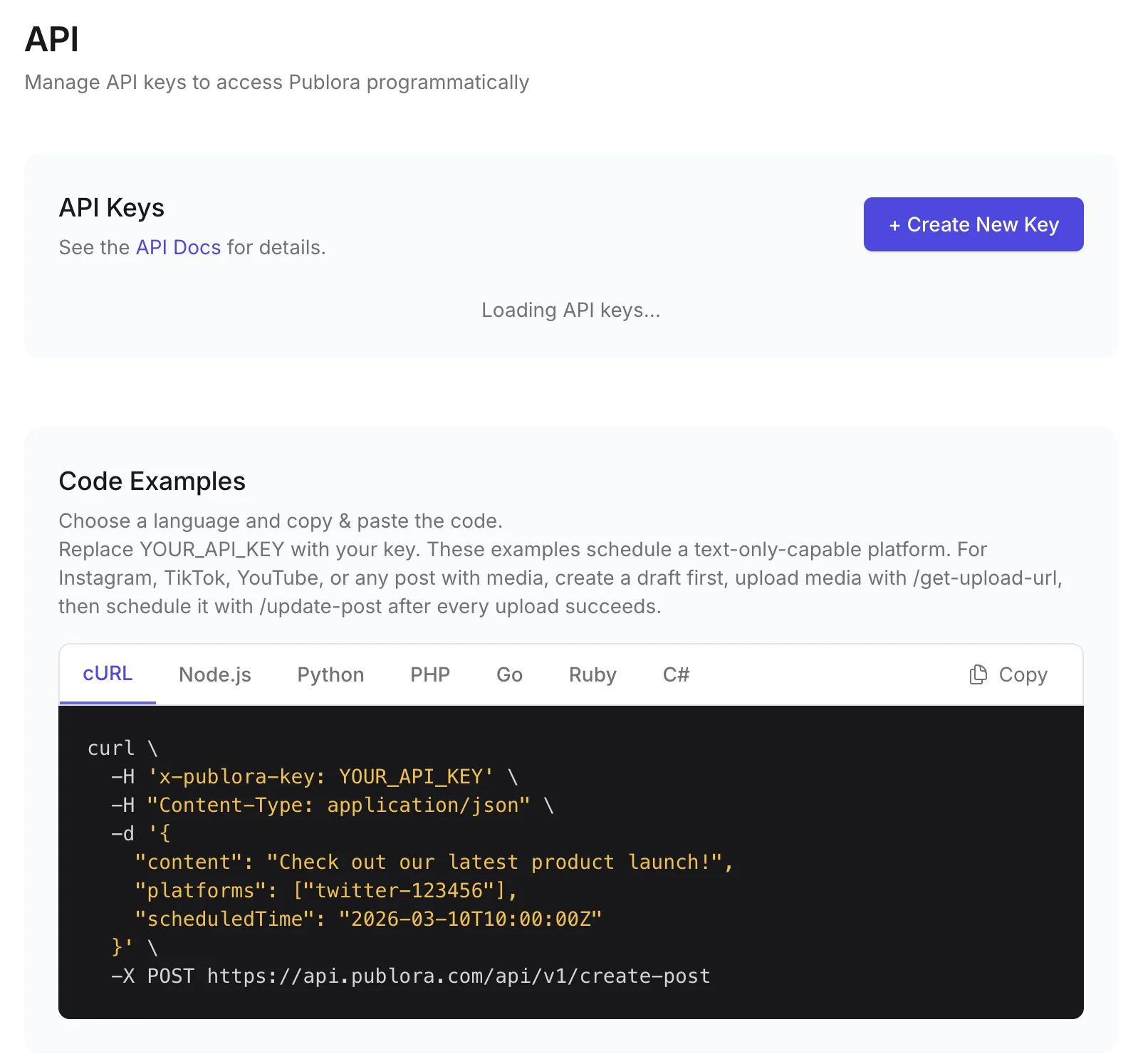
Where you get the key and connect agents
Threads API FAQ
Is there an official Threads API for posting?
Yes. Meta's Threads API supports publishing text, images, video and carousels with the threads_basic and threads_content_publish permissions. Apps that let other people connect need App Review.
Do I need Meta App Review to post to Threads via Publora?
No. Publora holds the approved Meta app. You connect your Threads account with Meta sign-in in the dashboard and then use your Publora API key.
What is the Threads API rate limit?
Meta allows 250 published posts and 1,000 replies per profile in a 24-hour window. A carousel counts as one post. Publora does not raise these limits.
How do I post a multi-part thread through the API?
Send the whole text in content. Over 500 characters, Publora splits it into a numbered chain; lines containing only --- set the breaks yourself. The account needs the threads_manage_replies permission, which the current connection flow requests.
Can I use the Threads API for free with Publora?
Yes. The free Starter plan includes the REST API and MCP server with 3 connected accounts, 15 posts per month, up to 3 scheduled posts at a time and scheduling up to 7 days ahead. Pro is $5.99 per account per month, or $3.99 billed yearly.
Guides
- How to Post Carousels to Threads via API: Complete Guide with Code Examples
- Best Social Media API for AI Agents 2026 (LinkedIn, X, Threads)
- The Best Time to Post on Threads in 2026
- Social Media API: Rate Limits, Tokens, and Webhooks Explained
Sources
- Threads API: Posts
- Threads API: Get started (permissions, App Review, tokens)
- Threads API: Troubleshooting (rate limits)
Post to Threads and 9 more networks with one API
API and MCP access are included on every plan, including the free Starter plan (posting to X requires Pro).