How to Connect Publora to Manus: Connector Setup (2026)

· Updated
TL;DR
Add Publora from the Manus connectors catalog, paste your API key, approve one login, and let Manus post to LinkedIn, X, Instagram and 7 more networks.
Publora is now in the Manus connectors catalog. Add it once, and Manus can list your social accounts, write drafts, schedule posts and publish to LinkedIn, X, Instagram and seven more networks from an ordinary chat.
This page used to describe the older way in: tell Manus to install our skills from GitHub and paste a key into the chat. That still works, and it is at the end of this guide. The connector is easier to set up. I added it from a brand-new Manus account on the free plan, the way someone who has never seen Publora would, and this guide shows every screen I saw.
Before You Start
You need three things:
- a Manus account; the free plan is enough;
- a Publora account;
- at least one social account connected inside Publora.
The connector publishes through accounts you have already connected in Publora. It does not connect new ones. The Publora free plan includes 15 posts a month, three accounts, scheduling up to a week ahead and every network except X. No card required.
Everything in this guide, four requests to Manus, used 12 of the 1,300 credits on the Manus free plan.
What Are Manus Connectors?
Manus connectors are ready-made integrations that let Manus act inside other services from the chat. You add one in a couple of clicks, and Manus gets that service's tools without any setup on your side. Under the hood, Publora's connector is an MCP server, the same one that powers Publora in Claude and ChatGPT.
Step 1. Find Publora in the Manus Connectors Catalog
In Manus, click the connectors icon in the message box, then Add connectors. Type Publora in the search.
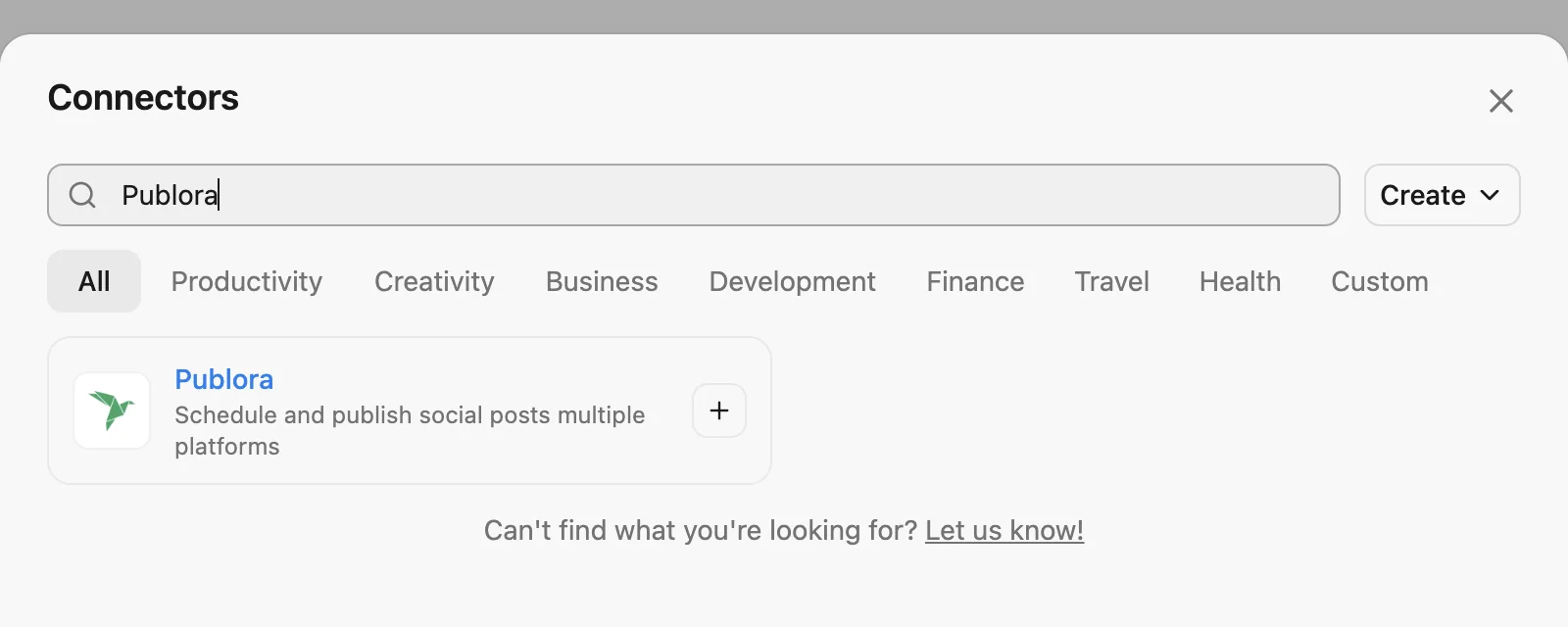
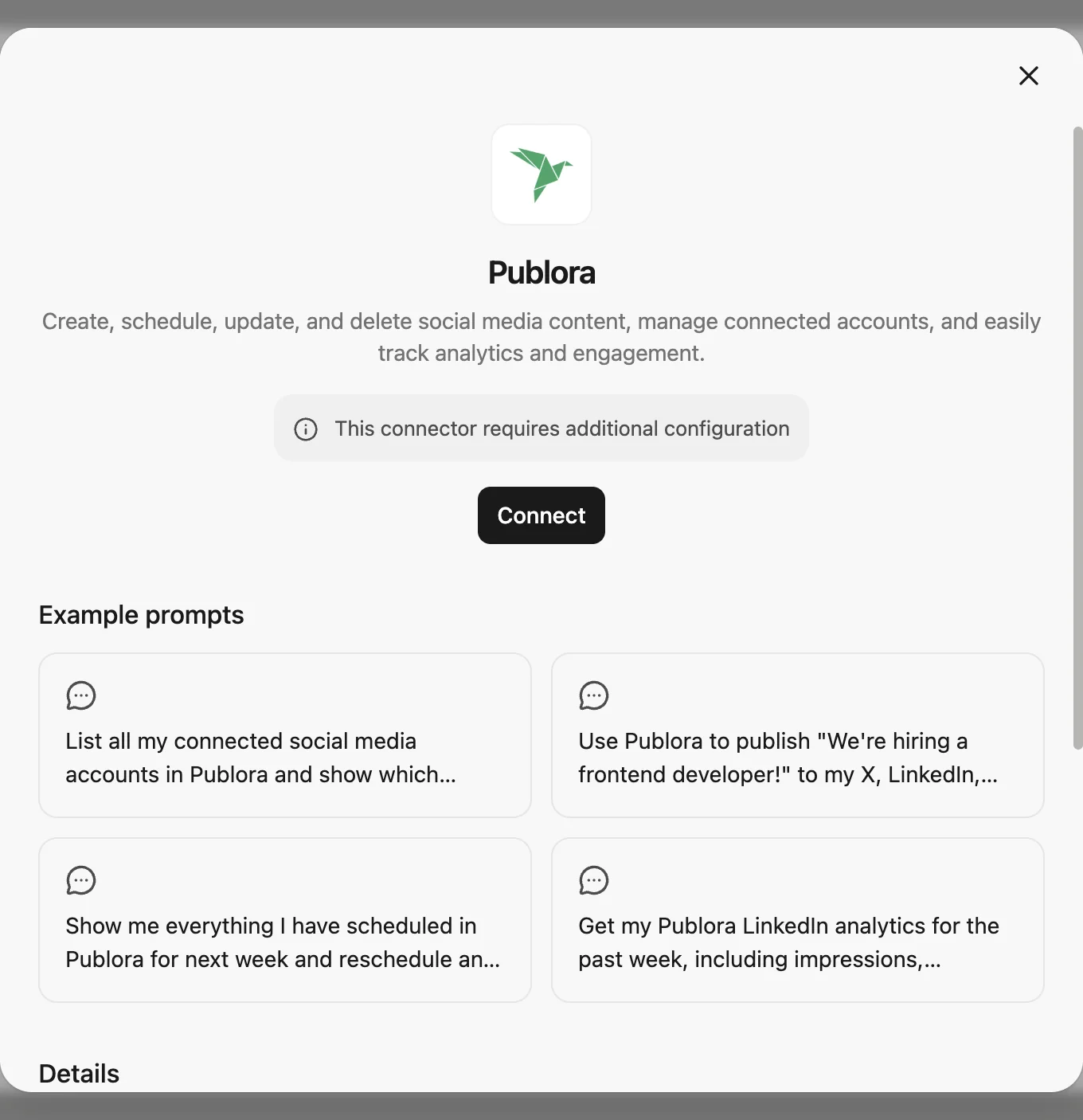
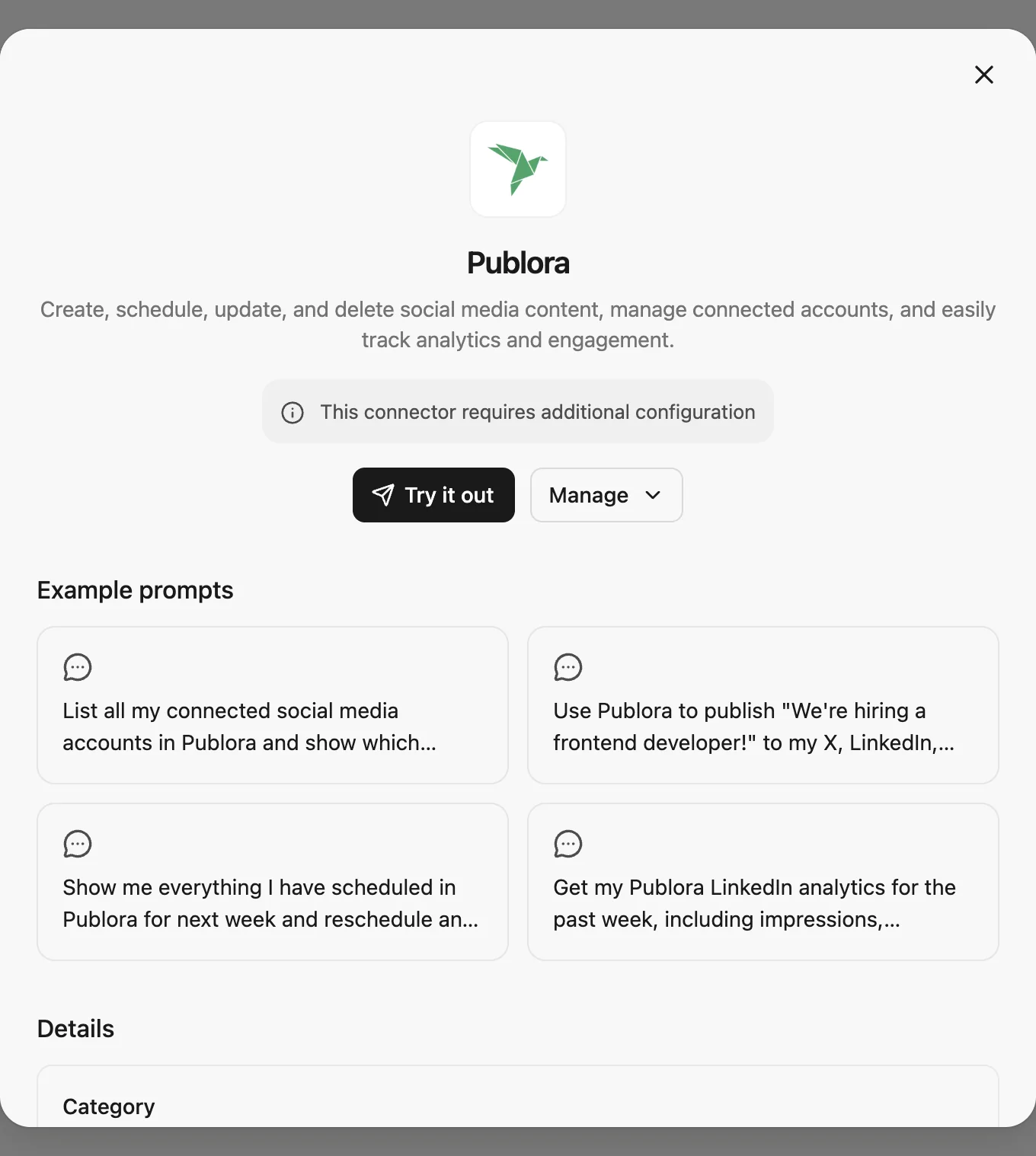
Open the card and press Connect.
Step 2. Create an API Key in Publora
Sign in to Publora, open API in the left menu and press Create New Key. Name it something you will recognise later, such as Manus.
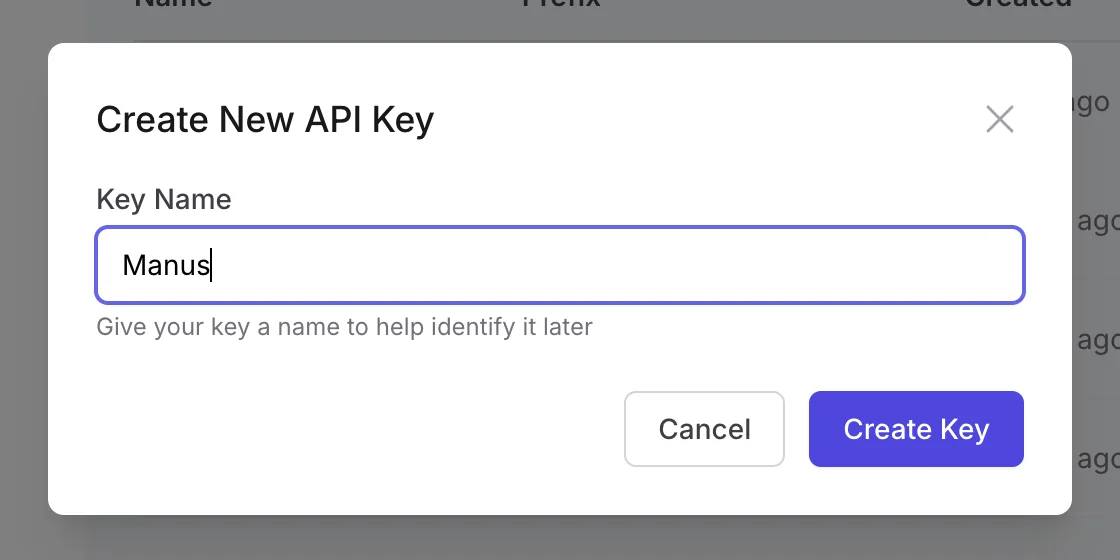
Publora shows the key once, so copy it before you close the window. If you lose it, delete it and create a new one.
Step 3. Paste the Key into Manus
Back in Manus, paste the key into the API Key field and press Connect.
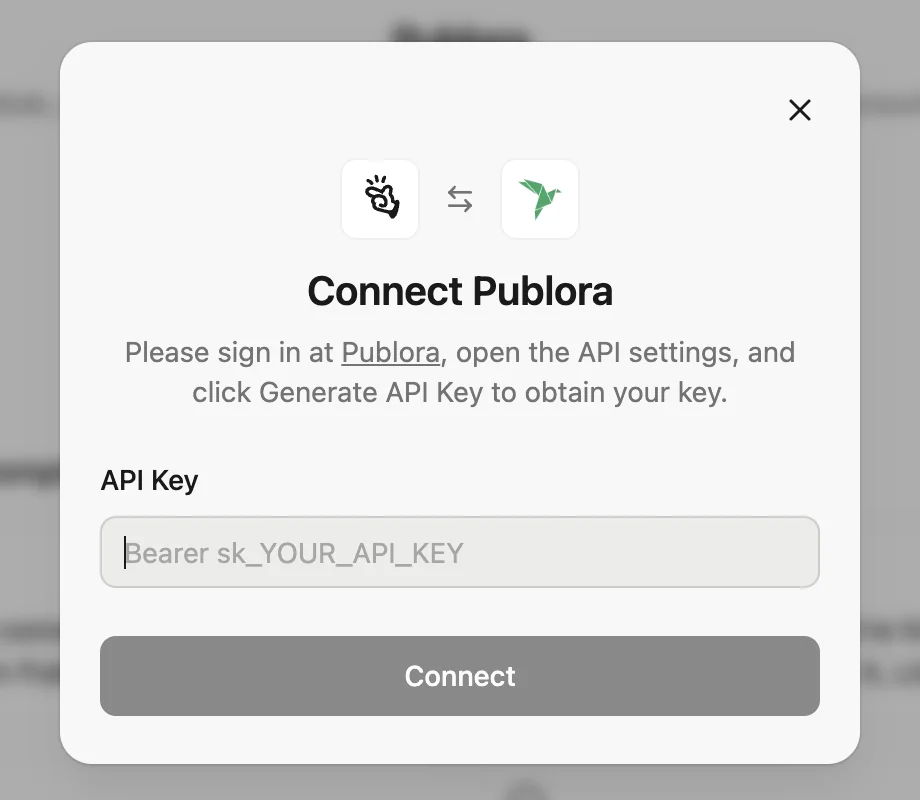
Bearer sk_... as an example. Paste the key exactly as Publora shows it, starting with sk_. You do not need to type "Bearer" in front of it.The card now shows Try it out and Manage instead of Connect.
Step 4. Approve Access Once from the Chat
Start a new task. The Publora icon in the message box means the connector is switched on for this chat.
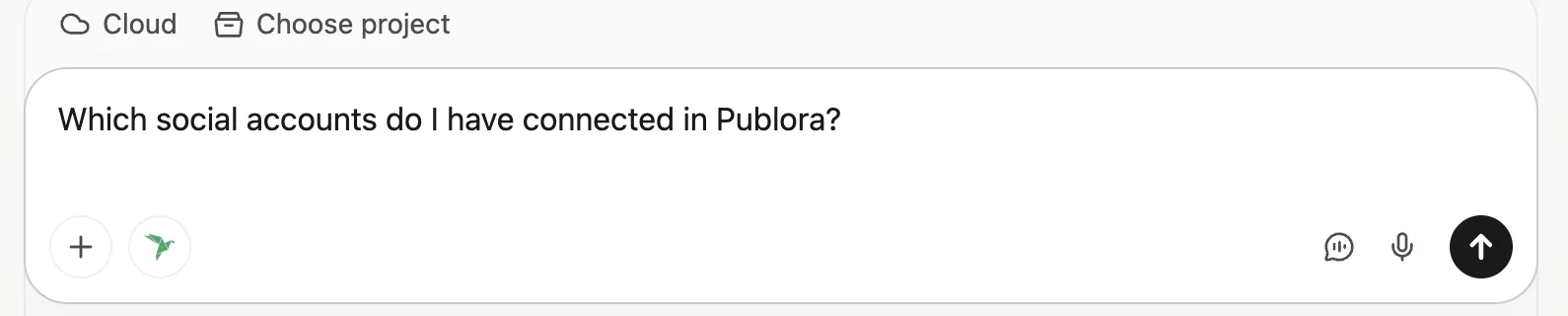
Ask something simple:
Which social accounts do I have connected in Publora?
The first time, Manus may pause and show a Publora card with a Log in button. Press it.
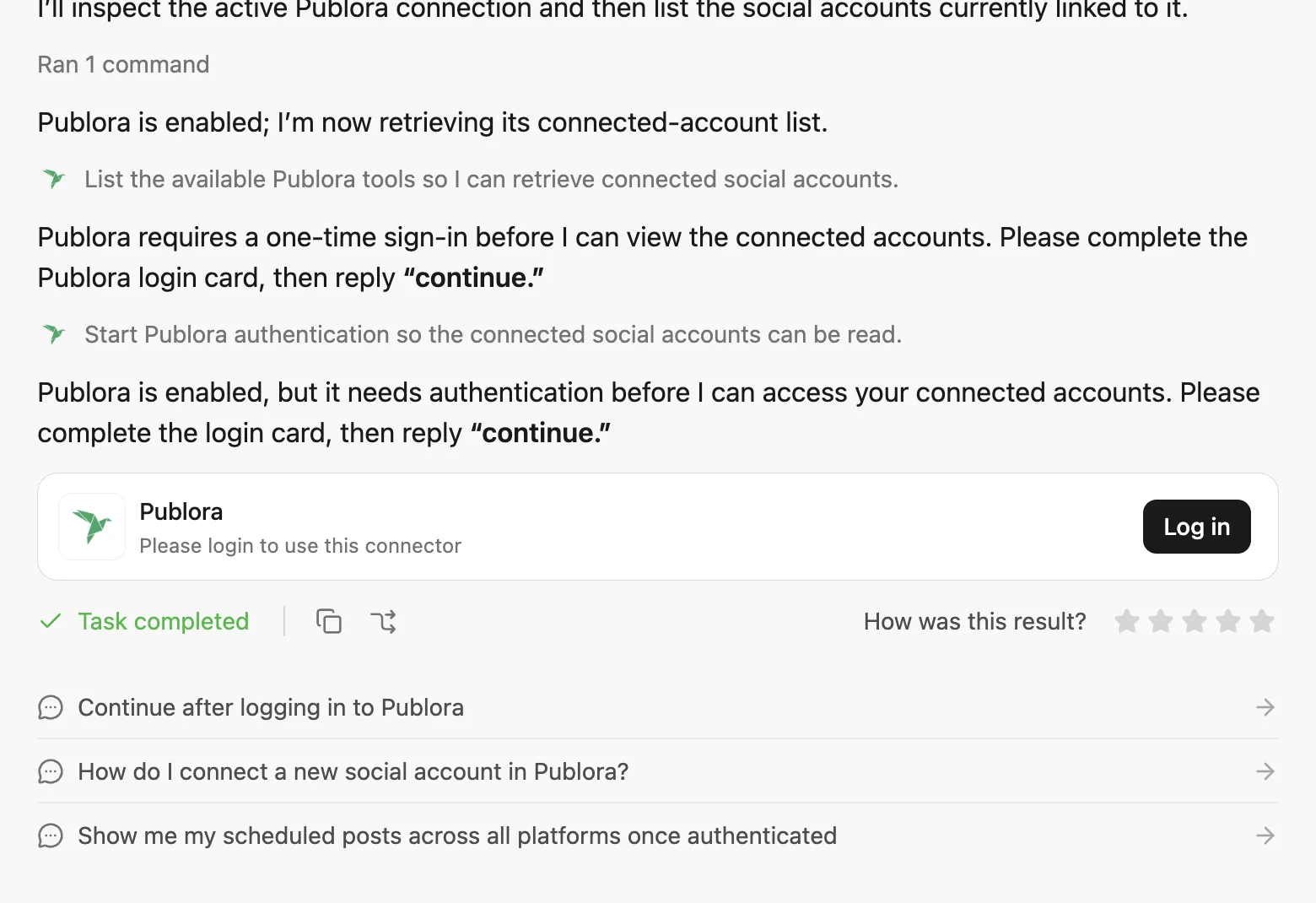
Publora opens its consent screen. Check that the account under "Authorizing as" is the one you want Manus to post through, then press Approve.
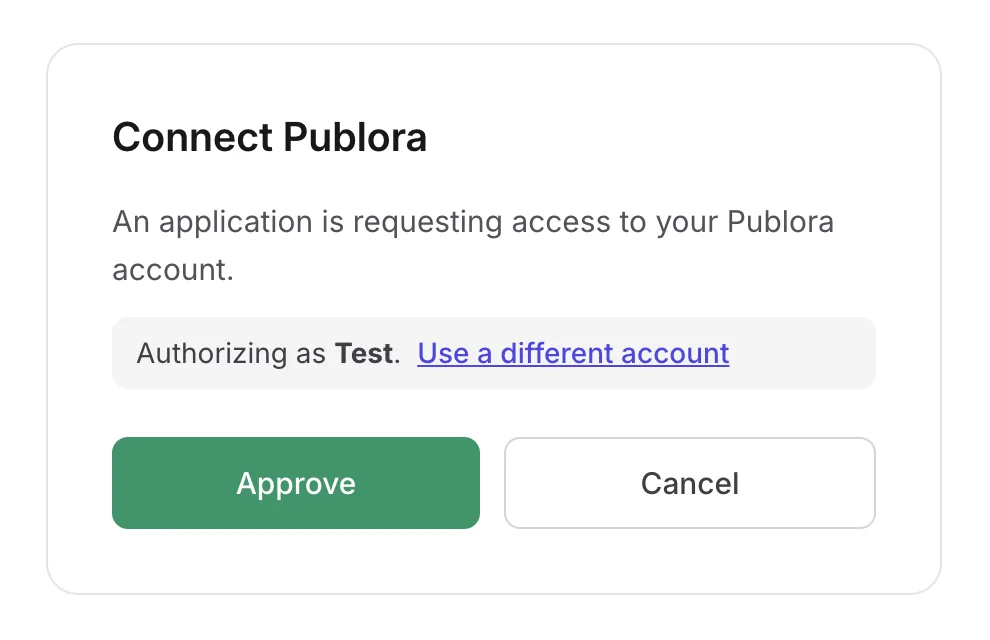
Go back to the chat and type continue. You only have to do this once.
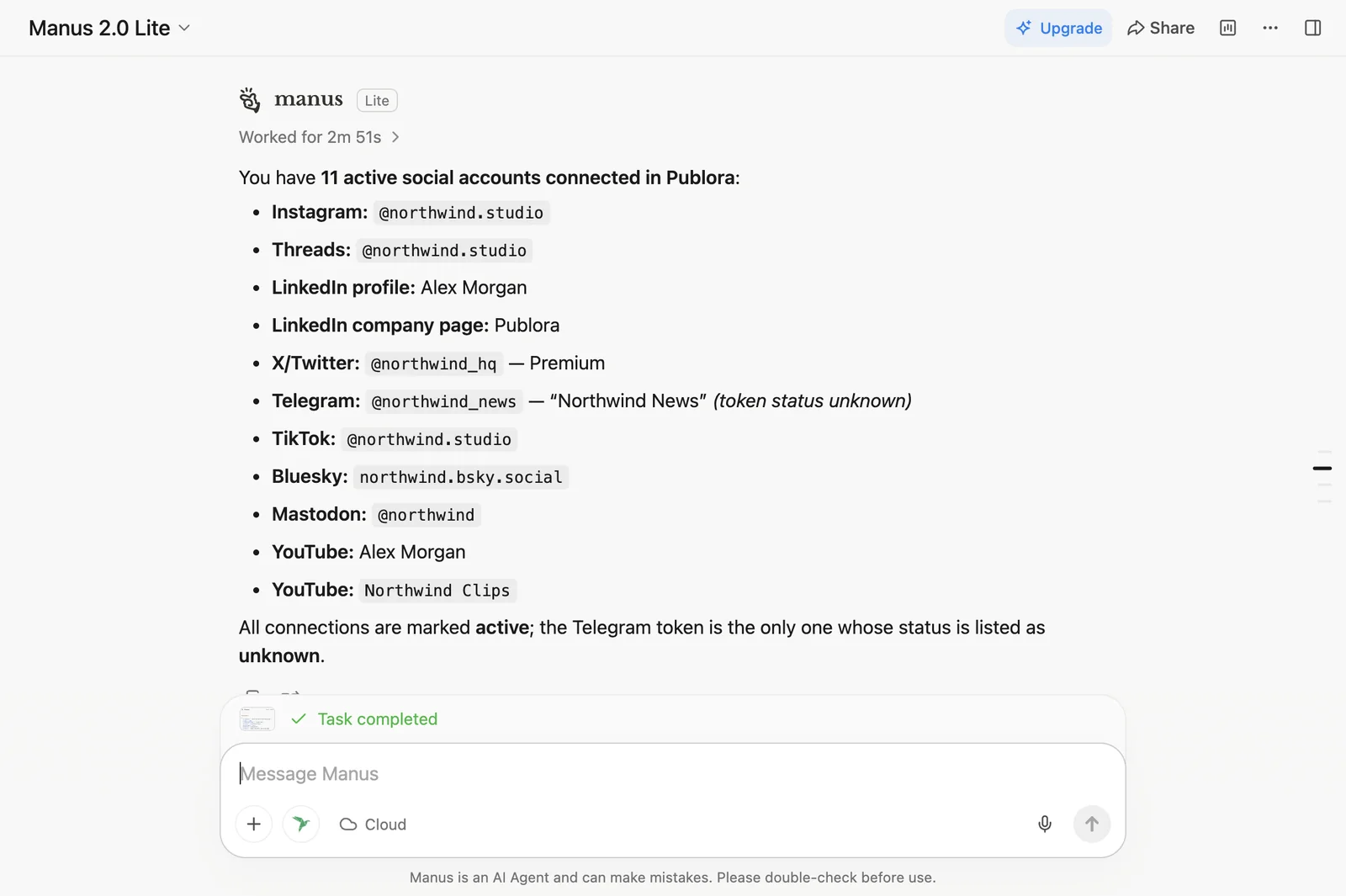
Test It Without Publishing Anything
Publora has a test target called publora-playground. A post sent there goes through the same checks as a real one and is then discarded:
Post "Hello from Manus" to publora-playground.
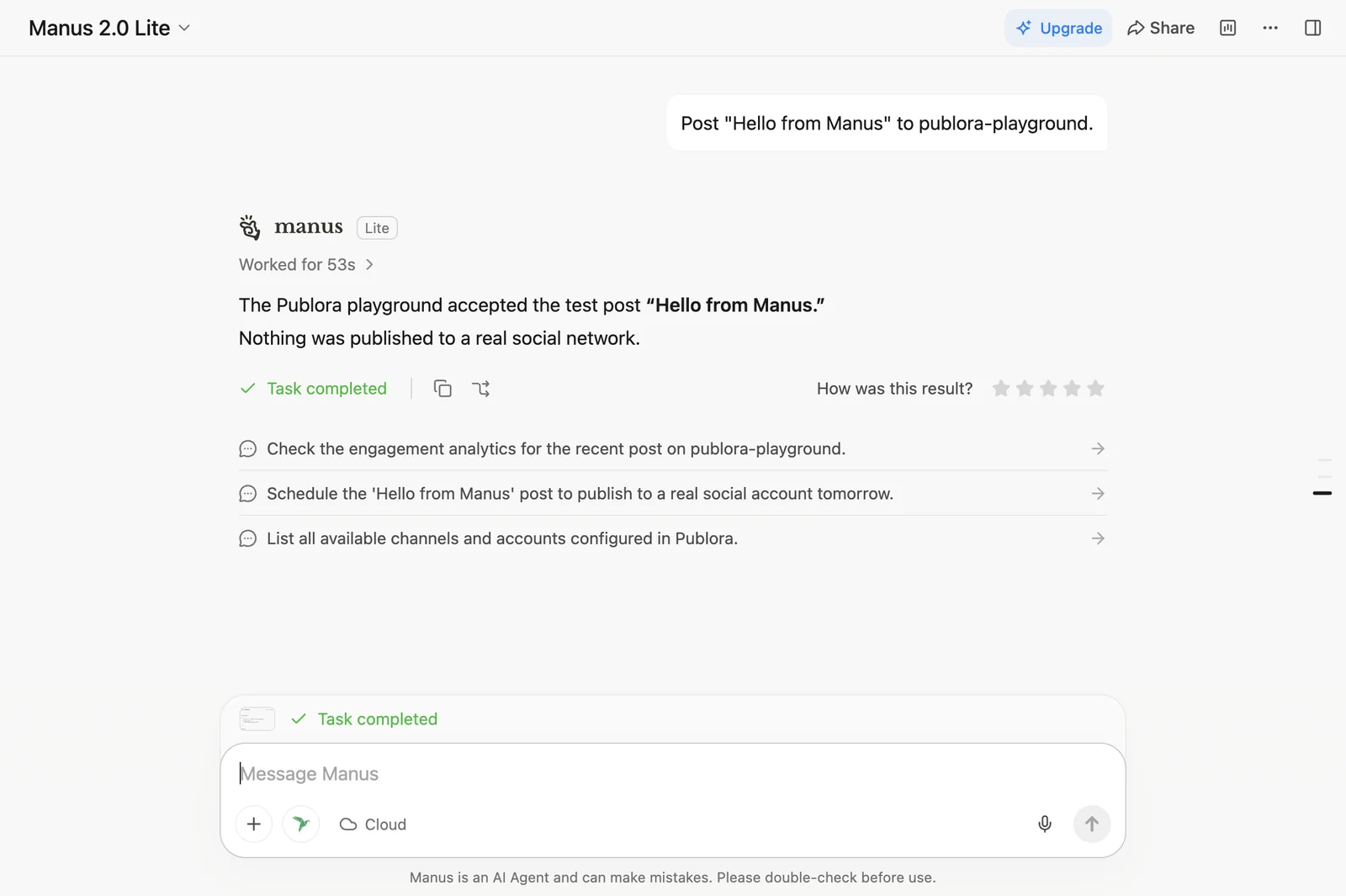
If the test post goes through, your key, the login and the connector are all set up correctly. Run this before you post anything real.
Can Manus Post to LinkedIn and Instagram Through Publora?
Yes. Manus can post to any network you have connected in Publora: LinkedIn, X, Instagram, Threads, TikTok, YouTube, Facebook, Bluesky, Mastodon and Telegram. Here are requests you can copy.
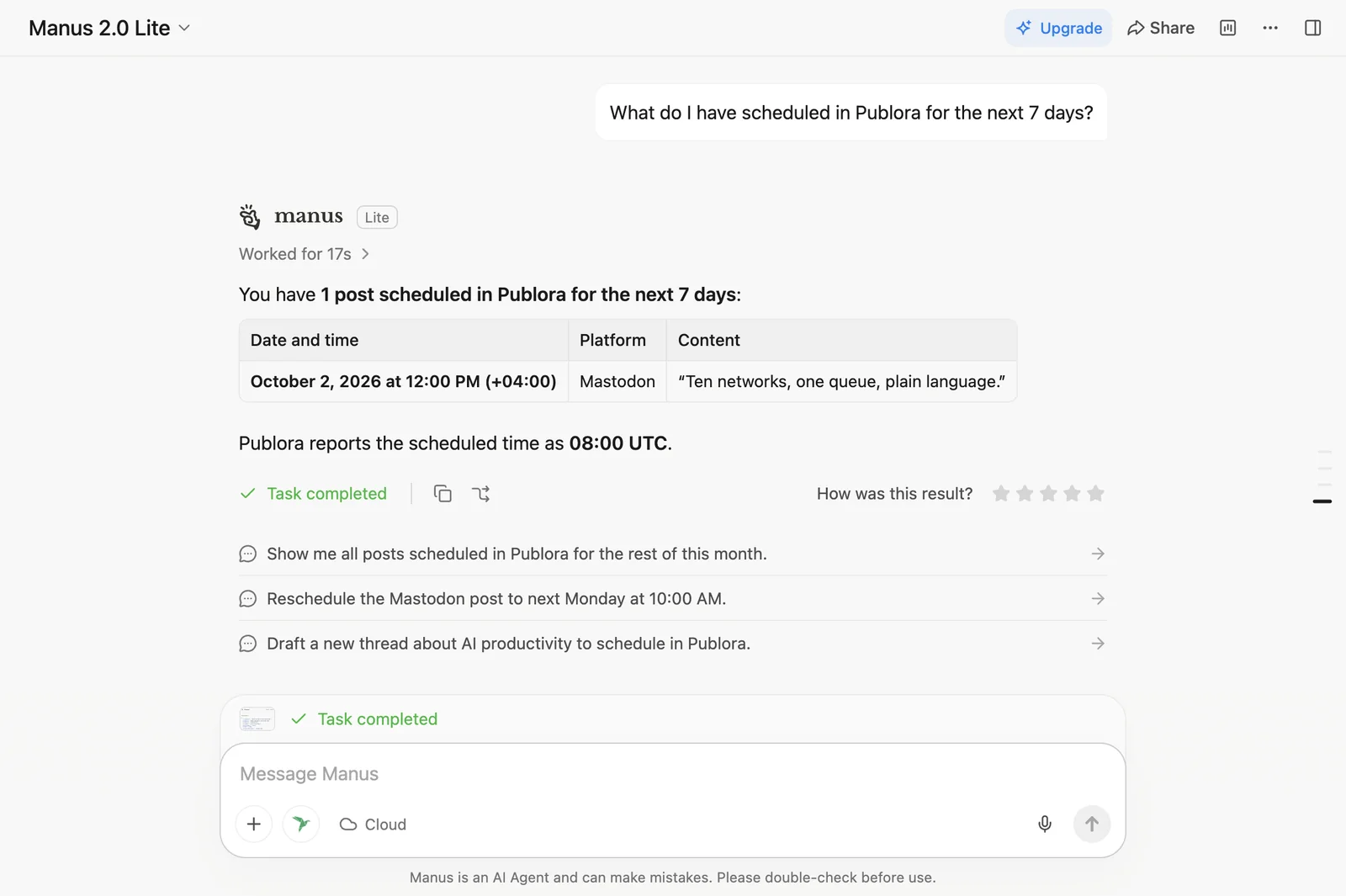
See What Is Scheduled
What do I have scheduled in Publora for the next 7 days?
Write a Draft Without Publishing It
Draft a LinkedIn post about our new pricing page. Don't schedule it.
Schedule It
Schedule that draft for tomorrow at 9:00 UTC.
Post to Several Networks at Once
Post this to my X, LinkedIn and Bluesky tomorrow at 15:00 UTC.
Add an Image
Instagram, TikTok and YouTube will not take text-only posts. Give Manus a public link to the file, and Publora will fetch it.
Post this image to Instagram with the caption "Behind the scenes": https://...
Research First, Then Write
Manus can read the web before it writes, which a plain chat cannot do:
Find three news stories about remote work from this week, write a short LinkedIn post about the most interesting one, and save it as a draft in Publora.
Let Manus run your posting
Three accounts and 15 posts a month on the free plan. No card.
Start FreeManus Does Not Ask Before It Posts
Claude asks for permission before each action. Manus does not: when I asked for a post, it sent it straight away. So say exactly what you want:
- Say draft if you want a draft. A post is only scheduled once it has a time.
- Give a time with a time zone, so the post goes out when you expect.
- Try new requests on
publora-playgroundfirst.
What the Connector Cannot Do
- It won't make up accounts. If you ask for a network you haven't connected in Publora, Manus will tell you it isn't connected.
- Instagram, TikTok and YouTube need an image or video. A text-only post to these networks is rejected before anything goes out.
- Post stats are only available for Mastodon and Bluesky. One of the example prompts on the connector card asks for LinkedIn impressions. That request won't return anything.
- Pinterest can be connected but not posted to. It shows up in your account list, but you can't publish to it.
Do I Need an API Key to Connect Publora to Manus?
Yes. The Manus connector asks for a Publora API key when you add it, and you approve access once from the chat on your first request. You create the key on the API page in Publora. You don't need to type "Bearer" in front of it.
What Is the Difference Between a Manus Connector and a Custom MCP?
A connector from the Manus catalog is already set up for you: find Publora, press Connect and paste your key. A custom MCP is a server you add yourself under Custom MCP by entering its address and headers. Publora's catalog connector is built on MCP too, so you don't need to add Publora as a custom MCP.
Is Publora Free to Use with Manus?
Yes, you can start for free. The Publora free plan includes 15 posts a month, three social accounts and every network except X. The Manus free plan has enough credits to try every example in this guide.
Disconnecting or Switching Accounts
- The "Please login to use this connector" card appears again. Press Log in, approve, and type
continue. - Manus is posting through the wrong Publora account. On the consent screen, choose Use a different account.
- You want to disconnect. Remove the connector in Manus, then delete the key on the API page in Publora. Your posts and connected accounts stay as they are.
The Older Way: Publora Skills
Before the connector existed, you added Publora by asking Manus to install our skills package from github.com/publora/skills and pasting your API key into the chat. It still works. If you already use the skills or want to change how they behave, read Best Manus Skills for Content Creators. If you are starting from scratch, use the connector.
Other Places Publora Works
The same Publora server also works in Claude, ChatGPT, Cursor and a dozen other tools. Once you have connected your social accounts in Publora, you can post to them from any of these tools.
About this article. Tested from a brand-new Manus account on the free plan, October 2026. Credit counts and response times are from that run.
Related Articles
How to Publish to Social Media From Claude
Add the Publora connector from the Claude directory, then ask Claude to draft, schedule or publish to LinkedIn, X, Instagram and seven more networks.
How to Post a Figma Design to Social Media
Send a Figma frame to LinkedIn, Instagram, X and seven more networks without leaving Figma. Free plugin, works in Figma Design and Figma Slides.
How to Publish to Social Media From IFTTT
Connect Publora to IFTTT once, and anything IFTTT watches can go out to LinkedIn, X, Instagram and seven more networks. A feed, a webhook, your own code.
How to Auto-Share WordPress Posts to Social Media
Share every new WordPress post to Instagram, LinkedIn, X, Threads, Bluesky and five more networks automatically. Free plugin, about five minutes to set up.